

EN ISO 9241-16:1999
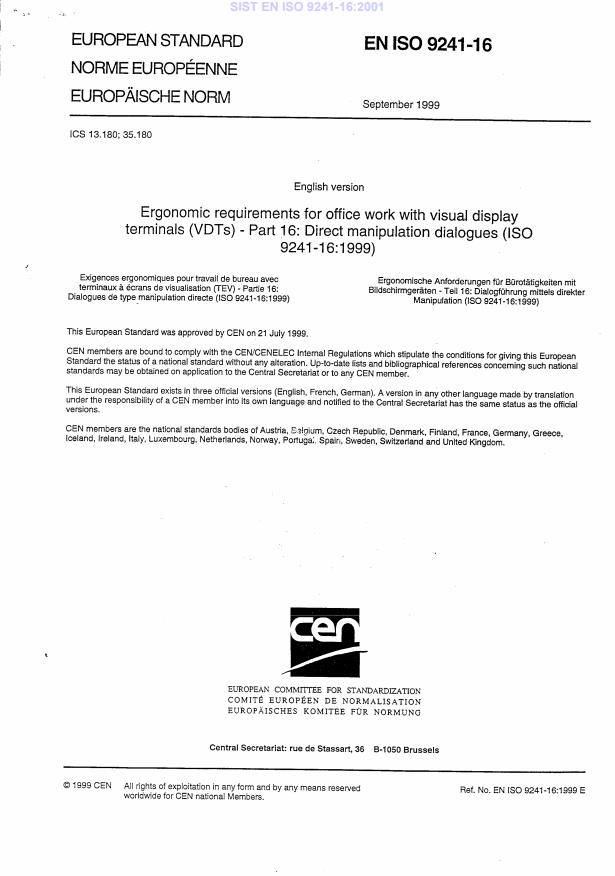
(Main)Ergonomic requirements for office work with visual display terminals (VDTs) - Part 16: Direct manipulation dialogues (ISO 9241-16:1999)
- Abstract
Migrated from Progress Sheet (TC Comment) (2000-07-10): Following BT 125/1992, this part of ISO 9241 will undergo a parallel CEN/ISO ++ voting procedure.
- Status
- Withdrawn
- Publication Date
- 31-Aug-1999
- Withdrawal Date
- 13-Oct-2026
- Technical Committee
- CEN/TC 122 - Ergonomics
- Drafting Committee
- CEN/TC 122/WG 5 - Ergonomics of human-computer interaction
- Current Stage
- 9960 - Withdrawal effective - Withdrawal
- Start Date
- 10-Dec-2025
- Completion Date
- 14-Oct-2026

Overview
EN ISO 9241-16:1999 - Direct manipulation dialogues is part of the ISO 9241 family on ergonomic requirements for office work with visual display terminals (VDTs). It specifies ergonomic guidance and conditional recommendations for designing and evaluating direct manipulation dialogues - interaction techniques where users act directly on on‑screen objects (pointing, dragging, sizing, rotating, etc.). The document was adopted as a CEN/ISO standard (EN ISO 9241-16) and appears in national adoptions (e.g., SIST EN ISO 9241-16:2001).
Key topics and requirements
The standard focuses on usability and ergonomic principles specific to direct manipulation in graphical user interfaces (GUIs). Major technical topics include:
- Scope & definitions - clear terminology (object, pointer, dragging, selection, handle, pane, window, etc.).
- Application guidance - when direct manipulation is appropriate (user, task, system conditions) and how to apply recommendations; conditional recommendations depend on context.
- General interface elements - use of metaphors, appearance of objects, feedback, and input device considerations.
- Object manipulation - ergonomics and usability recommendations for:
- Pointing and selecting (pointer behaviour, selection indication)
- Dragging and attachment to pointer
- Sizing and scaling of objects
- Rotating objects
- Special cases - additional guidance for direct manipulation of text objects, windows (panes, sizing, pointing), and control icons.
- Evaluation - sample procedure (informative annex) for assessing applicability and adherence; normative references to related parts (presentation of information, user guidance, menu dialogues) and icon standards.
The recommendations emphasize readable metaphors, clear visual feedback, appropriate input-device support, and context‑sensitive trade‑offs with other dialogue techniques (menus, commands).
Applications and users
Who benefits and how:
- User interface designers - design GUI elements that enable intuitive direct manipulation (better task affordance, reduced learning).
- Usability evaluators & QA teams - assess products against ergonomic recommendations and run conformity checks using the sample procedure.
- Procurement specialists / buyers - reference the standard when specifying ergonomic requirements for VDT software or office systems.
- Tool and widget library developers - implement components (drag handles, resizable windows, selection cues) consistent with ergonomic guidance.
- End users / organisations - gain improved efficiency, lower error rates and enhanced accessibility when software follows the standard.
Practical environments include desktop applications, productivity suites, CAD/graphical tools, and any system using object‑centric interaction on displays.
Related standards
- ISO 9241 series (relevant parts): Part 10 (Dialogue principles), Part 11 (Usability), Part 12 (Presentation of information), Part 13 (User guidance), Part 14 (Menu dialogues), Part 15 (Command dialogues), Part 17 (Form filling dialogues).
- Normative references cited: ISO 9241-12, ISO 9241-13, ISO 9241-14 and ISO/IEC 11581 icon/pointer work.
Keywords: ISO 9241-16, EN ISO 9241-16, direct manipulation dialogues, ergonomic requirements, VDT, GUI usability, human-computer interaction, pointing, dragging, resizing, window management, usability evaluation.
Relations
- Effective Date
- 25-Aug-2026
- Effective Date
- 25-Aug-2026
- Effective Date
- 25-Aug-2026
- Effective Date
- 25-Aug-2026
- Effective Date
- 25-Aug-2026
- Effective Date
- 09-Feb-2026
- Effective Date
- 28-Jan-2026
- Effective Date
- 09-Feb-2026
- Effective Date
- 28-Jan-2026
Get Certified
Connect with accredited certification bodies for this standard

BSI Group
BSI (British Standards Institution) is the business standards company that helps organizations make excellence a habit.

CIS Institut d.o.o.
Personal Protective Equipment (PPE) certification body. Notified Body NB-2890 for EU Regulation 2016/425 PPE.

Kiwa BDA Testing
Building and construction product certification.
Sponsored listings
Frequently Asked Questions
EN ISO 9241-16:1999 is a standard published by the European Committee for Standardization (CEN). Its full title is "Ergonomic requirements for office work with visual display terminals (VDTs) - Part 16: Direct manipulation dialogues (ISO 9241-16:1999)". This standard covers: Migrated from Progress Sheet (TC Comment) (2000-07-10): Following BT 125/1992, this part of ISO 9241 will undergo a parallel CEN/ISO ++ voting procedure.
Migrated from Progress Sheet (TC Comment) (2000-07-10): Following BT 125/1992, this part of ISO 9241 will undergo a parallel CEN/ISO ++ voting procedure.
EN ISO 9241-16:1999 is classified under the following ICS (International Classification for Standards) categories: 13.180 - Ergonomics; 35.180 - IT Terminal and other peripheral equipment. The ICS classification helps identify the subject area and facilitates finding related standards.
EN ISO 9241-16:1999 has the following relationships with other standards: It is inter standard links to ISO/IEC 11581-2:2000, ISO 9241-13:1998, ISO 9241-14:1997, ISO/IEC 11581-3:2000, ISO/IEC 11581-1:2000, ISO 9241-12:1998, prEN 12259-9, EN 82079-1:2012, EN 894-2:1997+A1:2008. Understanding these relationships helps ensure you are using the most current and applicable version of the standard.
EN ISO 9241-16:1999 is available in PDF format for immediate download after purchase. The document can be added to your cart and obtained through the secure checkout process. Digital delivery ensures instant access to the complete standard document.
Standards Content (Sample)
SLOVENSKI STANDARD
01-junij-2001
Ergonomske zahteve za pisarniško delo s slikovno zaslonsko opremo - 16. del:
Dialog za neposredno upravljanje (ISO 9241-16:1999)
Ergonomic requirements for office work with visual display terminals (VDTs) - Part 16:
Direct manipulation dialogues (ISO 9241-16:1999)
Ergonomische Anforderungen für Bürotätigkeiten mit Bildschirmgeräten - Teil 16:
Dialogführung mittels direkter Manipulation (ISO 9241-16:1999)
Exigences ergonomiques pour travail de bureau avec terminaux a écrans de
visualisation (TEV) - Partie 16: Dialogues de type manipulation directe (ISO 9241-
16:1999)
Ta slovenski standard je istoveten z: EN ISO 9241-16:1999
ICS:
13.180 Ergonomija Ergonomics
35.180 Terminalska in druga IT Terminal and other
periferna oprema IT peripheral equipment
2003-01.Slovenski inštitut za standardizacijo. Razmnoževanje celote ali delov tega standarda ni dovoljeno.
INTERNATIONAL ISO
STANDARD 9241-16
First edition
1999-09-01
Ergonomic requirements for office work
with visual display terminals (VDTs) —
Part 16:
Direct manipulation dialogues
Exigences ergonomiques pour travail de bureau avec terminaux à écrans
de visualisation (TEV) —
Partie 16: Dialogues de type manipulation directe
A
Reference number
ISO 9241-16:1999(E)
ISO 9241-16:1999(E)
Contents Page
1 Scope .1
2 Normative references .2
3 Terms and definitions .2
4 Application of this part of ISO 9241.4
4.1 Appropriateness of direct manipulation dialogues.4
4.2 Applying the recommendations.5
4.3 Evaluation of products.6
5 General information.6
5.1 Metaphors.6
5.2 Appearance of objects used in direct manipulation .7
5.3 Feedback .8
5.4 Input devices.9
6 Manipulation of objects.10
6.1 General considerations.10
6.2 Pointing and selecting .11
6.3 Dragging .14
6.4 Sizing of objects .15
6.5 Rotating .16
7 Additional recommendations for direct manipulation of text objects .17
7.1 Pointing and selecting .17
7.2 Sizing of text .17
8 Additional recommendations for direct manipulation of windows .17
8.1 General considerations.17
© ISO 1999
All rights reserved. Unless otherwise specified, no part of this publication may be reproduced or utilized in any form or by any means, electronic
or mechanical, including photocopying and microfilm, without permission in writing from the publisher.
International Organization for Standardization
Case postale 56 • CH-1211 Genève 20 • Switzerland
Internet iso@iso.ch
Printed in Switzerland
ii
©
ISO
ISO 9241-16:1999(E)
8.2 Pointing and selecting . 18
8.3 Sizing of windows . 18
9 Additional recommendations for direct manipulation of control icons. 19
9.1 Pointing and selecting . 19
Annex A (informative) Sample procedure for assessing applicability and adherence . 21
Bibliography. 31
iii
©
ISO
ISO 9241-16:1999(E)
Foreword
ISO (the International Organization for Standardization) is a worldwide federation of national standards bodies (ISO
member bodies). The work of preparing International Standards is normally carried out through ISO technical
committees. Each member body interested in a subject for which a technical committee has been established has
the right to be represented on that committee. International organizations, governmental and non-governmental, in
liaison with ISO, also take part in the work. ISO collaborates closely with the International Electrotechnical
Commission (IEC) on all matters of electrotechnical standardization.
International Standards are drafted in accordance with the rules given in the ISO/IEC Directives, Part 3.
Draft International Standards adopted by the technical committees are circulated to the member bodies for voting.
Publication as an International Standard requires approval by at least 75 % of the member bodies casting a vote.
This part of ISO 9241 was prepared by Technical Committee ISO/TC 159, Ergonomics, Subcommittee SC 4,
Ergonomics of human-system interaction.
ISO 9241 consists of the following parts, under the general title Ergonomic requirements for office work with visual
display terminals (VDTs):
Part 1: General introduction
Part 2: Guidance on task requirements
Part 3: Visual display requirements
Part 4: Keyboard requirements
Part 5: Workstation layout and postural requirements
Part 6: Guidance on the work environment
Part 7: Requirements for display with reflections
Part 8: Requirements for displayed colours
Part 9: Requirements for non-keyboard input devices
Part 10: Dialogue principles
Part 11: Guidance on usability
Part 12: Presentation of information
Part 13: User guidance
Part 14: Menu dialogues
Part 15: Command dialogues
Part 16: Direct manipulation dialogues
Part 17: Form filling dialogues
Annex A of this part of ISO 9241 is for information only.
iv
©
ISO
ISO 9241-16:1999(E)
Introduction
ISO 9241 deals with several aspects of the use of visual display terminals (VDTs). Currently, the individual parts
can be grouped in the following categories:
ISO 9241-1: General introduction
ISO 9241-2: Guidance on task requirements
ISO 9241-5 and ISO 9241-6: Workstation and environment
ISO 9241-3, ISO 9241-4, ISO 9241-7, ISO 9241-8 and ISO 9241-9: Ergonomics pertaining to hardware
ISO 9241-10 through ISO 9241-17: Ergonomics pertaining to software interfaces
This part of ISO 9241 is concerned with the ergonomic design of direct manipulation dialogues where users perform
operations by acting on displayed objects in ways analogous to manipulating physical entities.
This part of ISO 9241 serves the following types of user
a) the user interface designer, who will apply this part of ISO 9241 during the development process;
b) the buyer, who will reference this part of ISO 9241 during the product procurement process;
c) evaluators responsible for ensuring that products meet the recommendations in this part of ISO 9241;
d) designers of user interface development tools to be used by interface designers;
e) end-users who will gain from the potential benefits provided by this part of ISO 9241.
This part of ISO 9241 consists of a number of recommendations, some of which are conditional, concerning direct
manipulation dialogues. Conditional recommendations are recommendations that should be met only within the
specific context for which they are relevant (e.g. particular kinds of users, tasks, environments, technology).
It should be noted that ISO 9241-10 describes dialogue principles that are relevant for the design of direct
manipulation dialogues. These principles provide the designer and evaluator with additional information concerning
the ergonomic rationale for the various recommendations in this part of ISO 9241 and, therefore, assist in making
trade-offs. However, it may be necessary to base trade-offs on other considerations as well.
v
INTERNATIONAL STANDARD © ISO 9241-16:1999(E)
ISO
Ergonomic requirements for office work with visual display
terminals (VDTs) —
Part 16:
Direct manipulation dialogues
1 Scope
This part of ISO 9241 provides guidance on the design of direct manipulation dialogues. In direct manipulation
dialogues the user directly acts on objects on the screen; for example, by pointing at them, moving them and/or
changing their physical characteristics (or values) via the use of an input device. Such objects are typically
concrete, often graphical, representations of abstract software structures or capabilities and generally fall into two
categories.
a) Task object — a metaphorical representation of a real-world artefact manipulated to support the user’s task
(e.g. a sheet of paper, pen, spanner, graph).
b) Interface object — an object introduced into the interface so that the user can perform tasks related to the use
of the computer application or system. This introduced object may be a real-world object but the metaphor is
not directly related to the user’s real work task (e.g. button, slider, window, screen).
Objects and their representations on the display are referred to as objects, except where it is necessary to make a
clear distinction.
Interfaces that use stereoscopic or virtual reality-type interfaces are not covered in this part of ISO 9241.
In practice, the term direct manipulation is often used interchangeably with graphical user interfaces (GUIs).
However, within GUIs other dialogue techniques, such as menu dialogues or command dialogues, are often
implemented as well. Though GUIs can provide many direct manipulation features, not every user input in GUIs can
be interpreted as direct manipulation. For example, printing a document by moving a document icon upon a printer
icon implies a higher degree of direct manipulation than a mouse click on a push button labelled "print".
This part of ISO 9241 covers usability issues of direct manipulation dialogues. Recommendations on GUI
components are given only if they are related specifically to features of direct manipulation.
Features of direct manipulation dialogues such as step-by-step input may be inefficient (e.g., if one wishes to delete
all files starting with "d"). Therefore, other interaction techniques; for example, command input or menus, may be
more appropriate and are typically used to supplement direct manipulation.
©
ISO
ISO 9241-16:1999(E)
2 Normative references
The following normative documents contain provisions which, through reference in this text, constitute provisions of
this part of ISO 9241. For dated references, subsequent amendments to, or revisions of, any of these publications
do not apply. However, parties to agreements based on this part of ISO 9241 are encouraged to investigate the
possibility of applying the most recent editions of the normative documents indicated below. For undated
references, the latest edition of the normative document referred to applies. Members of ISO and IEC maintain
registers of currently valid International Standards.
ISO 9241-12:1998, Ergonomic requirements for office work with visual display terminals (VDTs) — Part 12:
Presentation of information.
ISO 9241-13:1998, Ergonomic requirements for office work with visual display terminals (VDTs) — Part 13: User
guidance.
ISO 9241-14:1997, Ergonomic requirements for office work with visual display terminals (VDTs) — Part 14: Menu
dialogues.
1)
ISO/IEC 11581-1:— , Information technology — User System Interfaces — Icon symbols and functions —
Part 1: Icons — General.
1)
ISO/IEC 11581-2:— , Information technology — User System Interfaces — Icon symbols and functions —
Part 2: Object icons.
1)
ISO/IEC 11581-3:— , Information technology — User System Interfaces — Icon symbols and functions —
Part 3: Pointers.
3 Terms and definitions
For the purposes of this part of ISO 9241, the following terms and definitions apply.
3.1
attribute
property of an object or its representation (e.g. colour) which may be modified by user actions in certain contexts
3.2
choice list
list containing a number of items which a user can select
NOTE Single selection or multiple selection may be possible. The number of items may be fixed or may change during the
dialogue.
3.3
clicking
operation of pressing and immediately releasing a button on a pointing device without moving the pointer off the
selected input-sensitive area
3.4
control
graphic, often analogous to physical controls such as dials, radio buttons, which allows a user to directly manipulate
data, other objects or their attributes
1)
To be published.
©
ISO
ISO 9241-16:1999(E)
3.5
cursor
visual indication of the focus for alphanumeric input
3.6
direct manipulation
dialogue technique by which the user has the impression of acting directly on objects on the screen; for example by
pointing at them, moving them and/or changing their physical characteristics (or values) via the use of an input
device
3.7
dragging
moving or changing an object after attaching the object or a portion of it to the pointer
3.8
double clicking
operation of pressing and immediately releasing a button of a pointing device twice in succession within a specified
time period
3.9
handle
permanent or temporary graphical indication of a control point on an object
3.10
icon
graphic on a visual display terminal that represents an object, action or a function
3.11
input focus
in relation to a given input device, the indication of the object upon which the user directs input
3.12
metaphor
use of concepts and properties which are already familiar to the user and from which the user can predict the
function, behaviour and organizational structure of the system
3.13
object
entity which is presented to the user during the dialogue
NOTE Both entities relevant for the task (such as a letter, a sales order, electronic parts, a wiring diagram) and entities of
the user interface (such as an icon, a window, a push button) are regarded as objects. Different object types are text objects,
graphical objects or control objects. It may be possible for the user to directly manipulate some of these objects.
3.14
pane
working area within a window frame
NOTE Panes can be split to create multiple panes within one window.
3.15
pointer
graphical symbol that is moved on the screen according to operations with a pointing device
NOTE Users can interact with elements displayed on the screen by moving the pointer to that location and starting a direct
manipulation.
3.16
pointing
operation of positioning the pointer on an object or position by using a pointing device
©
ISO
ISO 9241-16:1999(E)
3.17
pointing device
device that translates a human controlling operation to a controlling operation on the display
NOTE Depending on the applied technology, not only machine devices but also parts of the human body (e.g. fingers,
arms) can currently be used as pointing devices.
3.18
scaling
operation of sizing proportionally
3.19
scroll bar
control that allows a user to view objects that extend beyond the size of a displayed related window or list by moving
the objects into or out of the available display area; the scroll bar also indicates whether additional information is
available
3.20
selecting
operation of choosing one or more objects from a visually presented set of objects
3.21
selection indication
visual or other cue that indicates the selected element on the display, to which the user may apply a subsequent
action
3.22
sizing
operation of changing one or more dimensions of objects arbitrarily
3.23
state of objects
status of an object which is related to possible modifications
EXAMPLE Such states include "active", "available", "selected", "unavailable".
3.24
window
independently controllable area on the display screen used to present objects and/or conduct a dialogue with a user
4 Application of this part of ISO 9241
4.1 Appropriateness of direct manipulation dialogues
Direct manipulation dialogues are especially appropriate for one or more of the following conditions (or
requirements), which have been grouped to reflect user, task and system issues. The applicability of direct
manipulation dialogues becomes greater as more conditions are met.
a) User characteristics
1) Users may not possess the relevant reading or writing skills but have the necessary sensorimotor
capabilities for direct manipulation.
2) User performance is improved by visual cues that assist recall.
3) User performance is better with graphical representations instead of textual descriptions.
©
ISO
ISO 9241-16:1999(E)
b) Task characteristics
1) Real-world task objects, their properties and operations can be simulated; i.e., there is an appropriate
metaphor for the application.
2) Complex attributes of objects are hard to transform into common language in single terms; for example
"pointing to a pattern" is easier than "describing the pattern".
3) The task sequence is not predetermined and requires flexibility in order to be accomplished.
4) Tasks require the user to be able to exercise control over objects.
5) Required input (e.g. a command) is hard to describe and to remember, but can be easily visualized.
6) Tasks are more easily accomplished using visible objects and direct manipulations.
7) The task requires transformation of visual attributes of objects.
8) Tasks are infrequently performed.
9) Tasks allow entities to be treated as singular objects, which remain complete units during direct
manipulations, and portions of the entities (e.g. pixels of an icon) are typically not directly manipulated
independently.
c) System capabilities
1) Screen resolution and input devices allow precise and accurate direct manipulations. In most cases, this
implies hardware with graphics facilities and pointing devices (though direct manipulation interfaces may
also be designed if only alphanumeric display and cursor keys are available),
2) The technical capability to produce graphical representations of objects is sufficiently effective,
3) The system is sufficiently capable to provide immediate feedback for direct manipulations of users.
4.2 Applying the recommendations
General ergonomic design objectives are provided in clauses 5 through 9. The individual recommendations aimed
at achieving these objectives should be applied within the specific context for which they are relevant (e.g.,
particular kinds of users, tasks, environments, technology). The format for the individual recommendations is:
statement of the recommendation, examples (if appropriate), and notes (if appropriate). Examples provided for the
various recommendations generally depict an implementation that embodies the recommendation. Some examples
also indicate preferred solutions.
During direct manipulation dialogues, human perception and interaction are especially supported by the following
characteristics:
the user input is accomplished by directly manipulating visually displayed entities (e.g., a displayed object moves on the
screen in direct relationship to corresponding movements with the pointing device),
input and output are connected through immediate feedback (e.g., the movement of an icon is displayed continuously on
the screen; the icon does not jump suddenly from the start position to the target position),
modifications of displayed objects correspond to real-world experiences (e.g., the simulated borderline of a text document
can be modified by changing a border marking similar to those on mechanical typewriters).
©
ISO
ISO 9241-16:1999(E)
Individual recommendations should be evaluated for their applicability and, if judged to be applicable, should be
implemented in the relevant direct manipulation dialogue unless there is evidence that to do so would cause
deviation from the design objectives or would result in an overall degradation in usability. When determining
applicability, the recommendations generally should be evaluated in the order presented in the relevant clause or
subclause. In judging whether applicable recommendations have been met, evaluators should evaluate the product
or observe representative users of the product in the context of accomplishing the user’s tasks via the direct
manipulation dialogue. Sample procedures which support the determination of applicability and for judging whether
a recommendation has been followed are provided in annex A.
4.3 Evaluation of products
If a product is claimed to have met the applicable recommendations in this part of ISO 9241, the procedure used in
establishing requirements for developing, and/or evaluating the direct manipulation dialogue shall be specified. The
level of specification of the procedure is a matter of negotiation between the involved parties.
Users of this part of ISO 9241 can either utilize the procedures provided in annex A, or develop another procedure
tailored to their particular development and/or evaluation environment.
5 General information
5.1 Metaphors
Metaphors should create an impression of acting upon the objects of the task domain themselves. They are often
used to aid in the design of direct manipulation dialogues. However, the way people perform control operations in
the real-world may not always be appropriate as a method for a direct manipulation dialogue, especially if the
intention of the interface is to "streamline" a real-world process (e.g., when the user wants to go to a specific topic in
an electronic book, navigating according to the book metaphor, page by page, may be less efficient than clicking on
a keyword that leads immediately to the corresponding section).
In the following recommendations the objectives for the design of metaphors should enable users to anticipate how
to use the system by providing familiar concepts that facilitate their understanding of the system. Metaphors
employed should guide users in planning and carrying out tasks.
5.1.1 Providing a framework
If metaphors are used, they should provide a framework and status information that are consistent with the real-
world analogy and support the user’s understanding of possible direct manipulations and their effects.
EXAMPLE 1 In a room metaphor, an opened door indicates that the user has access to elements in this room.
EXAMPLE 2 A document icon is moved to a printer icon in order to initiate printing. While the document is being printed, a
sheet of paper is shown running through the printer icon.
EXAMPLE 3 Within a customer administration application, a tabbed notebook metaphor is used to group different sets of
related customer data and to indicate direct access to data via the tabs of the notebook.
EXAMPLE 4 To delete a document in an office environment, the user can select the document icon, drag it over to the waste-
paper can and drop the document in the can in order to "throw it away".
5.1.2 Recognizable metaphors
If a metaphor is used, its representation should be sufficiently recognizable.
EXAMPLE If a notebook metaphor is used, the data sheets and navigation control icons are designed to look like pages and
tabbed dividers which the user can select directly in order to move to a specific page.
©
ISO
ISO 9241-16:1999(E)
5.1.3 Limits of metaphors
If a metaphor is not applicable to some parts of the system, this should be clearly indicated to the user. If the extent
of these limitations is such as to cause potential confusion to the user, the appropriateness of using the metaphor at
all should be considered.
EXAMPLE 1 In a desktop metaphor, icons are used both for moveable objects and for action buttons which are not
moveable. These differences are indicated by different frame types around the icons.
EXAMPLE 2 Dragging an object into a folder results in different effects which are dependent on the target position (moving
vs. copying). These differences in the metaphor are clearly indicated to the user by corresponding system messages.
EXAMPLE 3 Whilst there is a desktop metaphor where a document can be dragged to a shredder for deletion, a system
feedback indicates that an application cannot be shredded but should be deinstalled.
5.2 Appearance of objects used in direct manipulation
In direct manipulation dialogues, the presentation of information should help users to perform tasks such as
accessing, searching, discriminating and recognizing objects and direct manipulations easily and accurately. In
order to meet these objectives, the recommendations in this subclause should be applied. In addition the
"Characteristics of presented information" of ISO 9241-12:1998, 4.1 should be applied.
5.2.1 Appropriate size of manipulable areas
Selectable and manipulable areas should be large enough to allow users to select them rapidly and accurately with
a pointer [see ISO 9241-14:1997, 7.5.1b)].
NOTE The appropriate size may differ for different kinds of pointers, input devices (e.g. finger, mouse pointer), and
contexts of use.
5.2.2 Distinctiveness of object representations and direct manipulation control icons
The visual design in direct manipulation interfaces should not only enable users to clearly identify objects that can
be directly manipulated from other elements that are not changeable but should also clearly indicate which kinds of
direct manipulations can be applied to a selected object.
EXAMPLE 1 A border is used to distinguish text objects from textual elements which cannot be directly manipulated. In
addition, the pointer image is changed to an I-beam only when the pointer is moved into the area of the manipulable text object.
EXAMPLE 2 The possibility to directly manipulate a graphical object is indicated by different object handles that appear after
selection of this object and by changing the shape of the pointer, as long as the pointer is positioned upon one of these
handles.
5.2.3 Appearance of unavailable objects and control icons
If appropriate to the task, objects, attributes, or direct manipulation control icons that are currently unavailable
should remain on the display. Coding should be used to indicate their temporary unavailability which is consistent
with (visual) cues used for other dialogue techniques implemented in the same application (e.g. menu dialogues).
EXAMPLE 1 The symbol of a printer which has run out of paper is dimmed to indicate that it is not available at the moment
and that print commands cannot be executed.
EXAMPLE 2 Buttons are dimmed if they cannot be activated in connection with the currently selected object.
5.2.4 Obscuring less important objects
If appropriate for the task, temporarily less important objects may be overlapped, hidden or placed at the periphery
of the display area as a result of a direct manipulation, but
a) the objects’ state should not change until another user input is made, and
©
ISO
ISO 9241-16:1999(E)
b) some means should be provided to access these objects when they are required again.
EXAMPLE Selected cells in a spreadsheet remain selected, even if the user scrolls through the document and the selected
cells therefore become invisible. Only when the user selects another cell are the status of the previously selected ones
changed.
5.2.5 Representation of objects
If the number or size of objects to be processed would make a task difficult to complete, the user should be able to
choose between different representations of the objects which still allow direct manipulations.
EXAMPLE Viewing objects in a container as icons is appropriate for a small number of different object types. If the number of
objects is very large and mostly of the same type, iconic presentations can be difficult to distinguish and need much space. A
textual representation of the objects can be handled more efficiently in this case. Also zooming to a view where more icons can
be seen at a time could improve the user’s efficiency.
5.3 Feedback
Feedback should provide dynamic and context-specific information about the effects and consequences of each
direct manipulation and thus guide users through required dialogue sequences. In order to meet these objectives,
the recommendations in this subclause should be applied. In addition, the recommendations on "feedback" in
ISO 9241-13:1998, clause 7, should be applied.
5.3.1 Pointers indicating direct manipulation types
If a direct manipulation of an object or a part of an object results in a predefined, unambiguous action, the pointer
type should indicate this action (see ISO/IEC 11581-3 which covers pointers and ISO 9241-12:1998, 6.2).
EXAMPLE
pointing is indicated by an arrow;
moving a single object is indicated by an arrow with a miniature object;
moving multiple objects is indicated by an arrow with a stack of miniature objects;
resizing is indicated by a double-ended arrow;
drawing is indicated by a pencil;
jumping to a cross-reference in a hypertext is indicated by a horizontal arrow.
5.3.2 Pointers indicating unavailability
The pointer type should indicate whether direct manipulations can be performed on a particular object or not.
EXAMPLE 1 The shape of the pointer is changed to an hourglass or a watch to indicate that no further direct manipulations
are possible until the application has finished the current system process.
EXAMPLE 2 During a drag operation, the shape of the pointer is changed to a "prohibited" sign to indicate that the dragged
object cannot be dropped at the current position of the pointer.
5.3.3 Prompting for required options
If an operation requires more data than can be specified through direct manipulation, then
a) the system should prompt for these data, and if possible and appropriate for the task
b) the system should provide selectable options for the user, and
©
ISO
ISO 9241-16:1999(E)
c) the system should indicate default values to the user and ask for confirmation.
EXAMPLE After the user drops an object on a printer, the application prompts for values such as number of copies, selection
of pages, etc. Within these prompts, the target printer is already selected within a list of possible printers and the system
suggests a single copy of all pages as default value.
5.3.4 Immediate and continuous feedback for different parts of direct manipulations
The system should provide
a) continuous feedback on the progress of a direct manipulation, and
b) immediate feedback on the completion of each discrete part of a direct manipulation.
EXAMPLE 1 Continuous feedback. If an object like a window, icon, etc. is dragged from one position to another, the object
itself or an outline of this object is continuously moved over the display corresponding to the movements of the pointing device.
EXAMPLE 2 Immediate feedback. As soon as the user has selected a document icon, it becomes highlighted, indicating that
the document is selected. As soon as the document is deleted, its icon disappears from the display.
EXAMPLE 3 Immediate and continuous feedback. When the mouse pointer is moved onto a push button, an additional frame
is displayed around the push button to indicate that this area is input sensitive. When the mouse button is pressed, the push
button is highlighted immediately to indicate its selection. If the pointer is moved off the push button while the mouse button is
still pressed, the highlighting and the additional frame disappear, indicating that the selection has been cancelled. When the
mouse button is released while the pointer is on the highlighted push button, the highlighted area blinks twice to indicate that
the activated action is now being processed by the system.
5.3.5 Display of newly created or opened objects
Unless it is inappropriate for the task, the results of direct manipulations to create or open objects should be
displayed in the foreground of the display and should be positioned such that the results can be manipulated directly
by the user.
EXAMPLE If a new window is opened, it is displayed in front of all other objects on the screen and automatically receives the
input focus.
5.4 Input devices
Appropriate input devices, such as a mouse, a trackball or the use of a finger on a touch panel, should be selected
to provide the feeling of directness and naturalness of manipulations required by the task. In order to meet this
objective, the recommendations in 5.4.1 to 5.4.4 should be applied.
5.4.1 Alternative devices
All direct manipulations should be accessible at least by one pointing device. If alternative input devices are
available, those direct manipulations, which are better suited to such a device, should also be assigned to these
devices.
EXAMPLE For gross direct manipulations like moving an object over a distance, the mouse is used. For fine direct
manipulations like exact positioning of an object, cursor keys are used to move the pointer.
5.4.2 Equivalent keyboard techniques
For users who may experience difficulties in operating pointing devices (such as a mouse etc.), equivalent
techniques should be provided to achieve the same results with a keyboard or keyboard equivalent device. Such
techniques need not be based on direct manipulation.
EXAMPLE To open a document, the user may double click on the document icon with the pointing device. Alternatively, the
user may select the document icon with the tab key, select a menu item to open the document with the cursor keys, and
activate it with the return key.
©
ISO
ISO 9241-16:1999(E)
5.4.3 Minimal alternation between input devices
Direct manipulation dialogues should be designed to minimize the need for users to alternate between different
input devices.
EXAMPLE To fill in a form, a user selects every field with the mouse and then enters text by choosing an item from a list of
possible field values. As experience grows, the user moves the cursor from field to field with the tab-key and enters text with
the keyboard. Thereby the need for the user to alternate between input devices is minimized and efficiency is increased.
NOTE Alternation between different input devices can be a way to increase variation in physical load and thereby
decrease the risk of musculoskeletal problems.
5.4.4 Multiple buttons
For input devices that have multiple buttons, selecting should be assigned to the button which has been defined as
the primary button (by convention or user preference).
6 Manipulation of objects
6.1 General considerations
Dialogue design based on direct manipulation of objects should minimize learning time and enhance user
performance. Users should be able to see immediately the results of their direct manipulations, and should be able
to change easily to other direct manipulations. The number and values of attributes of objects define the user's
possibilities to customize and directly manipulate objects. Therefore, user interface design should also enable easy
access and changeability of attributes. In order to meet these objectives, the following recommendations should be
applied.
6.1.1 Generic direct manipulations
If the task requires similar operations on different object types, consistent generic direct manipulations should be
provided.
EXAMPLE 1 "Text" objects and "file" objects can be deleted by selecting the object and dragging it to a waste paper can.
EXAMPLE 2 The characteristics of text within a page layout (borders, columns, tabular space) are directly changeable by
moving corresponding handles, markers or other symbols within the document.
6.1.2 Sequence of direct manipulation of objects
Unless an alternative order is required by the task, modification of objects should be done consistently in the
following order: first object selection, then direct manipulation.
EXAMPLE A document is selected before the control icon for "print" is activated by the user.
6.1.3 Automatic prompting of available objects or direct manipulations
If the user does not follow the expected order (e.g., attempting a direct manipulation without having selected an
object), the system should prompt the user with available input options or should provide information on how to
obtain these options.
EXAMPLE In a dialling system, icons of people represent customers and a phone icon represents the operation of dialling.
The requested input sequence is to select a customer before the phone icon is activated; but if the user activates the phone
icon first, the system prompts with available customers instead of producing an error message.
©
ISO
ISO 9241-16:1999(E)
6.1.4 Direct manipulation of output
If appropriate for the task, the result of a direct manipulation should be displayed in such a way that it can be further
modified by direct manipulation.
EXAMPLE 1 A bar chart is created from data in a spreadsheet. Data can be entered either in the spreadsheet or by resizing
one of the bars directly with the pointing device.
EXAMPLE 2 Double clicking the icon representation of a container object opens a window that displays the list of contained
objects. These can also be directly manipulated; e.g. copied, moved, edited.
EXAMPLE 3 A user creates a text document. As long as the user does not define any name for the document, the system
uses a default name like "untitled document 1" which is already selected so that the user can directly overwrite it.
6.1.5 Returning to states prior to direct manipulations
Wherever possible, users should be able to use a direct manipulation in order to return to the state prior to a
previous direct manipulation.
EXAMPLE 1 If an object is selected, it can be deselected.
EXAMPLE 2 If a file is dragged into a waste-paper can, it can be dragged back out as long as no operation to empty the
waste-paper can has been carried out.
NOTE This recommendation does not relieve designers from considering other methods for returning to previous states
(e.g. an undo-function; for details on error management see also ISO 9241-13:1998, clause 9).
6.1.6 Direct manipulation of attributes
If efficiency is important and if appropriate for the task, visible attributes of an object should be directly manipulated
so that the object’s appearance is changed immediately. Other attributes may be made accessible by separate
windows or menus.
EXAMPLE 1 The height of a bar in a bar chart can be modified by dragging the top directly at the intended value.
EXAMPLE 2 A specific window has been designed to display all required data simultaneously. In this case, users may still
change the window’s attribute "position" directly by dragging, but may not change the height or width of that window.
EXAMPLE 3 If a monochrome screen is used, the colours of an object cannot be displayed directly. The current or default
colour values can be indicated in a separate location.
NOTE If a visible attribute of an object is modified in a separate window, it might be useful to keep the window open, thus
enabling the user to further modify or correct this attribute.
6.2 Pointing and selecting
Users should be able to choose manipulable objects easily by pointing and selecting. In order to meet this
objective, the following recommendations should be applied.
6.2.1 Visualization of pointing and selecting
Pointing and selecting should be illustrated by a sequence of appropriate visual cues. It should be apparent to the
user:
a) during pointing: which component will be selected at the current position of the pointer, and
b) during selection: which object or objects are being selected, and
©
ISO
ISO 9241-16:1999(E)
c) after the selection process: which objects are selected.
EXAMPLE:
a) The position of the tip of the pointer arrow is used to determine which of the elements that are displayed beneath the
current location of the pointer will be selected.
b) As long as the user moves the pointer while keeping a mouse button pressed, a rectangle is displayed which indicates
that objects within this area are being selected.
c) After the mouse button is released, the line disappears and the selected objects are highlighted.
6.2.2 Pointing at and between objects
If appropriate for the task, the user should be able not only to point to and select objects, but also to point at other
areas in order to move the input focus.
EXAMPLE 1 In order to insert text, the user is able to position the text cursor directly between characters.
EXAMPLE 2 In order to copy a file icon from a container onto the desktop, the user is able to select with the pointing device
any target position on the desktop between other file icons.
6.2.3 Single selection mechanisms
If a user has to select exactly one option from a list of options or one object from a group of objects, any selection of
an item should deselect a previously selected item. If in addition it is meaningful to have no item selected,
mechanisms should be provided to cancel any
...