

CWA 16926-19:2022
(Main)Extensions for Financial Services (XFS) interface specification Release 3.50 - Part 19: Biometrics Device Class Interface Proposal - Programmer's Reference
- Abstract
This specification describes the XFS service class for Biometrics Device (BIO). The specification of this service class includes definitions of the service-specific commands.
Biometrics refers to metrics related to human characteristics and biology. Biometrics authentication can be used as a form of identification and/or access control. This is an overview of biometrics, as well as an introduction to the terminology used in this document. It introduces to XFS the concept of scanning a person’s biometric data in raw image form (raw biometric data), then processing it into a smaller more concise form that is easier to manage (biometric template data). The first scan of a user is called ENROLLMENT as the user is effectively being enrolled into a scheme by recording their biometric data. Thereafter subsequent scans of the user can be compared to the original data in order to verify who they say they are (VERIFICATION), or alternatively used to identify them as a specific individual (IDENTIFICATION).
- Status
- Withdrawn
- Publication Date
- 20-Dec-2022
- Withdrawal Date
- 06-Oct-2026
- Technical Committee
- CEN/WS XFS - Extensions for financial services (XFS) interface specification
- Current Stage
- 9960 - Withdrawal effective - Withdrawal
- Start Date
- 29-Apr-2026
- Completion Date
- 07-Oct-2026

Overview
CWA 16926-19:2022 - "Extensions for Financial Services (XFS) Release 3.50 - Part 19: Biometrics Device Class Interface Proposal - Programmer's Reference" is a CEN Workshop Agreement that defines the XFS service class for Biometrics (BIO). It specifies the service-specific commands, data structures and events that enable multi-vendor integration of biometric devices in financial services. The document adopts the XFS C API model (Release 3.50) and introduces biometric concepts such as raw biometric data, biometric template data, ENROLLMENT, VERIFICATION, and IDENTIFICATION.
Key topics and technical requirements
- Service class definition: Command sets, data types and error handling for the BIO device class within the XFS API.
- Biometric data workflow: Support for capture (raw images), template generation (concise template data), enrollment, verification and identification use-cases.
- Info commands: Device status and capabilities reporting (e.g., WFS_INF_BIO_STATUS, WFS_INF_BIO_CAPABILITIES, WFS_INF_BIO_STORAGE_INFO, WFS_INF_BIO_KEY_INFO).
- Execute commands: Core operational commands such as WFS_CMD_BIO_READ, WFS_CMD_BIO_IMPORT, WFS_CMD_BIO_MATCH, WFS_CMD_BIO_SET_MATCH, WFS_CMD_BIO_CLEAR, WFS_CMD_BIO_RESET, power management and device guidance controls.
- Events and notifications: Subject-present/removed, data-cleared, orientation, device position and power-save events to help client apps react to biometric device state changes.
- Command flows and integration guidance: Recommended flows for enrollment, separate/combined scan+match, and scan-only scenarios.
- Security and platform updates: Release 3.50 introduces enhancements such as E2E security and PIN password entry support; migration notes exist for moving from 3.40 to 3.50.
- Developer deliverables: Includes a C-header file and programmer guidance for implementing XFS BIO Service Providers.
Practical applications
- Integrating biometric scanners (fingerprint, facial, iris) into ATMs, kiosks, teller stations and secure banking terminals.
- Enabling biometric authentication for customer identification, access control, anti-fraud checks and secure transactions.
- Building interoperable, vendor-neutral biometric service providers that conform to XFS for multi-vendor deployments.
- Implementing lifecycle flows: enrollment, template storage/management, match/verify operations and event-driven UX.
Who should use this standard
- Software developers and integrators building XFS-based financial applications.
- Device vendors implementing BIO Service Providers.
- System architects and banks planning biometric-enabled ATMs and self-service solutions.
- QA engineers and security teams validating biometric command flows and E2E security.
Related standards
- Other parts of the XFS Release 3.50 suite (API, SPI, device class parts and migration documents) and the CWA release notes for clarifications and migration guidance.
Keywords: CWA 16926-19:2022, XFS biometrics, biometrics device class, biometric template, enrollment, verification, identification, financial services API, E2E security.
Get Certified
Connect with accredited certification bodies for this standard

BSI Group
BSI (British Standards Institution) is the business standards company that helps organizations make excellence a habit.

NYCE
Mexican standards and certification body.
Sponsored listings
Frequently Asked Questions
CWA 16926-19:2022 is a technical report published by the European Committee for Standardization (CEN). Its full title is "Extensions for Financial Services (XFS) interface specification Release 3.50 - Part 19: Biometrics Device Class Interface Proposal - Programmer's Reference". This standard covers: This specification describes the XFS service class for Biometrics Device (BIO). The specification of this service class includes definitions of the service-specific commands. Biometrics refers to metrics related to human characteristics and biology. Biometrics authentication can be used as a form of identification and/or access control. This is an overview of biometrics, as well as an introduction to the terminology used in this document. It introduces to XFS the concept of scanning a person’s biometric data in raw image form (raw biometric data), then processing it into a smaller more concise form that is easier to manage (biometric template data). The first scan of a user is called ENROLLMENT as the user is effectively being enrolled into a scheme by recording their biometric data. Thereafter subsequent scans of the user can be compared to the original data in order to verify who they say they are (VERIFICATION), or alternatively used to identify them as a specific individual (IDENTIFICATION).
This specification describes the XFS service class for Biometrics Device (BIO). The specification of this service class includes definitions of the service-specific commands. Biometrics refers to metrics related to human characteristics and biology. Biometrics authentication can be used as a form of identification and/or access control. This is an overview of biometrics, as well as an introduction to the terminology used in this document. It introduces to XFS the concept of scanning a person’s biometric data in raw image form (raw biometric data), then processing it into a smaller more concise form that is easier to manage (biometric template data). The first scan of a user is called ENROLLMENT as the user is effectively being enrolled into a scheme by recording their biometric data. Thereafter subsequent scans of the user can be compared to the original data in order to verify who they say they are (VERIFICATION), or alternatively used to identify them as a specific individual (IDENTIFICATION).
CWA 16926-19:2022 is classified under the following ICS (International Classification for Standards) categories: 35.200 - Interface and interconnection equipment; 35.240.15 - Identification cards. Chip cards. Biometrics; 35.240.40 - IT applications in banking. The ICS classification helps identify the subject area and facilitates finding related standards.
CWA 16926-19:2022 is available in PDF format for immediate download after purchase. The document can be added to your cart and obtained through the secure checkout process. Digital delivery ensures instant access to the complete standard document.
Standards Content (Sample)
SLOVENSKI STANDARD
01-marec-2023
Specifikacija vmesnika razširitev za finančne storitve (XFS), izdaja 3.50 - 19. del:
Predlog vmesnika za razred biometričnih naprav - Referenca za programerje
Extensions for Financial Services (XFS) interface specification Release 3.50 - Part 19:
Biometrics Device Class Interface Proposal - Programmer's Reference
Ta slovenski standard je istoveten z: CWA 16926-19:2022
ICS:
35.200 Vmesniška in povezovalna Interface and interconnection
oprema equipment
35.240.15 Identifikacijske kartice. Čipne Identification cards. Chip
kartice. Biometrija cards. Biometrics
35.240.40 Uporabniške rešitve IT v IT applications in banking
bančništvu
2003-01.Slovenski inštitut za standardizacijo. Razmnoževanje celote ali delov tega standarda ni dovoljeno.
CEN
CWA 16926-19
WORKSHOP
December 2022
AGREEMENT
ICS 35.240.15; 35.200; 35.240.40
English version
Extensions for Financial Services (XFS) interface
specification Release 3.50 - Part 19: Biometrics Device
Class Interface Proposal - Programmer's Reference
This CEN Workshop Agreement has been drafted and approved by a Workshop of representatives of interested parties, the
constitution of which is indicated in the foreword of this Workshop Agreement.
The formal process followed by the Workshop in the development of this Workshop Agreement has been endorsed by the
National Members of CEN but neither the National Members of CEN nor the CEN-CENELEC Management Centre can be held
accountable for the technical content of this CEN Workshop Agreement or possible conflicts with standards or legislation.
This CEN Workshop Agreement can in no way be held as being an official standard developed by CEN and its Members.
This CEN Workshop Agreement is publicly available as a reference document from the CEN Members National Standard Bodies.
CEN members are the national standards bodies of Austria, Belgium, Bulgaria, Croatia, Cyprus, Czech Republic, Denmark, Estonia, Finland, France,
Germany, Greece, Hungary, Iceland, Ireland, Italy, Latvia, Lithuania, Luxembourg, Malta, Netherlands, Norway, Poland, Portugal, Republic of North
Macedonia, Romania, Serbia, Slovakia, Slovenia, Spain, Sweden, Switzerland, Türkiye and United Kingdom.
EUROPEAN COMMITTEE FOR STANDARDIZATION
COMITÉ EUROPÉEN DE NORMALISATION
EUROPÄISCHES KOMITEE FÜR NORMUNG
CEN-CENELEC Management Centre: Rue de la Science 23, B-1040 Brussels
© 2022 CEN All rights of exploitation in any form and by any means reserved worldwide for CEN national Members.
Ref. No.:CWA 16926-19:2022 E
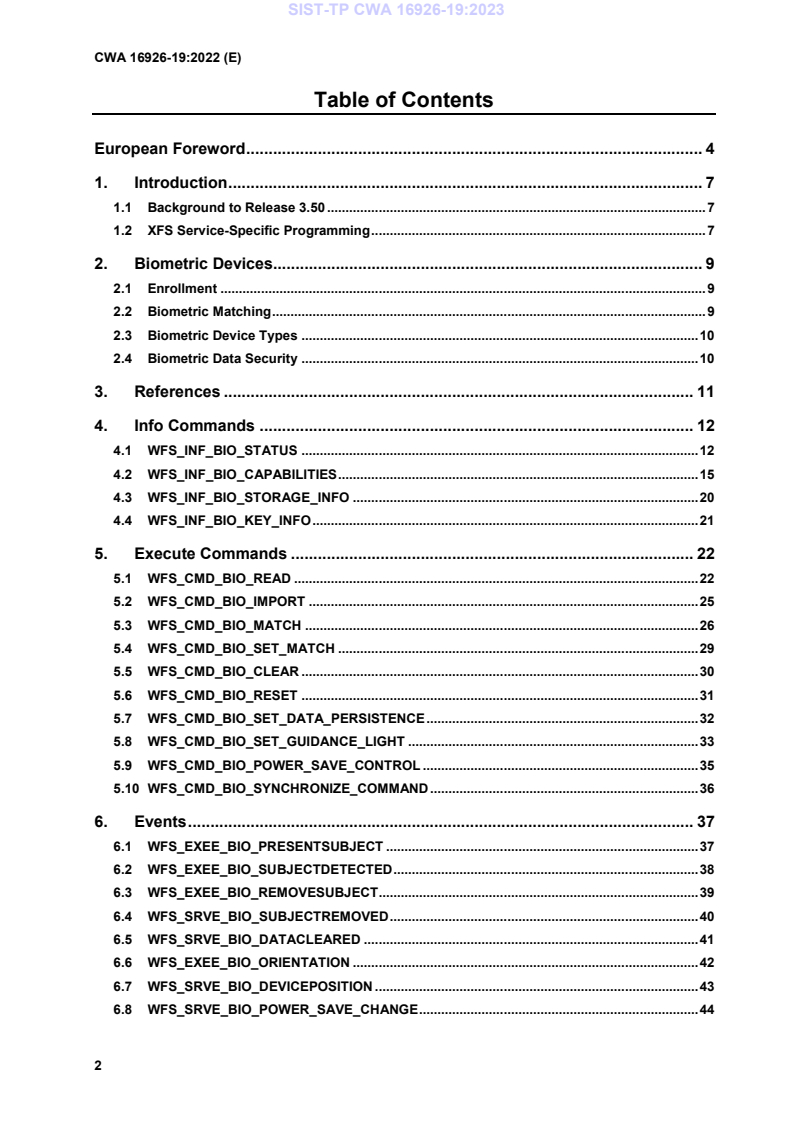
Table of Contents
European Foreword . 4
1. Introduction . 7
1.1 Background to Release 3.50 . 7
1.2 XFS Service-Specific Programming . 7
2. Biometric Devices. 9
2.1 Enrollment . 9
2.2 Biometric Matching . 9
2.3 Biometric Device Types . 10
2.4 Biometric Data Security . 10
3. References . 11
4. Info Commands . 12
4.1 WFS_INF_BIO_STATUS . 12
4.2 WFS_INF_BIO_CAPABILITIES . 15
4.3 WFS_INF_BIO_STORAGE_INFO . 20
4.4 WFS_INF_BIO_KEY_INFO . 21
5. Execute Commands . 22
5.1 WFS_CMD_BIO_READ . 22
5.2 WFS_CMD_BIO_IMPORT . 25
5.3 WFS_CMD_BIO_MATCH . 26
5.4 WFS_CMD_BIO_SET_MATCH . 29
5.5 WFS_CMD_BIO_CLEAR . 30
5.6 WFS_CMD_BIO_RESET . 31
5.7 WFS_CMD_BIO_SET_DATA_PERSISTENCE . 32
5.8 WFS_CMD_BIO_SET_GUIDANCE_LIGHT . 33
5.9 WFS_CMD_BIO_POWER_SAVE_CONTROL . 35
5.10 WFS_CMD_BIO_SYNCHRONIZE_COMMAND . 36
6. Events . 37
6.1 WFS_EXEE_BIO_PRESENTSUBJECT . 37
6.2 WFS_EXEE_BIO_SUBJECTDETECTED . 38
6.3 WFS_EXEE_BIO_REMOVESUBJECT. 39
6.4 WFS_SRVE_BIO_SUBJECTREMOVED . 40
6.5 WFS_SRVE_BIO_DATACLEARED . 41
6.6 WFS_EXEE_BIO_ORIENTATION . 42
6.7 WFS_SRVE_BIO_DEVICEPOSITION . 43
6.8 WFS_SRVE_BIO_POWER_SAVE_CHANGE . 44
7. Biometric Device Command Flows – Application Guidelines . 45
7.1 Biometric Enrollment Command Flow . 45
7.2 Biometric Match Command Flow – Separate Scan and Match . 46
7.3 Biometric Match Command Flow – Combined Scan and Match . 47
7.4 Biometric Scan-Only Command Flow . 48
8. C - Header file . 49
European Foreword
This CEN Workshop Agreement has been developed in accordance with the CEN-CENELEC Guide 29
“CEN/CENELEC Workshop Agreements – The way to rapid consensus” and with the relevant provisions of
CEN/CENELEC Internal Regulations – Part 2. It was approved by a Workshop of representatives of interested
parties on 2022-11-08, the constitution of which was supported by CEN following several public calls for
participation, the first of which was made on 1998-06-24. However, this CEN Workshop Agreement does not
necessarily include all relevant stakeholders.
The final text of this CEN Workshop Agreement was provided to CEN for publication on 2022-11-18.
The following organizations and individuals developed and approved this CEN Workshop Agreement:
• AURIGA SPA
• CIMA SPA
• DIEBOLD NIXDORF SYSTEMS GMBH
• FIS BANKING SOLUTIONS UK LTD (OTS)
• FUJITSU TECHNOLOGY SOLUTIONS
• GLORY LTD
• GRG BANKING EQUIPMENT HK CO LTD
• HITACHI CHANNEL SOLUTIONS CORP
• HYOSUNG TNS INC
• JIANGSU GUOGUANG ELECTRONIC INFORMATION TECHNOLOGY
• KAL
• KEBA HANDOVER AUTOMATION GMBH
• NCR FSG
• NEXUS SOFTWARE
• OBERTHUR CASH PROTECTION
• OKI ELECTRIC INDUSTRY SHENZHEN
• SALZBURGER BANKEN SOFTWARE
• SECURE INNOVATION
• SIGMA SPA
It is possible that some elements of this CEN/CWA may be subject to patent rights. The CEN-CENELEC policy on
patent rights is set out in CEN-CENELEC Guide 8 “Guidelines for Implementation of the Common IPR Policy on
Patents (and other statutory intellectual property rights based on inventions)”. CEN shall not be held responsible for
identifying any or all such patent rights.
The Workshop participants have made every effort to ensure the reliability and accuracy of the technical and non-
technical content of CWA 16926-19, but this does not guarantee, either explicitly or implicitly, its correctness.
Users of CWA 16926-19 should be aware that neither the Workshop participants, nor CEN can be held liable for
damages or losses of any kind whatsoever which may arise from its application. Users of CWA 16926-19 do so on
their own responsibility and at their own risk.
The CWA is published as a multi-part document, consisting of:
Part 1: Application Programming Interface (API) - Service Provider Interface (SPI) - Programmer's Reference
Part 2: Service Classes Definition - Programmer's Reference
Part 3: Printer and Scanning Device Class Interface - Programmer's Reference
Part 4: Identification Card Device Class Interface - Programmer's Reference
Part 5: Cash Dispenser Device Class Interface - Programmer's Reference
Part 6: PIN Keypad Device Class Interface - Programmer's Reference
Part 7: Check Reader/Scanner Device Class Interface - Programmer's Reference
Part 8: Depository Device Class Interface - Programmer's Reference
Part 9: Text Terminal Unit Device Class Interface - Programmer's Reference
Part 10: Sensors and Indicators Unit Device Class Interface - Programmer's Reference
Part 11: Vendor Dependent Mode Device Class Interface - Programmer's Reference
Part 12: Camera Device Class Interface - Programmer's Reference
Part 13: Alarm Device Class Interface - Programmer's Reference
Part 14: Card Embossing Unit Device Class Interface - Programmer's Reference
Part 15: Cash-In Module Device Class Interface - Programmer's Reference
Part 16: Card Dispenser Device Class Interface - Programmer's Reference
Part 17: Barcode Reader Device Class Interface - Programmer's Reference
Part 18: Item Processing Module Device Class Interface - Programmer's Reference
Part 19: Biometrics Device Class Interface - Programmer's Reference
Parts 20 - 28: Reserved for future use.
Parts 29 through 47 constitute an optional addendum to this CWA. They define the integration between the SNMP
standard and the set of status and statistical information exported by the Service Providers.
Part 29: XFS MIB Architecture and SNMP Extensions - Programmer’s Reference
Part 30: XFS MIB Device Specific Definitions - Printer Device Class
Part 31: XFS MIB Device Specific Definitions - Identification Card Device Class
Part 32: XFS MIB Device Specific Definitions - Cash Dispenser Device Class
Part 33: XFS MIB Device Specific Definitions - PIN Keypad Device Class
Part 34: XFS MIB Device Specific Definitions - Check Reader/Scanner Device Class
Part 35: XFS MIB Device Specific Definitions - Depository Device Class
Part 36: XFS MIB Device Specific Definitions - Text Terminal Unit Device Class
Part 37: XFS MIB Device Specific Definitions - Sensors and Indicators Unit Device Class
Part 38: XFS MIB Device Specific Definitions - Camera Device Class
Part 39: XFS MIB Device Specific Definitions - Alarm Device Class
Part 40: XFS MIB Device Specific Definitions - Card Embossing Unit Class
Part 41: XFS MIB Device Specific Definitions - Cash-In Module Device Class
Part 42: Reserved for future use.
Part 43: XFS MIB Device Specific Definitions - Vendor Dependent Mode Device Class
Part 44: XFS MIB Application Management
Part 45: XFS MIB Device Specific Definitions - Card Dispenser Device Class
Part 46: XFS MIB Device Specific Definitions - Barcode Reader Device Class
Part 47: XFS MIB Device Specific Definitions - Item Processing Module Device Class
Part 48: XFS MIB Device Specific Definitions - Biometrics Device Class
Parts 49 - 60 are reserved for future use.
Part 61: Application Programming Interface (API) - Migration from Version 3.40 (CWA 16296:2020) to Version
3.50 (this CWA) - Service Provider Interface (SPI) - Programmer's Reference
Part 62: Printer and Scanning Device Class Interface - Migration from Version 3.40 (CWA 16296:2020) to Version
3.50 (this CWA) - Programmer's Reference
Part 63: Identification Card Device Class Interface - Migration from Version 3.40 (CWA 16296:2020) to Version
3.50 (this CWA) - Programmer's Reference
Part 64: Cash Dispenser Device Class Interface - Migration from Version 3.40 (CWA 16296:2020) to Version 3.50
(this CWA) - Programmer's Reference
Part 65: PIN Keypad Device Class Interface - Migration from Version 3.40 (CWA 16296:2020) to Version 3.50
(this CWA) - Programmer's Reference
Part 66: Check Reader/Scanner Device Class Interface - Migration from Version 3.40 (CWA 16296:2020) to
Version 3.50 (this CWA) - Programmer's Reference
Part 67: Depository Device Class Interface - Migration from Version 3.40 (CWA 16296:2020) to Version 3.50 (this
CWA) - Programmer's Reference
Part 68: Text Terminal Unit Device Class Interface - Migration from Version 3.40 (CWA 16296:2020) to Version
3.50 (this CWA) - Programmer's Reference
Part 69: Sensors and Indicators Unit Device Class Interface - Migration from Version 3.40 (CWA 16296:2020) to
Version 3.50 (this CWA) - Programmer's Reference
Part 70: Vendor Dependent Mode Device Class Interface - Migration from Version 3.40 (CWA 16296:2020) to
Version 3.50 (this CWA) - Programmer's Reference
Part 71: Camera Device Class Interface - Migration from Version 3.40 (CWA 16296:2020) to Version 3.50 (this
CWA) - Programmer's Reference
Part 72: Alarm Device Class Interface - Migration from Version 3.40 (CWA 16296:2020) to Version 3.50 (this
CWA) - Programmer's Reference
Part 73: Card Embossing Unit Device Class Interface - Migration from Version 3.40 (CWA 16296:2020) to
Version 3.50 (this CWA) - Programmer's Reference
Part 74: Cash-In Module Device Class Interface - Migration from Version 3.40 (CWA 16296:2020) to Version 3.50
(this CWA) - Programmer's Reference
Part 75: Card Dispenser Device Class Interface - Migration from Version 3.40 (CWA 16296:2020) to Version 3.50
(this CWA) - Programmer's Reference
Part 76: Barcode Reader Device Class Interface - Migration from Version 3.40 (CWA 16296:2020) to Version 3.50
(this CWA) - Programmer's Reference
Part 77: Item Processing Module Device Class Interface - Migration from Version 3.40 (CWA 16296:2020) to
Version 3.50 (this CWA) - Programmer's Reference
Part 78: Biometric Device Class Interface - Migration from Version 3.40 (CWA 16296:2020) to Version 3.50 (this
CWA) - Programmer's Reference
In addition to these Programmer's Reference specifications, the reader of this CWA is also referred to a
complementary document, called Release Notes. The Release Notes contain clarifications and explanations on the
CWA specifications, which are not requiring functional changes. The current version of the Release Notes is
available online from: https://www.cencenelec.eu/areas-of-work/cen-sectors/digital-society-cen/cwa-download-
area/.
The information in this document represents the Workshop's current views on the issues discussed as of the date of
publication. It is provided for informational purposes only and is subject to change without notice. CEN makes no
warranty, express or implied, with respect to this document.
Revision History:
3.40 December 06, 2019 Initial Release.
3.50 November 18, 2022 For a description of changes from version 3.40 to version
3.50 see the BIO 3.50 Migration document.
1. Introduction
1.1 Background to Release 3.50
The CEN/XFS Workshop aims to promote a clear and unambiguous specification defining a multi-vendor software
interface to financial peripheral devices. The XFS (eXtensions for Financial Services) specifications are developed
within the CEN (European Committee for Standardization/Information Society Standardization System) Workshop
environment. CEN Workshops aim to arrive at a European consensus on an issue that can be published as a CEN
Workshop Agreement (CWA).
The CEN/XFS Workshop encourages the participation of both banks and vendors in the deliberations required to
create an industry standard. The CEN/XFS Workshop achieves its goals by focused sub-groups working
electronically and meeting quarterly.
Release 3.50 of the XFS specification is based on a C API and is delivered with the continued promise for the
protection of technical investment for existing applications. This release of the specification extends the
functionality and capabilities of the existing devices covered by the specification:
• Addition of E2E security
• PIN Password Entry
1.2 XFS Service-Specific Programming
The service classes are defined by their service-specific commands and the associated data structures, error codes,
messages, etc. These commands are used to request functions that are specific to one or more classes of Service
Providers, but not all of them, and therefore are not included in the common API for basic or administration
functions.
When a service-specific command is common among two or more classes of Service Providers, the syntax of the
command is as similar as possible across all services, since a major objective of XFS is to standardize function
codes and structures for the broadest variety of services. For example, using the WFSExecute function, the
commands to read data from various services are as similar as possible to each other in their syntax and data
structures.
In general, the specific command set for a service class is defined as a superset of the specific capabilities likely to
be provided by the developers of the services of that class; thus any particular device will normally support only a
subset of the defined command set.
There are three cases in which a Service Provider may receive a service-specific command that it does not support:
The requested capability is defined for the class of Service Providers by the XFS specification, the particular vendor
implementation of that service does not support it, and the unsupported capability is not considered to be
fundamental to the service. In this case, the Service Provider returns a successful completion, but does no operation.
An example would be a request from an application to turn on a control indicator on a passbook printer; the Service
Provider recognizes the command, but since the passbook printer it is managing does not include that indicator, the
Service Provider does no operation and returns a successful completion to the application.
The requested capability is defined for the class of Service Providers by the XFS specification, the particular vendor
implementation of that service does not support it, and the unsupported capability is considered to be fundamental
to the service. In this case, a WFS_ERR_UNSUPP_COMMAND error for Execute commands or
WFS_ERR_UNSUPP_CATEGORY error for Info commands is returned to the calling application. An example
would be a request from an application to a cash dispenser to retract items where the dispenser hardware does not
have that capability; the Service Provider recognizes the command but, since the cash dispenser it is managing is
unable to fulfil the request, returns this error.
The requested capability is not defined for the class of Service Providers by the XFS specification. In this case, a
WFS_ERR_INVALID_COMMAND error for Execute commands or WFS_ERR_INVALID_CATEGORY error
for Info commands is returned to the calling application.
This design allows implementation of applications that can be used with a range of services that provide differing
subsets of the functionalities that are defined for their service class. Applications may use the WFSGetInfo and
WFSAsyncGetInfo commands to inquire about the capabilities of the service they are about to use, and modify
their behavior accordingly, or they may use functions and then deal with error returns to make decisions as to how
to use the service.
2. Biometric Devices
Biometrics refers to metrics related to human characteristics and biology. Biometrics authentication can be used as
a form of identification and/or access control. This is an overview of biometrics, as well as an introduction to the
terminology used in this document. It introduces to XFS the concept of scanning a person’s biometric data in raw
image form (raw biometric data), then processing it into a smaller more concise form that is easier to manage
(biometric template data). The first scan of a user is called ENROLLMENT as the user is effectively being
enrolled into a scheme by recording their biometric data. Thereafter subsequent scans of the user can be compared
to the original data in order to verify who they say they are (VERIFICATION), or alternatively used to identify
them as a specific individual (IDENTIFICATION). These concepts are explained below in more detail.
2.1 Enrollment
The first time an individual uses a biometric device it is called Enrollment. During enrollment, biometric data from
an individual is captured and stored somewhere, for example on a smart card or in a server/host database. Normally
the raw biometric data captured will be processed and converted to a smaller format that is used for subsequent
comparison. This format is referred to in this document as a template. A template is a synthesis of the relevant
characteristics extracted from the original raw data. Elements of the biometric data that are not used in the matching
algorithm are discarded in the template to reduce the file size and to protect the identity of the enrollee.
2.2 Biometric Matching
During the matching phase, the obtained template is passed to a matcher which compares it to other existing
templates and a probable match is calculated, either as a Boolean true or false or as a threshold indicating the
likelihood of a match. With regard to matching, biometric systems commonly have two different basic modes of
operation: Verification and Identification:
Verification: performs a one-to-one comparison of captured biometric data with a specific template in order to
verify that an individual is the person they claim to be.
Identification: the system performs a one-to-many comparison of captured biometric data in order to establish a
person’s identity.
Note: The above diagram does not make any assumptions about where the actual matching takes place. The
interface provided is versatile enough to be able to support three basic Biometric systems:
Match on server: The biometric template data is stored on a server or host. When scanning takes place biometric
data is sent to the server, which does the actual identification or verification.
Match on card: The biometric enrollment data for an individual is stored on a smart card/personal device. The
device scans a user then returns the biometric template information to the application. This data is then sent to the
card, and an application on the smart card chip does the comparison, returning the result to the application.
Match on device: The biometric enrollment data for an individual is stored on a smart card or host. The enrollment
data is read from the card or host and into the device, which then compares it to scanned information, returning the
result to the application.
2.3 Biometric Device Types
There are many different varieties of biometric hardware, this XFS biometrics specification supports three main
different types of device:
1. Devices which only support scanning and returning biometric data
In this case the device is a simple biometric scanning device, User data is scanned using the
WFS_CMD_BIO_READ command, but matching is performed externally, for example on a smart card or
on a server. In this case the WFS_CMD_BIO_MATCH and WFS_CMD_BIO_SET_MATCH commands
are not supported.
2. Devices which support a separate scan and match functionality
These devices scan and perform a comparison as separate operations. Existing biometric data is first
imported using the WFS_CMD_BIO_IMPORT command. When the WFS_CMD_BIO_READ command
is then called the scanned user data is temporarily stored. The WFS_CMD_BIO_MATCH command is
then called to perform the comparison and return the result.
3. Devices which support a combined scan and match functionality
These devices scan and perform a comparison as a single operation. Existing biometric data is first
imported using the WFS_CMD_BIO_IMPORT command. In this case the
WFS_CMD_BIO_SET_MATCH command must be called first, either as a one-time call or before each
WFS_CMD_BIO_READ command. The purpose of the WFS_CMD_BIO_SET_MATCH command is to
set the criteria for matching. When the WFS_CMD_BIO_READ command is then called it scans the
user’s biometric data and also performs the comparison as a single operation. The
WFS_CMD_BIO_MATCH command is then called to return the result of the comparison.
2.4 Biometric Data Security
It is recommended that biometric data should be treated with the same strict caution as any other identifying and
sensitive information. A well designed biometric data handling architecture should always be designed to protect
against internal tampering, external attacks and other malicious threats. There are various ways of implementing
good security of which three are listed below:
• Multi Modal Biometrics
A Uni-Modal biometric system relies on data taken from a single source of information for authentication,
for example a single fingerprint reading device. In contrast, Multi-Modal biometric systems work on the
premise that it is more secure to accept information from two or more biometric inputs. As an example a
user could provide a fingerprint in addition to facial recognition, a positive match from two physical
characteristics improves the chances of a positive identification and mitigates the possibility that biometric
data has been cloned.
• Data Encryption
Biometric data should be encrypted where possible. The BIO specification provides for this by allowing an
encryption key to be specified whenever data is exchanged between an application and a BIO Service
Provider. In addition, the key management interface methods of the PIN device class can be used for key
management. This can be done by using the standard XFS compound device mechanism to implement a
BIO Service provider as a compound device together with a PIN device class Service Provider. The device
compounding mechanism is described in the XFS API specification. In this case the BIO Service Provider
would implement the biometric methods necessary to read and return data, while the key loading,
reporting etc. functions of the PIN Service Provider interface would be implemented in order to provide
key management.
3. References
1. XFS Application Programming Interface (API)/Service Provider Interface (SPI), Programmer’s Reference,
Revision 3.50
2. ANSI INCITS 381-2004 Information Technology - Finger Image-Based Data Interchange Format
3. ANSI INCITS 378-2004 Information Technology - Finger Minutiae Format for Data Interchange
4. ISO/IEC 19794-4:2005 Information technology - Biometric data interchange formats - Part 4: Finger image data
5. ISO/IEC 19794-2:2005 Information technology - Biometric data interchange formats - Part 2: Finger minutiae
data
4. Info Commands
4.1 WFS_INF_BIO_STATUS
Description This command is used to obtain the status of the biometric device. It may also return vendor-
specific status information.
Input Param None.
Output Param LPWFSBIOSTATUS lpStatus;
typedef struct _wfs_bio_status
{
WORD fwDevice;
DWORD dwSubject;
BOOL bCaptured;
DWORD dwDataPersistence;
DWORD dwRemainingStorage;
LPSTR lpszExtra;
WORD wDevicePosition;
DWORD dwGuidLights[WFS_BIO_GUIDLIGHTS_SIZE];
USHORT usPowerSaveRecoveryTime;
WORD wAntiFraudModule;
} WFSBIOSTATUS, *LPWFSBIOSTATUS;
fwDevice
Specifies the state of the biometric device as one of the following values:
Value Meaning
WFS_BIO_DEVONLINE The device is present, powered on and online
(i.e. operational, not busy processing a
request and not in an error state).
WFS_BIO_DEVOFFLINE The device is offline (e.g. the operator has
taken the device offline by turning a switch).
WFS_BIO_DEVPOWEROFF The device is powered off or physically not
connected.
WFS_BIO_DEVNODEVICE There is no device intended to be there; e.g.
this type of self-service machine does not
contain such a device or it is internally not
configured.
WFS_BIO_DEVHWERROR The device is present but inoperable due to a
hardware fault that prevents it from being
used.
WFS_BIO_DEVUSERERROR The device is present but a person is
preventing proper device operation. The
application should suspend the device
operation or remove the device from service
until the Service Provider generates a device
state change event indicating the condition
of the device has changed e.g. the error is
removed (WFS_BIO_DEVONLINE) or a
permanent error condition has occurred
(WFS_BIO_DEVHWERROR).
WFS_BIO_DEVBUSY The device is busy and unable to process an
Execute command at this time.
WFS_BIO_DEVFRAUDATTEMPT The device is present but is inoperable
because it has detected a fraud attempt.
WFS_BIO_DEVPOTENTIALFRAUD The device has detected a potential fraud
attempt and is capable of remaining in
service. In this case the application should
make the decision as to whether to take the
device offline.
dwSubject
Specifies the state of the subject to be scanned (e.g. finger, palm, retina, etc.) as one of the
following values:
Value Meaning
WFS_BIO_SUBJECTPRESENT The subject to be scanned is on the scanning
position.
WFS_BIO_SUBJECTNOTPRESENT The subject to be scanned is not on the
scanning position.
WFS_BIO_SUBJECTUNKNOWN The subject to be scanned cannot be
determined with the device in its current
state (e.g. the value of fwDevice is
WFS_BIO_DEVNODEVICE,
WFS_BIO_DEVPOWEROFF,
WFS_BIO_DEVOFFLINE, or
WFS_BIO_DEVHWERROR).
WFS_BIO_SUBJECTNOTSUPPORTED The physical device does not support the
ability to report whether or not a subject is
on the scanning position.
bCaptured
Indicates whether or not scanned biometric data has been captured using the
WFS_CMD_BIO_READ command and is currently stored and ready for comparison. TRUE if
data has been captured and is stored, FALSE if no scanned data is present. This will be set to
FALSE when scanned data is cleared using the WFS_CMD_BIO_CLEAR command.
dwDataPersistence
Specifies the current data persistence mode. The data persistence mode controls how biometric
data that has been captured using the WFS_CMD_BIO_READ command will be handled. For
possible values see the description of the fwPersistenceModes capability field.
dwRemainingStorage
Specifies how much of the reserved storage specified by the dwTemplateStorage capability is
remaining for the storage of templates in bytes. This will be zero if not reported.
lpszExtra
Pointer to a list of vendor-specific, or any other extended, information. The information is
returned as a series of “key=value” strings so that it is easily extensible by Service Providers.
Each string is null-terminated, with the final string terminating with two null characters. An
empty list may be indicated by either a NULL pointer or a pointer to two consecutive null
characters.
dwGuidLights [.]
Specifies the state of the guidance light indicators. The elements of this array can be accessed by
using the predefined index values specified for the dwGuidLights [ ] field in the capabilities.
Vendor specific guidance lights are defined starting from the end of the array. The maximum
guidance light index is WFS_BIO_GUIDLIGHTS_MAX.
Specifies the state of the guidance light indicator as
WFS_BIO_GUIDANCE_NOT_AVAILABLE, WFS_BIO_GUIDANCE_OFF or a combination
of the following flags consisting of one type B, optionally one type C and optionally type D.
Value Meaning Type
WFS_BIO_GUIDANCE_NOT_AVAILABLE The status is not available. A
WFS_BIO_GUIDANCE_OFF The light is turned off. A
WFS_BIO_GUIDANCE_SLOW_FLASH The light is blinking slowly. B
WFS_BIO_GUIDANCE_MEDIUM_FLASH The light is blinking medium B
frequency.
WFS_BIO_GUIDANCE_QUICK_FLASH The light is blinking quickly. B
WFS_BIO_GUIDANCE_CONTINUOUS The light is turned on B
continuous (steady).
WFS_BIO_GUIDANCE_RED The light is red. C
WFS_BIO_GUIDANCE_GREEN The light is green. C
WFS_BIO_GUIDANCE_YELLOW The light is yellow. C
WFS_BIO_GUIDANCE_BLUE The light is blue. C
WFS_BIO_GUIDANCE_CYAN The light is cyan. C
WFS_BIO_GUIDANCE_MAGENTA The light is magenta. C
WFS_BIO_GUIDANCE_WHITE The light is white. C
WFS_BIO_GUIDANCE_ENTRY The light is in the entry state. D
WFS_BIO_GUIDANCE_EXIT The light is in the exit state. D
dwGuidLights [WFS_BIO_GUIDANCE_BIO]
Specifies the state of the guidance light indicator on the biometric device.
wDevicePosition
Specifies the device position. The device position value is independent of the fwDevice value, e.g.
when the device position is reported as WFS_BIO_DEVICENOTINPOSITION, fwDevice can
have any of the values defined above (including WFS_BIO_DEVONLINE or
WFS_BIO_DEVOFFLINE). This value is one of the following values:
Value Meaning
WFS_BIO_DEVICEINPOSITION The device is in its normal operating
position, or is fixed in place and cannot be
moved.
WFS_BIO_DEVICENOTINPOSITION The device has been removed from its
normal operating position.
WFS_BIO_DEVICEPOSUNKNOWN Due to a hardware error or other condition,
the position of the device cannot be
determined.
WFS_BIO_DEVICEPOSNOTSUPP The physical device does not have the
capability of detecting the position.
usPowerSaveRecoveryTime
Specifies the actual number of seconds required by the device to resume its normal operational
state from the current power saving mode. This value is zero if either the power saving mode has
not been activated or no power save control is supported.
wAntiFraudModule
Specifies the state of the anti-fraud module as one of the following values:
Value Meaning
WFS_BIO_AFMNOTSUPP No anti-fraud module is available.
WFS_BIO_AFMOK Anti-fraud module is in a good state and no
foreign device is detected.
WFS_BIO_AFMINOP Anti-fraud module is inoperable.
WFS_BIO_AFMDEVICEDETECTED Anti-fraud module detected the presence of a
foreign device.
WFS_BIO_AFMUNKNOWN The state of the anti-fraud module cannot be
determined.
Error Codes Only the generic error codes defined in [Ref. 1] can be generated by this command.
Comments Applications which rely on the lpszExtra field may not be device or vendor-independent.
In the case where communication with the device has been lost, the fwDevice field will report
WFS_BIO_DEVPOWEROFF when the device has been removed or
WFS_BIO_DEVHWERROR if the communications are unexpectedly lost. All other fields should
contain a value based on the following rules and priority:
1. Report the value as unknown.
2. Report the value as a general h/w error.
3. Report the value as the last known value.
4.2 WFS_INF_BIO_CAPABILITIES
Description This command retrieves the capabilities of the biometric device. It may also return vendor specific
capability information.
Input Param None.
Output Param LPWFSBIOCAPS lpCaps;
typedef struct _wfs_bio_caps
{
WORD wClass;
DWORD fwType;
BOOL bCompound;
USHORT usMaxCapture;
DWORD dwTemplateStorage;
DWORD fwDataFormats;
DWORD fwEncryptionAlgorithms;
WORD fwStorage;
DWORD fwPersistenceModes;
DWORD dwMatchSupported;
WORD fwScanModes;
WORD fwCompareModes;
DWORD fwClearData;
LPSTR lpszExtra;
DWORD dwGuidLights[WFS_BIO_GUIDLIGHTS_SIZE];
BOOL bPowerSaveControl;
BOOL bAntiFraudModule;
LPDWORD lpdwSynchronizableCommands;
} WFSBIOCAPS, *LPWFSBIOCAPS;
wClass
Specifies the logical service class as WFS_SERVICE_CLASS_BIO.
fwType
Specifies the type of biometric device as a combination of the following flags:
Value Meaning
WFS_BIO_TYPE_FACIAL_FEATURES The biometric device supports facial
recognition scanning.
WFS_BIO_TYPE_VOICE The biometric device supports voice
recognition.
WFS_BIO_TYPE_FINGERPRINT The biometric device supports fingerprint
scanning.
WFS_BIO_TYPE_FINGERVEIN The biometric device supports finger vein
scanning.
WFS_BIO_TYPE_IRIS The biometric device supports iris scanning.
WFS_BIO_TYPE_RETINA The biometric device supports retina
scanning.
WFS_BIO_TYPE_HAND_GEOMETRY The biometric device supports hand
geometry scanning.
WFS_BIO_TYPE_THERMAL_FACE The biometric device supports thermal face
image scanning.
WFS_BIO_TYPE_THERMAL_HAND The biometric device supports thermal hand
image scanning.
WFS_BIO_TYPE_PALM_VEIN The biometric device supports palm vein
scanning.
WFS_BIO_TYPE_SIGNATURE The biometric device supports signature
scanning.
bCompound
Specifies whether the biometric device is part of a compound device.
usMaxCapture
Specifies the maximum number of times that the device can attempt to capture biometric data
during a WFS_CMD_BIO_READ command. If this is zero then the device or service provider
determines how many captures will be attempted.
dwTemplateStorage
Specifies the storage space that is reserved on the device for the storage of templates in bytes.
This will be set to zero if not reported or unknown.
fwDataFormats
Specifies the supported biometric raw data and template data formats reported as a combination of
the following flags:
Value Meaning
WFS_BIO_ISOFID Raw ISO FID format [Ref. 4].
WFS_BIO_ISOFMD ISO FMD template format [Ref. 5].
WFS_BIO_ANSIFID Raw ANSI FID format [Ref. 2].
WFS_BIO_ANSIFMD ANSI FMD template format [Ref. 3].
WFS_BIO_QSO Raw QSO image format.
WFS_BIO_WSQ WSQ image format.
WFS_BIO_RESERVED_RAW_1 Reserved for a vendor-defined Raw format.
WFS_BIO_RESERVED_TEMPLATE_1 Reserved for a vendor-defined Template
format.
WFS_BIO_RESERVED_RAW_2 Reserved for a vendor-defined Raw format.
WFS_BIO_RESERVED_TEMPLATE_2 Reserved for a vendor-defined Template
format.
WFS_BIO_RESERVED_RAW_3 Reserved for a vendor-defined Raw format.
WFS_BIO_RESERVED_TEMPLATE_3 Reserved for a vendor-defined Template
format.
fwEncryptionAlgorithms
Supported encryption algorithms will be reported as a combination of the following flags, or
WFS_BIO_CRYPT_NONE if no encryption algorithms are supported:
Value Meaning
WFS_BIO_CRYPT_TRIDESECB Triple DES with Electronic Code Book.
WFS_BIO_CRYPT_TRIDESCBC Triple DES with Cipher Block Chaining.
WFS_BIO_CRYPT_TRIDESCFB Triple DES with Cipher Feed Back.
WFS_BIO_CRYPT_RSA RSA Encryption.
fwStorage
Indicates whether or not biometric template data can be stored securely as a combination of the
following flags, or WFS_BIO_STORAGE_NONE if Biometric template data is not stored in the
device:
Value Meaning
WFS_BIO_STORAGE_SECURE Biometric template data is securely stored as
encrypted data.
WFS_BIO_STORAGE_CLEAR Biometric template data is stored
unencrypted in the device.
fwPersistenceModes
Specifies which data persistence modes can be set using the
WFS_CMD_BIO_SET_DATA_PERSISTENCE command. This applies specifically to the
biometric data that has been captured using the WFS_CMD_BIO_READ command. A value of
WFS_BIO_PS_NONE indicates that persistence is entirely under device control and cannot be
set, otherwise, valid values are a combination of the following flags:
Value Meaning
WFS_BIO_PS_PERSIST Biometric data captured using the
WFS_CMD_BIO_READ command can
persist until all XFS sessions are closed, the
device is power failed or rebooted, or the
WFS_CMD_BIO_READ command is
requested again. This captured biometric
data can also be explicitly cleared using the
WFS_CMD_BIO_CLEAR or
WFS_CMD_BIO_RESET commands.
WFS_BIO_PS_AUTOCLEAR Captured biometric data will not persist.
Once the data has been either returned in the
WFS_CMD_BIO_READ command or used
by the WFS_CMD_BIO_MATCH
command, then the data is cleared from the
device.
dwMatchSupported
Specifies if matching is supported using the WFS_CMD_BIO_MATCH and/or
WFS_CMD_BIO_SET_MATCH commands. This will be one of the following values:
Value Meaning
WFS_BIO_MTC_NONE The device does not support matching.
WFS_BIO_MTC_STORED_MATCH The device scans biometric data using the
WFS_CMD_BIO_READ command and
stores it, then the scanned data can be
compared with imported biometric data
using the WFS_CMD_BIO_MATCH
command (See section 7.2 - Biometric
Match Command Flow – Separate Scan and
Match).
WFS_BIO_MTC_COMBINED_MATCH The device scans biometric data and
performs a match against imported biometric
data as a single operation. The
WFS_CMD_BIO_SET_MATCH command
must be called before the
WFS_CMD_BIO_READ command in order
to set the matching criteria. Then the
WFS_CMD_BIO_MATCH command can
be called to return the result (See section 7.3
- Biometric Match Command Flow –
Combined Scan and Match).
fwScanModes
Specifies the modes that the WFS_CMD_BIO_READ command can be used for, as a
combination of the following flags:
Value Meaning
WFS_BIO_MODE_SCAN The WFS_CMD_BIO_READ command can
be used to scan data only, for example to
enroll a user or collect data for matching in
an external biometric system.
WFS_BIO_MODE_MATCH The WFS_CMD_BIO_READ command can
be used to scan data for a match operation
using the WFS_CMD_BIO_MATCH
command.
fwCompareModes
Specifies the type of match operations that can be performed as a combination of the following
flags. A value of WFS_BIO_COMP_NONE indicates that matching is not supported:
Value Meaning
WFS_BIO_COMP_VERIFY The biometric data can be compared as a
o
...