

CWA 16926-16:2022
(Main)Extensions for Financial Services (XFS) interface specification Release 3.50 - Part 16: Card Dispenser Device Class Interface - Programmer's Reference
- Abstract
This specification describes the functionality of the services provided by the Card Dispenser (CRD) device class under XFS, by defining the service-specific commands that can be issued, using the WFSGetInfo, WFSAsyncGetInfo, WFSExecute and WFSAsyncExecute functions.
A Card Dispenser is used to dispense a single card to a consumer from one or more bins. Most card dispensers also have the ability to retain a card to a bin.
- Status
- Withdrawn
- Publication Date
- 20-Dec-2022
- Withdrawal Date
- 06-Oct-2026
- Technical Committee
- CEN/WS XFS - Extensions for financial services (XFS) interface specification
- Current Stage
- 9960 - Withdrawal effective - Withdrawal
- Start Date
- 29-Apr-2026
- Completion Date
- 07-Oct-2026

Overview
CWA 16926-16:2022 - Card Dispenser Device Class Interface (Programmer’s Reference) - is part of the CEN/XFS Release 3.50 family. It defines the service-specific commands, information queries and events for the Card Dispenser (CRD) device class used in financial services and self-service systems. The specification explains how applications and service providers interact with card dispenser hardware through the XFS API using functions such as WFSGetInfo, WFSAsyncGetInfo, WFSExecute and WFSAsyncExecute. A card dispenser issues single cards from one or more bins and typically includes card retention capabilities.
Key topics and technical requirements
- Service-specific commands: Defines execute commands (e.g., DISPENSE_CARD, EJECT_CARD, RETAIN_CARD, RESET, SET_CARD_UNIT_INFO, SET_GUIDANCE_LIGHT, POWER_SAVE_CONTROL, SYNCHRONIZE_COMMAND) that applications use via the XFS API.
- Info commands and status: Covers info queries such as WFS_INF_CRD_STATUS, WFS_INF_CRD_CAPABILITIES and WFS_INF_CRD_CARD_UNIT_INFO to retrieve device status, capabilities and bin/card-unit details.
- Events and notifications: Standardizes events like MEDIAREMOVED, MEDIADETECTED, CARDUNITTHRESHOLD, CARDUNITINFOCHANGED and POWER_SAVE_CHANGE for asynchronous device state reporting.
- Error handling and compatibility: Addresses service-provider behavior for unsupported features (e.g., WFS_ERR_UNSUPP_COMMAND, WFS_ERR_UNSUPP_CATEGORY) and defines how implementations should respond when a function is not supported.
- Programming artifacts: Includes a C-header file and detailed data structures for integration with XFS-based applications.
- Release 3.50 updates: Part of the 3.50 release which highlights enhancements such as E2E security and PIN password entry (part of the broader XFS Release 3.50 improvements).
Practical applications and users
Who benefits:
- ATM and kiosk manufacturers implementing multi-vendor card dispenser hardware.
- Software developers and integrators building XFS-compliant ATM and self-service applications.
- Banks, payment service providers and service operators managing card issuance/dispensing workflows.
- Vendors of card issuance kiosks, access-card dispensers and teller automation looking for standardized API integration.
Typical use cases:
- Dispensing debit/credit cards or temporary cards at ATMs and branch kiosks.
- Retaining and routing rejected or captured cards to secure bins.
- Monitoring card-unit thresholds and automating replenishment/maintenance.
- Integrating guidance lights and power-save controls for customer interaction and energy efficiency.
Related standards
- CWA 16926 (XFS) core parts (Part 1: API/SPI, Part 2: Service Classes)
- Other device class parts in the CWA 16926 series (e.g., Cash Dispenser, Card Issuer)
- Migration and MIB addenda for XFS Release 3.50 (migration documents and SNMP MIB parts)
Keywords: CWA 16926-16:2022, XFS Release 3.50, Card Dispenser, CRD, WFSExecute, WFSGetInfo, ATM integration, card dispensing API, multi-vendor interface.
Relations
- Effective Date
- 28-Jan-2026
- Effective Date
- 28-Jan-2026
Get Certified
Connect with accredited certification bodies for this standard

BSI Group
BSI (British Standards Institution) is the business standards company that helps organizations make excellence a habit.

NYCE
Mexican standards and certification body.
Sponsored listings
Frequently Asked Questions
CWA 16926-16:2022 is a technical report published by the European Committee for Standardization (CEN). Its full title is "Extensions for Financial Services (XFS) interface specification Release 3.50 - Part 16: Card Dispenser Device Class Interface - Programmer's Reference". This standard covers: This specification describes the functionality of the services provided by the Card Dispenser (CRD) device class under XFS, by defining the service-specific commands that can be issued, using the WFSGetInfo, WFSAsyncGetInfo, WFSExecute and WFSAsyncExecute functions. A Card Dispenser is used to dispense a single card to a consumer from one or more bins. Most card dispensers also have the ability to retain a card to a bin.
This specification describes the functionality of the services provided by the Card Dispenser (CRD) device class under XFS, by defining the service-specific commands that can be issued, using the WFSGetInfo, WFSAsyncGetInfo, WFSExecute and WFSAsyncExecute functions. A Card Dispenser is used to dispense a single card to a consumer from one or more bins. Most card dispensers also have the ability to retain a card to a bin.
CWA 16926-16:2022 is classified under the following ICS (International Classification for Standards) categories: 35.200 - Interface and interconnection equipment; 35.240.15 - Identification cards. Chip cards. Biometrics; 35.240.40 - IT applications in banking. The ICS classification helps identify the subject area and facilitates finding related standards.
CWA 16926-16:2022 has the following relationships with other standards: It is inter standard links to EN ISO 15527:2022, EN ISO 21304-1:2019. Understanding these relationships helps ensure you are using the most current and applicable version of the standard.
CWA 16926-16:2022 is available in PDF format for immediate download after purchase. The document can be added to your cart and obtained through the secure checkout process. Digital delivery ensures instant access to the complete standard document.
Standards Content (Sample)
SLOVENSKI STANDARD
01-marec-2023
Specifikacija vmesnika razširitev za finančne storitve (XFS), izdaja 3.50 - 16. del:
Vmesnik razreda naprave za izdajo kartic - Referenca za programerje
Extensions for Financial Services (XFS) interface specification Release 3.50 - Part 16:
Card Dispenser Device Class Interface - Programmer's Reference
Ta slovenski standard je istoveten z: CWA 16926-16:2022
ICS:
35.200 Vmesniška in povezovalna Interface and interconnection
oprema equipment
35.240.15 Identifikacijske kartice. Čipne Identification cards. Chip
kartice. Biometrija cards. Biometrics
35.240.40 Uporabniške rešitve IT v IT applications in banking
bančništvu
2003-01.Slovenski inštitut za standardizacijo. Razmnoževanje celote ali delov tega standarda ni dovoljeno.
CEN
CWA 16926-16
WORKSHOP
December 2022
AGREEMENT
ICS 35.200; 35.240.15; 35.240.40
English version
Extensions for Financial Services (XFS) interface
specification Release 3.50 - Part 16: Card Dispenser Device
Class Interface - Programmer's Reference
This CEN Workshop Agreement has been drafted and approved by a Workshop of representatives of interested parties, the
constitution of which is indicated in the foreword of this Workshop Agreement.
The formal process followed by the Workshop in the development of this Workshop Agreement has been endorsed by the
National Members of CEN but neither the National Members of CEN nor the CEN-CENELEC Management Centre can be held
accountable for the technical content of this CEN Workshop Agreement or possible conflicts with standards or legislation.
This CEN Workshop Agreement can in no way be held as being an official standard developed by CEN and its Members.
This CEN Workshop Agreement is publicly available as a reference document from the CEN Members National Standard Bodies.
CEN members are the national standards bodies of Austria, Belgium, Bulgaria, Croatia, Cyprus, Czech Republic, Denmark, Estonia, Finland, France,
Germany, Greece, Hungary, Iceland, Ireland, Italy, Latvia, Lithuania, Luxembourg, Malta, Netherlands, Norway, Poland, Portugal, Republic of North
Macedonia, Romania, Serbia, Slovakia, Slovenia, Spain, Sweden, Switzerland, Türkiye and United Kingdom.
EUROPEAN COMMITTEE FOR STANDARDIZATION
COMITÉ EUROPÉEN DE NORMALISATION
EUROPÄISCHES KOMITEE FÜR NORMUNG
CEN-CENELEC Management Centre: Rue de la Science 23, B-1040 Brussels
© 2022 CEN All rights of exploitation in any form and by any means reserved worldwide for CEN national Members.
Ref. No.:CWA 16926-16:2022 E
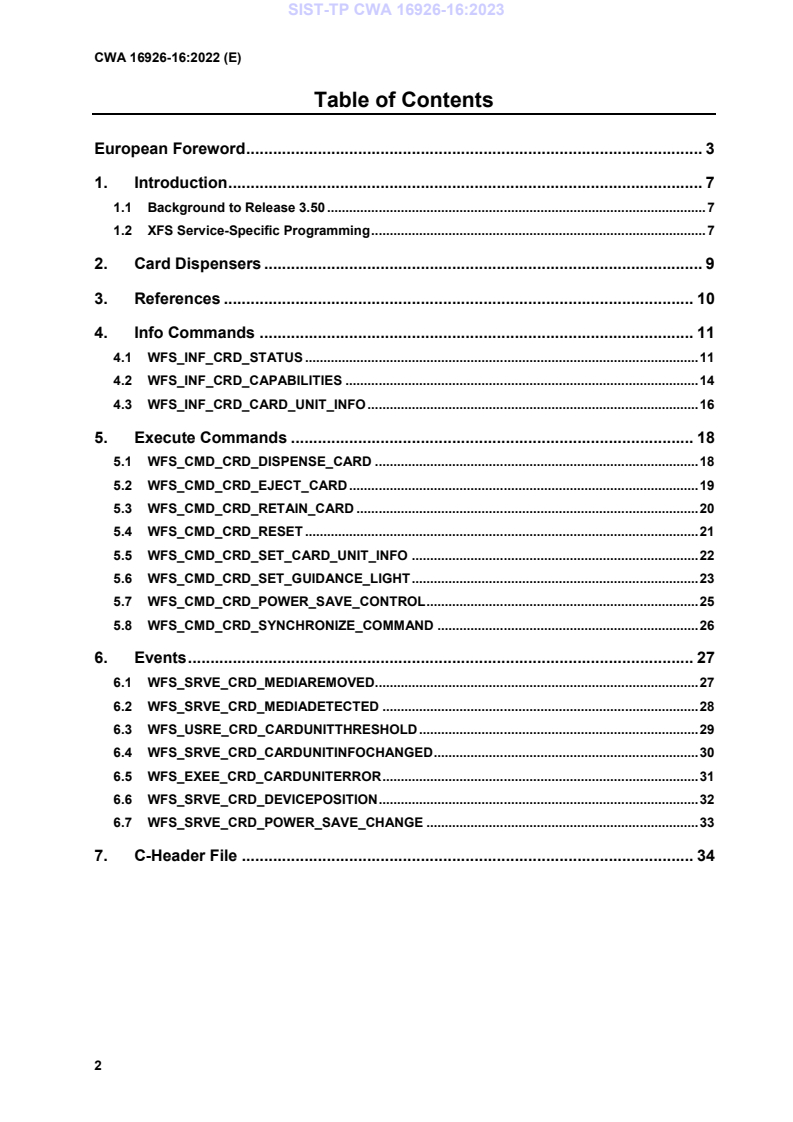
Table of Contents
European Foreword . 3
1. Introduction . 7
1.1 Background to Release 3.50 . 7
1.2 XFS Service-Specific Programming . 7
2. Card Dispensers . 9
3. References . 10
4. Info Commands . 11
4.1 WFS_INF_CRD_STATUS . 11
4.2 WFS_INF_CRD_CAPABILITIES . 14
4.3 WFS_INF_CRD_CARD_UNIT_INFO . 16
5. Execute Commands . 18
5.1 WFS_CMD_CRD_DISPENSE_CARD . 18
5.2 WFS_CMD_CRD_EJECT_CARD . 19
5.3 WFS_CMD_CRD_RETAIN_CARD . 20
5.4 WFS_CMD_CRD_RESET . 21
5.5 WFS_CMD_CRD_SET_CARD_UNIT_INFO . 22
5.6 WFS_CMD_CRD_SET_GUIDANCE_LIGHT . 23
5.7 WFS_CMD_CRD_POWER_SAVE_CONTROL . 25
5.8 WFS_CMD_CRD_SYNCHRONIZE_COMMAND . 26
6. Events . 27
6.1 WFS_SRVE_CRD_MEDIAREMOVED . 27
6.2 WFS_SRVE_CRD_MEDIADETECTED . 28
6.3 WFS_USRE_CRD_CARDUNITTHRESHOLD . 29
6.4 WFS_SRVE_CRD_CARDUNITINFOCHANGED . 30
6.5 WFS_EXEE_CRD_CARDUNITERROR . 31
6.6 WFS_SRVE_CRD_DEVICEPOSITION . 32
6.7 WFS_SRVE_CRD_POWER_SAVE_CHANGE . 33
7. C-Header File . 34
European Foreword
This CEN Workshop Agreement has been developed in accordance with the CEN-CENELEC Guide 29
“CEN/CENELEC Workshop Agreements – The way to rapid consensus” and with the relevant provisions of
CEN/CENELEC Internal Regulations - Part 2. It was approved by a Workshop of representatives of interested
parties on 2022-11-08, the constitution of which was supported by CEN following several public calls for
participation, the first of which was made on 1998-06-24. However, this CEN Workshop Agreement does not
necessarily include all relevant stakeholders.
The final text of this CEN Workshop Agreement was provided to CEN for publication on 2022-11-18.
The following organizations and individuals developed and approved this CEN Workshop Agreement:
• AURIGA SPA
• CIMA SPA
• DIEBOLD NIXDORF SYSTEMS GMBH
• FIS BANKING SOLUTIONS UK LTD (OTS)
• FUJITSU TECHNOLOGY SOLUTIONS
• GLORY LTD
• GRG BANKING EQUIPMENT HK CO LTD
• HITACHI CHANNEL SOLUTIONS CORP
• HYOSUNG TNS INC
• JIANGSU GUOGUANG ELECTRONIC INFORMATION TECHNOLOGY
• KAL
• KEBA HANDOVER AUTOMATION GMBH
• NCR FSG
• NEXUS SOFTWARE
• OBERTHUR CASH PROTECTION
• OKI ELECTRIC INDUSTRY SHENZHEN
• SALZBURGER BANKEN SOFTWARE
• SECURE INNOVATION
• SIGMA SPA
It is possible that some elements of this CEN/CWA may be subject to patent rights. The CEN-CENELEC policy on
patent rights is set out in CEN-CENELEC Guide 8 “Guidelines for Implementation of the Common IPR Policy on
Patents (and other statutory intellectual property rights based on inventions)”. CEN shall not be held responsible for
identifying any or all such patent rights.
The Workshop participants have made every effort to ensure the reliability and accuracy of the technical and non-
technical content of CWA 16926-16, but this does not guarantee, either explicitly or implicitly, its correctness.
Users of CWA 16926-16 should be aware that neither the Workshop participants, nor CEN can be held liable for
damages or losses of any kind whatsoever which may arise from its application. Users of CWA 16926-16 do so on
their own responsibility and at their own risk.
The CWA is published as a multi-part document, consisting of:
Part 1: Application Programming Interface (API) - Service Provider Interface (SPI) - Programmer's Reference
Part 2: Service Classes Definition - Programmer's Reference
Part 3: Printer and Scanning Device Class Interface - Programmer's Reference
Part 4: Identification Card Device Class Interface - Programmer's Reference
Part 5: Cash Dispenser Device Class Interface - Programmer's Reference
Part 6: PIN Keypad Device Class Interface - Programmer's Reference
Part 7: Check Reader/Scanner Device Class Interface - Programmer's Reference
Part 8: Depository Device Class Interface - Programmer's Reference
Part 9: Text Terminal Unit Device Class Interface - Programmer's Reference
Part 10: Sensors and Indicators Unit Device Class Interface - Programmer's Reference
Part 11: Vendor Dependent Mode Device Class Interface - Programmer's Reference
Part 12: Camera Device Class Interface - Programmer's Reference
Part 13: Alarm Device Class Interface - Programmer's Reference
Part 14: Card Embossing Unit Device Class Interface - Programmer's Reference
Part 15: Cash-In Module Device Class Interface - Programmer's Reference
Part 16: Card Dispenser Device Class Interface - Programmer's Reference
Part 17: Barcode Reader Device Class Interface - Programmer's Reference
Part 18: Item Processing Module Device Class Interface - Programmer's Reference
Part 19: Biometrics Device Class Interface - Programmer's Reference
Parts 20 - 28: Reserved for future use.
Parts 29 through 47 constitute an optional addendum to this CWA. They define the integration between the SNMP
standard and the set of status and statistical information exported by the Service Providers.
Part 29: XFS MIB Architecture and SNMP Extensions - Programmer’s Reference
Part 30: XFS MIB Device Specific Definitions - Printer Device Class
Part 31: XFS MIB Device Specific Definitions - Identification Card Device Class
Part 32: XFS MIB Device Specific Definitions - Cash Dispenser Device Class
Part 33: XFS MIB Device Specific Definitions - PIN Keypad Device Class
Part 34: XFS MIB Device Specific Definitions - Check Reader/Scanner Device Class
Part 35: XFS MIB Device Specific Definitions - Depository Device Class
Part 36: XFS MIB Device Specific Definitions - Text Terminal Unit Device Class
Part 37: XFS MIB Device Specific Definitions - Sensors and Indicators Unit Device Class
Part 38: XFS MIB Device Specific Definitions - Camera Device Class
Part 39: XFS MIB Device Specific Definitions - Alarm Device Class
Part 40: XFS MIB Device Specific Definitions - Card Embossing Unit Class
Part 41: XFS MIB Device Specific Definitions - Cash-In Module Device Class
Part 42: Reserved for future use.
Part 43: XFS MIB Device Specific Definitions - Vendor Dependent Mode Device Class
Part 44: XFS MIB Application Management
Part 45: XFS MIB Device Specific Definitions - Card Dispenser Device Class
Part 46: XFS MIB Device Specific Definitions - Barcode Reader Device Class
Part 47: XFS MIB Device Specific Definitions - Item Processing Module Device Class
Part 48: XFS MIB Device Specific Definitions - Biometrics Device Class
Parts 49 - 60 are reserved for future use.
Part 61: Application Programming Interface (API) - Migration from Version 3.40 (CWA 16296:2020) to Version
3.50 (this CWA) - Service Provider Interface (SPI) - Programmer's Reference
Part 62: Printer and Scanning Device Class Interface - Migration from Version 3.40 (CWA 16296:2020) to Version
3.50 (this CWA) - Programmer's Reference
Part 63: Identification Card Device Class Interface - Migration from Version 3.40 (CWA 16296:2020) to Version
3.50 (this CWA) - Programmer's Reference
Part 64: Cash Dispenser Device Class Interface - Migration from Version 3.40 (CWA 16296:2020) to Version 3.50
(this CWA) - Programmer's Reference
Part 65: PIN Keypad Device Class Interface - Migration from Version 3.40 (CWA 16296:2020) to Version 3.50
(this CWA) - Programmer's Reference
Part 66: Check Reader/Scanner Device Class Interface - Migration from Version 3.40 (CWA 16296:2020) to
Version 3.50 (this CWA) - Programmer's Reference
Part 67: Depository Device Class Interface - Migration from Version 3.40 (CWA 16296:2020) to Version 3.50 (this
CWA) - Programmer's Reference
Part 68: Text Terminal Unit Device Class Interface - Migration from Version 3.40 (CWA 16296:2020) to Version
3.50 (this CWA) - Programmer's Reference
Part 69: Sensors and Indicators Unit Device Class Interface - Migration from Version 3.40 (CWA 16296:2020) to
Version 3.50 (this CWA) - Programmer's Reference
Part 70: Vendor Dependent Mode Device Class Interface - Migration from Version 3.40 (CWA 16296:2020) to
Version 3.50 (this CWA) - Programmer's Reference
Part 71: Camera Device Class Interface - Migration from Version 3.40 (CWA 16296:2020) to Version 3.50 (this
CWA) - Programmer's Reference
Part 72: Alarm Device Class Interface - Migration from Version 3.40 (CWA 16296:2020) to Version 3.50 (this
CWA) - Programmer's Reference
Part 73: Card Embossing Unit Device Class Interface - Migration from Version 3.40 (CWA 16296:2020) to
Version 3.50 (this CWA) - Programmer's Reference
Part 74: Cash-In Module Device Class Interface - Migration from Version 3.40 (CWA 16296:2020) to Version 3.50
(this CWA) - Programmer's Reference
Part 75: Card Dispenser Device Class Interface - Migration from Version 3.40 (CWA 16296:2020) to Version 3.50
(this CWA) - Programmer's Reference
Part 76: Barcode Reader Device Class Interface - Migration from Version 3.40 (CWA 16296:2020) to Version 3.50
(this CWA) - Programmer's Reference
Part 77: Item Processing Module Device Class Interface - Migration from Version 3.40 (CWA 16296:2020) to
Version 3.50 (this CWA) - Programmer's Reference
Part 78: Biometric Device Class Interface - Migration from Version 3.40 (CWA 16296:2020) to Version 3.50 (this
CWA) - Programmer's Reference
In addition to these Programmer's Reference specifications, the reader of this CWA is also referred to a
complementary document, called Release Notes. The Release Notes contain clarifications and explanations on the
CWA specifications, which are not requiring functional changes. The current version of the Release Notes is
available online from: https://www.cencenelec.eu/areas-of-work/cen-sectors/digital-society-cen/cwa-download-
area/.
The information in this document represents the Workshop's current views on the issues discussed as of the date of
publication. It is provided for informational purposes only and is subject to change without notice. CEN makes no
warranty, express or implied, with respect to this document.
Revision History:
3.10 November 29, 2007 Initial Release.
3.20 March 2, 2011 For a description of changes from version 3.10 to version
3.20 see the CRD 3.20 Migration document.
3.30 March 19, 2015 For a description of changes from version 3.20 to version
3.30 see the CRD 3.30 Migration document.
3.40 December 06, 2019 For a description of changes from version 3.30 to version
3.40 see the CRD 3.40 Migration document.
3.50 November 18, 2022 For a description of changes from version 3.40 to version
3.50 see the CRD 3.50 Migration document.
1. Introduction
1.1 Background to Release 3.50
The CEN/XFS Workshop aims to promote a clear and unambiguous specification defining a multi-vendor software
interface to financial peripheral devices. The XFS (eXtensions for Financial Services) specifications are developed
within the CEN (European Committee for Standardization/Information Society Standardization System) Workshop
environment. CEN Workshops aim to arrive at a European consensus on an issue that can be published as a CEN
Workshop Agreement (CWA).
The CEN/XFS Workshop encourages the participation of both banks and vendors in the deliberations required to
create an industry standard. The CEN/XFS Workshop achieves its goals by focused sub-groups working
electronically and meeting quarterly.
Release 3.50 of the XFS specification is based on a C API and is delivered with the continued promise for the
protection of technical investment for existing applications. This release of the specification extends the
functionality and capabilities of the existing devices covered by the specification:
• Addition of E2E security
• PIN Password Entry
1.2 XFS Service-Specific Programming
The service classes are defined by their service-specific commands and the associated data structures, error codes,
messages, etc. These commands are used to request functions that are specific to one or more classes of Service
Providers, but not all of them, and therefore are not included in the common API for basic or administration
functions.
When a service-specific command is common among two or more classes of Service Providers, the syntax of the
command is as similar as possible across all services, since a major objective of XFS is to standardize function
codes and structures for the broadest variety of services. For example, using the WFSExecute function, the
commands to read data from various services are as similar as possible to each other in their syntax and data
structures.
In general, the specific command set for a service class is defined as a superset of the specific capabilities likely to
be provided by the developers of the services of that class; thus any particular device will normally support only a
subset of the defined command set.
There are three cases in which a Service Provider may receive a service-specific command that it does not support:
The requested capability is defined for the class of Service Providers by the XFS specification, the particular vendor
implementation of that service does not support it, and the unsupported capability is not considered to be
fundamental to the service. In this case, the Service Provider returns a successful completion, but does no operation.
An example would be a request from an application to turn on a control indicator on a passbook printer; the Service
Provider recognizes the command, but since the passbook printer it is managing does not include that indicator, the
Service Provider does no operation and returns a successful completion to the application.
The requested capability is defined for the class of Service Providers by the XFS specification, the particular vendor
implementation of that service does not support it, and the unsupported capability is considered to be fundamental
to the service. In this case, a WFS_ERR_UNSUPP_COMMAND error for Execute commands or
WFS_ERR_UNSUPP_CATEGORY error for Info commands is returned to the calling application. An example
would be a request from an application to a cash dispenser to retract items where the dispenser hardware does not
have that capability; the Service Provider recognizes the command but, since the cash dispenser it is managing is
unable to fulfil the request, returns this error.
The requested capability is not defined for the class of Service Providers by the XFS specification. In this case, a
WFS_ERR_INVALID_COMMAND error for Execute commands or WFS_ERR_INVALID_CATEGORY error
for Info commands is returned to the calling application.
This design allows implementation of applications that can be used with a range of services that provide differing
subsets of the functionalities that are defined for their service class. Applications may use the WFSGetInfo and
WFSAsyncGetInfo commands to inquire about the capabilities of the service they are about to use, and modify
their behavior accordingly, or they may use functions and then deal with error returns to make decisions as to how
to use the service.
2. Card Dispensers
This specification describes the functionality of the services provided by the Card Dispenser (CRD) device class
under XFS, by defining the service-specific commands that can be issued, using the WFSGetInfo,
WFSAsyncGetInfo, WFSExecute and WFSAsyncExecute functions.
A Card Dispenser is used to dispense a single card to a consumer from one or more bins. Most card dispensers also
have the ability to retain a card to a bin.
3. References
1. XFS Application Programming Interface (API)/Service Provider Interface (SPI), Programmer’s Reference
Revision 3.50
2. XFS Identification Card Device Class Interface - Programmer's Reference, Revision 3.50
4. Info Commands
4.1 WFS_INF_CRD_STATUS
Description This command is used to request status information for the device.
Input Param None.
Output Param LPWFSCRDSTATUS lpStatus;
typedef struct _wfs_crd_status
{
WORD fwDevice;
WORD fwDispenser;
WORD fwTransport;
WORD fwMedia;
WORD fwShutter;
LPSTR lpszExtra;
DWORD dwGuidLights[WFS_CRD_GUIDLIGHTS_SIZE];
WORD wDevicePosition;
USHORT usPowerSaveRecoveryTime;
WORD wAntiFraudModule;
} WFSCRDSTATUS, *LPWFSCRDSTATUS;
fwDevice
Specifies the state of the card dispensing device as one of the following flags:
Value Meaning
WFS_CRD_DEVONLINE The device is online (i.e. powered on and
operable).
WFS_CRD_DEVOFFLINE The device is offline (e.g. the operator has
taken the device offline by turning a switch).
WFS_CRD_DEVPOWEROFF The device is powered off or physically not
connected.
WFS_CRD_DEVNODEVICE There is no device intended to be there; e.g.
this type of self service machine does not
contain such a device or it is internally not
configured.
WFS_CRD_DEVHWERROR The device is inoperable due to a hardware
error.
WFS_CRD_DEVUSERERROR The device is present but a person is
preventing proper device operation.
WFS_CRD_DEVBUSY The device is busy and unable to process an
execute command at this time.
WFS_CRD_DEVFRAUDATTEMPT The device is present but is inoperable
because it has detected a fraud attempt.
WFS_CRD_DEVPOTENTIALFRAUD The device has detected a potential fraud
attempt and is capable of remaining in
service. In this case the application should
make the decision as to whether to take the
device offline.
fwDispenser
Specifies the state of the card units including all retain bins as one of the following flags:
Value Meaning
WFS_CRD_DISPCUOK All card units present are in a good state.
WFS_CRD_DISPCUSTATE One or more of the card units is in a low,
empty or inoperative condition. Items can
still be dispensed from at least one of the
card units.
WFS_CRD_DISPCUSTOP Due to a card unit failure dispensing is
impossible. No items can be dispensed
because all of the card units are in an empty
or inoperative condition.
WFS_CRD_DISPCUUNKNOWN Due to a hardware error or other condition,
the state of the card units cannot be
determined.
fwTransport
Specifies the state of the transport mechanism as one of the following values:
Value Meaning
WFS_CRD_TPOK The transport is in a good state.
WFS_CRD_TPINOP The transport is inoperative due to a
hardware failure or media jam.
WFS_CRD_TPUNKNOWN Due to a hardware error or other condition,
the state of the transport cannot be
determined.
WFS_CRD_TPNOTSUPPORTED The physical device has no transport or
transport state reporting is not supported.
fwMedia
Specifies the state of a card that may or may not be present in the device. A card becomes media
when it is moved from a dispense card unit. It will be one of the following values:
Value Meaning
WFS_CRD_MEDIAPRESENT Media is present in the device, but not in the
exiting position and not jammed.
WFS_CRD_MEDIANOTPRESENT Media is not present in the device and not at
the exiting position.
WFS_CRD_MEDIAJAMMED Media is jammed in the device.
WFS_CRD_MEDIANOTSUPP Capability to report media position is not
supported by the device.
WFS_CRD_MEDIAUNKNOWN The media state cannot be determined with
the device in its current state.
WFS_CRD_MEDIAEXITING Media is at the exit slot of the card dispenser
unit.
fwShutter
Specifies the state of the shutter as one of the following flags:
Value Meaning
WFS_CRD_SHTCLOSED The shutter is closed.
WFS_CRD_SHTOPEN The shutter is opened.
WFS_CRD_SHTJAMMED The shutter is jammed.
WFS_CRD_SHTUNKNOWN Due to a hardware error or other condition,
the state of the shutter cannot be determined.
WFS_CRD_SHTNOTSUPPORTED The physical device has no shutter or shutter
state reporting is not supported.
lpszExtra
Pointer to a list of vendor-specific, or any other extended, information. The information is
returned as a series of “key=value” strings so that it is easily extensible by Service Providers.
Each string is null-terminated, with the final string terminating with two null characters. An
empty list may be indicated by either a NULL pointer or a pointer to two consecutive null
characters.
dwGuidLights [.]
Specifies the state of the guidance light indicators. A number of guidance light types are defined
below. Vendor specific guidance lights are defined starting from the end of the array. The
maximum guidance light index is WFS_CRD_GUIDLIGHTS_MAX.
Specifies the state of the guidance light indicator as
WFS_CRD_GUIDANCE_NOT_AVAILABLE, WFS_CRD_GUIDANCE_OFF or a combination
of the following flags consisting of one type B, optionally one type C and optionally one type D.
Value Meaning Type
WFS_CRD_GUIDANCE_NOT_AVAILABLE The status is not available. A
WFS_CRD_GUIDANCE_OFF The light is turned off. A
WFS_CRD_GUIDANCE_SLOW_FLASH The light is blinking slowly. B
WFS_CRD_GUIDANCE_MEDIUM_FLASH The light is blinking medium B
frequency.
WFS_CRD_GUIDANCE_QUICK_FLASH The light is blinking quickly. B
WFS_CRD_GUIDANCE_CONTINUOUS The light is turned on B
continuous (steady).
WFS_CRD_GUIDANCE_RED The light is red. C
WFS_CRD_GUIDANCE_GREEN The light is green. C
WFS_CRD_GUIDANCE_YELLOW The light is yellow. C
WFS_CRD_GUIDANCE_BLUE The light is blue. C
WFS_CRD_GUIDANCE_CYAN The light is cyan. C
WFS_CRD_GUIDANCE_MAGENTA The light is magenta. C
WFS_CRD_GUIDANCE_WHITE The light is white. C
WFS_CRD_GUIDANCE_ENTRY The light is in the entry state. D
WFS_CRD_GUIDANCE_EXIT The light is in the “exit” state. D
dwGuidLights [WFS_CRD_GUIDANCE_CARDDISP]
Specifies the state of the guidance light indicator on the card dispensing unit.
wDevicePosition
Specifies the device position. The device position value is independent of the fwDevice value, e.g.
when the device position is reported as WFS_CRD_DEVICENOTINPOSITION, fwDevice can
have any of the values defined above (including WFS_CRD_DEVONLINE or
WFS_CRD_DEVOFFLINE). If the device is not in its normal operating position (i.e.
WFS_CRD_DEVICEINPOSITION) then media may not be presented through the normal
customer interface. This value is one of the following values:
Value Meaning
WFS_CRD_DEVICEINPOSITION The device is in its normal operating
position, or is fixed in place and cannot be
moved.
WFS_CRD_DEVICENOTINPOSITION The device has been removed from its
normal operating position.
WFS_CRD_DEVICEPOSUNKNOWN Due to a hardware error or other condition,
the position of the device cannot be
determined.
WFS_CRD_DEVICEPOSNOTSUPP The physical device does not have the
capability of detecting the position.
usPowerSaveRecoveryTime
Specifies the actual number of seconds required by the device to resume its normal operational
state from the current power saving mode. This value is zero if either the power saving mode has
not been activated or no power save control is supported.
wAntiFraudModule
Specifies the state of the anti-fraud module as one of the following values:
Value Meaning
WFS_CRD_AFMNOTSUPP No anti-fraud module is available.
WFS_CRD_AFMOK Anti-fraud module is in a good state and no
foreign device is detected.
WFS_CRD_AFMINOP Anti-fraud module is inoperable.
WFS_CRD_AFMDEVICEDETECTED Anti-fraud module detected the presence of a
foreign device.
WFS_CRD_AFMUNKNOWN The state of the anti-fraud module cannot be
determined.
Error Codes Only the generic error codes defined in [Ref. 1] can be generated by this command.
Comments Applications which require or expect specific information to be present in the lpszExtra parameter
may not be device or vendor-independent. If the CRD device is part of a compound device with
an IDC device then a dispense to transport can allow the IDC interface to be used to read/write
from the card.
In the case where communications with the device has been lost, the fwDevice field will report
WFS_CRD_DEVPOWEROFF when the device has been removed or
WFS_CRD_DEVHWERROR if the communications are unexpectedly lost. All other fields will
report their status as unknown.
4.2 WFS_INF_CRD_CAPABILITIES
Description This command is used to request device capability information.
Input Param None.
Output Param LPWFSCRDCAPS lpCaps;
typedef struct _wfs_crd_caps
{
WORD wClass;
BOOL bCompound;
WORD fwPowerOnOption;
WORD fwPowerOffOption;
BOOL bCardTakenSensor;
WORD fwDispenseTo;
LPSTR lpszExtra;
DWORD dwGuidLights[WFS_CRD_GUIDLIGHTS_SIZE];
BOOL bPowerSaveControl;
BOOL bAntiFraudModule;
LPDWORD lpdwSynchronizableCommands;
} WFSCRDCAPS, *LPWFSCRDCAPS;
wClass
Specifies the logical service class as WFS_SERVICE_CLASS_CRD.
bCompound
Specifies whether the logical device is part of a compound physical device.
fwPowerOnOption
Specifies the power-on capabilities of the device hardware, as one of the following flags;
applicable only to motor driven ID card units.
Value Meaning
WFS_CRD_NOACTION No power on actions are supported by the
device.
WFS_CRD_EJECT The card will be ejected on power-on (or off,
see fwPowerOffOption below).
WFS_CRD_RETAIN The card will be retained on power-on (off).
WFS_CRD_EJECTTHENRETAIN The card will be ejected for a specified time
after power-on then retained if not taken.
The time for which the card is ejected is
vendor dependent.
fwPowerOffOption
Specifies the power-off capabilities of the device hardware, as one of the flags specified for
fwPowerOnOption.
bCardTakenSensor
Specifies whether or not the card dispenser has the ability to detect when a card is taken from the
exit slot by a user. TRUE means a sensor exists and the “card taken” condition can be detected. In
this case a WFS_SRVE_CRD MEDIATAKEN event will be generated when the card is removed.
If set to FALSE then no event will be generated.
fwDispenseTo
Specifies where a card will be dispensed to as a combination of the following flags:
Value Meaning
WFS_CRD_DISPTO_CONSUMER A dispensed card can be delivered to the exit
slot for the consumer to take.
WFS_CRD_DISPTO_TRANSPORT A dispensed card can be delivered into the
transport mechanism. The application must
use WFS_CMD_CRD_EJECT_CARD to
deliver the card to the consumer.
lpszExtra
Pointer to a list of vendor-specific, or any other extended, information. The information is
returned as a series of “key=value” strings so that it is easily extensible by Service Providers.
Each string is null-terminated, with the final string terminating with two null characters. An
empty list may be indicated by either a NULL pointer or a pointer to two consecutive null
characters.
dwGuidLights [.]
Specifies which guidance lights are available. A number of guidance light types are defined
below. Vendor specific guidance lights are defined starting from the end of the array. The
maximum guidance light index is WFS_CRD_GUIDLIGHTS_MAX.
In addition to supporting specific flash rates and colors, some guidance lights also have the
capability to show directional movement representing “entry” and “exit”. The “entry” state gives
the impressions of leading a user to place media into a device and would be used for insertion of
card or media. The “exit” state gives the impression of ejection from a device to a user and would
be used for retrieving card and media from the machine.
The elements of this array are specified as a combination of the following flags and indicate all of
the possible flash rates (type B), colors (type C) and directions (type D) that the guidance light
indicator is capable of handling. If the guidance light indicator only supports one color then no
value of type C is returned. If the guidance light indicator does not support direction then no value
of type D is returned. A value of WFS_CRD_GUIDANCE_NOT_AVAILABLE indicates that the
device has no guidance light indicator or the device controls the light directly with no application
control possible.
Value Meaning Type
WFS_CRD_GUIDANCE_NOT_AVAILABLE There is no guidance light control A
available at this position.
WFS_CRD_GUIDANCE_OFF The light can be off. B
WFS_CRD_GUIDANCE_SLOW_FLASH The light can blink slowly. B
WFS_CRD_GUIDANCE_MEDIUM_FLASH The light can blink medium B
frequency.
WFS_CRD_GUIDANCE_QUICK_FLASH The light can blink quickly. B
WFS_CRD_GUIDANCE_CONTINUOUS The light can be B
continuous (steady).
WFS_CRD_GUIDANCE_RED The light can be red. C
WFS_CRD_GUIDANCE_GREEN The light can be green. C
WFS_CRD_GUIDANCE_YELLOW The light can be yellow. C
WFS_CRD_GUIDANCE_BLUE The light can be blue. C
WFS_CRD_GUIDANCE_CYAN The light can be cyan. C
WFS_CRD_GUIDANCE_MAGENTA The light can be magenta. C
WFS_CRD_GUIDANCE_WHITE The light can be white. C
WFS_CRD_GUIDANCE_ENTRY The light is in the entry state. D
WFS_CRD_GUIDANCE_EXIT The light is in the “exit” state. D
dwGuidLights [WFS_CRD_GUIDANCE_CARDDISP]
Specifies whether the guidance light indicator on the card unit is available.
bPowerSaveControl
Specifies whether power saving control is available. This can either be TRUE if available or
FALSE if not available.
bAntiFraudModule
Specifies whether the anti-fraud module is available. This can either be TRUE if available or
FALSE if not available.
lpdwSynchronizableCommands
Pointer to a zero-terminated list of DWORDs which contains the execute command IDs that can
be synchronized. If no execute command can be synchronized then this parameter will be NULL.
Error Codes Only the generic error codes defined in [Ref. 1] can be generated by this command.
Comments Applications which require or expect specific information to be present in the lpszExtra parameter
may not be device or vendor-independent. If the CRD device is part of a compound device with
an IDC device then a dispense to transport can allow the IDC interface to be used to read/write
from the card.
4.3 WFS_INF_CRD_CARD_UNIT_INFO
Description This command is used to obtain information regarding the status and contents of the card units in
the CRD.
Counts
The values of the following fields of the WFSCRDCARDUNIT:
ulCount
ulRetainCount
are persistent software counts and therefore may not represent the actual number of items in the
card unit.
Persistent values are maintained through power failures, open sessions, close session and system
resets.
Threshold Events
The threshold event WFS_USRE_CRD_CARDUNITTHRESHOLD can be triggered either by
hardware sensors in the device or by the ulCount reaching the ulThreshold value.
The application can check if the device has this capability by querying the bHardwareSensor field
of the card unit structure.
Input Param None.
Output Param LPWFSCRDCUINFO lpCardUnitInfo;
typedef struct _wfs_crd_cu_info
{
USHORT usCount;
LPWFSCRDCARDUNIT *lppList;
} WFSCRDCUINFO, *LPWFSCRDCUINFO;
usCount
Specifies the number of card unit structures returned.
lppList
Pointer to an array of pointers to WFSCRDCARDUNIT structures:
typedef struct _wfs_crd_cardunit
{
USHORT usNumber;
LPSTR lpszCardName;
USHORT usType;
ULONG ulInitialCount;
ULONG ulCount;
ULONG ulRetainCount;
ULONG ulThreshold;
USHORT usStatus;
BOOL bHardwareSensor;
} WFSCRDCARDUNIT, *LPWFSCRDCARDUNIT;
usNumber
Index number of the card unit structure. Each structure has a unique logical number starting
with a value of one (1) for the first structure, and incrementing by one for each subsequent
structure.
lpszCardName
An identifier which is used to identify the type of cards in the card unit.
usType
Type of card unit as one of the following values:
Value Meaning
WFS_CRD_SUPPLYBIN The card unit is a supply card unit.
WFS_CRD_RETAINBIN The card unit is a retain card unit.
ulInitialCount
Initial number of items contained in the card unit. This value is persistent.
ulCount
The number of items inside the card unit plus any items from the card units not yet presented
to the customer. This count is decremented when the items are either presented to the customer
or retained. This count is incremented for a retain bin after a retain operation.
If this value reaches zero it will not decrement further but will remain at zero. This value is
persistent.
ulRetainCount
The number of items from this card unit which are in the retain bin. This field is always zero
for a retain bin. This value is persistent.
ulThreshold
When ulCount reaches this value the WFS_USRE_CRD_CARDUNITTHRESHOLD
threshold event will be generated. A WFS_CRD_STATCUHIGH threshold will be sent for
WFS_CRD_RETAINBIN or WFS_CRD_STATCULOW for a WFS_CRD_SUPPLYBIN. If
this value is non-zero then hardware sensors in the device do not trigger threshold events.
usStatus
Supplies the status of the card unit as one of the following values:
Value Meaning
WFS_CRD_STATCUOK The card supply or retain unit is in a
good state.
WFS_CRD_STATCULOW The card supply unit is almost empty.
WFS_CRD_STATCUEMPTY The card supply unit is empty.
WFS_CRD_STATCUINOP The card supply or retain unit is
inoperative.
WFS_CRD_STATCUMISSING The card supply or retain unit is missing.
WFS_CRD_STATCUHIGH The retain card unit is almost full.
WFS_CRD_STATCUFULL The retain card unit is full.
WFS_CRD_STATCUUNKNOWN The status of the card unit cannot be
determined.
bHardwareSensor
Specifies whether or not threshold events can be generated based on hardware sensors in the
device. This applies to WFS_CRD_STATCULOW and WFS_CRD_STATCUHIGH
thresholds only. If this value is TRUE then threshold events may be generated based on
hardware sensors as opposed to counts. If ulThreshold is non-zero then hardware triggers are
ignored and software trigger/counters are used. A WFS_CRD_STATCUHIGH threshold will
be sent for a retain bin or WFS_CRD_STATCULOW for a card supply unit. This field is read
only.
Error Codes Only the generic error codes defined in [Ref. 1] can be generated by this command.
Comments None.
5. Execute Commands
5.1 WFS_CMD_CRD_DISPENSE_CARD
Description This command will attempt to move a card from the internal supply to a dispensable position. If
the card is only dispensed to the transport then the command WFS_CMD_CRD_EJECT_CARD
should be used to get the card in a position that the consumer can take it.
If the CRD Service Provider is a compound device with the IDC class, then when the card has
been successfully dispensed and is in the transport it can be treated like any other inserted card on
the IDC interface. For example, if the device has read/write capabilities the card can be written to
and read from using the IDC commands.
Input Param LPWFSCRDDISPENSE lpDispense;
typedef struct _wfs_crd_dispense
{
USHORT usNumber;
BOOL bPresent;
} WFSCRDDISPENSE, *LPWFSCRDDISPENSE;
usNumber
The number of the card unit from which the card should be dispensed. The number of the card
unit is the usNumber returned from WFS_INF_CRD_UNIT_INFO.
bPresent
If this field is set to TRUE then the items will be moved to the exit slot, if it is FALSE the items
will be moved to the transport. The bPresent flag will be ignored if the device cannot dispense to
the transport.
Output Param None.
Error Codes In addition to the generic error codes defined in [Ref. 1], the following error codes can be
generated by this command:
Value Meaning
WFS_ERR_CRD_MEDIAJAM The card is jammed in the transport.
WFS_ERR_CRD_DEVICE_OCCUPIED There is already a card in the dispensing
device. A second card cannot be dispensed.
WFS_ERR_CRD_SHUTTERFAIL The open of the shutter failed due to
manipulation or hardware error.
WFS_ERR_CRD_CARDUNITERROR There is a problem with a card unit. The
WFS_EXEE_CRD_CARDUNITERROR
execute event is posted with the details.
WFS_ERR_CRD_MEDIARETAINED The dispense operation failed the card has
been retained and the device is clear.
Events In addition to the generic events defined in [Ref. 1] the following event can be generated by this
command.
Value Meaning
WFS_EXEE_CRD_CARDUNITERROR A card unit caused an error during a dispense
operation.
WFS_USRE_CRD_CARDUNITTHRESHOLD A card unit has reached a threshold.
WFS_SRVE_CRD_MEDIAREMOVED The card has been taken by the user.
Comments None.
5.2 WFS_CMD_CRD_EJECT_CARD
Description This command only needs to be used if the card is not delivered all the way to the exit slot during
a WFS_CMD_CRD_DISPENSE_CARD operation. An example of this would be for a compound
device where the card is dispensed only to the transport for reading/writing to the magnetic stripe.
After the card is read from and/or written to, the card can then be ejected to the exit for removal
by the consumer.
Input Param None.
Output Param None.
Error Codes In addition to the generic error codes defined in [Ref. 1], the following error codes can be
generated by this command:
Value Meaning
WFS_ERR_CRD_MEDIAJAM The card is jammed.
WFS_ERR_CRD_SHUTTERFAIL The open of the shutter failed due to
manipulation or hardware error.
WFS_ERR_CRD_NOMEDIA No card is present.
WFS_ERR_CRD_MEDIARETAINED The card has been retained during attempts
to eject it. The device is clear and can be
used.
Events In addition to the generic events defined in [Ref.1], the following events can be generated by this
command:
Value Meaning
WFS_SRVE_CRD_MEDIAREMOVED The card has been taken by the user.
WFS_USRE_CRD_CARDUNITTHRESHOLD A card unit has reached a threshold.
Comments None.
5.3 WFS_CMD_CRD_RETAIN_CARD
Description The card is removed from its present position and stored in a retain bin. The card dispensing unit
sends an event if the storage capacity of the retain bin is reached. If the storage capacity has
already been reached, and the command cannot be executed then the card remains in its present
position and a WFS_ERR_CRD_RETAINBINFULL error is returned.
Input Param LPWFSCRDRETAINCARD lpRetainCard;
typedef struct _wfs_crd_retain_card
{
USHORT usNumber;
} WFSCRDRETAINCARD, *LPWFSCRDRETAINCARD;
usNumber
The n
...