

IEC 62541-20:2025
(Main)OPC unified architecture - Part 20: File transfer
General Information
- Abstract
IEC 62541-20:2025 defines an Information Model. The Information Model describes the basic infrastructure to model file transfers.
NOTE In the previous version, File Transfer was in IEC 62541‑5:2020, Annex C.
- Status
- Published
- Publication Date
- 21-Dec-2025
- Technical Committee
- SC 65E - Devices and integration in enterprise systems
- Drafting Committee
- WG 8 - TC 65/SC 65E/WG 8
- Current Stage
- PPUB - Publication issued
- Start Date
- 22-Dec-2025
- Completion Date
- 10-Dec-2025
Buy Documents
IEC 62541-20:2025 - OPC unified architecture - Part 20: File transfer Released:12/22/2025
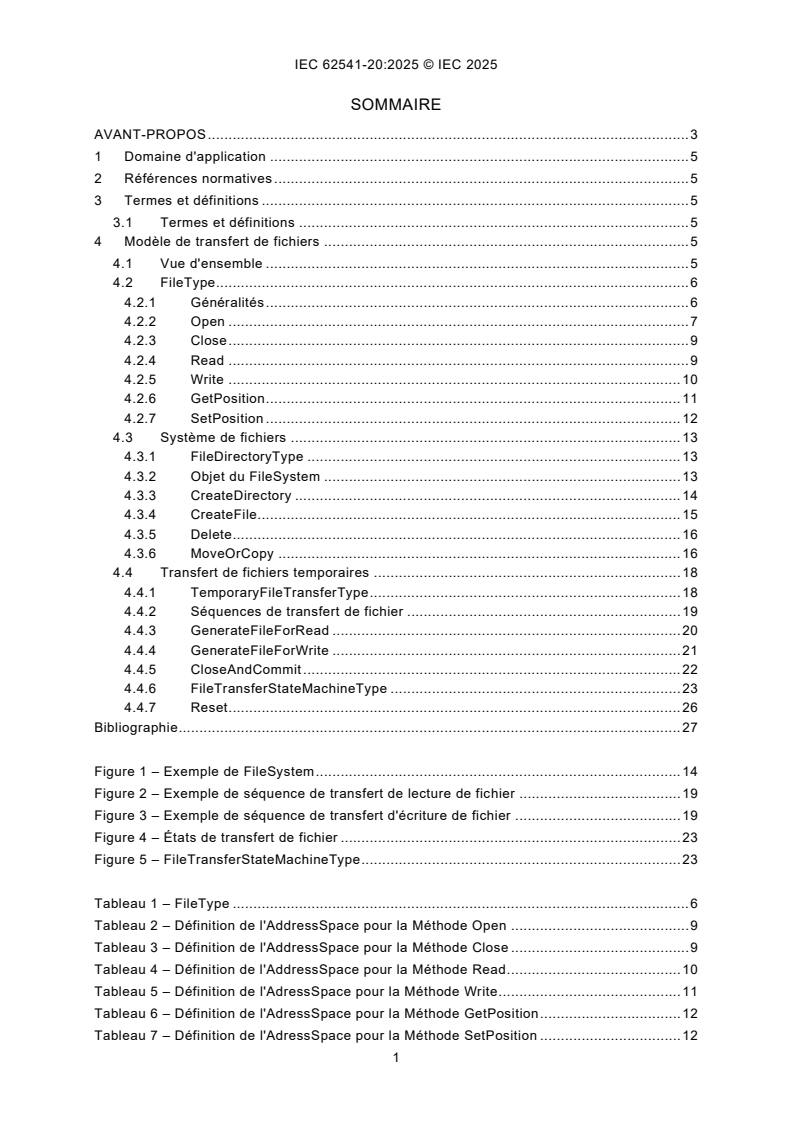
IEC 62541-20:2025 - Architecture unifiée OPC - Partie 20: Transfert de fichiers Released:12/22/2025
IEC 62541-20:2025 - OPC unified architecture - Part 20: File transfer Released:12/22/2025
Overview
IEC 62541-20:2025 - "OPC unified architecture - Part 20: File transfer" - defines an Information Model for file transfer in OPC Unified Architecture (OPC UA). The standard specifies object types and services to model files and file systems in the OPC UA AddressSpace, addressing limitations of modelling files as large ByteStrings (message size, resource and concurrency concerns). File transfer constructs previously in IEC 62541‑5:2020 (Annex C) are now defined as a separate part to provide a clear, reusable infrastructure for file access, directory operations and temporary transfer workflows.
Key Topics
- FileType object: represents a file in the AddressSpace with properties (Size, Writable, UserWritable, OpenCount, MimeType, MaxByteStringLength) and mandatory methods such as:
- Open, Close
- Read, Write
- GetPosition, SetPosition
- FileDirectoryType and FileSystem: models a directory hierarchy and provides methods to manage files and directories (CreateDirectory, CreateFile, Delete, MoveOrCopy). The root of a modeled file system uses the BrowseName FileSystem.
- TemporaryFileTransferType: supports transfer scenarios that require a handshake or commit step (typical for configuration files or firmware updates). Includes operations like GenerateFileForRead, GenerateFileForWrite, CloseAndCommit and a FileTransferStateMachineType to manage transfer states and reset behavior.
- State machine & sequences: File transfer workflows (read/write sequences) and states are formally defined so clients and servers can coordinate transfers reliably and handle concurrency and lifecycle differences between disk files and AddressSpace representations.
- Security & resource considerations: the model is designed to avoid large single-message transfers and concurrency issues by providing segmented read/write methods and transfer control.
Applications / Who Should Use It
- Industrial automation vendors and system integrators implementing OPC UA servers and clients that need robust file transfer (firmware updates, configuration distribution, log retrieval).
- Device manufacturers exposing file systems or files on field devices or controllers.
- Software developers and architects designing enterprise-to-edge integration where reliable, stateful file exchanges are required.
- Maintenance and operations teams who need standardized, auditable file transfer mechanisms within OPC UA ecosystems.
Practical benefits include safer firmware/configuration deployment, reduced denial-of-service risks from large messages, and clear concurrency handling.
Related standards
- IEC 62541-1: OPC Unified Architecture - Overview and Concepts
- IEC 62541-3: Address Space Model
- IEC 62541-4: Services
- IEC 62541-5: Information Model (previous location of File Transfer)
Keywords: IEC 62541-20:2025, OPC Unified Architecture, OPC UA file transfer, FileType, FileDirectoryType, TemporaryFileTransferType, file system modeling, industrial automation, firmware update.
Buy Documents
IEC 62541-20:2025 - OPC unified architecture - Part 20: File transfer Released:12/22/2025
IEC 62541-20:2025 - Architecture unifiée OPC - Partie 20: Transfert de fichiers Released:12/22/2025
IEC 62541-20:2025 - OPC unified architecture - Part 20: File transfer Released:12/22/2025
Get Certified
Connect with accredited certification bodies for this standard

DVS-ZERT GmbH
German welding certification society.
CARES (UK Certification Authority for Reinforcing Steels)
UK certification for reinforcing steels and construction.
EWF/IIW (European/International Welding Federation)
International welding personnel certification.
Sponsored listings
Frequently Asked Questions
IEC 62541-20:2025 is a standard published by the International Electrotechnical Commission (IEC). Its full title is "OPC unified architecture - Part 20: File transfer". This standard covers: IEC 62541-20:2025 defines an Information Model. The Information Model describes the basic infrastructure to model file transfers. NOTE In the previous version, File Transfer was in IEC 62541‑5:2020, Annex C.
IEC 62541-20:2025 defines an Information Model. The Information Model describes the basic infrastructure to model file transfers. NOTE In the previous version, File Transfer was in IEC 62541‑5:2020, Annex C.
IEC 62541-20:2025 is classified under the following ICS (International Classification for Standards) categories: 25.040 - Industrial automation systems. The ICS classification helps identify the subject area and facilitates finding related standards.
IEC 62541-20:2025 is available in PDF format for immediate download after purchase. The document can be added to your cart and obtained through the secure checkout process. Digital delivery ensures instant access to the complete standard document.
Standards Content (Sample)
IEC 62541-20 ®
Edition 1.0 2025-12
INTERNATIONAL
STANDARD
OPC unified architecture -
Part 20: File transfer
ICS 25.040 ISBN 978-2-8327-0836-1
All rights reserved. Unless otherwise specified, no part of this publication may be reproduced or utilized in any form or
by any means, electronic or mechanical, including photocopying and microfilm, without permission in writing from either
IEC or IEC's member National Committee in the country of the requester. If you have any questions about IEC copyright
or have an enquiry about obtaining additional rights to this publication, please contact the address below or your local
IEC member National Committee for further information.
IEC Secretariat Tel.: +41 22 919 02 11
3, rue de Varembé info@iec.ch
CH-1211 Geneva 20 www.iec.ch
Switzerland
About the IEC
The International Electrotechnical Commission (IEC) is the leading global organization that prepares and publishes
International Standards for all electrical, electronic and related technologies.
About IEC publications
The technical content of IEC publications is kept under constant review by the IEC. Please make sure that you have the
latest edition, a corrigendum or an amendment might have been published.
IEC publications search - IEC Products & Services Portal - products.iec.ch
webstore.iec.ch/advsearchform Discover our powerful search engine and read freely all the
The advanced search enables to find IEC publications by a publications previews, graphical symbols and the glossary.
variety of criteria (reference number, text, technical With a subscription you will always have access to up to date
committee, …). It also gives information on projects, content tailored to your needs.
replaced and withdrawn publications.
Electropedia - www.electropedia.org
The world's leading online dictionary on electrotechnology,
IEC Just Published - webstore.iec.ch/justpublished
Stay up to date on all new IEC publications. Just Published containing more than 22 500 terminological entries in English
details all new publications released. Available online and and French, with equivalent terms in 25 additional languages.
once a month by email. Also known as the International Electrotechnical Vocabulary
(IEV) online.
IEC Customer Service Centre - webstore.iec.ch/csc
If you wish to give us your feedback on this publication or
need further assistance, please contact the Customer
Service Centre: sales@iec.ch.
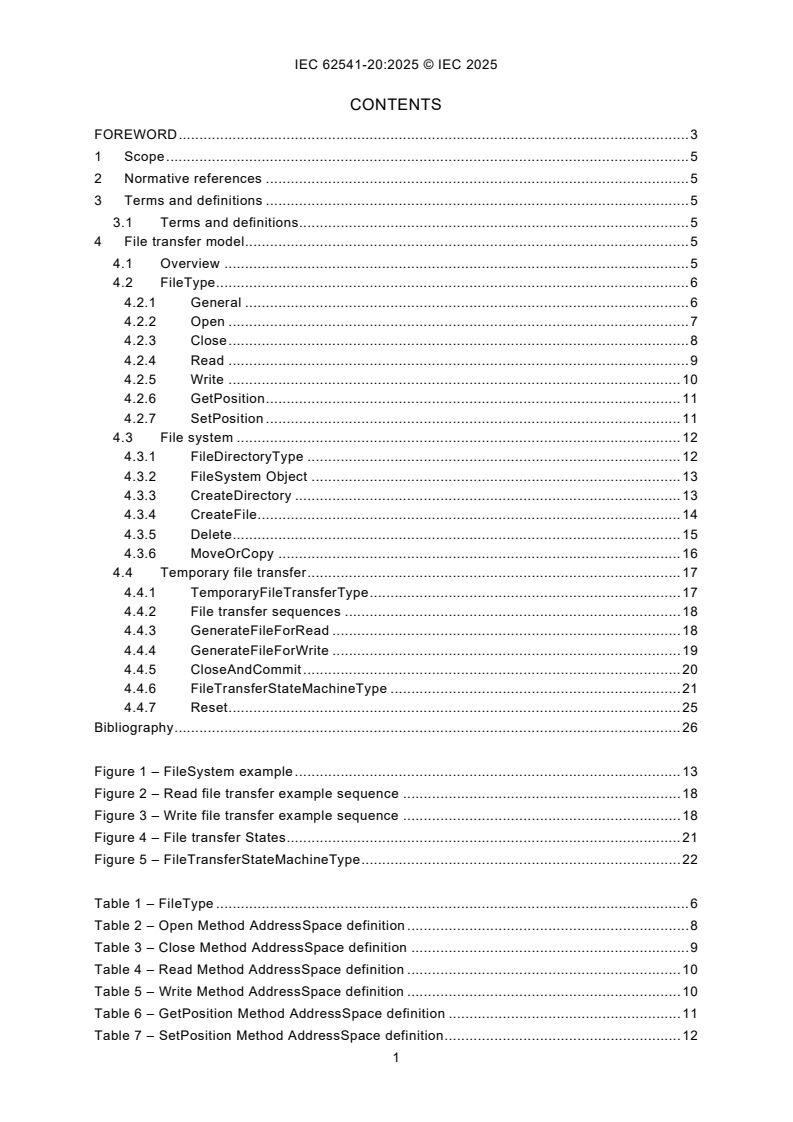
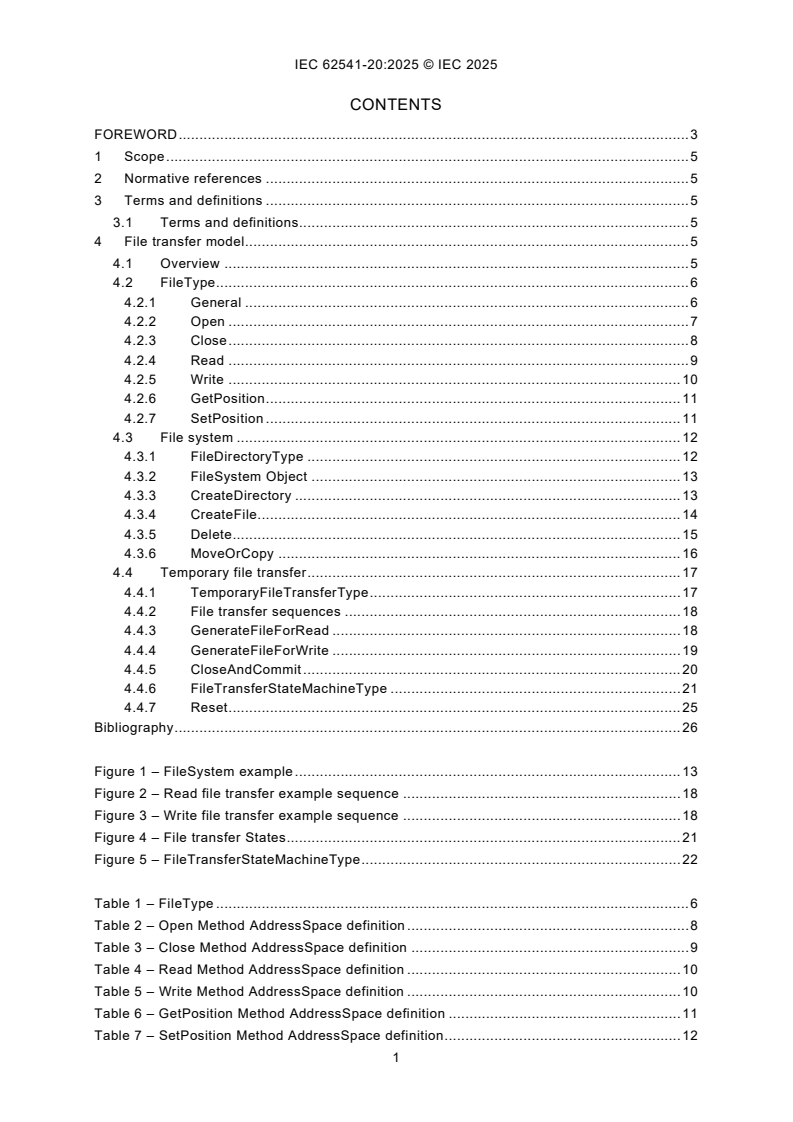
CONTENTS
FOREWORD . 3
1 Scope . 5
2 Normative references . 5
3 Terms and definitions . 5
3.1 Terms and definitions. 5
4 File transfer model . 5
4.1 Overview . 5
4.2 FileType . 6
4.2.1 General . 6
4.2.2 Open . 7
4.2.3 Close . 8
4.2.4 Read . 9
4.2.5 Write . 10
4.2.6 GetPosition . 11
4.2.7 SetPosition . 11
4.3 File system . 12
4.3.1 FileDirectoryType . 12
4.3.2 FileSystem Object . 13
4.3.3 CreateDirectory . 13
4.3.4 CreateFile. 14
4.3.5 Delete . 15
4.3.6 MoveOrCopy . 16
4.4 Temporary file transfer . 17
4.4.1 TemporaryFileTransferType . 17
4.4.2 File transfer sequences . 18
4.4.3 GenerateFileForRead . 18
4.4.4 GenerateFileForWrite . 19
4.4.5 CloseAndCommit . 20
4.4.6 FileTransferStateMachineType . 21
4.4.7 Reset . 25
Bibliography . 26
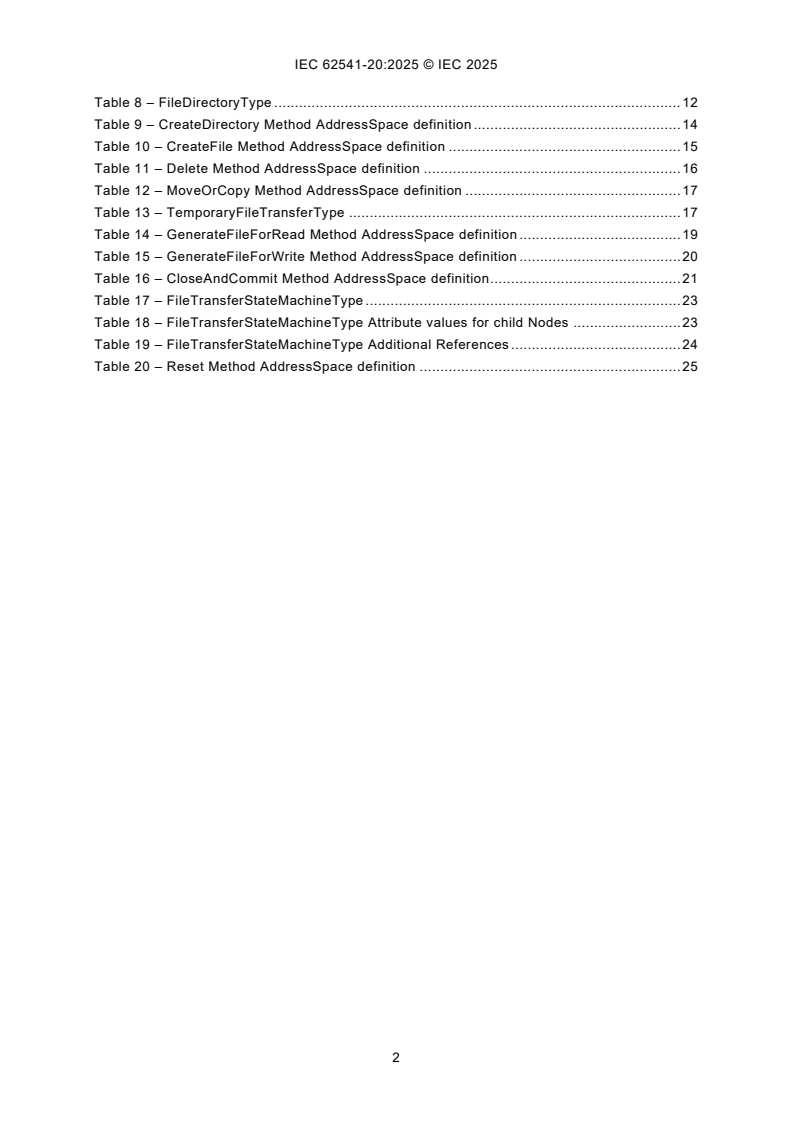
Figure 1 – FileSystem example . 13
Figure 2 – Read file transfer example sequence . 18
Figure 3 – Write file transfer example sequence . 18
Figure 4 – File transfer States . 21
Figure 5 – FileTransferStateMachineType . 22
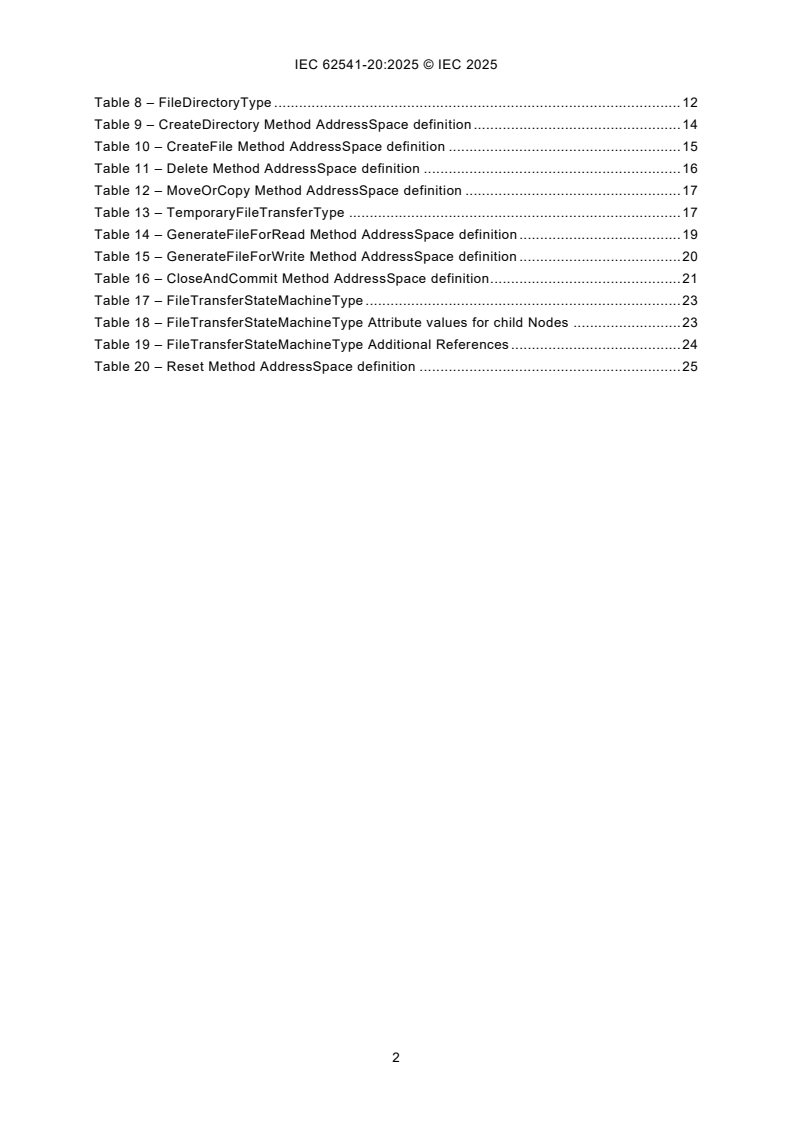
Table 1 – FileType . 6
Table 2 – Open Method AddressSpace definition . 8
Table 3 – Close Method AddressSpace definition . 9
Table 4 – Read Method AddressSpace definition . 10
Table 5 – Write Method AddressSpace definition . 10
Table 6 – GetPosition Method AddressSpace definition . 11
Table 7 – SetPosition Method AddressSpace definition . 12
Table 8 – FileDirectoryType . 12
Table 9 – CreateDirectory Method AddressSpace definition . 14
Table 10 – CreateFile Method AddressSpace definition . 15
Table 11 – Delete Method AddressSpace definition . 16
Table 12 – MoveOrCopy Method AddressSpace definition . 17
Table 13 – TemporaryFileTransferType . 17
Table 14 – GenerateFileForRead Method AddressSpace definition . 19
Table 15 – GenerateFileForWrite Method AddressSpace definition . 20
Table 16 – CloseAndCommit Method AddressSpace definition . 21
Table 17 – FileTransferStateMachineType . 23
Table 18 – FileTransferStateMachineType Attribute values for child Nodes . 23
Table 19 – FileTransferStateMachineType Additional References . 24
Table 20 – Reset Method AddressSpace definition . 25
INTERNATIONAL ELECTROTECHNICAL COMMISSION
____________
OPC unified architecture -
Part 20: File Transfer
FOREWORD
1) The International Electrotechnical Commission (IEC) is a worldwide organization for standardization comprising
all national electrotechnical committees (IEC National Committees). The object of IEC is to promote international
co-operation on all questions concerning standardization in the electrical and electronic fields. To this end and
in addition to other activities, IEC publishes International Standards, Technical Specifications, Technical Reports,
Publicly Available Specifications (PAS) and Guides (hereafter referred to as "IEC Publication(s)"). Their
preparation is entrusted to technical committees; any IEC National Committee interested in the subject dealt with
may participate in this preparatory work. International, governmental and non-governmental organizations liaising
with the IEC also participate in this preparation. IEC collaborates closely with the International Organization for
Standardization (ISO) in accordance with conditions determined by agreement between the two organizations.
2) The formal decisions or agreements of IEC on technical matters express, as nearly as possible, an international
consensus of opinion on the relevant subjects since each technical committee has representation from all
interested IEC National Committees.
3) IEC Publications have the form of recommendations for international use and are accepted by IEC National
Committees in that sense. While all reasonable efforts are made to ensure that the technical content of IEC
Publications is accurate, IEC cannot be held responsible for the way in which they are used or for any
misinterpretation by any end user.
4) In order to promote international uniformity, IEC National Committees undertake to apply IEC Publications
transparently to the maximum extent possible in their national and regional publications. Any divergence between
any IEC Publication and the corresponding national or regional publication shall be clearly indicated in the latter.
5) IEC itself does not provide any attestation of conformity. Independent certification bodies provide conformity
assessment services and, in some areas, access to IEC marks of conformity. IEC is not responsible for any
services carried out by independent certification bodies.
6) All users should ensure that they have the latest edition of this publication.
7) No liability shall attach to IEC or its directors, employees, servants or agents including individual experts and
members of its technical committees and IEC National Committees for any personal injury, property damage or
other damage of any nature whatsoever, whether direct or indirect, or for costs (including legal fees) and
expenses arising out of the publication, use of, or reliance upon, this IEC Publication or any other IEC
Publications.
8) Attention is drawn to the Normative references cited in this publication. Use of the referenced publications is
indispensable for the correct application of this publication.
9) IEC draws attention to the possibility that the implementation of this document may involve the use of (a)
patent(s). IEC takes no position concerning the evidence, validity or applicability of any claimed patent rights in
respect thereof. As of the date of publication of this document, IEC had not received notice of (a) patent(s), which
may be required to implement this document. However, implementers are cautioned that this may not represent
the latest information, which may be obtained from the patent database available at https://patents.iec.ch. IEC
shall not be held responsible for identifying any or all such patent rights.
IEC 62541-20 has been prepared by subcommittee 65E: Devices and integration in enterprise
systems, of IEC technical committee 65: Industrial-process measurement, control and
automation. It is an International Standard.
The text of this International Standard is based on the following documents:
Draft Report on voting
65E/1045/CDV 65E/1102/RVC
Full information on the voting for its approval can be found in the report on voting indicated in
the above table.
The language used for the development of this International Standard is English.
This document was drafted in accordance with ISO/IEC Directives, Part 2, and developed in
accordance with ISO/IEC Directives, Part 1 and ISO/IEC Directives, IEC Supplement, available
at www.iec.ch/members_experts/refdocs. The main document types developed by IEC are
described in greater detail at www.iec.ch/publications.
Throughout this document and the other Parts of the series, certain document conventions are
used:
Italics are used to denote a defined term or definition that appears in the "Terms and definitions"
clause in one of the parts of the series.
Italics are also used to denote the name of a service input or output parameter or the name of
a structure or element of a structure that are usually defined in tables.
The italicized terms and names are also often written in camel-case (the practice of writing
compound words or phrases in which the elements are joined without spaces, with each
element's initial letter capitalized within the compound). For example, the defined term is
AddressSpace instead of Address Space. This makes it easier to understand that there is a
single definition for AddressSpace, not separate definitions for Address and Space.
A list of all parts in the IEC 62541 series, published under the general title OPC Unified
Architecture, can be found on the IEC website.
The committee has decided that the contents of this document will remain unchanged until the
stability date indicated on the IEC website under webstore.iec.ch in the data related to the
specific document. At this date, the document will be
– reconfirmed,
– withdrawn, or
– revised.
1 Scope
This part of IEC 62541, the IEC standards series dedicated to the OPC Unified Architecture,
defines an Information Model. The Information Model describes the basic infrastructure to
model file transfers.
NOTE In the previous version, File Transfer was in IEC 62541-5:2020, Annex C.
2 Normative references
The following documents are referred to in the text in such a way that some or all of their content
constitutes requirements of this document. For dated references, only the edition cited applies.
For undated references, the latest edition of the referenced document (including any
amendments) applies.
IEC 62541-1, OPC Unified Architecture - Part 1: Overview and Concepts
IEC 62541-3, OPC Unified Architecture - Part 3: Address Space Model
IEC 62541-4, OPC Unified Architecture - Part 4: Services
IEC 62541-5, OPC Unified Architecture - Part 5: Information Model
3 Terms and definitions
3.1 Terms and definitions
For the purposes of this document, the terms and definitions given in IEC 62541-1, IEC 62541-3
and IEC 62541-5 apply.
ISO and IEC maintain terminology databases for use in standardization at the following
addresses:
– IEC Electropedia: available at https://www.electropedia.org/
– ISO Online browsing platform: available at https://www.iso.org/obp
4 File transfer model
4.1 Overview
This document describes an information model for file transfer. Files could be modelled in OPC
UA as simple Variables using ByteStrings. However, the overall message size in OPC UA is
limited due to resources and security issues (denial of service attacks). Only accessing parts
of the array can lead to concurrency issues if one client is reading the array while others are
manipulating it. Therefore, the ObjectType FileType is defined representing a file with Methods
to access the file. The life-cycle of a file stored on a hard disk and an instance of the FileType
representing the file in an OPC UA AddressSpace can be independent.
In addition to representing individual files this document also defines a way to represent a whole
file system or a part of a file system. This can be done using the FileDirectoryType in
combination with the FileType. The FileDirectoryType provides Methods to create, delete, and
move files and directories. The root of a file system or part of a file system is represented by
an instance of the FileDirectoryType with the BrowseName FileSystem. All directories below
the root directory are represented by instances of the FileDirectoryType or a subtype. All files
below the root directory are represented by instances of the FileType or a subtype.
In different situations like transfer of configuration files or firmware update, the files are
temporary, and an additional handshake is necessary to create the file for reading or to apply
the file after writing it to the server. This use case is covered by the TemporaryFileTransferType
defined in this document.
4.2 FileType
4.2.1 General
This ObjectType defines a type for files. It is formally defined in Table 1.
Table 1 – FileType
Attribute Value
BrowseName FileType
IsAbstract False
References NodeClass BrowseName DataType TypeDefinition Modelling Rule
Subtype of the BaseObjectType defined in IEC 62541-5
HasProperty Variable Size UInt64 PropertyType Mandatory
HasProperty Variable Writable Boolean PropertyType Mandatory
HasProperty Variable UserWritable Boolean PropertyType Mandatory
HasProperty Variable OpenCount UInt16 PropertyType Mandatory
HasProperty Variable MimeType String PropertyType Optional
HasComponent Method Open Defined in 4.2.2 Mandatory
HasComponent Method Close Defined in 4.2.3 Mandatory
HasComponent Method Read Defined in 4.2.4 Mandatory
HasComponent Method Write Defined in 4.2.5 Mandatory
HasComponent Method GetPosition Defined in 4.2.6 Mandatory
HasComponent Method SetPosition Defined in 4.2.7 Mandatory
HasProperty Variable MaxByteStringLength UInt32 PropertyType Optional
HasProperty Variable LastModifiedTime DateTime PropertyType Optional
Conformance Units
Base Info FileType Base
Size defines the size of the file in Bytes. When a file is opened for write, the size might not be
accurate. If the Server can not accurately determine the size of the file, the Size Property shall
be returned to a Client with a StatusCode of Bad_NotSupported.
Writable indicates whether the file is writable. It does not take any user access rights into
account, i.e., although the file is writable this can be restricted to a certain user / user group.
The Property does not consider whether the file is currently opened for writing by another client
and thus currently locked and not writable by others.
UserWritable indicates whether the file is writable taking user access rights into account. The
Property does not consider whether the file is currently opened for writing by another client and
thus currently locked and not writable by others.
OpenCount indicates the number of currently valid file handles on the file.
The optional Property MimeType contains the media type of the file based on RFC 2046.
Note that all Methods on a file require a fileHandle, which is returned in the Open Method.
The optional MaxByteStringLength Property indicates the maximum number of bytes of the read
and write buffers. If this Property is not present, then the maximum size is defined by the
MaxByteStringLength Property of the ServerCapabilitiesType defined in IEC 62541-5.
The optional LastModifiedTime Property indicates the time the file was last modified. The
Property shall be updated whenever the Server detects that the file has changed.
4.2.2 Open
Open is used to open a file represented by an Object of FileType. When a client opens a file it
gets a file handle that is valid while the session is open. Clients shall use the Close Method to
release the handle when they do not need access to the file anymore. Clients can open the
same file several times for read. A request to open for writing shall return Bad_NotWritable
when the file is already opened. A request to open for reading shall return Bad_NotReadable
when the file is already opened for writing.
Signature
Open(
[in] Byte mode
[out] UInt32 fileHandle
);
Argument Description
mode Indicates whether the file should be opened only for read operations or for read and
write operations and where the initial position is set.
The mode is an 8-bit unsigned integer used as bit mask with the structure defined as
follows:
Bit 0 – "Read" - The file is opened for reading. If this bit is not set the Read
Method cannot be executed.
Bit 1 – "Write" - The file is opened for writing. If this bit is not set the Write
Method cannot be executed.
Bit 2 – "EraseExisting" - This bit can only be set if the file is opened for writing
(Write bit is set). The existing content of the file is erased
and an empty file is provided.
Bit 3 – "Append" - When the Append bit is set the file is opened at end of the
file, otherwise at begin of the file. The SetPosition Method
can be used to change the position.
Bit 4-7 – "Reserved" - Reserved for future use. Shall always be zero.
Field Bit Description
Read 0 The file is opened for reading. If this bit is not set the
Read Method cannot be executed.
Write 1 The file is opened for writing. If this bit is not set the Write
Method cannot be executed.
EraseExisting 2 This bit can only be set if the file is opened for writing
(Write bit is set). The existing content of the file is erased
and an empty file is provided.
Append 3 When the Append bit is set the file is opened at end of
the file, otherwise at begin of the file. The SetPosition
Method can be used to change the position.
Reserved 4:7 Reserved for future use. Shall always be zero.
fileHandle A handle for the file used in other method calls indicating not the file (this is done by
the Object of the Method call) but the access request and thus the position in the
file. The fileHandle is generated by the server and is unique for the Session. Clients
cannot transfer the fileHandle to another Session but shall get a new fileHandle by
calling the Open Method.
Method Result Codes (defined in Call Service)
Result Code Description
Bad_NotReadable IEC 62541-4 defines a base definition for this code. File might be locked and thus not
readable.
Bad_NotWritable IEC 62541-4 defines a base definition for this code.
Bad_InvalidState IEC 62541-4 defines a base definition for this code. The file is locked and thus not
writable.
Bad_InvalidArgument IEC 62541-4 defines a base definition for this code. Mode setting is invalid.
Bad_NotFound IEC 62541-4 defines a base definition for this code.
Bad_UnexpectedError IEC 62541-4 defines a base definition for this code.
Table 2 specifies the AddressSpace representation for the Open Method.
Table 2 – Open Method AddressSpace definition
Attribute Value
BrowseName Open
References NodeClass BrowseName DataType TypeDefinition ModellingRule
HasProperty Variable InputArguments Argument[] PropertyType Mandatory
HasProperty Variable OutputArguments Argument[] PropertyType Mandatory
Conformance Units
Base Info FileType Base
4.2.3 Close
Close is used to close a file represented by a FileType. When a client closes a file, the handle
becomes invalid.
Signature
Close(
[in] UInt32 fileHandle
);
Argument Description
fileHandle A handle indicating the access request and thus indirectly the position inside the file.
Method Result Codes (defined in Call Service)
Result Code Description
Bad_InvalidArgument IEC 62541-4 defines a base definition for this code. Invalid file handle in call.
Table 3 specifies the AddressSpace representation for the Close Method.
Table 3 – Close Method AddressSpace definition
Attribute Value
BrowseName Close
References NodeClass BrowseName DataType TypeDefinition ModellingRule
HasProperty Variable InputArguments Argument[] PropertyType Mandatory
Conformance Units
Base Info FileType Base
4.2.4 Read
Read is used to read a part of the file starting from the current file position. The file position is
advanced by the number of bytes read.
Signature
Read(
[in] UInt32 fileHandle
[in] Int32 length
[out] ByteString data
);
Argument Description
fileHandle A handle indicating the access request and thus indirectly the position inside the file.
Length Defines the length in bytes that should be returned in data, starting from the current position of
the file handle. If the end of file is reached all data until the end of the file is returned. The
Server is allowed to return less data than specified length.
Only positive values are allowed.
Data Contains the returned data of the file. If the ByteString is empty it indicates that the end of the
file is reached.
Method Result Codes (defined in Call Service)
Result Code Description
Bad_InvalidArgument IEC 62541-4 defines a base definition for this code Invalid file handle in call or non-
positive length.
Bad_UnexpectedError IEC 62541-4 defines a base definition for this code.
Bad_In
...
IEC 62541-20 ®
Edition 1.0 2025-12
NORME
INTERNATIONALE
Architecture unifiée OPC -
Partie 20: Transfert de fichiers
ICS 25.040 ISBN 978-2-8327-0836-1
Droits de reproduction réservés. Sauf indication contraire, aucune partie de cette publication ne peut être reproduite ni
utilisée sous quelque forme que ce soit et par aucun procédé, électronique ou mécanique, y compris la photocopie et
les microfilms, sans l'accord écrit de l'IEC ou du Comité national de l'IEC du pays du demandeur. Si vous avez des
questions sur le copyright de l'IEC ou si vous désirez obtenir des droits supplémentaires sur cette publication, utilisez
les coordonnées ci-après ou contactez le Comité national de l'IEC de votre pays de résidence.
IEC Secretariat Tel.: +41 22 919 02 11
3, rue de Varembé info@iec.ch
CH-1211 Geneva 20 www.iec.ch
Switzerland
A propos de l'IEC
La Commission Electrotechnique Internationale (IEC) est la première organisation mondiale qui élabore et publie des
Normes internationales pour tout ce qui a trait à l'électricité, à l'électronique et aux technologies apparentées.
A propos des publications IEC
Le contenu technique des publications IEC est constamment revu. Veuillez vous assurer que vous possédez l’édition la
plus récente, un corrigendum ou amendement peut avoir été publié.
Recherche de publications IEC - IEC Products & Services Portal - products.iec.ch
webstore.iec.ch/advsearchform Découvrez notre puissant moteur de recherche et consultez
La recherche avancée permet de trouver des publications gratuitement tous les aperçus des publications, symboles
IEC en utilisant différents critères (numéro de référence, graphiques et le glossaire. Avec un abonnement, vous aurez
texte, comité d’études, …). Elle donne aussi des toujours accès à un contenu à jour adapté à vos besoins.
informations sur les projets et les publications remplacées
ou retirées. Electropedia - www.electropedia.org
Le premier dictionnaire d'électrotechnologie en ligne au
IEC Just Published - webstore.iec.ch/justpublished monde, avec plus de 22 500 articles terminologiques en
Restez informé sur les nouvelles publications IEC. Just anglais et en français, ainsi que les termes équivalents
dans 25 langues additionnelles. Egalement appelé
Published détaille les nouvelles publications parues.
Disponible en ligne et une fois par mois par email. Vocabulaire Electrotechnique International (IEV) en ligne.
Service Clients - webstore.iec.ch/csc
Si vous désirez nous donner des commentaires sur cette
publication ou si vous avez des questions contactez-
nous: sales@iec.ch.
SOMMAIRE
AVANT-PROPOS . 3
1 Domaine d'application . 5
2 Références normatives . 5
3 Termes et définitions . 5
3.1 Termes et définitions . 5
4 Modèle de transfert de fichiers . 5
4.1 Vue d'ensemble . 5
4.2 FileType . 6
4.2.1 Généralités . 6
4.2.2 Open . 7
4.2.3 Close . 9
4.2.4 Read . 9
4.2.5 Write . 10
4.2.6 GetPosition . 11
4.2.7 SetPosition . 12
4.3 Système de fichiers . 13
4.3.1 FileDirectoryType . 13
4.3.2 Objet du FileSystem . 13
4.3.3 CreateDirectory . 14
4.3.4 CreateFile. 15
4.3.5 Delete . 16
4.3.6 MoveOrCopy . 16
4.4 Transfert de fichiers temporaires . 18
4.4.1 TemporaryFileTransferType . 18
4.4.2 Séquences de transfert de fichier . 19
4.4.3 GenerateFileForRead . 20
4.4.4 GenerateFileForWrite . 21
4.4.5 CloseAndCommit . 22
4.4.6 FileTransferStateMachineType . 23
4.4.7 Reset . 26
Bibliographie . 27
Figure 1 – Exemple de FileSystem . 14
Figure 2 – Exemple de séquence de transfert de lecture de fichier . 19
Figure 3 – Exemple de séquence de transfert d'écriture de fichier . 19
Figure 4 – États de transfert de fichier . 23
Figure 5 – FileTransferStateMachineType . 23
Tableau 1 – FileType . 6
Tableau 2 – Définition de l'AddressSpace pour la Méthode Open . 9
Tableau 3 – Définition de l'AddressSpace pour la Méthode Close . 9
Tableau 4 – Définition de l'AddressSpace pour la Méthode Read . 10
Tableau 5 – Définition de l'AdressSpace pour la Méthode Write . 11
Tableau 6 – Définition de l'AdressSpace pour la Méthode GetPosition . 12
Tableau 7 – Définition de l'AdressSpace pour la Méthode SetPosition . 12
Tableau 8 – FileDirectoryType . 13
Tableau 9 – Définition de l'AddressSpace pour la Méthode CreateDirectory . 15
Tableau 10 – Définition de l'AddressSpace pour la Méthode CreateFile . 16
Tableau 11 – Définition de l'AddressSpace pour la Méthode Delete . 16
Tableau 12 – Définition de l'AddressSpace pour la Méthode MoveOrCopy . 17
Tableau 13 – TemporaryFileTransferType . 18
Tableau 14 – Définition de l'AddressSpace pour la Méthode GenerateFileForRead . 21
Tableau 15 – Définition de l'AddressSpace pour la Méthode GenerateFileForWrite. 22
Tableau 16 – Définition de l'AddressSpace pour la Méthode CloseAndCommit . 22
Tableau 17 – FileTransferStateMachineType . 24
Tableau 18 – Valeurs d'Attribut TransferStateMachineType pour les Nœuds enfants . 24
Tableau 19 – Références supplémentaires de FileTransferStateMachineType . 25
Tableau 20 – Définition de l'AddressSpace pour la Méthode Reset . 26
COMMISSION ÉLECTROTECHNIQUE INTERNATIONALE
____________
Architecture unifiée OPC -
Partie 20: Transfert de fichiers
AVANT-PROPOS
1) La Commission Électrotechnique Internationale (IEC) est une organisation mondiale de normalisation composée
de l'ensemble des comités électrotechniques nationaux (Comités nationaux de l'IEC). L'IEC a pour objet de
favoriser la coopération internationale pour toutes les questions de normalisation dans les domaines de
l'électricité et de l'électronique. À cet effet, l'IEC – entre autres activités – publie des Normes internationales,
des Spécifications techniques, des Rapports techniques, des Spécifications accessibles au public (PAS) et des
Guides (ci-après dénommés "Publication(s) de l'IEC"). Leur élaboration est confiée à des comités d'études, aux
travaux desquels tout Comité national intéressé par le sujet traité peut participer. Les organisations
internationales, gouvernementales et non gouvernementales, en liaison avec l'IEC, participent également aux
travaux. L'IEC collabore étroitement avec l'Organisation Internationale de Normalisation (ISO), selon des
conditions fixées par accord entre les deux organisations.
2) Les décisions ou accords officiels de l'IEC concernant les questions techniques représentent, dans la mesure du
possible, un accord international sur les sujets étudiés, étant donné que les Comités nationaux de l'IEC intéressés
sont représentés dans chaque comité d'études.
3) Les Publications de l'IEC se présentent sous la forme de recommandations internationales et sont agréées
comme telles par les Comités nationaux de l'IEC. Tous les efforts raisonnables sont entrepris afin que
l'IEC s'assure de l'exactitude du contenu technique de ses publications; l'IEC ne peut pas être tenue responsable
de l'éventuelle mauvaise utilisation ou interprétation qui en est faite par un quelconque utilisateur final.
4) Dans le but d'encourager l'uniformité internationale, les Comités nationaux de l'IEC s'engagent, dans toute la
mesure possible, à appliquer de façon transparente les Publications de l'IEC dans leurs publications nationales
et régionales. Toutes divergences entre toutes Publications de l'IEC et toutes publications nationales ou
régionales correspondantes doivent être indiquées en termes clairs dans ces dernières.
5) L'IEC elle-même ne fournit aucune attestation de conformité. Des organismes de certification indépendants
fournissent des services d'évaluation de conformité et, dans certains secteurs, accèdent aux marques de
conformité de l'IEC. L'IEC n'est responsable d'aucun des services effectués par les organismes de certification
indépendants.
6) Tous les utilisateurs doivent s'assurer qu'ils sont en possession de la dernière édition de cette publication.
7) Aucune responsabilité ne doit être imputée à l'IEC, à ses administrateurs, employés, auxiliaires ou mandataires,
y compris ses experts particuliers et les membres de ses comités d'études et des Comités nationaux de l'IEC,
pour tout préjudice causé en cas de dommages corporels et matériels, ou de tout autre dommage de quelque
nature que ce soit, directe ou indirecte, ou pour supporter les coûts (y compris les frais de justice) et les dépenses
découlant de la publication ou de l'utilisation de cette Publication de l'IEC ou de toute autre Publication de l'IEC,
ou au crédit qui lui est accordé.
8) L'attention est attirée sur les références normatives citées dans cette publication. L'utilisation de publications
référencées est obligatoire pour une application correcte de la présente publication.
9) L'IEC attire l'attention sur le fait que la mise en application du présent document peut entraîner l'utilisation d'un
ou de plusieurs brevets. L'IEC ne prend pas position quant à la preuve, à la validité et à l'applicabilité de tout
droit de brevet revendiqué à cet égard. À la date de publication du présent document, l'IEC n'avait pas reçu
notification qu'un ou plusieurs brevets pouvaient être nécessaires à sa mise en application. Toutefois, il y a lieu
d'avertir les responsables de la mise en application du présent document que des informations plus récentes
sont susceptibles de figurer dans la base de données de brevets, disponible à l'adresse https://patents.iec.ch.
L'IEC ne saurait être tenue pour responsable de ne pas avoir identifié tout ou partie de tels droits de brevet.
L'IEC 62541-20 a été établie par le sous-comité 65E: Les dispositifs et leur intégration dans les
systèmes de l'entreprise, du comité d'études 65 de l'IEC: Mesure, commande et automation
dans les processus industriels. Il s'agit d'une Norme internationale.
Le texte de cette Norme internationale est issu des documents suivants:
Projet Rapport de vote
65E/1045/CDV 65E/1102/RVC
Le rapport de vote indiqué dans le tableau ci-dessus donne toute information sur le vote ayant
abouti à son approbation.
La langue employée pour l'élaboration de cette Norme internationale est l'anglais.
Ce document a été rédigé selon les Directives ISO/IEC, Partie 2, il a été développé selon les
Directives ISO/IEC, Partie 1 et les Directives ISO/IEC, Supplément IEC, disponibles sous
www.iec.ch/members_experts/refdocs. Les principaux types de documents développés par
l'IEC sont décrits plus en détail sous www.iec.ch/publications.
Dans l'ensemble du présent document et dans les autres parties de la série, certaines
conventions de document sont utilisées:
Le format italique est utilisé pour mettre en évidence un terme défini ou une définition qui
apparaît à l'article "Termes et définitions" dans l'une des parties de la série.
Le format italique est également utilisé pour mettre en évidence le nom d'un paramètre d'entrée
ou de sortie de service, ou le nom d'une structure ou d'un élément de structure habituellement
défini dans les tableaux.
Par ailleurs, les termes et noms en italique sont souvent écrits en camel-case (pratique qui
consiste à joindre, sans espace, les éléments des mots ou expressions composés, la première
lettre de chaque élément étant en majuscule). Par exemple, le terme défini est AddressSpace
et non Espace d'Adressage. Cela permet de mieux comprendre qu'il existe une définition unique
pour AddressSpace, et non deux définitions distinctes pour Espace et pour Adressage.
Une liste de toutes les parties de la série IEC 62541, publiées sous le titre général Architecture
unifiée OPC, se trouve sur le site web de l'IEC.
Le comité a décidé que le contenu de ce document ne sera pas modifié avant la date de stabilité
indiquée sur le site web de l'IEC sous webstore.iec.ch dans les données relatives au document
recherché. À cette date, le document sera
– reconduit,
– supprimé, ou
– révisé.
1 Domaine d'application
La présente partie de l'IEC 62541, la série de normes de l'IEC consacrée à l'Architecture unifiée
OPC, définit un Modèle d'information. Le Modèle d'information décrit l'infrastructure de base
pour modéliser les transferts de fichiers.
NOTE Dans la version précédente, le Transfert de fichiers figurait dans l'IEC 62541-5:2020, Annexe C.
2 Références normatives
Les documents suivants sont cités dans le texte de sorte qu'ils constituent, pour tout ou partie
de leur contenu, des exigences du présent document. Pour les références datées, seule
l'édition citée s'applique. Pour les références non datées, la dernière édition du document de
référence s'applique (y compris les éventuels amendements).
IEC 62541-1, Architecture unifiée OPC - Partie 1: Vue d'ensemble et concepts
IEC 62541-3, Architecture unifiée OPC - Partie 3: Modèle d'espace d'adressage
IEC 62541-4, Architecture unifiée OPC - Partie 4: Services
IEC 62541-5, Architecture unifiée OPC - Partie 5: Modèle d'information
3 Termes et définitions
3.1 Termes et définitions
Pour les besoins du présent document, les termes et définitions de l'IEC 62541-1, l'IEC 62541-3
et l'IEC 62541-5 s'appliquent.
L'ISO et l'IEC tiennent à jour des bases de données terminologiques destinées à être utilisées
en normalisation, consultables aux adresses suivantes:
– IEC Electropedia: disponible à l'adresse https://www.electropedia.org/
– ISO Online browsing platform: disponible à l'adresse https://www.iso.org/obp
4 Modèle de transfert de fichiers
4.1 Vue d'ensemble
Le présent document décrit un modèle d'information pour le transfert de fichiers. Les fichiers
peuvent être modélisés au format OPC UA comme Variables simples en utilisant des
ByteStrings. Cependant, la taille totale des messages au format OPC UA est limitée en raison
des ressources et des questions de sécurité (attaques par déni de service). Seules les parties
d'accès de la matrice peuvent générer des problèmes de concurrence lorsqu'un client lit la
matrice tandis que d'autres la manipulent. Par conséquent, l'ObjectType FileType est défini de
sorte à représenter un fichier avec des Méthodes permettant d'accéder à ce dernier. Le cycle
de vie d'un fichier stocké sur un disque dur et une instance du FileType représentant le fichier
dans un AddressSpace OPC UA peuvent être indépendants.
Non seulement le présent document définit des fichiers individuels, mais il définit également
une manière de représenter l'ensemble ou une partie d'un système de fichiers. Cela peut être
réalisé en utilisant le FileDirectoryType associé au FileType. Le FileDirectoryType fournit des
Méthodes pour créer, supprimer et déplacer des fichiers et des répertoires. La racine d'un
système de fichiers ou d'une partie d'un système de fichiers est représentée par une instance
du FileDirectoryType avec le BrowseName FileSystem. Tous les répertoires au-dessous du
répertoire racine sont représentés par des instances du FileDirectoryType ou un sous-type.
Tous les fichiers au-dessous du répertoire racine sont représentés par des instances du
FileType ou un sous-type.
Dans des situations différentes telles que le transfert des fichiers de configuration ou la mise à
jour du micrologiciel, les fichiers sont temporaires et un établissement de liaison
supplémentaire est nécessaire pour créer le fichier pour lecture ou pour appliquer le fichier
après l'avoir écrit sur le serveur. Ce cas d'utilisation est couvert par le
TemporaryFileTransferType défini dans le présent document.
4.2 FileType
4.2.1 Généralités
Cet ObjectType définit un type pour les fichiers. Il est défini de manière formelle dans le
Tableau 1.
Tableau 1 – FileType
Attribut Valeur
BrowseName FileType
IsAbstract False
Références NodeClass BrowseName DataType TypeDefinition Modelling
Rule
Sous-type du BaseObjectType défini dans l'IEC 62541-5
HasProperty Variable Size UInt64 PropertyType Obligatoire
HasProperty Variable Writable Boolean PropertyType Obligatoire
HasProperty Variable UserWritable Boolean PropertyType Obligatoire
HasProperty Variable OpenCount UInt16 PropertyType Obligatoire
HasProperty Variable MimeType String PropertyType Facultatif
HasComponent Method Open Défini au 4.2.2 Obligatoire
HasComponent Method Close Défini au 4.2.3 Obligatoire
HasComponent Method Read Défini au 4.2.4 Obligatoire
HasComponent Method Write Défini au 4.2.5 Obligatoire
HasComponent Method GetPosition Défini au 4.2.6 Obligatoire
HasComponent Method SetPosition Défini au 4.2.7 Obligatoire
HasProperty Variable MaxByteStringLength UInt32 PropertyType Facultatif
HasProperty Variable LastModifiedTime DateTime PropertyType Facultatif
Unités de Conformité
Informations de base Base FileType
Size définit la taille du fichier en Octets. Lorsqu'un fichier est ouvert pour écriture, la taille peut
ne pas être exacte. Si le Serveur ne peut pas déterminer avec exactitude la taille du fichier, la
Propriété "Size" doit être retournée au Client avec un StatusCode Bad_NotSupported.
Writable indique si le fichier est inscriptible. Il ne prend pas en compte les droits d'accès de
l'utilisateur, quels qu'ils soient, c'est-à-dire que bien que le fichier soit inscriptible, ceci peut
être limité à un certain utilisateur/groupe d'utilisateurs. La Propriété ne tient pas compte du fait
de l'éventuelle ouverture actuelle du fichier pour son écriture par un autre client, et donc du
verrouillage actuel et de la non-inscriptibilité de ce même fichier par des tiers.
UserWritable indique si le fichier est inscriptible compte tenu des droits d'accès de l'utilisateur.
La Propriété ne tient pas compte du fait de l'éventuelle ouverture actuelle du fichier pour son
écriture par un autre client, et donc du verrouillage actuel et de la non-inscriptibilité de ce même
fichier par des tiers.
OpenCount indique le nombre d'indicateurs de fichier actuellement valides sur le fichier.
La Propriété MimeType facultative contient le type de support du fichier fondé sur la norme
RFC 2046.
Toutes les Méthodes applicables à un fichier exigent un fileHandle, qui est retourné dans la
Méthode Open.
La Propriété facultative MaxByteStringLength indique le nombre maximal d'octets des tampons
de lecture et d'écriture. Si cette Propriété n'est pas présente, la taille maximale est définie par
la Propriété MaxByteStringLength du ServerCapabilitiesType défini dans l'IEC 62541-5.
La Propriété facultative LastModifiedTime indique l'heure à laquelle le fichier a été modifié pour
la dernière fois. La Propriété doit être mise à jour chaque fois que le Serveur détecte que le
fichier a été modifié.
4.2.2 Open
Open sert à ouvrir un fichier représenté par un Objet FileType. Lorsqu'un client ouvre un fichier,
il obtient un indicateur de fichier valide alors que la session est ouverte. Les clients doivent
utiliser la Méthode Close pour diffuser l'indicateur lorsque l'accès au fichier ne leur est plus
nécessaire. Les clients peuvent ouvrir le même fichier plusieurs fois pour lecture. Une demande
d'ouverture pour écriture doit retourner Bad_NotWritable lorsque le fichier est déjà ouvert. Une
demande d'ouverture pour lecture doit retourner Bad_NotReadable lorsque le fichier est déjà
ouvert pour écriture.
Signature
Open(
[in] Byte mode
[out] UInt32 fileHandle
);
Argument Description
mode Indique s'il convient d'ouvrir le fichier uniquement pour les opérations de lecture, ou
pour les opérations de lecture et d'écriture, et lorsque la position initiale est définie.
Le mode est un entier non signé de 8 bits utilisé comme masque de bits dont la
structure est définie comme suit:
Bit 0 – "Read" - Le fichier est ouvert pour lecture. Si ce bit n'est pas défini,
la Méthode Read ne peut pas être exécutée.
Bit 1 – "Write" - Le fichier est ouvert pour écriture. Si ce bit n'est pas défini,
la Méthode Write ne peut pas être exécutée.
Bit 2 – "EraseExisting" - Ce bit peut être défini uniquement si le fichier est ouvert
pour écriture (bit Write défini). Le contenu actuel du fichier
est effacé et un fichier vide est fourni.
Bit 3 – "Append" - Lorsque le bit Append est défini, le fichier est ouvert à la
fin ou au début dans le cas contraire. La Méthode
SetPosition peut être utilisée pour modifier la position.
Bit 4-7 – "Reserved" - Réservé pour une utilisation ultérieure. Doit toujours être
zéro.
Champ Bit Description
Read 0 Le fichier est ouvert pour lecture. Si ce bit n'est pas défini, la
Méthode Read ne peut pas être exécutée.
Write 1 Le fichier est ouvert pour écriture. Si ce bit n'est pas défini, la
Méthode Write ne peut pas être exécutée.
EraseExisting 2 Ce bit peut être défini uniquement si le fichier est ouvert pour
écriture (bit Write défini). Le contenu actuel du fichier est
effacé et un fichier vide est fourni.
Append 3 Lorsque le bit Append est défini, le fichier est ouvert à la fin
ou au début dans le cas contraire. La Méthode SetPosition
peut être utilisée pour modifier la position.
Reserved 4:7 Réservé pour une utilisation ultérieure. Doit toujours être
zéro.
fileHandle Indicateur du fichier utilisé dans d'autres appels de méthode, désignant non pas le
fichier (ceci est effectué par l'Objet de l'appel de la Méthode), mais la demande
d'accès, et donc la position dans le fichier. Le fileHandle est généré par le serveur et
est unique pour la Session. Les clients ne peuvent pas transférer le fileHandle vers
une autre Session, mais doivent obtenir un nouveau fileHandle par un appel de la
Méthode Open.
Codes de résultat de la méthode (définis dans le Service Call)
Code de résultat Description
Bad_NotReadable L'IEC 62541-4 donne une définition de base pour ce code. Le fichier peut être
verrouillé et n'être donc pas accessible en lecture.
Bad_NotWritable L'IEC 62541-4 donne une définition de base pour ce code.
Bad_InvalidState L'IEC 62541-4 donne une définition de base pour ce code. Le fichier est verrouillé et
n'est donc pas accessible en écriture.
Bad_InvalidArgument L'IEC 62541-4 donne une définition de base pour ce code. Le réglage de mode n'est
pas valide.
Bad_NotFound L'IEC 62541-4 donne une définition de base pour ce code.
Bad_UnexpectedError L'IEC 62541-4 donne une définition de base pour ce code.
Le Tableau 2 spécifie la représentation de l'AddressSpace pour la Méthode Open.
Tableau 2 – Définition de l'AddressSpace pour la Méthode Open
Attribut Valeur
BrowseName Open
Références NodeClass BrowseName DataType TypeDefinition ModellingRule
HasProperty Variable InputArguments Argument[] PropertyType Obligatoire
HasProperty Variable OutputArguments Argument[] PropertyType Obligatoire
Unités de Conformité
Informations de base Base FileType
4.2.3 Close
Close sert à fermer un fichier représenté par un FileType. Lorsqu'un client ferme un fichier,
l'indicateur devient non valide.
Signature
Close(
[in] UInt32 fileHandle
);
Argument Description
fileHandle Indicateur spécifiant la demande d'accès et donc indirectement la position interne au fichier.
Codes de résultat de la méthode (définis dans le Service d'Appel)
Code de résultat Description
Bad_InvalidArgument L'IEC 62541-4 donne une définition de base pour ce code. Un indicateur de fichier non
valide a été appelé.
Le Tableau 3 spécifie la représentation de l'AddressSpace pour la Méthode Close.
Tableau 3 – Définition de l'AddressSpace pour la Méthode Close
Attribut Valeur
BrowseName Close
Références NodeClass BrowseName DataType TypeDefinition ModellingRule
HasProperty Variable InputArguments Argument[] PropertyType Obligatoire
Unités de Conformité
Informations de base Base FileType
4.2.4 Read
Read sert à lire une partie du fichier en commençant par sa position actuelle. La position du
fichier est avancée par le nombre d'octets lus.
Signature
Read(
[in] UInt32 fileHandle
[in] Int32 length
[out] ByteString data
);
Argument Description
fileHandle Indicateur spécifiant la demande d'accès et donc indirectement la position interne au fichier.
Length Définit la longueur, en octets, qu'il convient de retourner sous forme de données, en
commençant par la position actuelle de l'indicateur de fichier. Si la fin du fichier est atteinte,
toutes les données jusqu'à la fin du fichier sont renvoyées. Le Serveur peut retourner moins
de données que la longueur spécifiée.
Seules les valeurs positives sont admises.
Data Contient les données renvoyées du fichier. Si la ByteString est vide, cela indique que la fin du
fichier est atteinte.
Codes de résultat de la méthode (définis dans le Service d'Appel)
Code de résultat Description
Bad_InvalidArgument L'IEC 62541-4 donne une définition de base pour ce code. Un indicateur de fichier
non valide a été appelé ou la longueur n'est pas positive.
Bad_UnexpectedError L'IEC 62541-4 d
...
IEC 62541-20 ®
Edition 1.0 2025-12
INTERNATIONAL
STANDARD
NORME
INTERNATIONALE
OPC unified architecture -
Part 20: File transfer
Architecture unifiée OPC -
Partie 20: Transfert de fichiers
ICS 25.040 ISBN 978-2-8327-0836-1
All rights reserved. Unless otherwise specified, no part of this publication may be reproduced or utilized in any form or
by any means, electronic or mechanical, including photocopying and microfilm, without permission in writing from either
IEC or IEC's member National Committee in the country of the requester. If you have any questions about IEC copyright
or have an enquiry about obtaining additional rights to this publication, please contact the address below or your local
IEC member National Committee for further information.
Droits de reproduction réservés. Sauf indication contraire, aucune partie de cette publication ne peut être reproduite ni
utilisée sous quelque forme que ce soit et par aucun procédé, électronique ou mécanique, y compris la photocopie et
les microfilms, sans l'accord écrit de l'IEC ou du Comité national de l'IEC du pays du demandeur. Si vous avez des
questions sur le copyright de l'IEC ou si vous désirez obtenir des droits supplémentaires sur cette publication, utilisez
les coordonnées ci-après ou contactez le Comité national de l'IEC de votre pays de résidence.
IEC Secretariat Tel.: +41 22 919 02 11
3, rue de Varembé info@iec.ch
CH-1211 Geneva 20 www.iec.ch
Switzerland
About the IEC
The International Electrotechnical Commission (IEC) is the leading global organization that prepares and publishes
International Standards for all electrical, electronic and related technologies.
About IEC publications
The technical content of IEC publications is kept under constant review by the IEC. Please make sure that you have the
latest edition, a corrigendum or an amendment might have been published.
IEC publications search - IEC Products & Services Portal - products.iec.ch
webstore.iec.ch/advsearchform Discover our powerful search engine and read freely all the
The advanced search enables to find IEC publications by a publications previews, graphical symbols and the glossary.
variety of criteria (reference number, text, technical With a subscription you will always have access to up to date
committee, …). It also gives information on projects, content tailored to your needs.
replaced and withdrawn publications.
Electropedia - www.electropedia.org
IEC Just Published - webstore.iec.ch/justpublished The world's leading online dictionary on electrotechnology,
Stay up to date on all new IEC publications. Just Published containing more than 22 500 terminological entries in English
details all new publications released. Available online and and French, with equivalent terms in 25 additional languages.
once a month by email. Also known as the International Electrotechnical Vocabulary
(IEV) online.
IEC Customer Service Centre - webstore.iec.ch/csc
If you wish to give us your feedback on this publication or
need further assistance, please contact the Customer
Service Centre: sales@iec.ch.
A propos de l'IEC
La Commission Electrotechnique Internationale (IEC) est la première organisation mondiale qui élabore et publie des
Normes internationales pour tout ce qui a trait à l'électricité, à l'électronique et aux technologies apparentées.
A propos des publications IEC
Le contenu technique des publications IEC est constamment revu. Veuillez vous assurer que vous possédez l’édition la
plus récente, un corrigendum ou amendement peut avoir été publié.
Recherche de publications IEC - IEC Products & Services Portal - products.iec.ch
webstore.iec.ch/advsearchform Découvrez notre puissant moteur de recherche et consultez
La recherche avancée permet de trouver des publications gratuitement tous les aperçus des publications, symboles
IEC en utilisant différents critères (numéro de référence, graphiques et le glossaire. Avec un abonnement, vous aurez
texte, comité d’études, …). Elle donne aussi des toujours accès à un contenu à jour adapté à vos besoins.
informations sur les projets et les publications remplacées
ou retirées. Electropedia - www.electropedia.org
Le premier dictionnaire d'électrotechnologie en ligne au
IEC Just Published - webstore.iec.ch/justpublished monde, avec plus de 22 500 articles terminologiques en
Restez informé sur les nouvelles publications IEC. Just anglais et en français, ainsi que les termes équivalents
Published détaille les nouvelles publications parues. dans 25 langues additionnelles. Egalement appelé
Disponible en ligne et une fois par mois par email. Vocabulaire Electrotechnique International (IEV) en ligne.
Service Clients - webstore.iec.ch/csc
Si vous désirez nous donner des commentaires sur cette
publication ou si vous avez des questions contactez-
nous: sales@iec.ch.
CONTENTS
FOREWORD . 3
1 Scope . 5
2 Normative references . 5
3 Terms and definitions . 5
3.1 Terms and definitions. 5
4 File transfer model . 5
4.1 Overview . 5
4.2 FileType . 6
4.2.1 General . 6
4.2.2 Open . 7
4.2.3 Close . 8
4.2.4 Read . 9
4.2.5 Write . 10
4.2.6 GetPosition . 11
4.2.7 SetPosition . 11
4.3 File system . 12
4.3.1 FileDirectoryType . 12
4.3.2 FileSystem Object . 13
4.3.3 CreateDirectory . 13
4.3.4 CreateFile. 14
4.3.5 Delete . 15
4.3.6 MoveOrCopy . 16
4.4 Temporary file transfer . 17
4.4.1 TemporaryFileTransferType . 17
4.4.2 File transfer sequences . 18
4.4.3 GenerateFileForRead . 18
4.4.4 GenerateFileForWrite . 19
4.4.5 CloseAndCommit . 20
4.4.6 FileTransferStateMachineType . 21
4.4.7 Reset . 25
Bibliography . 26
Figure 1 – FileSystem example . 13
Figure 2 – Read file transfer example sequence . 18
Figure 3 – Write file transfer example sequence . 18
Figure 4 – File transfer States . 21
Figure 5 – FileTransferStateMachineType . 22
Table 1 – FileType . 6
Table 2 – Open Method AddressSpace definition . 8
Table 3 – Close Method AddressSpace definition . 9
Table 4 – Read Method AddressSpace definition . 10
Table 5 – Write Method AddressSpace definition . 10
Table 6 – GetPosition Method AddressSpace definition . 11
Table 7 – SetPosition Method AddressSpace definition . 12
Table 8 – FileDirectoryType . 12
Table 9 – CreateDirectory Method AddressSpace definition . 14
Table 10 – CreateFile Method AddressSpace definition . 15
Table 11 – Delete Method AddressSpace definition . 16
Table 12 – MoveOrCopy Method AddressSpace definition . 17
Table 13 – TemporaryFileTransferType . 17
Table 14 – GenerateFileForRead Method AddressSpace definition . 19
Table 15 – GenerateFileForWrite Method AddressSpace definition . 20
Table 16 – CloseAndCommit Method AddressSpace definition . 21
Table 17 – FileTransferStateMachineType . 23
Table 18 – FileTransferStateMachineType Attribute values for child Nodes . 23
Table 19 – FileTransferStateMachineType Additional References . 24
Table 20 – Reset Method AddressSpace definition . 25
INTERNATIONAL ELECTROTECHNICAL COMMISSION
____________
OPC unified architecture -
Part 20: File Transfer
FOREWORD
1) The International Electrotechnical Commission (IEC) is a worldwide organization for standardization comprising
all national electrotechnical committees (IEC National Committees). The object of IEC is to promote international
co-operation on all questions concerning standardization in the electrical and electronic fields. To this end and
in addition to other activities, IEC publishes International Standards, Technical Specifications, Technical Reports,
Publicly Available Specifications (PAS) and Guides (hereafter referred to as "IEC Publication(s)"). Their
preparation is entrusted to technical committees; any IEC National Committee interested in the subject dealt with
may participate in this preparatory work. International, governmental and non-governmental organizations liaising
with the IEC also participate in this preparation. IEC collaborates closely with the International Organization for
Standardization (ISO) in accordance with conditions determined by agreement between the two organizations.
2) The formal decisions or agreements of IEC on technical matters express, as nearly as possible, an international
consensus of opinion on the relevant subjects since each technical committee has representation from all
interested IEC National Committees.
3) IEC Publications have the form of recommendations for international use and are accepted by IEC National
Committees in that sense. While all reasonable efforts are made to ensure that the technical content of IEC
Publications is accurate, IEC cannot be held responsible for the way in which they are used or for any
misinterpretation by any end user.
4) In order to promote international uniformity, IEC National Committees undertake to apply IEC Publications
transparently to the maximum extent possible in their national and regional publications. Any divergence between
any IEC Publication and the corresponding national or regional publication shall be clearly indicated in the latter.
5) IEC itself does not provide any attestation of conformity. Independent certification bodies provide conformity
assessment services and, in some areas, access to IEC marks of conformity. IEC is not responsible for any
services carried out by independent certification bodies.
6) All users should ensure that they have the latest edition of this publication.
7) No liability shall attach to IEC or its directors, employees, servants or agents including individual experts and
members of its technical committees and IEC National Committees for any personal injury, property damage or
other damage of any nature whatsoever, whether direct or indirect, or for costs (including legal fees) and
expenses arising out of the publication, use of, or reliance upon, this IEC Publication or any other IEC
Publications.
8) Attention is drawn to the Normative references cited in this publication. Use of the referenced publications is
indispensable for the correct application of this publication.
9) IEC draws attention to the possibility that the implementation of this document may involve the use of (a)
patent(s). IEC takes no position concerning the evidence, validity or applicability of any claimed patent rights in
respect thereof. As of the date of publication of this document, IEC had not received notice of (a) patent(s), which
may be required to implement this document. However, implementers are cautioned that this may not represent
the latest information, which may be obtained from the patent database available at https://patents.iec.ch. IEC
shall not be held responsible for identifying any or all such patent rights.
IEC 62541-20 has been prepared by subcommittee 65E: Devices and integration in enterprise
systems, of IEC technical committee 65: Industrial-process measurement, control and
automation. It is an International Standard.
The text of this International Standard is based on the following documents:
Draft Report on voting
65E/1045/CDV 65E/1102/RVC
Full information on the voting for its approval can be found in the report on voting indicated in
the above table.
The language used for the development of this International Standard is English.
This document was drafted in accordance with ISO/IEC Directives, Part 2, and developed in
accordance with ISO/IEC Directives, Part 1 and ISO/IEC Directives, IEC Supplement, available
at www.iec.ch/members_experts/refdocs. The main document types developed by IEC are
described in greater detail at www.iec.ch/publications.
Throughout this document and the other Parts of the series, certain document conventions are
used:
Italics are used to denote a defined term or definition that appears in the "Terms and definitions"
clause in one of the parts of the series.
Italics are also used to denote the name of a service input or output parameter or the name of
a structure or element of a structure that are usually defined in tables.
The italicized terms and names are also often written in camel-case (the practice of writing
compound words or phrases in which the elements are joined without spaces, with each
element's initial letter capitalized within the compound). For example, the defined term is
AddressSpace instead of Address Space. This makes it easier to understand that there is a
single definition for AddressSpace, not separate definitions for Address and Space.
A list of all parts in the IEC 62541 series, published under the general title OPC Unified
Architecture, can be found on the IEC website.
The committee has decided that the contents of this document will remain unchanged until the
stability date indicated on the IEC website under webstore.iec.ch in the data related to the
specific document. At this date, the document will be
– reconfirmed,
– withdrawn, or
– revised.
1 Scope
This part of IEC 62541, the IEC standards series dedicated to the OPC Unified Architecture,
defines an Information Model. The Information Model describes the basic infrastructure to
model file transfers.
NOTE In the previous version, File Transfer was in IEC 62541-5:2020, Annex C.
2 Normative references
The following documents are referred to in the text in such a way that some or all of their content
constitutes requirements of this document. For dated references, only the edition cited applies.
For undated references, the latest edition of the referenced document (including any
amendments) applies.
IEC 62541-1, OPC Unified Architecture - Part 1: Overview and Concepts
IEC 62541-3, OPC Unified Architecture - Part 3: Address Space Model
IEC 62541-4, OPC Unified Architecture - Part 4: Services
IEC 62541-5, OPC Unified Architecture - Part 5: Information Model
3 Terms and definitions
3.1 Terms and definitions
For the purposes of this document, the terms and definitions given in IEC 62541-1, IEC 62541-3
and IEC 62541-5 apply.
ISO and IEC maintain terminology databases for use in standardization at the following
addresses:
– IEC Electropedia: available at https://www.electropedia.org/
– ISO Online browsing platform: available at https://www.iso.org/obp
4 File transfer model
4.1 Overview
This document describes an information model for file transfer. Files could be modelled in OPC
UA as simple Variables using ByteStrings. However, the overall message size in OPC UA is
limited due to resources and security issues (denial of service attacks). Only accessing parts
of the array can lead to concurrency issues if one client is reading the array while others are
manipulating it. Therefore, the ObjectType FileType is defined representing a file with Methods
to access the file. The life-cycle of a file stored on a hard disk and an instance of the FileType
representing the file in an OPC UA AddressSpace can be independent.
In addition to representing individual files this document also defines a way to represent a whole
file system or a part of a file system. This can be done using the FileDirectoryType in
combination with the FileType. The FileDirectoryType provides Methods to create, delete, and
move files and directories. The root of a file system or part of a file system is represented by
an instance of the FileDirectoryType with the BrowseName FileSystem. All directories below
the root directory are represented by instances of the FileDirectoryType or a subtype. All files
below the root directory are represented by instances of the FileType or a subtype.
In different situations like transfer of configuration files or firmware update, the files are
temporary, and an additional handshake is necessary to create the file for reading or to apply
the file after writing it to the server. This use case is covered by the TemporaryFileTransferType
defined in this document.
4.2 FileType
4.2.1 General
This ObjectType defines a type for files. It is formally defined in Table 1.
Table 1 – FileType
Attribute Value
BrowseName FileType
IsAbstract False
References NodeClass BrowseName DataType TypeDefinition Modelling Rule
Subtype of the BaseObjectType defined in IEC 62541-5
HasProperty Variable Size UInt64 PropertyType Mandatory
HasProperty Variable Writable Boolean PropertyType Mandatory
HasProperty Variable UserWritable Boolean PropertyType Mandatory
HasProperty Variable OpenCount UInt16 PropertyType Mandatory
HasProperty Variable MimeType String PropertyType Optional
HasComponent Method Open Defined in 4.2.2 Mandatory
HasComponent Method Close Defined in 4.2.3 Mandatory
HasComponent Method Read Defined in 4.2.4 Mandatory
HasComponent Method Write Defined in 4.2.5 Mandatory
HasComponent Method GetPosition Defined in 4.2.6 Mandatory
HasComponent Method SetPosition Defined in 4.2.7 Mandatory
HasProperty Variable MaxByteStringLength UInt32 PropertyType Optional
HasProperty Variable LastModifiedTime DateTime PropertyType Optional
Conformance Units
Base Info FileType Base
Size defines the size of the file in Bytes. When a file is opened for write, the size might not be
accurate. If the Server can not accurately determine the size of the file, the Size Property shall
be returned to a Client with a StatusCode of Bad_NotSupported.
Writable indicates whether the file is writable. It does not take any user access rights into
account, i.e., although the file is writable this can be restricted to a certain user / user group.
The Property does not consider whether the file is currently opened for writing by another client
and thus currently locked and not writable by others.
UserWritable indicates whether the file is writable taking user access rights into account. The
Property does not consider whether the file is currently opened for writing by another client and
thus currently locked and not writable by others.
OpenCount indicates the number of currently valid file handles on the file.
The optional Property MimeType contains the media type of the file based on RFC 2046.
Note that all Methods on a file require a fileHandle, which is returned in the Open Method.
The optional MaxByteStringLength Property indicates the maximum number of bytes of the read
and write buffers. If this Property is not present, then the maximum size is defined by the
MaxByteStringLength Property of the ServerCapabilitiesType defined in IEC 62541-5.
The optional LastModifiedTime Property indicates the time the file was last modified. The
Property shall be updated whenever the Server detects that the file has changed.
4.2.2 Open
Open is used to open a file represented by an Object of FileType. When a client opens a file it
gets a file handle that is valid while the session is open. Clients shall use the Close Method to
release the handle when they do not need access to the file anymore. Clients can open the
same file several times for read. A request to open for writing shall return Bad_NotWritable
when the file is already opened. A request to open for reading shall return Bad_NotReadable
when the file is already opened for writing.
Signature
Open(
[in] Byte mode
[out] UInt32 fileHandle
);
Argument Description
mode Indicates whether the file should be opened only for read operations or for read and
write operations and where the initial position is set.
The mode is an 8-bit unsigned integer used as bit mask with the structure defined as
follows:
Bit 0 – "Read" - The file is opened for reading. If this bit is not set the Read
Method cannot be executed.
Bit 1 – "Write" - The file is opened for writing. If this bit is not set the Write
Method cannot be executed.
Bit 2 – "EraseExisting" - This bit can only be set if the file is opened for writing
(Write bit is set). The existing content of the file is erased
and an empty file is provided.
Bit 3 – "Append" - When the Append bit is set the file is opened at end of the
file, otherwise at begin of the file. The SetPosition Method
can be used to change the position.
Bit 4-7 – "Reserved" - Reserved for future use. Shall always be zero.
Field Bit Description
Read 0 The file is opened for reading. If this bit is not set the
Read Method cannot be executed.
Write 1 The file is opened for writing. If this bit is not set the Write
Method cannot be executed.
EraseExisting 2 This bit can only be set if the file is opened for writing
(Write bit is set). The existing content of the file is erased
and an empty file is provided.
Append 3 When the Append bit is set the file is opened at end of
the file, otherwise at begin of the file. The SetPosition
Method can be used to change the position.
Reserved 4:7 Reserved for future use. Shall always be zero.
fileHandle A handle for the file used in other method calls indicating not the file (this is done by
the Object of the Method call) but the access request and thus the position in the
file. The fileHandle is generated by the server and is unique for the Session. Clients
cannot transfer the fileHandle to another Session but shall get a new fileHandle by
calling the Open Method.
Method Result Codes (defined in Call Service)
Result Code Description
Bad_NotReadable IEC 62541-4 defines a base definition for this code. File might be locked and thus not
readable.
Bad_NotWritable IEC 62541-4 defines a base definition for this code.
Bad_InvalidState IEC 62541-4 defines a base definition for this code. The file is locked and thus not
writable.
Bad_InvalidArgument IEC 62541-4 defines a base definition for this code. Mode setting is invalid.
Bad_NotFound IEC 62541-4 defines a base definition for this code.
Bad_UnexpectedError IEC 62541-4 defines a base definition for this code.
Table 2 specifies the AddressSpace representation for the Open Method.
Table 2 – Open Method AddressSpace definition
Attribute Value
BrowseName Open
References NodeClass BrowseName DataType TypeDefinition ModellingRule
HasProperty Variable InputArguments Argument[] PropertyType Mandatory
HasProperty Variable OutputArguments Argument[] PropertyType Mandatory
Conformance Units
Base Info FileType Base
4.2.3 Close
Close is used to close a file represented by a FileType. When a client closes a file, the handle
becomes invalid.
Signature
Close(
[in] UInt32 fileHandle
);
Argument Description
fileHandle A handle indicating the access request and thus indirectly the position inside the file.
Method Result Codes (defined in Call Service)
Result Code Description
Bad_InvalidArgument IEC 62541-4 defines a base definition for this code. Invalid file handle in call.
Table 3 specifies the AddressSpace representation for the Close Method.
Table 3 – Close Method AddressSpace definition
Attribute Value
BrowseName Close
References NodeClass BrowseName DataType TypeDefinition ModellingRule
HasProperty Variable InputArguments Argument[] PropertyType Mandatory
Conformance Units
Base Info FileType Base
4.2.4 Read
Read is used to read a part of the file starting from the current file position. The file position is
advanced by the number of bytes read.
Signature
Read(
[in] UInt32 fileHandle
[in] Int32 length
[out] ByteString data
);
Argument Description
fileHandle A handle indicating the access request and thus indirectly the position inside the file.
Length Defines the length in bytes that should be returned in data, starting from the current position of
the file handle. If the end of file is reached all data until the end of the file is returned. The
Server is allowed to return less data than specified length.
Only positive values are allowed.
Data Contains the returned data of the file. If the ByteString is empty it indicates that the end of the
file is reached.
Method Result Codes (defined in Call Service)
Result Code Description
Bad_InvalidArgument IEC 62541-4 defines a base definition for this code Invalid file handle in call or non-
positive length.
Bad_UnexpectedError IEC 62541-4 defines a base definition for this code.
Bad_InvalidState IEC 62541-4 defines a base definition for this code. File was not opened for read
access.
Table 4 specifies the AddressSpace representation for the Read Method.
Table 4 – Read Method AddressSpace definition
Attribute Value
BrowseName Read
References NodeClass BrowseName DataType TypeDefinition ModellingRule
HasProperty Variable InputArguments Argument[] PropertyType Mandatory
HasProperty Variable OutputArguments Argument[] PropertyType Mandatory
Conformance Units
Base Info FileType Base
4.2.5 Write
Write is used to write a part of the file starting from the current file position. The file position is
advanced by the number of bytes written.
Signature
Write(
[in] UInt32 fileHandle
[in] ByteString data
);
Argument Description
fileHandle A handle indicating the access request and thus indirectly the position inside the file.
data Contains the data to be written at the position of the file. It is server-dependent whether the
written data are persistently stored if the session is ended without calling the Close Method with
the fileHandle.
Writing an empty or null ByteString returns a Good result code without any affect on the file.
Method Result Codes (defined in Call Service)
Result Code Description
Bad_InvalidArgument IEC 62541-4 defines a base definition for this code. Invalid file handle in call.
Bad_NotWritable IEC 62541-4 defines a base definition for this code. File might be locked and thus not
writable.
Bad_InvalidState IEC 62541-4 defines a base definition for this code. File was not opened for write
access.
Table 5 specifies the AddressSpace representation for the Write Method.
Table 5 – Write Method AddressSpace definition
Attribute Value
BrowseName Write
References NodeClass BrowseName DataType TypeDefinition ModellingRule
HasProperty Variable InputArguments Argument[] PropertyType Mandatory
Conformance Units
Base Info FileType Base
4.2.6 GetPosition
GetPosition is used to provide the current position of the file handle.
Signature
GetPosition(
[in] UInt32 fileHandle
[out] UInt64 position
);
Argument Description
fileHandle A handle indicating the access request and thus indirectly the position inside the file.
Position The position of the fileHandle in the file. If a Read or Write is called it starts at that position.
Method Result Codes (defined in Call Service)
Result Code Description
Bad_InvalidArgument IEC 62541-4 defines a base definition for this code. Invalid file handle in call.
Table 6 specifies the AddressSpace representation for the GetPosition Method.
Table 6 – GetPosition Method AddressSpace definition
Attribute Value
BrowseName GetPosition
References NodeClass BrowseName DataType TypeDefinition ModellingRule
HasProperty Variable InputArguments Argument[] PropertyType Mandatory
HasProperty Variable OutputArguments Argument[] PropertyType Mandatory
Conformance Units
Base Info FileType Base
4.2.7 SetPosition
SetPosition is used to set the current position of the file handle.
Signature
SetPosition(
[in] UInt32 fileHandle
[in] UInt64 position
);
Argument Description
fileHandle A handle indicating the access request and thus indirectly the position inside the file.
Position The position to be set for the fileHandle in the file. If a Read or Write is called it starts at that
position. If the position is higher than the file size the position is set to the end of the file.
Method Result Codes (defined in Call Service)
Result Code Description
Bad_InvalidArgument IEC 62541-4 defines a base definition for this code. Invalid file handle in call.
Table 7 specifies the AddressSpace representation for the SetPosition Method.
Table 7 – SetPosition Method AddressSpace definition
Attribute Value
BrowseName SetPosition
References NodeClass BrowseName DataType TypeDefinition ModellingRule
HasProperty Variable InputArguments Argument[] PropertyType Mandatory
Conformance Units
Base Info FileType Base
4.3 File system
4.3.1 FileDirectoryType
This ObjectType defines a type for the representation of file directories. It is formally defined in
Table 8.
It is expected that OPC UA Servers will create vendor-specific subtypes of the
FileDirectoryType with additional functionalities like Methods for creating symbolic links or
setting access permissions. OPC UA Clients providing specialized file transfer user interfaces
should be prepared to expose such additional Methods to the user.
Table 8 – FileDirectoryType
Attribute Value
BrowseName FileDirectoryType
IsAbstract False
References NodeClass BrowseName DataType TypeDefinition Modelling Rule
Subtype of the FolderType defined in IEC 62541-5
Organizes Object FileDirectoryType OptionalPlaceholder
Organizes Object FileType OptionalPlaceholder
HasComponent Method CreateDirectory Defined in 4.3.3 Mandatory
HasComponent Method CreateFile Defined in 4.3.4 Mandatory
HasComponent Method Delete Defined in 4.3.5 Mandatory
HasComponent Method MoveOrCopy Defined in 4.3.6 Mandatory
Conformance Units
Base Info FileDirectoryType Base
Instances of the ObjectType contain a list of FileDirectoryType Objects representing the
subdirectories of the file directory represented by the instance of this ObjectType.
Instances of the ObjectType contain a list of FileType Objects representing the files in the file
directory represented by the instance of this ObjectType.
4.3.2 FileSystem Object
The support of file directory structures is declared by aggregating an instance of the
FileDirectoryType with the BrowseName FileSystem as illustrated in Figure 1.
Figure 1 – FileSystem example
The Object representing the root of a file directory structure shall have the BrowseName
FileSystem. An OPC UA Server can have different FileSystem Objects in the AddressSpace.
HasComponent is used to reference a FileSystem from aggregating Objects like the Objects
Folder or the Object representing a device.
4.3.3 CreateDirectory
CreateDirectory is used to create a new FileDirectoryType Object organized by this Object.
Signature
CreateDirectory(
[in] String directoryName
[out] NodeId directoryNodeId
);
Argument Description
directoryName The name of the directory to create. The name is used for the BrowseName and
DisplayName of the directory object and also for the directory in the file system.
For the BrowseName, the directoryName is used for the name part of the QualifiedName.
The namespace index is Server specific.
For the DisplayName, the directoryName is used for the text part of the LocalizedText. The
locale part is Server specific.
directoryNodeId The NodeId of the created directory Object.
Method Result Codes (defined in Call Service)
Result Code Description
Bad_BrowseNameDuplicated IEC 62541-4 defines a base definition for this code. A directory with the name
already exists.
Bad_UserAccessDenied IEC 62541-4 defines a base definition for this code.
Table 9 specifies the AddressSpace representation for the CreateDirectory Method.
Table 9 – CreateDirectory Method AddressSpace definition
Attribute Value
BrowseName CreateDirectory
References NodeClass BrowseName DataType TypeDefinition ModellingRule
HasProperty Variable InputArguments Argument[] PropertyType Mandatory
HasProperty Variable OutputArguments Argument[] PropertyType Mandatory
Conformance Units
Base Info FileDirectoryType Base
4.3.4 CreateFile
CreateFile is used to create a new FileType Object organized by this Object. The created file
can be written using the Write Method of the FileType.
Signature
CreateFile(
[in] String fileName
[in] Boolean requestFileOpen
[out] NodeId fileNodeId
[out] UInt32 fileHandle
);
Argument Description
fileName The name of the file to create. The name is used for the BrowseName and DisplayName of
the file object and also for the file in the file system.
For the BrowseName, the fileName is used for the name part of the QualifiedName. The
namespace index is Server specific.
For the DisplayName, the fileName is used for the text part of the LocalizedText. The locale
part is Server specific.
requestFileOpen Flag indicating if the new file should be opened with the Write and Read bits set in the open
mode after the creation of the file. If the flag is set to True, the file is created and opened for
writing. If the flag is set to False, the file is just created.
fileNodeId The NodeId of the created file Object.
fileHandle The fileHandle is returned if the requestFileOpen is set to True.
The fileNodeId and the fileHandle can be used to access the new file through the FileType
Object representing the new file.
If requestFileOpen is set to False, the returned value shall be 0 and shall be ignored by the
caller.
Method Result Codes (defined in Call Service)
Result Code Description
Bad_BrowseNameDuplicated IEC 62541-4 defines a base definition for this code. A file with the name
already exists.
Bad_UserAccessDenied IEC 62541-4 defines a base definition for this code.
Table 10 specifies the AddressSpace representation for the CreateFile Method.
Table 10 – CreateFile Method AddressSpace definition
Attribute Value
BrowseName CreateFile
References NodeClass BrowseName DataType TypeDefinition ModellingRule
HasProperty Variable InputArguments Argument[] PropertyType Mandatory
HasProperty Variable OutputArguments Argument[] PropertyType Mandatory
Conformance Units
Base Info FileDirectoryType Base
4.3.5 Delete
Delete is used to delete a file or directory organized by this Object.
Signature
Delete(
[in] NodeId objectToDelete
);
Argument Description
objectToDelete The NodeId of the file or directory to delete.
In the case of a directory, all file and directory Objects below the directory to delete are
deleted recursively.
Method Result Codes (defined in Call Service)
Result Code Description
Bad_NotFound IEC 62541-4 defines a base definition for this code. A file or directory with the
provided NodeId is not organized by this object.
Bad_InvalidState IEC 62541-4 defines a base definition for this code. The file or directory is locked
and thus cannot be deleted.
Bad_UserAccessDenied IEC 62541-4 defines a base definition for this code.
Table 11 specifies the AddressSpace representation for the Delete Method.
Table 11 – Delete Method AddressSpace definition
Attribute Value
BrowseName Delete
References NodeClass BrowseName DataType TypeDefinition ModellingRule
HasProperty Variable InputArguments Argument[] PropertyType Mandatory
Conformance Units
Base Info FileDirectoryType Base
4.3.6 MoveOrCopy
MoveOrCopy is used to move or copy a file or directory organized by this Object to another
directory or to rename a file or directory.
Signature
MoveOrCopy(
[in] NodeId objectToMoveOrCopy
[in] NodeId targetDirectory
[in] Boolean createCopy
[in] String newName
[out] NodeId newNodeId
);
Argument Description
objectToMoveOrCopy The NodeId of the file or directory to move or copy.
targetDirectory The NodeId of the target directory of the move or copy command. If the file or directory
is just renamed, the targetDirectory matches the ObjectId passed to the method call.
createCopy A flag indicating if a copy of the file or directory should be created at the target
directory.
newName The new name of the file or directory in the new location. If the string is empty, the
name is unchanged.
newNodeId The NodeId of the moved or copied object. Even if the Object is moved, the Server can
return a new NodeId.
Method Result Codes (defined in Call Service)
Result Code Description
Bad_BrowseNameDuplicated IEC 62541-4 defines a base definition for this code. A file or directory with the
name already exists.
IEC 62541-4 defines a base definition for this code. A file or directory with the
Bad_NotFound
provided NodeId is not organized by this object.
Bad_InvalidState IEC 62541-4 defines a base definition for this code. The file or directory is
locked and thus cannot be moved or copied.
Bad_UserAccessDenied IEC 62541-4 defines a base definition for this code.
Table 12 specifies the AddressSpace representation for the MoveOrCopy Method.
Table 12 – MoveOrCopy Method AddressSpace definition
Attribute Value
BrowseName MoveOrCopy
References NodeClass BrowseName DataType TypeDefinition ModellingRule
HasProperty Variable InputArguments Argument[] PropertyType Mandatory
HasProperty Variable OutputArguments Argument[] PropertyType Mandatory
Conformance Units
Base Info FileDirectoryType Base
4.4 Temporary file transfer
4.4.1 TemporaryFileTransferType
This ObjectType defines a type for the representation of temporary file transfers. It is formally
defined in Table 13. The Methods GenerateFileForRead or GenerateFileForWrite generate a
temporary FileType Object that is not browsable in the AddressSpace and can only be accessed
with the NodeId and FileHandle returned by the Methods in the same Session. This Object is
used to transfer the temporary file between OPC UA Client and Server.
Table 13 – TemporaryFileTransferType
Attribute Value
BrowseName TemporaryFileTransferType
IsAbstract False
References NodeClass BrowseName DataType TypeDefinition Modelling
Rule
Subtype of the BaseObjectType defined in IEC 62541-5
HasProperty Variable ClientProcessingTimeout Duration PropertyType Mandatory
HasComponent Method GenerateFileForRead Defined in 4.4.3 Mandatory
HasComponent Method GenerateFileForWrite Defined in 4.4.4 Mandatory
HasComponent Method CloseAndCommit Defined in 4.4.5 Mandatory
HasComponent Object FileTransferStateMachine- OptionalPlace-
Type holder
Conformance Units
Base Info TemporaryFileTransferType Base
The Property ClientProcessingTimeout defines the maximum time in milliseconds the Server
accepts between Method calls necessary to complete a file read transfer or a file write transfer
transaction. This includes the Method calls to read or write the file content from the virtual
temporary FileType Object. If the Client exceeds the timeout between Method calls, the Server
can close the file and cancel the corresponding transfer transaction. Any ope
...