

IEC 61291-6-1:2008
(Main)Optical amplifiers - Part 6-1: Interfaces - Command set
General Information
- Abstract
IEC 61291-6-1:2008 describes the optical amplifier command set (OACS) for use in communicating with and controlling intelligent optical amplifiers. These amplifiers can receive and possibly respond to such commands by using resident firmware or may be optical amplifiers controlled by a microprocessor. This standard addresses the structure and content of the command set to control optical amplifiers. It does not cover the physical or hardware interface, which is assumed to exist for communication of this command set to the optical amplifier.
- Status
- Published
- Publication Date
- 12-Aug-2008
- Technical Committee
- SC 86C - Fibre optic systems, sensing and active devices
- Drafting Committee
- WG 3 - TC 86/SC 86C/WG 3
- Current Stage
- PPUB - Publication issued
- Start Date
- 13-Aug-2008
- Completion Date
- 30-Nov-2008

Overview
IEC 61291-6-1:2008 is an international standard established by the International Electrotechnical Commission (IEC) for the control and communication interfaces of intelligent optical amplifiers. Specifically, this standard defines the Optical Amplifier Command Set (OACS), which prescribes a unified set of command statements for effective management of optical amplifiers via software. The standard focuses on the content and structure of the command set, allowing users or host systems to query the status, retrieve essential data, and adjust the operating parameters of these amplifiers. IEC 61291-6-1:2008 is crucial for organizations and manufacturers seeking interoperability, efficient operations, and a standardized approach in optical communication systems.
Key Topics
- Optical Amplifier Command Set (OACS): Describes a standardized set of commands that can be used to monitor and control intelligent optical amplifiers. OACS facilitates communication between a host and the amplifier's firmware or microprocessor.
- Universal and Optional Commands: The standard classifies commands into “universal” (mandatory) and “optional” (design-dependent) sets, ensuring baseline interoperability while allowing for vendor-specific extensions as needed.
- Command Syntax and Structure: Outlines the format of command strings, argument rules, response formats, and error handling. Commands use 8-bit ASCII encoding with specifications for arguments, terminators, and prompts to guarantee reliable parsing and response.
- Fault Management and Alarms: Provides commands to monitor the amplifier’s health, set thresholds, handle alarms, and react to fault conditions such as loss of signal, output anomalies, or component errors.
- Configuration and Status Monitoring: Includes commands for configuring amplifier modes (gain, power, manual), retrieving module status, updating device firmware, and restoring factory default settings.
Applications
IEC 61291-6-1:2008 is widely applicable across the optical communications industry, offering practical benefits in the following areas:
- Telecommunications Networks: Enables centralized and automated management of optical amplifiers in metro, regional, and long-haul fiber optic systems, supporting flexible provisioning and maintenance of optical paths.
- Equipment Interoperability: Ensures that optical amplifiers from different manufacturers can be integrated and managed consistently within larger networked environments.
- Operations and Maintenance: Streamlines remote status checks, diagnostics, software updates, and real-time reconfiguration, leading to faster issue resolution and optimized amplifier performance.
- Network Equipment Manufacturing: Provides a reference for designing amplifier controller firmware that is compliant with international best practices, thus reducing development time and costs.
Related Standards
The following standards and resources are closely linked to IEC 61291-6-1:2008:
- IEC 61291 Series: A comprehensive family of standards on optical amplifiers, covering terminology, performance, and testing.
- ISO/IEC 8859-1: Specifies the 8-bit single-byte coded graphic character set (Latin alphabet No. 1) for encoding data, referenced for command structure within IEC 61291-6-1.
- Other IEC TC 86 Standards: Guidance for fiber optic systems, components, and test procedures that complement the interfaces and command sets defined in this document.
For engineers, network architects, and product designers engaged in optical amplifier integration and management, IEC 61291-6-1:2008 delivers the framework necessary for interoperable and reliable amplifier control in modern communication infrastructures.
Keywords: IEC 61291-6-1, optical amplifier, OACS, command set, amplifier control, optical networks, IEC standard, telecommunications, amplifier interface, network management
Get Certified
Connect with accredited certification bodies for this standard

ANCE
Mexican certification and testing association.

Intertek Slovenia
Intertek testing, inspection, and certification services in Slovenia.

LNE (Laboratoire National de Métrologie et d'Essais)
French national laboratory for metrology and testing.
Sponsored listings
Frequently Asked Questions
IEC 61291-6-1:2008 is a standard published by the International Electrotechnical Commission (IEC). Its full title is "Optical amplifiers - Part 6-1: Interfaces - Command set". This standard covers: IEC 61291-6-1:2008 describes the optical amplifier command set (OACS) for use in communicating with and controlling intelligent optical amplifiers. These amplifiers can receive and possibly respond to such commands by using resident firmware or may be optical amplifiers controlled by a microprocessor. This standard addresses the structure and content of the command set to control optical amplifiers. It does not cover the physical or hardware interface, which is assumed to exist for communication of this command set to the optical amplifier.
IEC 61291-6-1:2008 describes the optical amplifier command set (OACS) for use in communicating with and controlling intelligent optical amplifiers. These amplifiers can receive and possibly respond to such commands by using resident firmware or may be optical amplifiers controlled by a microprocessor. This standard addresses the structure and content of the command set to control optical amplifiers. It does not cover the physical or hardware interface, which is assumed to exist for communication of this command set to the optical amplifier.
IEC 61291-6-1:2008 is classified under the following ICS (International Classification for Standards) categories: 33.180.30 - Optic amplifiers. The ICS classification helps identify the subject area and facilitates finding related standards.
IEC 61291-6-1:2008 is available in PDF format for immediate download after purchase. The document can be added to your cart and obtained through the secure checkout process. Digital delivery ensures instant access to the complete standard document.
Standards Content (Sample)
IEC 61291-6-1
Edition 1.0 2008-08
INTERNATIONAL
STANDARD
NORME
INTERNATIONALE
Optical amplifiers –
Part 6-1: Interfaces – Command set
Amplificateurs optiques –
Partie 6-1: Interfaces – Répertoire des commandes
All rights reserved. Unless otherwise specified, no part of this publication may be reproduced or utilized in any form or by
any means, electronic or mechanical, including photocopying and microfilm, without permission in writing from either IEC or
IEC's member National Committee in the country of the requester.
If you have any questions about IEC copyright or have an enquiry about obtaining additional rights to this publication,
please contact the address below or your local IEC member National Committee for further information.
Droits de reproduction réservés. Sauf indication contraire, aucune partie de cette publication ne peut être reproduite
ni utilisée sous quelque forme que ce soit et par aucun procédé, électronique ou mécanique, y compris la photocopie
et les microfilms, sans l'accord écrit de la CEI ou du Comité national de la CEI du pays du demandeur.
Si vous avez des questions sur le copyright de la CEI ou si vous désirez obtenir des droits supplémentaires sur cette
publication, utilisez les coordonnées ci-après ou contactez le Comité national de la CEI de votre pays de résidence.
IEC Central Office
3, rue de Varembé
CH-1211 Geneva 20
Switzerland
Email: inmail@iec.ch
Web: www.iec.ch
About the IEC
The International Electrotechnical Commission (IEC) is the leading global organization that prepares and publishes
International Standards for all electrical, electronic and related technologies.
About IEC publications
The technical content of IEC publications is kept under constant review by the IEC. Please make sure that you have the
latest edition, a corrigenda or an amendment might have been published.
ƒ Catalogue of IEC publications: www.iec.ch/searchpub
The IEC on-line Catalogue enables you to search by a variety of criteria (reference number, text, technical committee,…).
It also gives information on projects, withdrawn and replaced publications.
ƒ IEC Just Published: www.iec.ch/online_news/justpub
Stay up to date on all new IEC publications. Just Published details twice a month all new publications released. Available
on-line and also by email.
ƒ Electropedia: www.electropedia.org
The world's leading online dictionary of electronic and electrical terms containing more than 20 000 terms and definitions
in English and French, with equivalent terms in additional languages. Also known as the International Electrotechnical
Vocabulary online.
ƒ Customer Service Centre: www.iec.ch/webstore/custserv
If you wish to give us your feedback on this publication or need further assistance, please visit the Customer Service
Centre FAQ or contact us:
Email: csc@iec.ch
Tel.: +41 22 919 02 11
Fax: +41 22 919 03 00
A propos de la CEI
La Commission Electrotechnique Internationale (CEI) est la première organisation mondiale qui élabore et publie des
normes internationales pour tout ce qui a trait à l'électricité, à l'électronique et aux technologies apparentées.
A propos des publications CEI
Le contenu technique des publications de la CEI est constamment revu. Veuillez vous assurer que vous possédez
l’édition la plus récente, un corrigendum ou amendement peut avoir été publié.
ƒ Catalogue des publications de la CEI: www.iec.ch/searchpub/cur_fut-f.htm
Le Catalogue en-ligne de la CEI vous permet d’effectuer des recherches en utilisant différents critères (numéro de référence,
texte, comité d’études,…). Il donne aussi des informations sur les projets et les publications retirées ou remplacées.
ƒ Just Published CEI: www.iec.ch/online_news/justpub
Restez informé sur les nouvelles publications de la CEI. Just Published détaille deux fois par mois les nouvelles
publications parues. Disponible en-ligne et aussi par email.
ƒ Electropedia: www.electropedia.org
Le premier dictionnaire en ligne au monde de termes électroniques et électriques. Il contient plus de 20 000 termes et
définitions en anglais et en français, ainsi que les termes équivalents dans les langues additionnelles. Egalement appelé
Vocabulaire Electrotechnique International en ligne.
ƒ Service Clients: www.iec.ch/webstore/custserv/custserv_entry-f.htm
Si vous désirez nous donner des commentaires sur cette publication ou si vous avez des questions, visitez le FAQ du
Service clients ou contactez-nous:
Email: csc@iec.ch
Tél.: +41 22 919 02 11
Fax: +41 22 919 03 00
IEC 61291-6-1
Edition 1.0 2008-08
INTERNATIONAL
STANDARD
NORME
INTERNATIONALE
Optical amplifiers –
Part 6-1: Interfaces – Command set
Amplificateurs optiques –
Partie 6-1: Interfaces – Répertoire des commandes
INTERNATIONAL
ELECTROTECHNICAL
COMMISSION
COMMISSION
ELECTROTECHNIQUE
PRICE CODE
INTERNATIONALE
T
CODE PRIX
ICS 33.180.30 ISBN 2-8318-9957-5
– 2 – 61291-6-1 © IEC:2008
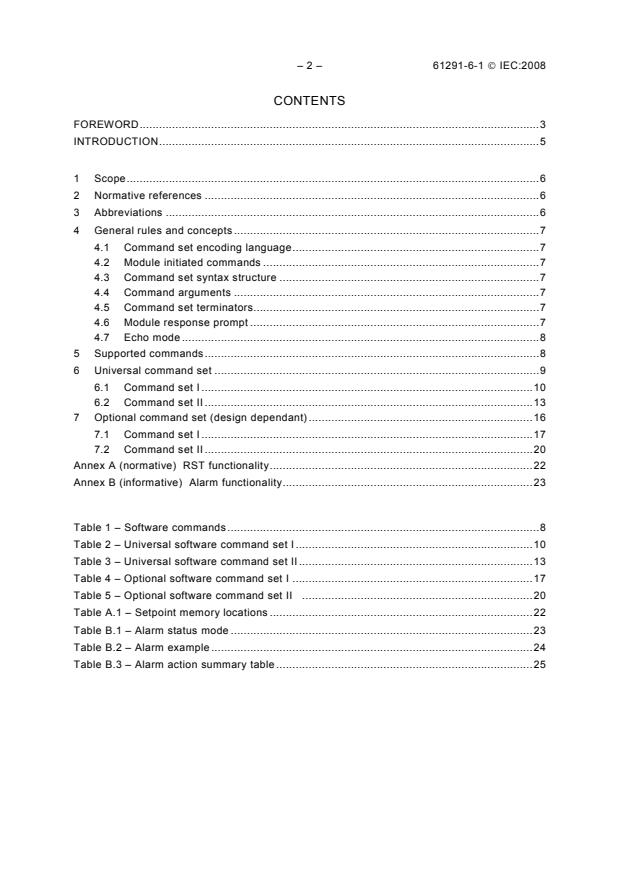
CONTENTS
FOREWORD.3
INTRODUCTION.5
1 Scope.6
2 Normative references .6
3 Abbreviations .6
4 General rules and concepts .7
4.1 Command set encoding language.7
4.2 Module initiated commands .7
4.3 Command set syntax structure .7
4.4 Command arguments .7
4.5 Command set terminators.7
4.6 Module response prompt .7
4.7 Echo mode .8
5 Supported commands.8
6 Universal command set .9
6.1 Command set I .10
6.2 Command set II .13
7 Optional command set (design dependant) .16
7.1 Command set I .17
7.2 Command set II .20
Annex A (normative) RST functionality.22
Annex B (informative) Alarm functionality.23
Table 1 – Software commands .8
Table 2 – Universal software command set I.10
Table 3 – Universal software command set II.13
Table 4 – Optional software command set I .17
Table 5 – Optional software command set II .20
Table A.1 – Setpoint memory locations .22
Table B.1 – Alarm status mode .23
Table B.2 – Alarm example .24
Table B.3 – Alarm action summary table .25
61291-6-1 © IEC:2008 – 3 –
INTERNATIONAL ELECTROTECHNICAL COMMISSION
____________
OPTICAL AMPLIFIERS –
Part 6-1: Interfaces –
Command set
FOREWORD
1) The International Electrotechnical Commission (IEC) is a worldwide organization for standardization comprising
all national electrotechnical committees (IEC National Committees). The object of IEC is to promote
international co-operation on all questions concerning standardization in the electrical and electronic fields. To
this end and in addition to other activities, IEC publishes International Standards, Technical Specifications,
Technical Reports, Publicly Available Specifications (PAS) and Guides (hereafter referred to as “IEC
Publication(s)”). Their preparation is entrusted to technical committees; any IEC National Committee interested
in the subject dealt with may participate in this preparatory work. International, governmental and non-
governmental organizations liaising with the IEC also participate in this preparation. IEC collaborates closely
with the International Organization for Standardization (ISO) in accordance with conditions determined by
agreement between the two organizations.
2) The formal decisions or agreements of IEC on technical matters express, as nearly as possible, an international
consensus of opinion on the relevant subjects since each technical committee has representation from all
interested IEC National Committees.
3) IEC Publications have the form of recommendations for international use and are accepted by IEC National
Committees in that sense. While all reasonable efforts are made to ensure that the technical content of IEC
Publications is accurate, IEC cannot be held responsible for the way in which they are used or for any
misinterpretation by any end user.
4) In order to promote international uniformity, IEC National Committees undertake to apply IEC Publications
transparently to the maximum extent possible in their national and regional publications. Any divergence
between any IEC Publication and the corresponding national or regional publication shall be clearly indicated in
the latter.
5) IEC provides no marking procedure to indicate its approval and cannot be rendered responsible for any
equipment declared to be in conformity with an IEC Publication.
6) All users should ensure that they have the latest edition of this publication.
7) No liability shall attach to IEC or its directors, employees, servants or agents including individual experts and
members of its technical committees and IEC National Committees for any personal injury, property damage or
other damage of any nature whatsoever, whether direct or indirect, or for costs (including legal fees) and
expenses arising out of the publication, use of, or reliance upon, this IEC Publication or any other IEC
Publications.
8) Attention is drawn to the Normative references cited in this publication. Use of the referenced publications is
indispensable for the correct application of this publication.
9) Attention is drawn to the possibility that some of the elements of this IEC Publication may be the subject of
patent rights. IEC shall not be held responsible for identifying any or all such patent rights.
International Standard IEC 61291-6-1 has been prepared by subcommittee 86C: Fibre optic
systems and active devices, of IEC technical committee 86: Fibre optics.
The text of this standard is based on the following documents:
CDV Report on voting
86C/803/CDV 86C/845/RVC
Full information on the voting for the approval of this standard can be found in the report on
voting indicated in the above table.
This publication has been drafted in accordance with the ISO/IEC Directives, Part 2.
A list of all parts of the IEC 61291 series, published under the general title Optical amplifiers
can be found on the IEC website.
– 4 – 61291-6-1 © IEC:2008
The committee has decided that the contents of this publication will remain unchanged until
the maintenance result date indicated on the IEC web site under "http://webstore.iec.ch" in
the data related to the specific publication. At this date, the publication will be
• reconfirmed,
• withdrawn,
• replaced by a revised edition, or
• amended.
61291-6-1 © IEC:2008 – 5 –
INTRODUCTION
Optical amplifiers are being developed and commercially deployed with an increasing degree
of sophistication and functionality. Often, information is sent to the optical amplifier, or
requested from it, in order to determine signal conditions, operating parameters, and to adjust
the operational aspects of the optical amplifier. Currently, no International Standard exists in
this area, yet the need for a common set of command statements to/from optical amplifiers
has emerged.
This part of IEC 61291 proposes a set of command strings useful in controlling optical
amplifiers. It is based on an existing set of commands widely used across the industry today.
The standardization of this command set will result in broader market use of advanced
designs of optical amplifiers, typically controlled by microprocessors. These advanced
amplifier designs are needed for next generation optical networks, requiring adaptive
provisioning of optical paths and intelligent configuration/reconfiguration for provision of
telecommunications services in a dynamic environment.
This standard addresses the structure and content of the command set to control optical
amplifiers. It does not cover the physical or hardware interface which is assumed to exist for
communication of this command set to the optical amplifier. The specification of a physical
interface will be the subject of a separate standard yet to be developed.
With the rapidly evolving technology, it is envisioned that this standard will be amended with
additional commands and functionality as technology evolves, and will be updated on a
periodic basis, incorporating all previous amendments and additions.
– 6 – 61291-6-1 © IEC:2008
OPTICAL AMPLIFIERS –
Part 6-1: Interfaces –
Command set
1 Scope
This part of IEC 61291 describes the optical amplifier command set (OACS) for use in
communicating with and controlling intelligent optical amplifiers. These amplifiers can receive
and possibly respond to such commands by using resident firmware or may be optical
amplifiers controlled by a microprocessor.
This standard addresses the structure and content of the command set to control optical
amplifiers. It does not cover the physical or hardware interface, which is assumed to exist for
communication of this command set to the optical amplifier. The specification of a physical
interface will be the subject of a separate Part to be developed in the IEC 61291-6 series.
The command set described in this standard is intended to enable a user or host to retrieve
the amplifier module’s status and/or adjust its settings.
This standard lists all of the commands currently defined and supported within the OACS
framework. The commands described cover a wide range of applications, and not all
commands will be applicable to every amplifier. To determine the supported commands on an
OACS compliant amplifier, please refer to the product specification supplied by the
manufacturer.
All OACS compliant amplifiers support the full set of “universal” OACS commands. Other
commands, usually specific to a design or implementation, may support some or all of the
“optional” commands.
2 Normative references
The following referenced documents are indispensable for the application of this document.
For dated references, only the edition cited applies. For undated references, the latest edition
of the referenced document (including any amendments) applies.
ISO/IEC 8859-1: Information technology – 8-bit single-byte coded graphic character sets –
Part 1: Latin alphabet No. 1
3 Abbreviations
The following abbreviations are used in this standard:
ASCII American standard character for information interchange
DC dispersion compensator
EDFA erbium doped fibre amplifier
OACS optical amplifier command set
TEC thermo-electric cooler
VOA variable optical attenuator
61291-6-1 © IEC:2008 – 7 –
4 General rules and concepts
4.1 Command set encoding language
All data sent to/from the module are encoded in 8-bit ASCII characters. Refer to
ISO/IEC 8859-1.
4.2 Module initiated commands
The optical amplifier never sends an unsolicited response. Asynchronous notifications may be
made, for example, by raising the appropriate “alarm” output hardware signal. However, the
module may be configurable to send a prompt on power-on reset. This initial prompt may be
preceded by one or more start-up messages.
4.3 Command set syntax structure
Commands consist of a command string, zero or more arguments, and end with a terminator.
Command strings are case-insensitive. All commands have the following format:
COMMAND ………
4.4 Command arguments
Arguments may be strings of letters, integers or floating-point numbers. Floating-point
numbers shall be entered in fixed notation (e.g. 0.023 not 2.3e-2).
Command strings and arguments shall be separated by one or more separator characters.
Separators shall be 8-bit ASCII space characters.
4.5 Command set terminators
The command terminator is . In the case of , the command is executed
on receipt of the character and the character is ignored.
A successful command execution may be responded to with an “OK”
Unacknowledged commands may be responded to with a “??”.
Command response consists of an optional response or error message. Error messages
always start with the “?” character and normal responses do not. If a command completes
normally and has no useful information to report, its response will be empty (no characters).
Contents of error messages are not specified within this standard. The following are examples
of some of the types of errors that are possible (this list is not all-inclusive):
?Unknown command 'REBOOT'
?Argument ‘x’ invalid
?Argument ‘5’ out of range [1,4]
?Not implemented
??
4.6 Module response prompt
All responses are followed by a prompt, which indicates that the module is ready to process
another command. The default prompt is “>”.
– 8 – 61291-6-1 © IEC:2008
4.7 Echo mode
By default, the module doesn’t echo characters sent to it. However, if echo mode is enabled,
printable 8-bit ASCII characters are echoed. Also, echo mode enables command-line editing
using the backspace key (the backspaces are echoed if there are characters to delete).
5 Supported commands
Table 1 summarizes the software commands that are supported through the OACS interface.
The description of software commands in Table 1 is normative while the commands are
informative. There are two sets of commands that are currently being used in the industry. It
is recommended that the user choose the commands from only one of the sets, i.e. either
from set I or II, and not mix the commands from the two sets. For detailed command syntax
and the corresponding response, see Clause 6 for the universal set of commands used by all
OACS compliant optical amplifiers or Clause 7 for additional optional command sets.
Table 1 – Software commands (page 1/2)
Normative Informative
Command Command
Description Type Applicability
Set I Set II
Read Write Universal Optional
Set alarm setpoints x x x ALRM ALT, ALH
Display activated alarms x x AST ALO
Set alarm status mode x x x ASTM ALS
Set baud rate x x x BAUD BPS
Reboot firmware x x BOOT RBT
Set dispersion compensator DCM DCS
x x x
parameters
Set command line echo x x x ECHO ECH
Display signal gain x x GAIN APG
Set loss of signal mode x x x LOS ASD
Set control mode x x x MODE APS
Display module status x x MST AST
Display module case MT CST
x x
temperature
Display optimal flat gain OFG N/A
x x
setting
Display photodiode power x x PD PDP
Display input power x x PIN PDP
Display total output power x x POUT PDP
Display signal output power x x PSIG APP
Set pump power x x x PSP LDP
Display pump status, set PUMP LDC,LDT,LTS
x x x
pump current
Display pump power x x PWR LDP
Download protocol x x RECV UPD
Display reflected power at RFL REF
x x
output
Restore default settings x x RST RFD
Display per-stage signal gain x x SGAIN APG
61291-6-1 © IEC:2008 – 9 –
Table 1 (continued, page 2/2)
Normative Informative
Command Command
Description Type Applicability
Set I Set II
Read Write Universal Optional
Set per-stage gain limit x x x SGLIM GLM
Set per-stage control mode x x x SMODE APS
Display per-stage status x x SMST APS
Display per-stage input power x x SPIN PDP
Set per-stage power limit x x x SPLIM PLM
Display per-stage total output SPOUT PDP
x x
power
Display per-stage signal SPSIG APP
x x
output power
Display reflected power at SRFL REF
x x
stage output
Set output tilt x x x TILT TLT
Display version information x x VER VER
Set VOA attenuation x x x VOA VAS
6 Universal command set
This clause describes the syntax of commands in the two command sets I and II. The
commands are informative. It is recommended that the user choose the commands from only
one of the sets, i.e. either from set I or II, and not mix the commands from the two sets. Each
command is shown with arguments in italics. All OACS compliant amplifiers shall support
commands shown in this clause. Variations due to optional arguments are shown on separate
lines. In the examples, a sample of communications is shown starting with the prompt from
the module and ending with the prompt following the final command. Text sent to the module
from the host is shown in bold (assumes echo mode is on).
– 10 – 61291-6-1 © IEC:2008
6.1 Command set I
Table 2 – Universal software command set I (informative) (page 1/4)
Sub-
Command Description Example
clause
6.1.1 ALRM x y Displays information about alarms. The x parameter >alrm ild sta
is the alarm name and can be one of the following:
ALRM x ALRM ILD STA: ON
ILD: Pump overcurrent alarm
TMP: Pump temperature alarm
>alrm lop1
ALRM
MTH: High module (case) temperature alarm
ALRM LOP1 STA: OFF
MTL: Low module (case) temperature alarm
CT: Coil temperature alarm
ALRM LOP1 SST: ON
LOS: Loss of signal (input) alarm (optional for
Raman)
ALRM LOP1 THR: 2.00 dB
LOP: Loss of output power (or gain) alarm
ALRM LOP1 HYS: 1.00 dB
RFL: Excessive reflected output power alarm
(optional)
>alrm thr
LOSn: Loss of signal (input) alarm for stage n
LOPn: Loss of output power (or gain) alarm for ALRM LOS1 THR: -31.00 dBm
stage n
ALRM LOS2 THR: -22.00 dBm
RFLn: Excessive reflected output power alarm for
stage n (optional)
ALRM CT THR: 2.0 C
The y parameter specifies the alarm parameter to
ALRM LOP1 THR: 0.50 dB
display and can be one of the following:
STA: Current status ALRM LOP2 THR: 0.50 dB
SST: Set status
ALRM RFL2 THR: -20.00 dB
THR: Threshold
HYS: Hysteresis (relative to threshold)
ALRM ILD THR: 95.0 %
If y is omitted, all of the above parameters are
ALRM TMP THR: 5.0 C
displayed. If x is omitted, information for all alarms is
ALRM MTH THR: 65.0 C
displayed. If both x and y are omitted, all parameters
for all alarms are displayed.
ALRM MTL THR: -5.0 C
NOTE See Annex B for additional comments on
>
alarm functionality
>alrm lop1 thr 1.5
ALRM x THR Sets threshold or hysteresis level for the specified
y alarm. x specifies the alarm name and y specifies the
>alrm lop1 hys 0.7
threshold or hysteresis level. Specifying “CLR” resets
ALRM x HYS
the alarm’s set status. x can be omitted when “CLR”
>alrm lop1
y
is specified; in this case, all alarms’ set status are
ALRM LOP1 STA: OFF
cleared
ALRM x CLR
ALRM LOP1 SST: ON
ALRM LOP1 THR: 1.50 dB
ALRM LOP1 HYS: 0.70 dB
>
>ast
6.1.2 AST Lists all alarms whose status is on.
If alarm status mode is normal, alarms whose current AST: LOP2 ILD
status is on are listed. Alarms are not cleared until
>ast
the alarming condition is cleared.
AST: OK
If the alarm status mode is latching, alarms whose
latching status is on are listed and their latching
>
status is cleared if the alarming condition has
cleared.
If no alarms are on, the response is “OK”
6.1.3 ASTM N Sets alarm status mode to normal(N) or latching (S, >astm
for "set") mode. If the mode is omitted, the current
ASTM: S
ASTM S
mode is displayed
>astm n
ASTM
>astm
ASTM: N
>
61291-6-1 © IEC:2008 – 11 –
Table 2 (continued, page 2/4)
Sub-
Command Description Example
clause
>baud
6.1.4 BAUD x Sets baud rate to x bits per second. Allowed values
are 9 600, 19 200, 38 400, 57 600, and 115 200. If
BAUD: 9600
BAUD
no argument is provided, the current rate is
displayed. Note that the baud rate change takes
>baud 115200
effect after the prompt in response to the command
>
is sent
6.1.5 BOOT Reboots the firmware >boot
(startup messages)
>
>echo
6.1.6 ECHO ON Sets command line echoing to “ON” or “OFF”. If no
argument is provided, the current setting is displayed
ECHO OFF ECHO: ON
>echo off
ECHO
>echo
ECHO: OFF
>
>los
6.1.7 LOS x Specifies behaviour when the LOS alarm is active.
Parameter x is one of the following:
LOS LOS: A
A: Pumps disabled in gain control, power control,
and manual control modes.
>los p
P: No effect in gain control mode, pumps disabled in
>los
power control and manual control modes.
N: No effect in any mode.
LOS: P
If x is not specified, the current LOS mode is
>
displayed.
For multistage EDFAs, the LOS mode applies to all
stages in the same manner.
>mode
6.1.8 MODE x y Sets the control mode of the amplifier to x with
setpoint y. Control modes are:
MODE: G 23.00 dB
MODE x
G: Gain control mode: y is the gain setpoint in dB.
For fixed-gain modules, y may be specified as “OFG”
>mode g ofg
MODE
to set the optimal flat gain.
>mode
P: Output power control mode: y is the output power
setpoint in dBm.
MODE: G 22.65 dB
S: Stage control mode: y is not supplied. Applies to
multistage EDFAs only.
>mode p 10.78
P: Pump power control mode: y is not supplied. Each
>mode
pump is driven to the optical power specified by the
PSP command.
MODE: P 10.78 dBm
M: Manual pump control: y is not supplied. In this
mode, each pump is driven at a fixed current
>mode d
specified by the PUMP ISP command or
>mode
automatically controlled if set to AUTO. See the
PUMP ISP command for details.
MODE: D
D: Disable mode: y is not supplied. All pumps are
shut off. >mode s
>mode
NOTE Using MODE alone shows the current system
mode and setpoint
MODE: S
>
– 12 – 61291-6-1 © IEC:2008
Table 2 (continued, page 3/4)
Sub-
Command Description Example
clause
>mst
6.1.9 MST Displays module status which is one or more of the
following keywords:
MST: DIS ES
DIS: Module disabled due to amplifier disable input
or alarm
>mst
ES: Module in eyesafe mode due to eyesafe input or
MST: OK
alarm. Eyesafe mode is a mode in which the optical
power level is limited for eye safety concerns.
>
LIM: Module gain or output power limited by
SGLIM/SPLIM
OK: Module is operating normally.
For multistage EDFAs, the module status is the
union (logical OR) of the all of the stages' status
indications (see SMST in 7.8)
>mt
6.1.10 MT Displays module case temperature in degrees °C
MT: 45.6 C
>
>pd 2
6.1.11 PD x Displays power at photodiode x in dBm. Valid
photodiode numbers range from 1 to the number of
PD 2: -6.08 dBm
PD
installed photodiodes. If the argument is omitted, all
photodiode powers are displayed.
>pd
Use of higher level commands such as PIN, SPOUT,
PD 1: -22.32 dBm
VOA, etc. is recommended in lieu of the PD
PD 2: -6.08 dBm
command. Photodiode numbering is not guaranteed
to be consistent across designs. For example, on
PD 3: -10.23 dBm
any given amplifier design the PIN command always
reports input power whereas the “PD 1” command
PD 4: 11.01 dBm
may report something else
>
>pin
6.1.12 PIN Displays input power, total output power, signal
output power, and signal gain. Signal power is total
PIN: -20.00 dBm
POUT
power less estimated ASE power.
>pout
PSIG
POUT: 6.15 dBm
GAIN
>psig
PSIG: 5.00 dBm
>gain
GAIN: 25.00 dB
>
>pump 2 isp 25.0
6.1.13 PUMP x ISP Sets fixed current of z milliamps for pump x. If x is
z not specified, all pumps are set to this current.
>pump 2 isp
Setting a fixed pump current overrides automatic
PUMP x
control of the pump which may compromise control.
PUMP 2 ISP: 25.0 mA
The AUTO parameter restores automatic pump
AUTO
>pump 2 auto
control. This command is permitted only when the
module is in manual mode (MODE M). Manual pump
>pump 2 isp
settings are temporary and are not preserved across
power-on reset (they revert to ISP 0 after reset)
PUMP 2 ISP: AUTO
>
61291-6-1 © IEC:2008 – 13 –
Table 2 (continued, page 4/4)
Sub-
Command Description Example
clause
>pump 2 ild
6.1.14 PUMP x y Displays status of pump x. Valid pump numbers
range from 1 to the number of installed pumps. The y
PUMP 2 ILD: 102.7 mA
PUMP x
parameter specifies the information displayed and
can be one of the following:
>pump 1
PUMP
ILD: Laser diode current in mA
PUMP 1 ILD: 167.5 mA
EOL: Laser diode end-of-life current in mA
TMP: Pump temperature in degrees C
PUMP 1 EOL: 350.0 mA
ITC: TEC current in mA
VTC: TEC voltage in V
PUMP 1 TMP: 25.1 C
ISP: Pump current setpoint in mA
PUMP 1 ITC: 847.0 mA
PUMP 1 VTC: 2.354 V
PUMP 1 ISP: AUTO
>
>recv fw
6.1.15 RECV x Downloads file from the host system using the
XMODEM file transfer protocol. The XMODEM
>
protocol can be XMODEM 128 byte data, 2 byte CRC
or XMODEM 1K byte data, 2 byte CRC. Parameter x
>recv s2
indicates the type of file, which is vendor specific.
>
Examples:
FW: Downloads new firmware for the microcontroller
S2: Download in S2 file format using ASCII transfer
protocol
>rst
6.1.16 RST Resets all settings to factory default values. Usually,
changes do not take effect until the microcontroller is
>
rebooted by issuing the BOOT command.
NOTE See Annex A for additional comments on
RST functionality
>ver
6.1.17 VER Display version information. This read-only command
results in the amplifier responding with several lines
Configuration: GenericEDFA
of version and configuration information. The first 3
lines shall contain the information fields shown at
Firmware Vers: 1.0.0
right. Additional output lines may be added as
Serial Number: 123000010
agreed upon between amplifier supplier and
customer. Explicit formatting requirements of any
>
additional lines of output are not imposed by this
document
6.2 Command set II
Table 3 – Universal software command set II (informative) (page 1/4)
Sub-
Command Description Example
clause
>ATL 2
6.2.1 ALT x Displays alarm threshold level
20C
Sets alarm threshold level
>
x is the number assigned by alarm. It is the alarm of
the following contents:
Input alarm
Reflection alarm
OUT alarm
LD current alarm
LD temperature alarm
Case temperature alarm
EDF heater temperature alarm
ALT x y y and z is sets alarm value >ATL 2 20
OK
>
– 14 – 61291-6-1 © IEC:2008
Table 3 (continued, page 2/4)
Sub-
Command Description Example
clause
>LTH 2
6.2.2 ALH x Displays alarm hysteresis value
0.2C
Sets alarm hysteresis value
>
x is the number assigned by alarm. It is the alarm of
the following contents:
Input alarm
Reflection alarm
OUT alarm
LD current alarm
LD temperature alarm
Case temperature alarm
EDF heater temperature alarm
>LTH 2 0.2
ALH x y y is alarm sets level
OK
>
>ALS 1
6.2.3 ALS x Display alarm sticky/normal mode
Sets alarm sticky/normal mode
>
x is the number assigned by alarm. It is the alarm of
the following contents:
Input alarm
Reflection alarm
OUT alarm
LD current alarm
LD temperature alarm
Case temperature alarm
EDF heater temperature alarm
ALS x y y is mode number >ALS 1 1
<0>alarm normal
OK
<1>alarm holding
<2>alarm un-holding
>
>ALO 9
6.2.4 ALO x If the alarm is generated, a numerical value will also
be displayed. status: ALM LD1 32.5C
>
x is the number assigned by alarm. It is the alarm of
the following contents:
Input alarm
Reflection alarm
OUT alarm
LD current alarm
LD temperature alarm
Case temperature alarm
EDF heater temperature alarm
>APG 2
6.2.5 APG x Displays amplifier signal gain
15.0dB
>
x is stage number
<1>:Stage 1
<2>:Stage 2
<0>:Module total
6.2.6 APP x Displays ASE compensated signal power >APP 2
15.0dBm
x is stage number.
>
<1>:Stage 1
<2>:Stage 2
>APS 1
6.2.7 APS x Displays operating mode
AGC 15.0dB
Sets operating mode and level
>
x is stage number
<1>:Stage 1
<2>:Stage 2
<0>:total gain
61291-6-1 © IEC:2008 – 15 –
Table 3 (continued, page 3/4)
Sub- Command Description Example
clause
>APS 2 G 15.0
APS x y z y is mode number
OK
:AGC mode (constant gain control)
>
:ALC mode (constant output level control)
:ACC mode (constant ld current control)
:APC mode (constant LD output power control)
6.2.8 ASD Set loss of signal mode
>AST
6.2.9 AST x Displays amplifier status
LTA OPA EFA CSA
>
x is stage number
<1>:Stage 1
<2>:Stage 2
LD current alarm
LD temperature alarm
input alarm
OUT alarm
gain alarm
reflection alarm
EDF temperature alarm
case temperature alarm
6.2.10 BPS Displays communication speed >BPS
9600bps
Sets communication speed to x bits-per-second
>
>BPS 9600
BPS x x is communication speed
OK
<9600>:9600bps
<19200>:19200bps
<38400>:38400bps
<57600>:57600bps
<115200>:115200bps
6.2.11 CST Displays EDFA case temperature >CST
36.5C
>
6.2.12 ECH Displays serial port echo mode >ECH
ECHO ON
Sets serial port echo
>
ECH x x is mode number >ECH 0
<0> echo off OK
>ECH 1
<1> echo on
OK
>
>LDC 1
6.2.13 LDC x Displays pump currents
320.2mA
x is LD number
>
<1>:LD1
<2>:LD2
6.2.14 LDP x Displays pump power >LDP 3
120.2mW
x is LD number
>
<1>:LD1
<2>:LD2
>LDT 2
6.2.15 LDT x Displays pump laser temperature
24.9C
x is LD number
>
<1>:LD1
<2>:LD2
>LTS 2
6.2.16 LTS x Displays pump laser control temperature
25.0C
Sets pump laser control temperature
>
x is LD number
<1>:LD1
<2>:LD2
– 16 – 61291-6-1 © IEC:2008
Table 3 (continued, page 4/4)
Sub- Command Description Example
clause
>LTS 2 25
6.2.16 LTS x y y is LD control temperature setting value
OK
(cont’d)
>
6.2.17 PDP x Display monitor PD powers >PDP 4
20.2dBm
x expresses an PD number. The monitor of the
>PDP 12
following contents is possible:
unmounted
Input monitor
>
VOA input monitor
Output monitor
Reflection monitor
6.2.18 RBT >RBT
Reboots the software
OK
6.2.19 RFD >RFD
Restore factory default settings
OK
>
>UPD
6.2.20 UPD Firmware update
Update Task is standing by for
update.
Designate the file, and start
to transfer by Xmodem.
Firmware was updated correctly.
CPU must be reset. Are you
sure? (y/n)
>VER
6.2.21 VER Displays version and information
MODEL :ErFA91A01-L01
SERIAL :Y001
BOARD_VERSION :0001
FIRM_VERSION :Ver.2.13.02
04/01/05
PLD_VERSION :Ver.4.06
>
7 Optional command set (design dependant)
These commands may be supported by any optical amplifier as an optional command.
Usually, these commands are specific to a particular design or configuration of an optical
amplifier or are used for a specific application or implementation. While these commands are
optional in their use, their function, argument responses or other details shall not be altered or
modified. In this section the syntax of commands in the two command sets I and II are
described. The commands are informative. It is recommended that the user should choose the
commands from only one of the sets, i.e. either from Set I or II, and not mix the commands
from the two sets.
61291-6-1 © IEC:2008 – 17 –
7.1 Command set I
Table 4 – Optional software command set I (informative) (page 1/3)
Sub-
Command Description Example
clause
7.1.1 DCM x y Sets the dispersion compensator parameter x to >dcm
value y. Parameters include:
DCM x DCM LOSS: 11.00 dB
LOSS: The loss (attenuation) of the dispersion
DCM TILT: 0.00 dB
DCM
compensator in dB or “U” if unspecified.
>dcm loss u
TILT: The tilt of the dispersion compensator in dB.
>dcm loss
The DCM parameters refer to any midstage device
connected to the EDFA (such as dispersion
DCM LOSS: U
compensators, OADMs, other devices, or any
>dcm tilt –2.8
combination of the above).
>dcm
Setting the DCM Loss to "U" will result in the
amplifier measuring the DCM Loss by means of
DCM LOSS: U
onboard photodiodes. A user-specified value will
override this automatic calculation for the purposes DCM TILT: -2.80 dB
of determining the midstage loss.
>
If the value y is not specified, the parameter’s
current value is displayed. If the parameter name x is
not displayed, all parameter values are displayed
>ofg
7.1.2 OFG Displays the optimal flat gain setting. Available only
for fixed-gain modules
OFG: 22.65 dB
>
>psp 1
7.1.3 PSP x y Sets the pump power for position x to y. x is an
integer from 1 to the number of separately-
PSP 1: 120.5 mW
PSP x
controllable pump wavelengths. y is the power
setpoint in mW. If y is not specified, the current
>psp 1 130
PSP
power setpoint is displayed. If no arguments are
>psp
provided, power setpoints for all wavelengths are
displayed. Changes to power setpoints take effect
PSP 1: 130.0 mW
immediately if the module is already in power control
mode; otherwise, the change does not take effect
PSP 2: 125.0 mW
until a MODE P command is issued
>
>pwr 1
7.1.4 PWR x Displays measured pump power for position x. x is
PWR an integer from 1 to the number of separately-
PWR 1: 120.3 mW
controllable pump wavelengths. If x is not specified,
measured pump powers for all wavelengths are
>pwr
displayed
PWR 1: 120.3 mW
PWR 2: 125.1 mW
>
>rfl
7.1.5 RFL Displays the amount of power being reflected at the
output connector relative to the total output power in
RFL: -25.07 dB
dB
>
7.1.6 SGLIM x y Sets the gain limit for stage x to y dB. When stage x >sglim
is in power control mode, the stage’s power setpoint
SGLIM 1: D
SGLIM x
is automatically reduced to prevent its total gain from
exceeding the gain limit. Setting the gain limit to “D”
SGLIM 2: D
SGLIM
disables this feature. If y is not supplied, the gain
>sglim 1 12.5
limit setting is displayed. If no arguments are
supplied, the gain limit setting is displayed for all
>sglim
stages
SGLIM 1: 12.50 dB
SGLIM 2: D
>
– 18 – 61291-6-1 © IEC:2008
Table 4 (continued, page 2/3)
Sub-
Command Description Example
clause
>smode
7.1.7 SMODE x y z Sets the control mode of a single-stage of the
amplifier when the system mode is in stage mode
SMODE 1: G 23.00 dB
SMODE x y
(MODE S) where x is the stage number (preamp = 1,
postamp = 2, etc.), y is the control mode and z is the
SMODE 2: P 11.00 dBm
SMODE x
setpoint. Control modes are:
>smode 1 p 10.78
SMODE
G: Gain control mode: z is the gain setpoint in dB.
P: Output power control mode: z is the output power
>smode 1
setpoint in dBm.
M: Manual pump control: z is not supplied. In this
SMODE 1: P 10.78 dBm
mode, each pump is driven at a fixed current
>smode 2 d
specified by the PUMP ISP command or
automatically controlled if set to AUTO. See the
>smode 2
PUMP ISP command for details.
D: Disable mode: z is not supplied. All pumps are
SMODE 2: D
shut off
>
>smst
7.1.8 SMST x Displays status for stage x or all stages if x is not
specified. Stage status consists of one or more of the
SMST 1: OK
SMST
following keywords:
DIS: Stage disabled due to amplifier disable input or
SMST 2: ES
alarm
>
ES: Stage in eyesafe mode due to eyesafe input or
alarm. Eyesafe mode is a mode in which the optical
power level is limited for eye safety concerns.
LIM: Stage gain or output power limited by
SGLIM/SPLIM
OK: Stage is operating normally
>spin
7.1.9 SPIN x Displays input power, total output power, signal
output power, and signal gain for stage x. If x is not
SPIN 1: -20.02 dBm
SPIN
specified, values are displayed for all stages
SPIN 2: -15.97 dBm
SPOUT x
>spout 2
SPOUT
SPOUT 2: 4.20 dBm
SPSIG x
>spsig 2
SPSIG
SPSIG 2: 4.03 dBm
SGAIN x
>sgain
SGAIN
SGAIN 1: 24.99 dB
SGAIN 2: 20.00 dB
>
>splim 2
7.1.10 SPLIM x y Sets the power limit for stage x to y dBm. When
stage x is in gain control mode, the stage’s gain
SPLIM 2: D
SPLIM x
setpoint is automatically reduced to prevent its signal
output power from exceeding the power limit. Setting
>splim 2 17
SPLIM
the power limit to “D” disables this feature. If y is not
>splim
supplied, the power limit setting is displayed. If no
arguments are supplied, the power limit setting is
SPLIM 1: D
displayed for all stages
SPLIM 2: 17.00 dBm
>
>srfl
7.1.11 SRFL x Displays the amount of power being reflected at the
output connector of stage x relative to the stage’s
SRFL 1: -22.50 dB
SRFL
output power in dB. If x is not specified, the
reflection is displayed for all stages
SRFL 2: -25.07 dB
>
61291-6-1 © IEC:2008 – 19 –
Table 4 (continued, page 3/3)
Sub-
Command Description Example
clause
>tilt
7.1.12 TILT x Sets tilt of the amplifier output to x dB. If x is not
specified, the current tilt setting is displayed
TILT: 0.00 dB
TILT
>tilt –1.5
>tilt
TILT: -1.50 dB
>
>voa 1
7.1.13 VOA x y Displays status of VOA x. Valid VOA numbers range
from 1 to the number of installed VOAs. y specifies
VOA 1 SET: 10.50 dB
VOA x
the information displayed and can be one of the
following:
VOA 1 ACT: 10.49 dB
VOA
SET: Attenuation setpoint in dB.
VOA 1 STA: OK
ACT: Measured attenuation in dB.
STA: Status, one of the following:
>voa act
OK: VOA adjusted to the specified setpoint.
ERR: VOA failed to adjust to the setpoint (usually
VOA 1 ACT: 10.49 dB
because the setpoint is out of the VOA’s adjustable
VOA 2 ACT: 8.03 dB
range).
PWR: VOA adjustment failed due to insufficient or
>
unstable optical signal.
BSY: VOA adjustment in progress.
If y is not provided, all of the above information is
displayed for the specified VOA. If x is not provided,
information is displayed for all VOAs.
Sets attenuation of VOA x to y dB or minimum
attenuation (“home”). The x argument can be omitted
if the “SET” or “HOME” keyword is provided and
ther
...