

ISO/IEC 24751-2:2008
(Main)Information technology — Individualized adaptability and accessibility in e-learning, education and training — Part 2: "Access for all" personal needs and preferences for digital delivery
General Information
- Abstract
ISO/IEC 24751-2:2008 provides a common information model for describing the learner or user needs and preferences when accessing digitally delivered resources or services. This description is one side of a pair of descriptions used in matching user needs and preferences with education delivery (as described in ISO/IEC 24751-1). ISO/IEC 24751-2:2008 discusses the basic principles adhered to in developing this model for describing personal needs and preferences. It explains: the rationale for using a functional approach to describing needs, possible methods of creating a personal needs and preference statement, the major groupings of needs and preferences within the standard, the use of different needs and preferences statements in different contexts, how needs and preferences can be ranked with respect to priority, and the use of generic and application-specific needs and preference specifications. It contains the information model for ISO/IEC 24751-2:2008, including the attribute, allowed occurrence and datatype of each element. It defines and describes how the terms in the information model should be used. Conformance to ISO/IEC 24751-2:2008 is discussed. Conformance is dependent on the role played by the conformant technology. Conformance requirements for both education delivery applications and alternative access systems are explained. ISO/IEC 24751-2:2008 provides a consolidated list of all the terms defined in ISO/IEC 24751-2:2008, sorted in French alphabetical order, the ISO French language equivalent terms and definitions, and the codes representing the gender of the French terms. The vocabulary codes, values and associated rules of application are defined. An informative list of recommended default values for the learner preferences and needs is provided. It lists existing bindings of the IMS Learner Information Package Accessibility for LIP - Version 1 [ACCLIP] that serves as the reference specification for ISO/IEC 24751-2:2008. It describes information scenarios for applying ISO/IEC 24751-2:2008 and gives informative implementation examples. Use of ISO/IEC 24751-2:2008 will assist in matching individual learner needs in a computer mediated learning environment with the necessary user interface and resources needed to meet those needs.
- Status
- Published
- Publication Date
- 15-Sep-2008
- Current Stage
- 9093 - International Standard confirmed
- Start Date
- 26-Mar-2026
- Completion Date
- 29-Aug-2026
Buy Documents
ISO/IEC 24751-2:2008 - Information technology — Individualized adaptability and accessibility in e-learning, education and training — Part 2: "Access for all" personal needs and preferences for digital delivery Released:9/16/2008
Overview
ISO/IEC 24751-2:2008 - part of the “Access for all” series - defines a common, machine-readable information model for describing individual learner or user needs and preferences when accessing digitally delivered resources and services. Intended for e-learning, education and training, the standard supports matching user requirements with delivery mechanisms (as framed by ISO/IEC 24751-1) to enable adaptable, accessible digital learning experiences.
Key Topics
- Functional approach to needs: describes why the standard uses functional descriptions (what a user needs to do or perceive) rather than diagnostic labels.
- Three primary categories:
- Display - presentation, layout and structure of resources.
- Control - input methods, navigation and interaction behavior.
- Content - supplementary or alternative resources (e.g., simplified or enriched content).
- Information model details: attribute names, data types and allowed occurrences for each element in a personal needs and preference statement.
- Creation and context: methods for constructing personal statements, use of multiple AfA contexts (e.g., home, work), and how statements vary by context.
- Priority and ranking: how needs and preferences can be ranked by importance.
- Generic vs application-specific specs: guidance on reusable generic preferences and bindings for specific applications.
- Vocabularies and defaults: predefined vocabulary codes, recommended default values, and multilingual term lists (including ISO French equivalents).
- Conformance: role-dependent conformance rules for education delivery applications and alternative access systems.
- Implementations and bindings: informative examples, scenarios, and existing bindings (e.g., IMS Learner Information Package Accessibility - ACCLIP).
Applications
ISO/IEC 24751-2 is practical for:
- LMS and e-learning platform developers implementing adaptive user interfaces and accessibility metadata.
- Content authors and instructional designers who need to deliver alternative representations or supplementary resources.
- Developers of alternative access systems (screen readers, switch interfaces, custom controllers) that must interpret user preferences.
- Institutions and procurement teams specifying accessibility requirements and interoperability for learning technologies.
- Integrators combining user preference data with resource descriptions (ISO/IEC 24751-3) to automate personalized delivery.
Benefits include faster matching of learners’ needs to UI controls and content, improved accessibility compliance, and greater interoperability across tools and platforms.
Related Standards
- ISO/IEC 24751-1 - Framework and reference model for matching needs and delivery.
- ISO/IEC 24751-3 - Digital resource description (works with Part 2 for full matching).
- Normative references in Part 2 include ISO 639-2 (language codes) and IETF RFC 3986 (URI syntax).
Buy Documents
ISO/IEC 24751-2:2008 - Information technology — Individualized adaptability and accessibility in e-learning, education and training — Part 2: "Access for all" personal needs and preferences for digital delivery Released:9/16/2008
Get Certified
Connect with accredited certification bodies for this standard

BSI Group
BSI (British Standards Institution) is the business standards company that helps organizations make excellence a habit.

Bureau Veritas
Bureau Veritas is a world leader in laboratory testing, inspection and certification services.

DNV
DNV is an independent assurance and risk management provider.
Sponsored listings
Frequently Asked Questions
ISO/IEC 24751-2:2008 is a standard published by the International Organization for Standardization (ISO). Its full title is "Information technology — Individualized adaptability and accessibility in e-learning, education and training — Part 2: "Access for all" personal needs and preferences for digital delivery". This standard covers: ISO/IEC 24751-2:2008 provides a common information model for describing the learner or user needs and preferences when accessing digitally delivered resources or services. This description is one side of a pair of descriptions used in matching user needs and preferences with education delivery (as described in ISO/IEC 24751-1). ISO/IEC 24751-2:2008 discusses the basic principles adhered to in developing this model for describing personal needs and preferences. It explains: the rationale for using a functional approach to describing needs, possible methods of creating a personal needs and preference statement, the major groupings of needs and preferences within the standard, the use of different needs and preferences statements in different contexts, how needs and preferences can be ranked with respect to priority, and the use of generic and application-specific needs and preference specifications. It contains the information model for ISO/IEC 24751-2:2008, including the attribute, allowed occurrence and datatype of each element. It defines and describes how the terms in the information model should be used. Conformance to ISO/IEC 24751-2:2008 is discussed. Conformance is dependent on the role played by the conformant technology. Conformance requirements for both education delivery applications and alternative access systems are explained. ISO/IEC 24751-2:2008 provides a consolidated list of all the terms defined in ISO/IEC 24751-2:2008, sorted in French alphabetical order, the ISO French language equivalent terms and definitions, and the codes representing the gender of the French terms. The vocabulary codes, values and associated rules of application are defined. An informative list of recommended default values for the learner preferences and needs is provided. It lists existing bindings of the IMS Learner Information Package Accessibility for LIP - Version 1 [ACCLIP] that serves as the reference specification for ISO/IEC 24751-2:2008. It describes information scenarios for applying ISO/IEC 24751-2:2008 and gives informative implementation examples. Use of ISO/IEC 24751-2:2008 will assist in matching individual learner needs in a computer mediated learning environment with the necessary user interface and resources needed to meet those needs.
ISO/IEC 24751-2:2008 provides a common information model for describing the learner or user needs and preferences when accessing digitally delivered resources or services. This description is one side of a pair of descriptions used in matching user needs and preferences with education delivery (as described in ISO/IEC 24751-1). ISO/IEC 24751-2:2008 discusses the basic principles adhered to in developing this model for describing personal needs and preferences. It explains: the rationale for using a functional approach to describing needs, possible methods of creating a personal needs and preference statement, the major groupings of needs and preferences within the standard, the use of different needs and preferences statements in different contexts, how needs and preferences can be ranked with respect to priority, and the use of generic and application-specific needs and preference specifications. It contains the information model for ISO/IEC 24751-2:2008, including the attribute, allowed occurrence and datatype of each element. It defines and describes how the terms in the information model should be used. Conformance to ISO/IEC 24751-2:2008 is discussed. Conformance is dependent on the role played by the conformant technology. Conformance requirements for both education delivery applications and alternative access systems are explained. ISO/IEC 24751-2:2008 provides a consolidated list of all the terms defined in ISO/IEC 24751-2:2008, sorted in French alphabetical order, the ISO French language equivalent terms and definitions, and the codes representing the gender of the French terms. The vocabulary codes, values and associated rules of application are defined. An informative list of recommended default values for the learner preferences and needs is provided. It lists existing bindings of the IMS Learner Information Package Accessibility for LIP - Version 1 [ACCLIP] that serves as the reference specification for ISO/IEC 24751-2:2008. It describes information scenarios for applying ISO/IEC 24751-2:2008 and gives informative implementation examples. Use of ISO/IEC 24751-2:2008 will assist in matching individual learner needs in a computer mediated learning environment with the necessary user interface and resources needed to meet those needs.
ISO/IEC 24751-2:2008 is classified under the following ICS (International Classification for Standards) categories: 03.100.30 - Management of human resources; 35.240.90 - IT applications in education; 35.240.99 - IT applications in other fields. The ICS classification helps identify the subject area and facilitates finding related standards.
ISO/IEC 24751-2:2008 is available in PDF format for immediate download after purchase. The document can be added to your cart and obtained through the secure checkout process. Digital delivery ensures instant access to the complete standard document.
Standards Content (Sample)
INTERNATIONAL ISO/IEC
STANDARD 24751-2
First edition
2008-10-01
Information technology — Individualized
adaptability and accessibility in
e-learning, education and training —
Part 2:
“Access for all” personal needs and
preferences for digital delivery
Technologies de l'information — Adaptabilité et accessibilité
individualisées en e-apprentissage, en éducation et en formation —
Partie 2: Besoins personnels en matière d'«accès pour tous» et
préférences de prestation numérique
Reference number
©
ISO/IEC 2008
PDF disclaimer
This PDF file may contain embedded typefaces. In accordance with Adobe's licensing policy, this file may be printed or viewed but
shall not be edited unless the typefaces which are embedded are licensed to and installed on the computer performing the editing. In
downloading this file, parties accept therein the responsibility of not infringing Adobe's licensing policy. The ISO Central Secretariat
accepts no liability in this area.
Adobe is a trademark of Adobe Systems Incorporated.
Details of the software products used to create this PDF file can be found in the General Info relative to the file; the PDF-creation
parameters were optimized for printing. Every care has been taken to ensure that the file is suitable for use by ISO member bodies. In
the unlikely event that a problem relating to it is found, please inform the Central Secretariat at the address given below.
© ISO/IEC 2008
All rights reserved. Unless otherwise specified, no part of this publication may be reproduced or utilized in any form or by any means,
electronic or mechanical, including photocopying and microfilm, without permission in writing from either ISO at the address below or
ISO's member body in the country of the requester.
ISO copyright office
Case postale 56 • CH-1211 Geneva 20
Tel. + 41 22 749 01 11
Fax + 41 22 749 09 47
E-mail copyright@iso.org
Web www.iso.org
Published in Switzerland
ii © ISO/IEC 2008 – All rights reserved
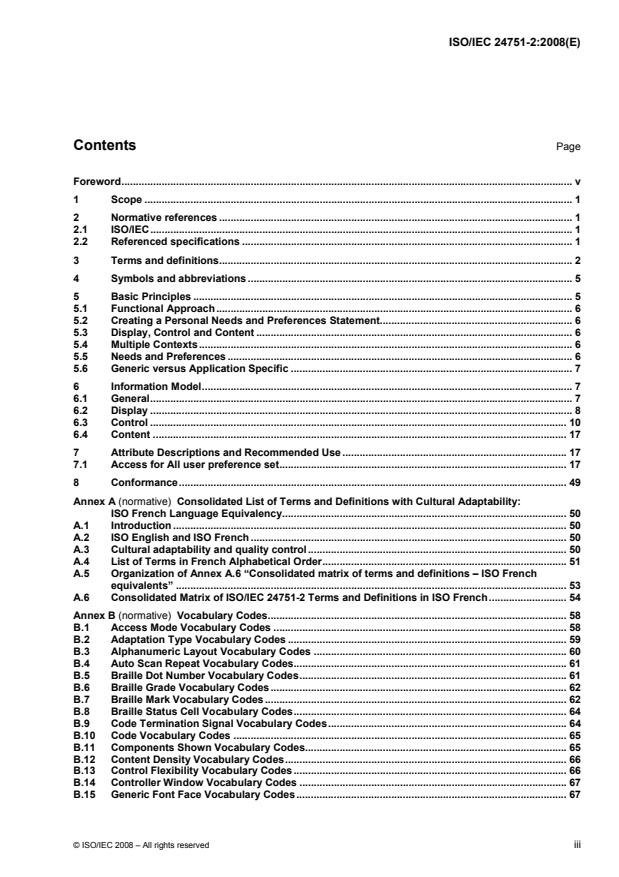
Contents Page
Foreword. v
1 Scope . 1
2 Normative references . 1
2.1 ISO/IEC. 1
2.2 Referenced specifications . 1
3 Terms and definitions. 2
4 Symbols and abbreviations . 5
5 Basic Principles . 5
5.1 Functional Approach. 6
5.2 Creating a Personal Needs and Preferences Statement. 6
5.3 Display, Control and Content . 6
5.4 Multiple Contexts. 6
5.5 Needs and Preferences . 6
5.6 Generic versus Application Specific . 7
6 Information Model. 7
6.1 General. 7
6.2 Display . 8
6.3 Control . 10
6.4 Content . 17
7 Attribute Descriptions and Recommended Use . 17
7.1 Access for All user preference set. 17
8 Conformance. 49
Annex A (normative) Consolidated List of Terms and Definitions with Cultural Adaptability:
ISO French Language Equivalency. 50
A.1 Introduction . 50
A.2 ISO English and ISO French . 50
A.3 Cultural adaptability and quality control. 50
A.4 List of Terms in French Alphabetical Order. 51
A.5 Organization of Annex A.6 “Consolidated matrix of terms and definitions – ISO French
equivalents” . 53
A.6 Consolidated Matrix of ISO/IEC 24751-2 Terms and Definitions in ISO French. 54
Annex B (normative) Vocabulary Codes. 58
B.1 Access Mode Vocabulary Codes . 58
B.2 Adaptation Type Vocabulary Codes . 59
B.3 Alphanumeric Layout Vocabulary Codes . 60
B.4 Auto Scan Repeat Vocabulary Codes.61
B.5 Braille Dot Number Vocabulary Codes.61
B.6 Braille Grade Vocabulary Codes. 62
B.7 Braille Mark Vocabulary Codes . 62
B.8 Braille Status Cell Vocabulary Codes. 64
B.9 Code Termination Signal Vocabulary Codes. 64
B.10 Code Vocabulary Codes . 65
B.11 Components Shown Vocabulary Codes. 65
B.12 Content Density Vocabulary Codes. 66
B.13 Control Flexibility Vocabulary Codes. 66
B.14 Controller Window Vocabulary Codes . 67
B.15 Generic Font Face Vocabulary Codes.67
© ISO/IEC 2008 – All rights reserved iii
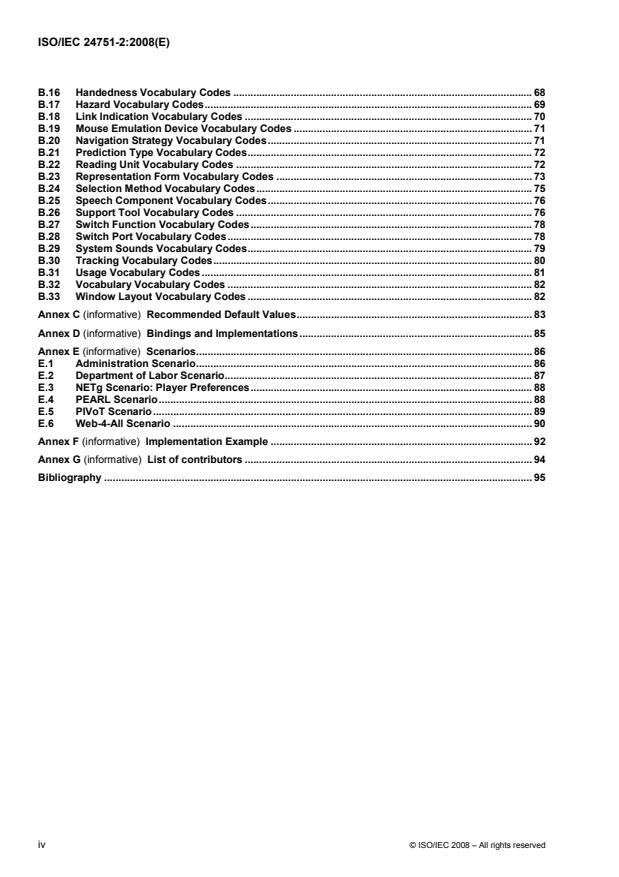
B.16 Handedness Vocabulary Codes . 68
B.17 Hazard Vocabulary Codes. 69
B.18 Link Indication Vocabulary Codes . 70
B.19 Mouse Emulation Device Vocabulary Codes . 71
B.20 Navigation Strategy Vocabulary Codes.71
B.21 Prediction Type Vocabulary Codes. 72
B.22 Reading Unit Vocabulary Codes . 72
B.23 Representation Form Vocabulary Codes . 73
B.24 Selection Method Vocabulary Codes. 75
B.25 Speech Component Vocabulary Codes. 76
B.26 Support Tool Vocabulary Codes . 76
B.27 Switch Function Vocabulary Codes. 78
B.28 Switch Port Vocabulary Codes. 78
B.29 System Sounds Vocabulary Codes. 79
B.30 Tracking Vocabulary Codes. 80
B.31 Usage Vocabulary Codes. 81
B.32 Vocabulary Vocabulary Codes . 82
B.33 Window Layout Vocabulary Codes . 82
Annex C (informative) Recommended Default Values. 83
Annex D (informative) Bindings and Implementations. 85
Annex E (informative) Scenarios. 86
E.1 Administration Scenario. 86
E.2 Department of Labor Scenario. 87
E.3 NETg Scenario: Player Preferences. 88
E.4 PEARL Scenario. 88
E.5 PIVoT Scenario. 89
E.6 Web-4-All Scenario . 90
Annex F (informative) Implementation Example . 92
Annex G (informative) List of contributors . 94
Bibliography . 95
iv © ISO/IEC 2008 – All rights reserved
Foreword
ISO (the International Organization for Standardization) and IEC (the International Electrotechnical
Commission) form the specialized system for worldwide standardization. National bodies that are members of
ISO or IEC participate in the development of International Standards through technical committees
established by the respective organization to deal with particular fields of technical activity. ISO and IEC
technical committees collaborate in fields of mutual interest. Other international organizations, governmental
and non-governmental, in liaison with ISO and IEC, also take part in the work. In the field of information
technology, ISO and IEC have established a joint technical committee, ISO/IEC JTC 1.
International Standards are drafted in accordance with the rules given in the ISO/IEC Directives, Part 2.
The main task of the joint technical committee is to prepare International Standards. Draft International
Standards adopted by the joint technical committee are circulated to national bodies for voting. Publication as
an International Standard requires approval by at least 75 % of the national bodies casting a vote.
Attention is drawn to the possibility that some of the elements of this document may be the subject of patent
rights. ISO and IEC shall not be held responsible for identifying any or all such patent rights.
ISO/IEC 24751-2 was prepared by Joint Technical Committee ISO/IEC JTC 1, Information technology,
Subcommittee SC 36, Information technology for learning, education, and training.
ISO/IEC 24751 consists of the following parts, under the general title Information technology — Individualized
adaptability and accessibility in e-learning, education and training:
⎯ Part 1: Framework and reference model
⎯ Part 2: “Access for all” personal needs and preferences for digital delivery
⎯ Part 3: “Access for all” digital resource description
Future parts will address non-digital resource description, personal needs and preferences for non-digital
resources, personal needs and preferences for description of events and places, digital description of events
and places, and language accessibility and human interface equivalencies (HIEs) in e-learning applications.
© ISO/IEC 2008 – All rights reserved v
INTERNATIONAL STANDARD ISO/IEC 24751-2:2008(E)
Information technology — Individualized adaptability and
accessibility in e-learning, education and training —
Part 2:
“Access for all” personal needs and preferences for digital
delivery
1 Scope
This part of ISO/IEC 24751 provides a common information model for describing the learner or user needs
and preferences when accessing digitally delivered resources or services. This description is one side of a
pair of descriptions used in matching user needs and preferences with digital delivery (as described in
ISO/IEC 24751-1). This model divides the personal needs and preferences of the learner or user into three
categories:
a. Display: how resources are to be presented and structured;
b. Control: how resources are to be controlled and operated; and,
c. Content: what supplementary or alternative resources are to be supplied.
This part of ISO/IEC 24751 is intended to meet the needs of learners with disabilities (as defined in
ISO/IEC 24751-1) and of anyone in a disabling context.
The purpose of this part of ISO/IEC 24751 is to provide a machine-readable method of stating user needs and
preferences with respect to digitally based education or learning. This part of ISO/IEC 24751 can be used
independently, for example to deliver the required or desired user interface to the learner/user, or in
combination with ISO/IEC 24751-3 to deliver digital resources that meet a user’s needs and preferences.
2 Normative references
The following referenced documents are indispensable for the application of this document. For dated
references, only the edition cited applies. For undated references, the latest edition of the referenced
document (including any amendments) applies.
2.1 ISO/IEC
ISO 639-2:1998 (E/F), Codes for the representation of names of languages — Part 2: Alpha-3 code/Codes
pour la représentation des noms de langue — Partie 2: Code alpha-3
2.2 Referenced specifications
IETF RFC 3986 Uniform Resource Identifier (URI): Generic Syntax [RFC 3986],
{http://www.ietf.org/rfc/rfc3986.txt}
© ISO/IEC 2008 – All rights reserved 1
3 Terms and definitions
For the purposes of this document, the following terms and definitions apply.
3.01
access for all
AfA
approach to providing accessibility in a computer-mediated environment in which the digital resources and
their method of delivery are matched to the needs and preferences of the user
1)
[IMS AccessForAll Meta-data Specification Version 1]
3.02
accessibility
usability of a product, service, environment or facility by individuals with the widest range of capabilities
NOTE 1 Although “accessibility” typically addresses users who have a disability, the concept is not limited to disability
issues.
2)
NOTE 2 Adapted from ISO/TS 16071:2003 (3.2).
3.03
access mode
human sense perceptual system or cognitive faculty through which a user may process or perceive the
content of a digital resource
[ISO/IEC 24751-1:2008 (2.3)]
3.04
adaptation
〈e-learning〉 digital resource that presents the intellectual content of all or part of another digital resource
NOTE Adaptations can also include the adjustment of the presentation, control methods, access mode, structure and
user supports.
[ISO/IEC 24751-1:2008 (2.5)]
3.05
AfA context
particular situation or environment in which a set of AfA accessibility needs and preferences might be used
3.06
AfA contextual description
name or description of a context in which a set of AfA accessibility needs and preferences might be used
EXAMPLE A label for a particular location such as home, work or school, or a particular time of day such as evening.
NOTE See 5.4 for more information.
3.07
AfA hazard
characteristic of a digital resource that can be specified as being dangerous to a user
EXAMPLE Flashing animations can trigger seizures in people with photosensitive epilepsy.
NOTE See the coded domain in B.17.
1) The source for this adapted IMS definition is now ISO/IEC 24751-1:2008 (2.1).
2) The source for this adapted ISO/TS 16071:2003 definition is now ISO/IEC 24751-1:2008 (2.2).
2 © ISO/IEC 2008 – All rights reserved
3.08
AfA preference
specific preference of an individual who requires AfA accessibility
NOTE See 5.5.
3.09
AfA preference set
defined combination of two or more AfA preferences
3.10
application parameter
set of application specific values for a particular assistive technology
3.11
application specific
configuration of an assistive technology that involves application parameters unique to a particular
assistive technology product
NOTE See 5.6 for more information.
3.12
assistive technology
alternative access system
specialized software and/or hardware used in place of or in addition to commonly used software or hardware
for control, display or processing
EXAMPLES Screen reader, alternative keyboard, refreshable Braille device, screen magnifier.
[ISO/IEC 24751-1:2008 (2.8)]
3.13
digital resource
DR
any type of resource that can be transmitted over and/or accessed via an information technology system
NOTE A digital resource can be referenced via an unambiguous and stable identifier in a recognized identification
system (e.g. ISBN, ISAN, UPC/EAN, URI).
[ISO/IEC 24751-1:2008 (2.11)]
3.14
disability
〈digital resource delivery〉 any obstacle to the use of a digital resource experienced because of a mismatch
between the needs of a user and the digital resource delivered
NOTE 1 Disability in an AfA context is not a personal trait but a consequence of the relationship between the user and
their resource system.
NOTE 2 In an e-learning context, disability refers to a mismatch between the needs of a learner and both the
educational resource and/or the method of delivery.
[ISO/IEC 24751-1:2008 (2.13)]
3.15
disability
〈medical perspective〉 any restriction or lack (resulting from an impairment) of ability to perform an activity in
the manner or within the range considered normal for a human being
© ISO/IEC 2008 – All rights reserved 3
NOTE 1 This definition of “disability” is included to ensure that users who may have “legal rights” to assistive
technologies are served.
3)
NOTE 2 Adapted from World Health Organization Document A29/INFDOCI/1, Geneva, Switzerland, 1976.
3.16
display
rendering or presentation of a user interface and/or digital resource in a range of access modes
NOTE Access modes include, but are not limited to, visual, auditory, olfactory, textual and tactile.
[ISO/IEC 24751-1:2008 (2.15)]
3.17
display transformability
characteristic of a digital resource that supports changes to specific aspects of its display
NOTE See the coded domain in ISO/IEC 24751-3:2008, B.3.
[ISO/IEC 24751-1:2008 (2.16)]
3.18
display transformation
DT
restyling or reconfiguration of the rendering or presentation of a user interface and/or digital resource
[ISO/IEC 24751-1:2008 (2.17)]
3.19
generic assistive technology configuration
configuration of an assistive technology that involves application parameters common among similar
technologies, and not exclusive to a particular product
NOTE See 5.6.
3.20
impairment
〈medical perspective〉 any loss or abnormality of psychological, physiological or anatomical structure or
function
4)
NOTE Adapted from World Health Organization. Document A29/INFDOCI/1, Geneva, Switzerland, 1976.
3.21
individual
human being, i.e. a natural person, who acts as a distinct indivisible entity or is considered as such
NOTE Adapted from ISO/IEC 15944-1:2002 (3.28).
3.22
individualized accessibility
〈e-learning〉 facility of an IT system based learning environment to address the needs of an individual as
learner (through adaptation, re-aggregation and substitution)
3) The source of this definition adapted from World Health Organization Document A29/INFDOCI/1, Geneva,
Switzerland, 1976 is now ISO/IEC 24751-1:2008 (2.14).
4) The source of this definition adapted from World Health Organization Document A29/INFDOCI/1, Geneva,
Switzerland, 1976 is now ISO/IEC 24751-1:2008 (2.19).
4 © ISO/IEC 2008 – All rights reserved
NOTE Accessibility is determined by the flexibility of the education environment (with respect to presentation, control
methods, structure, access mode, and learner supports) and the availability of equivalent content deemed to be adequate
alternatives.
[ISO/IEC 24751-1:2008 (2.21)]
3.23
information technology system
IT system
set of one or more computers, associated software, peripherals, terminals, human operations, physical
processes, information transfer means, that form an autonomous whole, capable of performing information
processing and/or information transfer
[ISO/IEC 14662:2004 (3.1.8)]
3.24
language
system of signs for communication, usually consisting of a vocabulary and rules
NOTE In this part of ISO/IEC 24751, language refers to “natural languages” or “special languages” but not
“programming languages” or “artificial languages”.
[ISO 5127:2001 (1.1.2.01)]
4 Symbols and abbreviations
AfA access for all
DR digital resource
DRD access for all digital resource description
DT display transformation
IEEE Institute of Electronic & Electrical Engineering
IMS IMS Global Learning Consortium
IT system information technology system
MIME multipurpose internet mail extensions
PNP access for all personal needs and preferences
W3C World Wide Web Consortium
W3C/WAI WCAG World Wide Web Consortium/Web Accessibility Initiative Web Content Accessibility
Guidelines
5 Basic Principles
A number of concepts are encapsulated in the information model for this part of ISO/IEC 24751. These
concepts are explained below.
© ISO/IEC 2008 – All rights reserved 5
5.1 Functional Approach
The information collected as an Access For All Personal Needs and Preferences (PNP) description is
associated with the user’s functional abilities and the assistive technology or other non-standard technology in
use as well as other user needs and preferences (a functional approach), rather than with the name and other
details of a human impairment (a medical approach). If the structure were based on information about users'
impairments, it would still need to address their functional abilities at some stage, as it is this information that
is needed by learning systems to adapt content and navigation. A medical approach would exclude many of
the details that the system would require. One example would be a user with a learning disability: because
learning disabilities are so varied that classification does not capture the range of options that can be offered
in a functional description. Another example would be the needs and preferences of a blind user: knowing that
a user is blind (the medical terminology of the impairment) does not indicate whether or not they can read
Braille or whether they need output to a Braille display or to a screen reader with speech; only a functional
approach can do this. Many users with disabilities and users with alternate needs and preferences will require
the user interface to be compatible with the assistive or non-standard technology that they use, so for them
Access For All Needs and Preferences (PNP) are specific to the hardware and software used.
5.2 Creating a Personal Needs and Preferences Statement
The Access For All Personal Needs and Preferences (PNP) description can be created in a variety of ways.
The most likely way is through an interactive form ('wizard') that presents a number of questions to the user
and, given responses to the questions, generates the description. This application may be integrated into a
content management system or offered as a stand-alone application. Once a person has a PNP, they should
be able to change, expand, replace, or completely remove their user needs and preferences statement as
needed. They should also be able to create multiple PNPs in order to have a convenient way to switch
between several sets of needs and preferences for different situations - e.g., at home, school, or in a quiet or
noisy place. They should also be able to move their PNPs to new systems or new situations for reuse.
5.3 Display, Control and Content
Needs and preferences are grouped into display, control, and content elements. Display needs and
preferences describe how the user prefers to have information displayed or presented. Control needs and
preferences describe how a user prefers to control the device. Finally, content needs and preferences
describe what supplementary, enhanced, adapted, or alternative content the learner requires.
5.4 Multiple Contexts
A learner may have one or more defined sets of needs and preferences. Multiple sets are necessary because
a learner's needs and preferences may vary according to the learning context. Changing requirements may be
caused by changes to their environment (for example, a home system may have different technologies
installed from one at school) and/or other factors (for example, needs may vary later in the day as fatigue
increases, or with specific disciplines such as science versus literature).
5.5 Needs and Preferences
This standard includes both needs and preferences because it is crucial to provide for and distinguish
between them. As described in the Framework document, the interoperability requirements of learners with
disabilities necessitate strong adherence, whenever possible, to the stated needs of each learner. However, to
avoid having users over-specify by marking their preferred settings as needs, the standard incorporates a
priority rating for each configuration or technology setting requested. This allows users to state, for example,
that they prefer to use a keyboard (perhaps due to repetitive strain injury from “mouse” use) but that they can
use a “mouse”-driven application when no adaptation is available. The ratings are:
• required: The learner cannot use content or tools that do not provide this feature or allow this
transformation.
• preferred: The learner prefers content or tools that provide this feature or allow this transformation.
6 © ISO/IEC 2008 – All rights reserved
• optionally use: The learner would use this setting if the content or tool they have selected for other
reasons provides or allows it.
• prohibited: The learner cannot use content or tools that include this feature or require this
transformation; this feature should be turned off if possible, and content that includes this feature
should not be offered.
5.6 Generic versus Application Specific
In general, any application within a particular class of alternative access systems will share some subset of
functionality. For example, screen readers, in general, allow the users to set the rate at which text is read. In
addition to this subset of common or generic functionality, many vendors add features that are unique to their
application.
Access For All Personal Needs and Preferences (PNP) statements identify and separate these generic
settings for different classes of alternative access systems, and provide a vendor-neutral way for users to
state their needs and preferences for these settings. These generic settings are applicable to any application
within the class. As well, the PNP provides a mechanism for vendors to define their own application-specific
settings, (which may not be applicable to other vendors’ applications) and for the user to request them.
6 Information Model
The attributes in this information model are described in Clause 7.
6.1 General
6.1.1 Access For All User
Attribute Allowed Occurrences Datatype
language Zero or one per Access For All User ISO 639-2/T
display Zero or one per Access For All User Display
control Zero or one per Access For All User Control
content Zero or one per Access For All User Content
6.1.2 Application
Attribute Allowed Occurrences Datatype
name One per Application characterstring
application version Zero or one per Application characterstring
application priority One per Application integer range (0 . *)
application parameter Zero or more per Application Application_Parameter
6.1.3 Application Parameter
Attribute Allowed Occurrences Datatype
name One per Application Parameter characterstring
parameter value Zero or one per Application Parameter characterstring
© ISO/IEC 2008 – All rights reserved 7
6.2 Display
Attribute Allowed Occurrences Datatype
screen reader Zero or one per Display Screen_Reader
screen enhancement Zero or one per Display Screen_Enhancement
text reading highlight Zero or one per Display Text_Reading_Highlight
braille Zero or one per Display Braille
tactile Zero or one per Display Tactile
visual alert Zero or one per Display Visual_Alert
structural presentation Zero or one per Display Structural_Presentation
6.2.1 Screen Reader
Attribute Allowed Occurrences Datatype
usage Zero or one per Screen Reader usage_vocabulary)
link indication Zero or more per Screen Reader link_indication_vocabulary
speech rate Zero or one per Screen Reader integer range (1 . *)
pitch Zero or one per Screen Reader real(10,4) range (0.0 .1.0)
volume Zero or one per Screen Reader real(10,4) range (0.0 .1.0)
application Zero or more per Screen Reader Application
6.2.2 Screen Enhancement
Attribute Allowed Occurrences Datatype
usage Zero or one per Screen Enhancement usage_vocabulary
font face Zero or one per Screen Enhancement Font_Face
font size Zero or one per Screen Enhancement real(10,4) range (0.0 . *)
excluding (0.0)
foreground colour Zero or one per Screen Enhancement Colour
background colour Zero or one per Screen Enhancement Colour
highlight colour Zero or one per Screen Enhancement Colour
link colour Zero or one per Screen Enhancement Colour
cursor size Zero or one per Screen Enhancement real(10,4) range (0.0 .1.0)
cursor colour Zero or one per Screen Enhancement Colour
cursor trails Zero or one per Screen Enhancement real(10,4) range (0.0 .1.0)
invert colour choice Zero or one per Screen Enhancement Boolean
invert images Zero or one per Screen Enhancement Boolean
tracking Zero or more per Screen Enhancement tracking_vocabulary
magnification Zero or one per Screen Enhancement real(10,4) range (1.0 . *)
personal stylesheet Zero or one per Screen Enhancement URI
application Zero or more per Screen Enhancement Application
8 © ISO/IEC 2008 – All rights reserved
6.2.3 Text Reading Highlight
Attribute Allowed Occurrences Datatype
usage Zero or one per Text Reading Highlight usage_vocabulary
speech rate Zero or one per Text Reading Highlight integer range (1 . *)
pitch Zero or more per Text Reading Highlight real(10,4) range (0.0 .1.0)
volume Zero or more per Text Reading Highlight real(10,4) range (0.0 .1.0)
highlight Zero or one per Text Reading Highlight reading_unit_vocabulary
speech component Zero or one per Text Reading Highlight speech_component_vocabulary
reading unit Zero or one per Text Reading Highlight reading_unit_vocabulary
application Zero or more per Text Reading Highlight Application
6.2.4 Braille
Attribute Allowed Occurrences Datatype
usage Zero or one per Braille usage_vocabulary
braille grade Zero or one per Braille braille_grade_vocabulary
number of braille dots Zero or one per Braille braille_dot_number_vocabulary
number of braille cells Zero or one per Braille integer range (1 . *)
braille mark Zero or one per Braille braille_mark_vocabulary
braille dot pressure Zero or one per Braille real(10,4) range (0.0 .1.0)
braille status cell One per Braille braille_status_cell_vocabulary
application Zero or more per Braille Application
6.2.5 Tactile
Attribute Allowed Occurrences Datatype
usage Zero or one per Tactile usage_vocabulary
application Zero or more per Tactile Application
6.2.6 Visual Alert
Attribute Allowed Occurrences Datatype
usage Zero or one per Visual Alert usage_vocabulary
system sounds Zero or one per Visual Alert system_sounds_vocabulary
system sounds caption Zero or one per Visual Alert boolean
application Zero or more per Visual Alert Application
© ISO/IEC 2008 – All rights reserved 9
6.2.7 Structural Presentation
Attribute Allowed Occurrences Datatype
usage Zero or one per Structural Presentation usage_vocabulary
content density Zero or one per Structural Presentation content_density_vocabulary
components shown Zero or more per Structural Presentation components_shown_vocabulary
window layout Zero or one per Structural Presentation window_layout_vocabulary
application Zero or more per Structural Presentation Application
6.2.8 Font Face
Attribute Allowed Occurrences Datatype
font name Zero or more per Font Face characterstring
generic font face One per Font Face generic_font_face_vocabulary
6.3 Control
Attribute Allowed Occurrences Datatype
input requirements Zero or one per Control control_flexibility_vocabulary
keyboard Zero or one per Control Keyboard_Enhancement
enhancement
onscreen keyboard Zero or one per Control Onscreen_Keyboard
alternative keyboard Zero or one per Control Alternative_Keyboard
mouse emulation Zero or one per Control Mouse_Emulation
alternative pointing Zero or one per Control Alternative_Pointing
voice recognition Zero or one per Control Voice_Recognition
coded input Zero or one per Control Coded_Input
prediction Zero or one per Control Prediction
structural navigation Zero or one per Control Structural_Navigation
10 © ISO/IEC 2008 – All rights reserved
6.3.1 Keyboard enhancement
Attribute Allowed Occurrences Datatype
usage Zero or one per Keyboard enhancement usage_vocabulary
alphanumeric keyboard Zero or one per Keyboard enhancement alphanumeric_layout_vocabulary
layout
alphanumeric keyboard Zero or one per Keyboard enhancement URI
layout custom
sticky keys Zero or one per Keyboard enhancement Sticky_Keys
repeat keys Zero or one per Keyboard enhancement Repeat_Keys
slow keys Zero or one per Keyboard enhancement Slow_Keys
debounce keys Zero or one per Keyboard enhancement Debounce
application Zero or more per Keyboard Enhancement Application
6.3.2 Onscreen Keyboard
Attribute Allowed Occurrences Datatype
usage Zero or one per Preference Keyboard usage_vocabulary
alphanumeric keyboard Zero or one per Onscreen Keyboard alphanumeric_layout_vocabulary
layout
alphanumeric keyboard Zero or one per Onscreen Keyboard URI
layout custom
key height relative One per Onscreen Keyboard integer range (0 . 100)
key width relative One per Onscreen Keyboard integer range (0 . 100)
key spacing relative One per Onscreen Keyboard integer range (0 . 100)
key selection sound Zero or one per Onscreen Keyboard boolean
feedback
point-and-click selection Zero or one per Onscreen Keyboard Point_and_Click_Selection
point-and-dwell Zero or one per Onscreen Keyboard Point_and_Dwell_Selection
selection
automatic scanning Zero or one per Onscreen Keyboard Automatic_Scanning
inverse scanning Zero or one per Onscreen Keyboard Inverse_Scanning
directed scanning Zero or one per Onscreen Keyboard Directed_Scanning
code selection Zero or one per Onscreen Keyboard Code_Selection
application Zero or more per Onscreen Keyboard Application
© ISO/IEC 2008 – All rights reserved 11
6.3.3 Alternative Keyboard
Attribute Allowed Occurrences Datatype
usage Zero or one per Alternative Keyboard usage_vocabulary
alphanumeric keyboard Zero or one per Alternative Keyboard alphanumeric_layout_vocabulary
layout
alphanumeric keyboard Zero or one per Alternative Keyboard URI
layout custom
sticky keys Zero or one per Alternative Keyboard Sticky_Keys
repeat keys Zero or one per Alternative Keyboard Repeat_Keys
slow keys Zero or one per Alternative Keyboard Slow_Keys
debounce keys Zero or one per Alternative Keyboard Debounce
resizable keys Zero or one per Alternative Keyboard Resizable_Keys
key selection sound Zero or one per Alternative Keyboard Boolean
feedback
application Zero or more per Alternative Keyboard Application
6.3.4 Mouse Emulation
Attribute Allowed Occurrences Datatype
usage Zero or one per Mouse Emulation usage_vocabulary
cursor speed Zero or one per Mouse Emulation real(10,4) range (0.0 . 1.0)
cursor acceleration Zero or one per Mouse Emulation real(10,4) range (0.0 . 1.0)
mouse emulation Zero or one per Mouse Emulation mouse_emulation_device_vocabulary
device
application Zero or more per Mouse Emulation Application
6.3.5 Alternative Pointing
Attribute Allowed Occurrences Datatype
usage Zero or one per Alternative Pointing usage_vocabulary
relative pointing Zero or one per Alternative Pointing Relative_Pointing
absolute pointing Zero or one per Alternative Pointing Boolean
device handedness Zero or one per Alternative Pointing handedness_vocabulary
double-click speed Zero or one per Alternative Pointing real(10,4) range (0.0 . *)
excluding (0.0)
switch select Zero or one per Alternative Pointing Boolean
dwell select Zero or one per Alternative Pointing Dwell_Select
application Zero or more per Alternative Pointing Application
12 © ISO/IEC 2008 – All rights reserved
6.3.6 Voice Recognition
Attribute Allowed Occurrences Datatype
usage Zero or one per Voice Recognition usage_vocabulary
voice profile identity Zero or one per Voice Recognition URI
microphone gain Zero or one per Voice Recognition real(10,4) range (0.0 .1.0)
controller window Zero or one per Voice Recognition controller_window_vocabu-lary
dictation Zero or one per Voice Recognition boolean
command and control Zero or one per Voice Recognition Command_And_Control
application Zero or more per Voice Recognition Application
6.3.7 Coded Input
Attribute Allowed Occurrences Datatype
usage Zero or one per Coded Input usage_vocabulary
code One per Coded Input code_vocabulary
number of inputs One per Coded Input integer range (1 . *)
code termination Zero or one per Coded Input Code_Termination
switch port One per Coded Input switch_port_vocabulary
custom code Zero or one per Coded Input URI
application Zero or more per Coded Input Set Application
6.3.8 Prediction
Attribute Allowed Occurrences Datatype
usage Zero or one per Prediction usage_vocabulary
prediction type One or more per Prediction prediction_type_vocabulary
number of prediction Zero or one per Prediction integer range (1 . *)
choices displayed
lexicon Zero or one per Prediction URI
application Zero or more per Coded Input Set Application
6.3.9 Structural Navigation
Attribute Allowed Occurrences Datatype
usage Zero or one per Structural Navigation usage_vocabulary
navigation strategy Zero or one per Structural Navigation navigation_strategy_vocabu-lary
table of contents Zero or one per Structural Navigation Boolean
application Zero or more per Coded Input Set Application
© ISO/IEC 2008 – All rights reserved 13
6.3.10 Sticky Keys
Attribute Allowed Occurrences Datatype
modifier indication Zero or one per Sticky_Keys boolean
6.3.11 Repeat Keys
Attribute Allowed Occurrences Datatype
automatic delay Zero or one per Repeat Keys boolean
automatic repeat rate Zero or one per Repeat Keys real(10,4) range (0.0 . 1.0)
6.3.12 Slow Keys
Attribute Allowed Occurrences Datatype
slow keys interval Zero or one per Slow Keys real(10,4) range (0.0 .1.0)
6.3.13 Debounce
Attribute Allowed Occurrences Datatype
debounce interval Zero or one per Debounce real(10,4) range (0.0 . *)
excluding (0.0)
6.3.14 Point and Click Selection
Attribute Allowed Occurrences Datatype
switch delay Zero or one per Point and Click Selection real(10,4) range (0.0 . *)
6.3.15 Point and Dwell Selection
Attribute Allowed Occurrences Datatype
dwell time Zero or one per Point and Dwell Selection real(10,4) range (0.0 . *)
excluding (0.0)
14 © ISO/IEC 2008 – All rights reserved
6.3.16 Automatic Sc
...