

ISO 34504:2024
(Main)Road vehicles — Test scenarios for automated driving systems — Scenario categorization
General Information
- Abstract
This document defines an approach for the categorization of scenarios by providing tags that carry information about the scenarios. This document is applicable to SAE level 3 to SAE level 5 Automated Driving System (ADS)[19].
- Status
- Published
- Publication Date
- 08-Feb-2024
- Technical Committee
- ISO/TC 22/SC 33 - Vehicle dynamics and chassis components
- Drafting Committee
- ISO/TC 22/SC 33/WG 9 - Test scenarios of automated driving systems
- Current Stage
- 6060 - International Standard published
- Start Date
- 09-Feb-2024
- Due Date
- 01-May-2024
- Completion Date
- 09-Feb-2024


Overview
ISO 34504:2024 - Road vehicles - Test scenarios for automated driving systems - Scenario categorization - defines a standardized approach for categorizing test scenarios for Automated Driving Systems (ADS). Applicable to SAE level 3 to SAE level 5, the standard introduces the concept of tags as meta-attributes that carry descriptive information about scenarios. Scenario categories are formed by collections of tags so that scenarios sharing the same tags belong to the same category. The document aims to harmonize scenario classification across databases and tooling to support scenario-based testing and ADS verification.
Key technical topics and requirements
- Tags as meta-attributes: Tags describe scenario characteristics and are the primary building blocks for scenario categories.
- Groups of tags: Tags cover multiple topic areas including:
- Dynamic entities (road user type, longitudinal/lateral/mixed actions, role relative to the subject vehicle, visibility, collision information, etc.)
- Scenery elements
- Environmental conditions
- Additional scenario information
- Intended test usage
- Tag trees and abstraction levels: Tags are structured into hierarchical trees; layers represent different abstraction levels. A higher-level tag implies applicability of lower-level tags.
- Scenario category definition and inclusion: A scenario category is a collection of one or more tags; categories can overlap and are not required to be mutually exclusive. A category Y includes category X if X’s tag structure is contained in Y.
- Extensibility: Stakeholders may extend tags to cover characteristics not addressed by the standard, provided extensions do not conflict with specified tags.
- Equivalence with scenario attributes: Scenario attributes can be treated as equivalent to tags when allocating scenarios to categories.
- Qualitative focus: Tags are typically qualitative; quantification is left to implementers (e.g., precise speed thresholds).
Practical applications and who uses it
ISO 34504:2024 is intended for:
- ADS developers and validation teams - to organize and select scenario sets for test campaigns and regression testing.
- Test engineers and simulation providers - to tag scenarios in libraries and enable automated scenario selection.
- Regulators and assessors - to map Operational Design Domains (ODDs) to scenario categories for certification and safety assessment.
- Scenario database managers and researchers - to harmonize and share scenario categories across repositories (e.g., CARE, GIDAS, NASS/GES). Practical uses include structuring test cases, scenario assignment within an ODD, and filtering scenario libraries for targeted verification.
Related standards and references
- ISO 34501 (vocabulary) - normative reference for terms and definitions
- Informative inputs include ISO 34502, ISO 34503, ASAM OpenLABEL, and relevant ECE/GRVA documents and industry deliverables that inform scenario-based ADS testing.
Keywords: ISO 34504:2024, scenario categorization, ADS testing, SAE level 3-5, scenario tags, ODD, scenario database, automated driving systems.
Get Certified
Connect with accredited certification bodies for this standard

TÜV Rheinland
TÜV Rheinland is a leading international provider of technical services.

TÜV SÜD
TÜV SÜD is a trusted partner of choice for safety, security and sustainability solutions.

BSI Group
BSI (British Standards Institution) is the business standards company that helps organizations make excellence a habit.
Sponsored listings
Frequently Asked Questions
ISO 34504:2024 is a standard published by the International Organization for Standardization (ISO). Its full title is "Road vehicles — Test scenarios for automated driving systems — Scenario categorization". This standard covers: This document defines an approach for the categorization of scenarios by providing tags that carry information about the scenarios. This document is applicable to SAE level 3 to SAE level 5 Automated Driving System (ADS)[19].
This document defines an approach for the categorization of scenarios by providing tags that carry information about the scenarios. This document is applicable to SAE level 3 to SAE level 5 Automated Driving System (ADS)[19].
ISO 34504:2024 is classified under the following ICS (International Classification for Standards) categories: 43.020 - Road vehicles in general. The ICS classification helps identify the subject area and facilitates finding related standards.
ISO 34504:2024 is available in PDF format for immediate download after purchase. The document can be added to your cart and obtained through the secure checkout process. Digital delivery ensures instant access to the complete standard document.
Standards Content (Sample)
International
Standard
ISO 34504
First edition
Road vehicles — Test scenarios
2024-02
for automated driving systems —
Scenario categorization
Véhicules routiers — Scénarios d'essai pour les systèmes de
conduite automatisée — Catégorisation des scénarios
Reference number
© ISO 2024
All rights reserved. Unless otherwise specified, or required in the context of its implementation, no part of this publication may
be reproduced or utilized otherwise in any form or by any means, electronic or mechanical, including photocopying, or posting on
the internet or an intranet, without prior written permission. Permission can be requested from either ISO at the address below
or ISO’s member body in the country of the requester.
ISO copyright office
CP 401 • Ch. de Blandonnet 8
CH-1214 Vernier, Geneva
Phone: +41 22 749 01 11
Email: copyright@iso.org
Website: www.iso.org
Published in Switzerland
ii
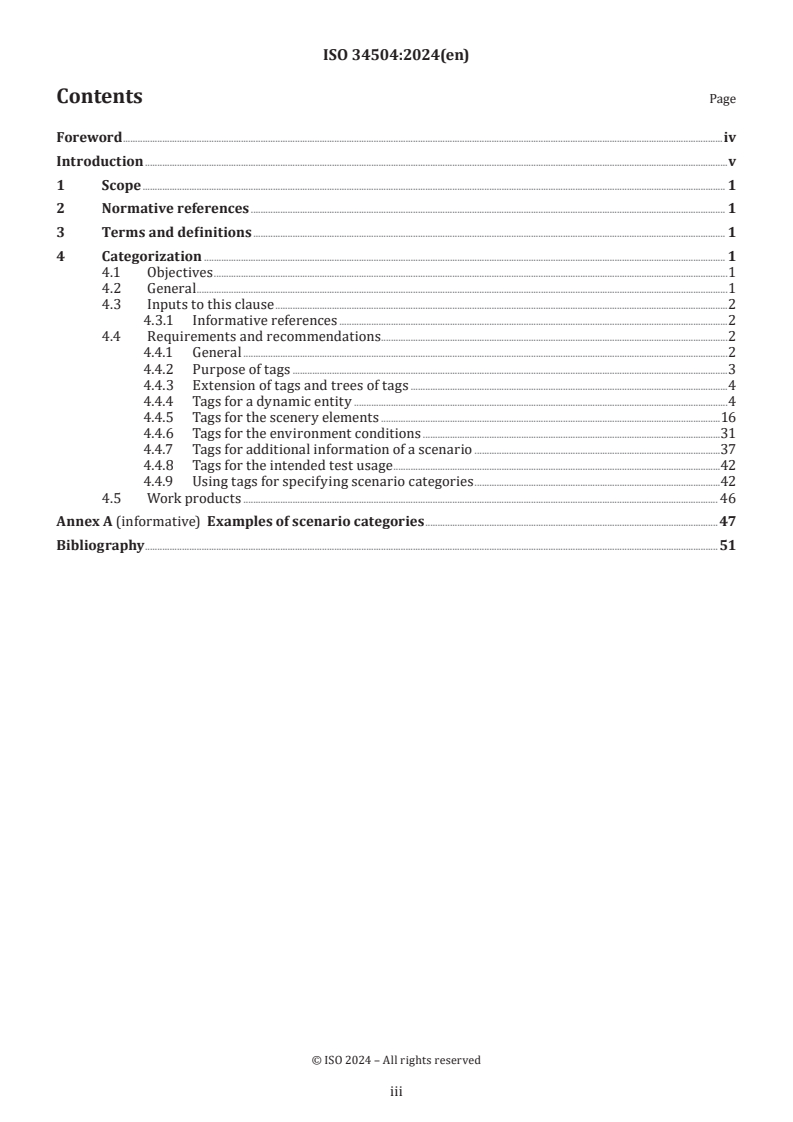
Contents Page
Foreword .iv
Introduction .v
1 Scope . 1
2 Normative references . 1
3 Terms and definitions . 1
4 Categorization . 1
4.1 Objectives .1
4.2 General .1
4.3 Inputs to this clause .2
4.3.1 Informative references .2
4.4 Requirements and recommendations . .2
4.4.1 General .2
4.4.2 Purpose of tags .3
4.4.3 Extension of tags and trees of tags .4
4.4.4 Tags for a dynamic entity .4
4.4.5 Tags for the scenery elements .16
4.4.6 Tags for the environment conditions .31
4.4.7 Tags for additional information of a scenario .37
4.4.8 Tags for the intended test usage .42
4.4.9 Using tags for specifying scenario categories .42
4.5 Work products . 46
Annex A (informative) Examples of scenario categories . 47
Bibliography .51
iii
Foreword
ISO (the International Organization for Standardization) is a worldwide federation of national standards
bodies (ISO member bodies). The work of preparing International Standards is normally carried out through
ISO technical committees. Each member body interested in a subject for which a technical committee
has been established has the right to be represented on that committee. International organizations,
governmental and non-governmental, in liaison with ISO, also take part in the work. ISO collaborates closely
with the International Electrotechnical Commission (IEC) on all matters of electrotechnical standardization.
The procedures used to develop this document and those intended for its further maintenance are described
in the ISO/IEC Directives, Part 1. In particular, the different approval criteria needed for the different types
of ISO document should be noted. This document was drafted in accordance with the editorial rules of the
ISO/IEC Directives, Part 2 (see www.iso.org/directives).
ISO draws attention to the possibility that the implementation of this document may involve the use of (a)
patent(s). ISO takes no position concerning the evidence, validity or applicability of any claimed patent
rights in respect thereof. As of the date of publication of this document, ISO had not received notice of (a)
patent(s) which may be required to implement this document. However, implementers are cautioned that
this may not represent the latest information, which may be obtained from the patent database available at
www.iso.org/patents. ISO shall not be held responsible for identifying any or all such patent rights.
Any trade name used in this document is information given for the convenience of users and does not
constitute an endorsement.
For an explanation of the voluntary nature of standards, the meaning of ISO specific terms and expressions
related to conformity assessment, as well as information about ISO's adherence to the World Trade
Organization (WTO) principles in the Technical Barriers to Trade (TBT), see www.iso.org/iso/foreword.html.
This document was prepared by Technical Committee ISO/TC 22, Road vehicles, Subcommittee SC 33, Vehicle
dynamics, chassis components and driving automation systems testing.
Any feedback or questions on this document should be directed to the user’s national standards body. A
complete listing of these bodies can be found at www.iso.org/members.html.
iv
Introduction
Test and verification of automated driving systems (ADS) is one of the main challenges for the introduction
of ADS into the market. Scenario-based testing is an approach for prospective verification of ADS that is
broadly supported in the automotive field. It is expected that many test scenarios will be used to conduct
the validation and verification of ADS, e.g. see ISO 34502. It is common practice to use some form of
categorization of the scenarios.
The goal of this document is to propose a way to categorize scenarios. Scenario databases, such as the
[2]
German In-Depth Accident Study (GIDAS) , the Community database on Accidents on the Roads in Europe
[3] [4]
(CARE) , the Initiative for the GLobal harmonization of Accident Data (IGLAD) , road safety from the
[5]
government of the United Kingdom , and the National Automotive Sampling System (NASS) General
[6]
Estimates System (GES) from the United States , already contain categories, but these categories are
generally not shared among different databases. This document provides a method to harmonize the way
scenarios are categorized. To enable the scenario categorization, “tags” are defined as meta-attributes that
provide an additional source of information for each of the scenarios. A scenario category is defined using
tags, such that all scenarios that share the same tags are considered to belong to that scenario category.
NOTE This document does not provide a hierarchical structure for the scenarios. There are many ways to provide
a hierarchical structure and there is no best way to do this. For example, scenarios can be structured based on the
road layout or based on the driving behaviour of a vehicle. The most suitable way to structure the scenarios depends
on the application.
v
International Standard ISO 34504:2024(en)
Road vehicles — Test scenarios for automated driving
systems — Scenario categorization
1 Scope
This document defines an approach for the categorization of scenarios by providing tags that carry
information about the scenarios.
[19]
This document is applicable to SAE level 3 to SAE level 5 Automated Driving System (ADS) .
2 Normative references
The following documents are referred to in the text in such a way that some or all of their content constitutes
requirements of this document. For dated references, only the edition cited applies. For undated references,
the latest edition of the referenced document (including any amendments) applies.
ISO 34501, Road vehicles — Test scenarios for automated driving systems — Vocabulary
3 Terms and definitions
For the purposes of this document, the terms and definitions given in ISO 34501 apply.
ISO and IEC maintain terminology databases for use in standardization at the following addresses:
— ISO Online browsing platform: available at https:// www .iso .org/ obp
— IEC Electropedia: available at https:// www .electropedia .org/
4 Categorization
4.1 Objectives
The objective of this clause is to provide a way to categorize scenarios.
4.2 General
A scenario category refers to a set of scenarios that share one or more characteristics. Tags are attached to
a scenario for the purpose of categorizing the scenarios. A given scenario is part of a scenario category if
all tags of the scenario category are also part of the tags that are applicable to the given scenario. Scenario
categories do not need to be mutually exclusive. A standardized set of tags for defining scenario categories
makes sharing and transferring scenario (categories) between different entities easier.
Scenario categorization can be used to structure the test cases for ADS. Another application of scenario
categorization is the scenario assignment for the assessment of ADS within a given Operational Design
Domain (ODD) because it might be easier to relate an ODD to scenario categories instead of relating an
ODD to all possible scenarios. Scenario categorization can also be used to select scenarios from a scenario
database or scenario library by using tags or a combination of tags.
In some cases, there is a need of having generic scenario categories – and thus a wide variety among the
scenarios belonging to the scenario category – and, in other cases, there is a need of having specific scenario
categories without much variety among the scenarios in the scenario category. For some systems, one may
be interested in a very specific set of scenarios, while for another system one might be interested in a set
of scenarios with a high variety. To accommodate this, tags can be structured in hierarchical trees. The
different layers in a tree can be regarded as different abstraction levels.
If the provided tags do not adequately represent a specific characteristic of a scenario, stakeholders may
extend the provided tags. This applies to tags that provide a more specific description of a characteristic
described by one of the tags of this clause. It may also apply to tags that describe a characteristic of a scenario
that is not addressed in this document.
The actual implementation of the tags into a specification is out of scope of this document. Stakeholders may
choose to support, for example, scenario hierarchy whereby a specific scenario (category) inherits tags from
another scenario (category). It is also possible to combine tags of the same level to create a new scenario
category, e.g. a definition of a scenario category that includes the wind tag “light breeze”, “gentle breeze”,
“moderate breeze”, or “fresh breeze”.
4.3 Inputs to this clause
4.3.1 Informative references
[1]
a) ISO 34502
[7]
b) ISO 34503
[8]
c) ASAM OpenLABEL
[9]
d) Scenario Categories for the Assessment of Automated Vehicles
e) Proposal for a second iteration of the New Assessment/Test Method for Automated Driving – Master
[10]
Document, ECE/TRANS/WP.29/GRVA/2022/2
[11]
f) HEADSTART deliverable on the integration of simulation and physical testing
4.4 Requirements and recommendations
4.4.1 General
A scenario category shall be defined by a collection of tags, where this collection contains one or multiple
tags. A scenario category shall comprise scenarios for which these tags are applicable. A scenario category
Y shall include a scenario category X if this scenario category X contains the same (structure of) tags as this
scenario category Y.
NOTE 1 This implies that if scenario category X includes scenario category Y, then scenario category X comprises all
scenarios that scenario category Y comprises.
EXAMPLE Figure 1 illustrates this, where three scenario categories are shown:
a) the red circle denotes the scenario category with the tag “daytime”;
b) the green circle denotes the scenario category with the tag “heavy rain”;
c) the overlap of the red and green circles denotes the scenario category with the tags “daytime” and “heavy rain”.
In this example, let X be the scenario category with tags “daytime” and “heavy rain” and let Y be the scenario category
with the tag “daytime”. Since X contains the same tag as Y, Y includes X. Figure 1 illustrates this, as Y (the circle with
tag “daytime”) fully overlaps the area that represents X (the intersection area of both circles). As a result, both the X
and Y comprise the scenario occurring at daytime with heavy rain, i.e. Y comprises all scenarios of X.
NOTE 2 Figure 1 is simplified in the sense that there are typically many other characteristics considered for
categorizing scenarios.
Figure 1 — An example of a relation between scenarios and scenario categories
In addition to tags, the scenario attributes can be used for allocating the scenarios into scenario categories.
In that case, a scenario attribute shall be considered as equivalent to a tag. For example, a scenario that
contains heavy rain can be categorized into the scenario category “heavy rain” even though the scenario
does not contain the tag “heavy rain”.
4.4.2 Purpose of tags
The tags of a scenario contain information about the scenario. In order to indicate the purpose of a tag, the
kind of information the tag provides shall be indicated. A tag shall address a range of topics, including but
not limited to:
a) dynamic entities;
b) scenery elements;
c) environmental conditions;
d) additional information of a scenario;
e) intended test usage.
NOTE 1 Figure 2 visualizes the different groups of tags.
Figure 2 — Groups of tags
NOTE 2 In most cases, the purpose of the tags is to provide qualitative information. Stakeholders can specify more
details regarding the quantification of tags. For example, the tag “faster” can be applied to a dynamic entity that is
moving “faster” than the subject vehicle. The exact meaning of “faster” is not further specified in this document. A
stakeholder can choose to apply the tag if the dynamic entity is moving at a higher speed than the subject vehicle, but it
can also, for example, apply the tag only when a dynamic entity is moving with a speed faster than 1 m/s for a duration
of at least 1 s.
NOTE 3 To illustrate that the meaning of the tags can be ambiguous, consider the tag “in front of subject”, which
is used to indicate that a dynamic entity is in front of the subject vehicle. Consider the bus in Figure 3 as the subject
vehicle. Clearly, the tag “in front of subject” does not apply to the left-most car, indicated with the label “car 1”, of
Figure 3. However, for “car 6”, the tag applies, since this passenger car is fully in front of the subject vehicle. For the
remaining four passenger cars, it depends on how “in front of” is defined. For example, the front of “car 2” is behind the
front of the bus, but the front of “car 2” is in front of the rear of the bus. The rear of “car 3” is in front of the rear of the
bus. Similarly, the centre of “car 4” is ahead of the centre of the bus and the front of “car 5” is in front of the bus.
Key
1 car 1
2 car 2
3 car 3
4 car 4
5 car 5
6 car 6
Figure 3 — A bus and six passenger cars; it is unclear which cars are in front of the bus
4.4.3 Extension of tags and trees of tags
The tags shall be structured into trees and each layer shall represent a different abstraction level. If a
scenario category contains a tag at a certain level, all the lower-level tags may be applicable.
Stakeholders may extend the list of tags if those tags that are specified do not adequately describe a scenario
characteristic. While the tags are extensible, any extension which conflicts with the specified tags shall be
avoided.
NOTE Even if tags are at the same layer in the same tree of tags, they do not need to be mutually exclusive.
4.4.4 Tags for a dynamic entity
For a dynamic entity, the tags shall address:
a) road user type;
b) longitudinal action;
c) lateral action;
d) mixed action;
e) state or initial state;
f) role of a dynamic entity with respect to the subject vehicle;
g) enhancing conspicuity;
h) visibility;
i) collision information.
If, for a dynamic entity, no tags are mentioned for one or more of the aforementioned items, it shall be
assumed that any of the tags of that item may be or may not be applicable for the scenarios that the scenario
category comprises.
EXAMPLE A dynamic entity of a scenario category only contains tags for the “road user type”. As a result, the
scenarios that the scenario category comprises contain at least one dynamic entity with the tags for the “road user
type” as specified and this dynamic entity can contain any tag related to “longitudinal action”, “lateral action”, etc.
4.4.4.1 Road user type
At the top level, the tags for the road user type should be:
a) vehicle;
b) pedestrian;
c) cyclist;
d) animal;
e) inanimate obstacle.
To further specify a vehicle, the following tags can be used:
— passenger car;
— bus;
— school bus;
— truck;
— tram;
— goods vehicle;
— dangerous goods vehicle;
— long, large vehicle;
— vehicle transporting protruding cargo;
— vehicle towing trailers;
— vehicle towing combination trailers;
— special convoy, slow-moving vehicle;
— caravan/recreational vehicle, including towing trailers;
— agricultural vehicle;
— fire truck;
— ambulance;
— police vehicle;
— rescue vehicle;
— street sweeper;
— road sprinkler;
— training car;
— crane, Non-Road Mobile Machinery (NRMM);
— other automated/connected (V2V) vehicle;
— disabled (broken-down) vehicle.
To further specify a pedestrian, the following tags can be used:
— child;
— adult;
— person with disabilities;
— hearing-impaired pedestrian;
— visually-impaired pedestrian;
— road-works crew;
— police officer (on foot);
— person directing traffic;
— person pushing stroller;
— person in wheelchair;
— motorists on the roadside (e.g. person next to stranded vehicle, changing tire).
To further specify a cyclist, the following tags can be used:
— bicyclist;
— e-Bike user;
— skater (roller, skateboard);
— motorcycle;
— moped/scooter;
— powered three-wheeler;
— quadricycle;
— self-balancing scooter.
To further specify an animal, the following tags can be used:
— small size animal;
— medium size animal;
— large size animal.
To further specify an inanimate obstacle, the following tags can be used:
— stationary vehicle;
— debris;
— construction equipment;
— moving obstacle.
NOTE 1 Figure 4 visualizes the tree of tags for the road user type.
NOTE 2 The tags for the road user type are based on ongoing VMAD/FRAV UNECE discussions in the Other Road
[12]
User workstream .
NOTE 3 A moving obstacle can refer to blowing debris like a tumbleweed or a plastic tarp.
NOTE 4 A disabled (broken-down) vehicle can have its emergency lights on, and an emergency triangle can be
located behind this vehicle. A stationary vehicle can refer to a parked vehicle.
NOTE 5 For categorizing animals based on their size, the tag “small size animal” can apply to animals shorter and
thinner than 0,5 m, while animals larger or wider than 1 m can be tagged with “large size animal”. All other animals
are then tagged with “medium size animal”.
NOTE 6 A combination of the tags is also possible, e.g. both “passenger car” and “disabled (broken-down) vehicle"
can apply.
Figure 4 — Tree of tags for the road user type
4.4.4.2 Longitudinal action
At the top level, the tags for the longitudinal action should be:
a) standing still;
b) driving forward;
c) reversing.
To further specify driving forward and reversing, the following tags can be used:
— decelerating;
— keeping speed;
— accelerating.
NOTE 1 The longitudinal action refers to the behaviour of a dynamic entity in the direction in which the dynamic
entity is travelling.
NOTE 2 Figure 5 visualizes the tree of tags for the longitudinal action.
Figure 5 — Tree of tags for the longitudinal action
4.4.4.3 Lateral action
At the top level, the tags for the lateral action should be:
a) following lane;
b) changing lane;
c) turning;
d) swerving;
e) other.
NOTE 1 The lateral action refers to the direction perpendicular to the direction of travel of the dynamic entity.
The tag “following lane” is applicable if the dynamic entity stays in its lane. When a dynamic entity changes lane to an
adjacent lane, the tag “changing lane” is applicable. The tag “turning” is applicable if the dynamic entity turns. The tag
“swerving” is applicable if the dynamic entity moves partly into its adjacent lane without performing a lane change.
The tag “other” can be applicable if the dynamic entity performs manoeuvres that are not necessarily related to a lane,
such as parking.
To further specify changing lane, the following tags can be used:
a) left;
b) right;
c) double left;
d) double right.
To further specify turning, the following tags can be used:
— left;
— right;
— left U-turn;
— right U-turn.
To further specify swerving, the following tags can be used:
— left;
— right.
NOTE 2 Figure 6 visualizes the tree of tags for the lateral action.
Figure 6 — Tree of tags for the lateral action
4.4.4.4 Mixed action
At the top level, the tag for the mixed action should be:
a) Parking manoeuvre.
NOTE 1 Tags that describe a mixed action can be used to describe combinations of actions that cannot easily be
categorized as a longitudinal action, a lateral action, or a combination of these.
NOTE 2 Figure 7 visualizes the tree of tags for the mixed action.
Figure 7 — Tree of tags for the mixed action
4.4.4.5 State or initial state
Tags describing the state or the initial state relative to the subject vehicle(s) shall only be used for dynamic
entities other than the subject vehicle(s). In case the scenario does not contain a subject vehicle, the state
relative to the subject vehicle(s) shall not be described for a dynamic entity.
NOTE 1 The initial state of the subject vehicle(s) can be described if its behaviour is not described.
At the top level, the tags for the (initial) state should address:
a) (initial) longitudinal position;
b) (initial) lateral position;
c) (initial) direction;
d) (initial) relative speed.
The tags for the (initial) longitudinal position can be:
— in front of the subject vehicle(s);
— beside the subject vehicle(s);
— behind the subject vehicle(s).
At the top level, the tags for the (initial) lateral position can be:
— in the same lane as the subject vehicle(s);
— to the left of the subject vehicle(s);
— to the right of the subject vehicle(s).
To further specify left or right of the subject vehicle, the following tags can be used:
— in the adjacent lane;
— next to the adjacent lane.
At the top level, the tags for the (initial) direction can be:
— similar to the subject vehicle(s);
— oncoming;
— crossing.
To further specify crossing, the following tags can be used:
— from left;
— from right;
— from far side;
— from near side.
NOTE 2 The tag “from left” is used for a dynamic entity whose direction of travel is approximately perpendicular
to the direction of travel of the subject vehicle and the heading direction (direction from the rear of dynamic entity
to the front) is towards the right. Similarly, the tag “from right” is used for a dynamic entity whose direction of travel
is approximately perpendicular to the direction of travel of the subject vehicle and the heading direction (direction
from the rear of dynamic entity to the front) is towards the left. The tag “from far side” is used for a dynamic entity for
which “from left” (“from right”) applies in right-hand traffic (left-hand traffic) and the tag “from near side” is used for
a dynamic entity for which the tag “from right” (“from left”) applies in right-hand traffic (left-hand traffic).
The tags for the (initial) relative speed of the dynamic entity with respect to the speed of the subject vehicle
can be:
— similar to the subject vehicle(s);
— faster;
— slower.
NOTE 3 Figure 8 visualizes the tree of tags for the state or the initial state.
Figure 8 — Tree of tags for the state or the initial state
4.4.4.6 Role of a dynamic entity with respect to the subject vehicle
To describe the role of a dynamic entity with respect to the subject vehicle, the tags should be
a) leading;
b) following;
c) yielding;
d) prioritized;
e) no role.
NOTE 1 The tag “leading” applies to a dynamic entity if the subject vehicle is following that dynamic entity. With
one subject vehicle, there can be at most one dynamic entity at a time with the tag “leading”. The tag “following”
applies to a dynamic entity if the subject vehicle is the leading vehicle of that dynamic entity. The tag “yielding” applies
to a dynamic entity if that dynamic entity gives or should give priority to the subject vehicle. The tag “prioritized”
applies to a dynamic entity if the subject vehicle gives or should give priority to that dynamic entity.
To further specify the role of a dynamic entity, the following tags can be used:
— initial role;
— intermediate role;
— final role.
NOTE 2 The tag “initial role” applies when the role is applicable at the start of the scenario. The tag “final role”
applies when the role is applicable at the end of the scenario. The tag “intermediate role” applies when the role is
applicable neither at the start of the scenario nor at the end of the scenario.
NOTE 3 Figure 9 visualizes the tree of tags for the role of a dynamic entity with respect to the subject vehicle.
Figure 9 — Tree of tags for the role of a dynamic entity with respect to the subject vehicle
4.4.4.7 Enhancing conspicuity
To describe ways a dynamic entity enhances its conspicuity, the following tags should be used:
a) light;
b) sound;
c) gesture.
To further specify light, the following tags can be used:
— headlight low beam;
— headlight high beam;
— taillight;
— fog light;
— brake light;
— hazard light;
— left signal light;
— right signal light;
— emergency signal light;
— reverse driving light;
— beacon light;
— interior light.
NOTE 1 The current tags do not distinguish between left and right lights except for the signal lights. Stakeholder
can expand the list of tags in order to also distinguish, e.g. left headlight low beam from right headlight low beam.
If a tag for specifying the light is not further specified, it should be assumed that the corresponding light is
used. To be more specific, stakeholders may use to following tags to specify the state of light:
— on;
— off;
— broken;
— erroneous.
To further specify sound, the following tags can be used:
— horn;
— police whistle;
— police siren;
— ambulance siren;
— fire fighter siren;
— other.
To further specify gesture, the following tags can be used:
— indicate turning left;
— indicate turning right;
— indicate stopping;
— indicate slowing down;
— indicate yielding;
— indicate going through;
— indicate changing lane;
— other.
NOTE 2 Figure 10 visualizes the tree of tags for a dynamic entity’s means to enhance its conspicuity. The tags for
the state of light, which are subtags for all tags under “light”, are not shown in Figure 10 because the figure would
otherwise be too large.
Figure 10 — Tree of tags for describing a dynamic entity’s means to enhance its conspicuity
4.4.4.8 Visibility
To describe the visibility of a dynamic entity from the viewpoint of the subject vehicle(s), the following tags
should be used:
a) fully in view;
b) partially blocked from view;
c) fully blocked from view.
NOTE 1 These tags can be used for an entity if it applies at any time during a scenario. So if a dynamic entity is for
some small duration fully blocked from the viewpoint of the subject vehicle(s), the tag “fully blocked from view” can
be applied.
NOTE 2 Figure 11 visualizes the tree of tags for the visibility of a dynamic entity from the viewpoint of the subject
vehicle(s).
Figure 11 — Tree of tags for describing the visibility of a dynamic entity from the viewpoint of the
subject vehicle(s)
4.4.4.9 Collision information
To describe whether a dynamic entity collided within a scenario or not, the following tags should be used:
a) collided;
b) did not collide.
NOTE 1 Collision information refers to historical information, i.e. whether a dynamic entity collided in an observed
scenario. In Annex A, an example is provided.
NOTE 2 Figure 12 visualizes the tree of tags for the collision information.
Figure 12 — Tree of tags for describing collision information for a dynamic entity
4.4.5 Tags for the scenery elements
[7]
NOTE The tags in this clause are largely based on ISO 34503:2023, Clause 9 .
To describe the scenery elements, the tags shall address:
a) drivable area type;
b) drivable area geometry;
c) lane specification;
d) drivable area signs;
e) drivable area edge;
f) road surface marking;
g) drivable area surface;
h) junctions;
i) special structures;
j) basic road structures;
k) temporary road structures;
l) geographic area.
If no tags are mentioned for one or more of the aforementioned items, it shall be assumed that any of the tags
of that item may or may not be applicable for the scenarios that the scenario category comprises.
EXAMPLE Only a tag related to the “drivable area type” is specified through the tags for a scenario category. In
that case, scenarios that the scenario category comprises contain at least the specified tag related to the “drivable
area type”. The scenarios can contain any tag related to the other topics. For example, the scenarios may take place at
any geographic areas, as long as the specified “drivable area type” applies.
4.4.5.1 Drivable area type
To specify the drivable area type, the following tags should be used:
a) motorway, highway, or interstate;
b) primary road (e.g. dual-carriage way, single carriage way);
c) radial road;
d) distributor road;
e) minor or local road;
f) slip road or off-ramp;
g) parking space;
h) shared space;
i) driveway.
NOTE 1 A motorway, highway, or interstate is a high-traffic road where non-motorized vehicles and pedestrians
are prohibited. A radial road is a high-density traffic road that connects a motorway to a distributor road or urban
centres. A distributor road connects a radial road with a minor or local road and generally has a low to moderate
capacity. A minor road or local road provides access to residential areas and other local developments. These roads
carry low volumes of traffic. A slip road is a road that is used to drive on to and off a motorway, highway, or interstate.
A parking space is the physical space where one vehicle is parked. A shared space can be shared between the subject
vehicle and other dynamic entities, for example, pedestrians or cyclists.
NOTE 2 Figure 13 visualizes the tree of tags for the drivable area type.
Figure 13 — Tree of tags for the drivable area type
4.4.5.2 Drivable area geometry
At the top level, the tags for the drivable area geometry should address:
a) horizontal plane;
b) transverse plane;
c) vertical plane.
NOTE 1 The horizontal plane refers to the plane parallel to the road surface. The vertical plane refers to the plane
parallel to an imaginary straight wall along the road. The transverse plane refers to the plane with its normal in the
directional of driving. Figure 14 visualizes the three planes in case of a straight road.
Key
1 transverse plane
2 horizontal plane
3 vertical plane
Figure 14 — Different planes for describing the geometry of the drivable area.
The tags for the horizontal plane can be:
— straight;
— curved.
To further specify curved, the following tags can be used:
— left;
— right.
The tags for the transverse plane can be:
— divided;
— undivided;
— pavements;
— barriers on road edges;
— types of lanes together;
— superelevation/banking.
The tags for the vertical plane can be:
— up-slope;
— down-slope;
— level plane.
NOTE 2 Figure 15 visualizes the tree of tags for the drivable area geometry.
Figure 15 — Tree of tags for the drivable area geometry
4.4.5.3 Lane specification
At the top level, the tags for the lane specification should address:
a) lane type;
b) number of lanes;
c) minimum number of lanes;
d) traffic direction;
e) restriction.
The tags for the lane type can be:
— normal;
— High-Occupancy Vehicle (HOV);
— bidirectional;
— biking;
— border;
— bus;
— connecting ramp;
— curb;
— driving;
— entry;
— exit;
— median;
— off-ramp;
— on-ramp;
— parking;
— rail;
— restricted;
— road works;
— shoulder;
— sidewalk;
— stop;
— taxi;
— tram.
NOTE 1 The lane types are based on the enumeration of lane types in Reference [13]. A bidirectional road can be
a driving lane on a narrow road which can be used in both directions. A bidirectional road can also be a continuous
two-way left turn left on multi-lane roads (e.g. on US road networks). A border lane describes a hard border at the edge
of the road that has the same height as the drivable lane. A connecting ramp lane is a ramp connecting two highways
or motorways. A curb lane is a lane consisting of curbstones. A driving lane describes a “normal” drivable road that
is not one of the other types. Entry and exit lanes are lanes parallel to the main road and intended for traffic entering
and exiting the main road, respectively. A median lane is a lane between driving lanes in opposite directions, typically
used on large roads to separate the traffic. An off-ramp lane is a lane leading away from a highway or motorway onto
rural/urban roads and vice versa for an on-ramp lane. A restricted lane is a lane on which cars are not meant to drive
but has the same height as the drivable lanes. Typically, a restricted lane is separated with lines and often there are
additional striped lines on it. A sidewalk is a lane on which pedestrians can walk safely.
The tags for the number of lanes can be:
— 1 lane;
— 2 lanes;
— 3 lanes;
— 4 lanes;
— 5 lanes;
— 6 lanes.
Instead of specifying the exact number of lanes, it is possible to indicate the minimum number of lanes. The
tags for the minimum number of lanes can be:
— 1 lane;
— 2 lanes;
— 3 lanes;
— 4 lanes;
— 5 lanes;
— 6 lanes.
The tags for the traffic direction can be:
— right-hand traffic;
— left-hand traffic.
The tags for the restriction can be:
— height restriction;
— weight restriction;
— width restriction;
— vehicle type restriction.
NOTE 2 Figure 16 visualizes the tree of tags for the lane specification.
Figure 16 — Tree of tags for the lane specification
4.4.5.4 Drivable area signs
At the top level, the tags for the drivable area signs should be:
a) information sign;
b) regulatory sign;
c) warning sign;
d) supplementary sign.
NOTE 1 A supplementary sign is a sign mounted below a “parent sign”. This can be a sign to indicate that a road
is closed (here, the “road closed” sign is the “parent sign”) for a specific type of vehicle (here, the type of vehicle is
specified using the supplementary sign).
To further specify each of the above tags, the following tags can be used:
— variable;
— uniform;
— full-time;
— temporary;
— corrupted;
— blurred;
— local specific.
EXAMPLE Smart highways or motorways can change their speed limits depending on external factors. In this
case, the tag “variable” applies. The tag “temporary” applies for signs that are only present temporarily. The tag “full-
time” applies for signs that are permanently present, even if the sign itself has a temporal character, e.g. a speed
reduction at certain times.
NOTE 2 A corrupted sign indicates a change in meaning, e.g. half of the number 50 is visible, which changes a
50 km/h sign into a 5 km/h sign due to the loss of the “0”. The cause of the change can be aging or manipulation. A
blurred sign can be caused by, for example, aging of the sign or vandalism.
NOTE 3 A combination of the tags is also possible. For example, both “variable” and “full-time” can apply.
NOTE 4 Figure 17 visualizes the tree of tags for the drivable area signs.
Figure 17 — Tree of tags for the drivable area signs
4.4.5.5 Drivable area edge
To specify the drivable area edge, the following tags should be used:
a) line markers;
b) shoulder;
c) solid barriers (e.g. grating, rails, curb, cones);
d) no edge;
e) unstructured.
NOTE 1 Drivable area edge is the outermost edge of the drivable area in which a vehicle is meant to travel.
To further specify line markers, the following tags can be used:
— permanent;
— temporary.
NOTE 2 In some countries, temporary road surface markings have a different colour than permanent. Moreover,
in case the temporary road surface marking is incompatible with other traffic symbols, the temporary road surface
marking has priority over other traffic symbols.
To further specify shoulder, the following tags can be used:
— paved;
— gravel;
— grass;
— snowbanks;
— covered by snow.
To further specify solid barriers, the following tags can be used:
— grating;
— rails;
— curb;
— cones;
— barrels.
NOTE 3 Unstructured drivable area edge includes damaged edge, rocks, etc.
NOTE 4 Figure 18 visualizes the tree of tags for the drivable area edge.
Figure 18 — Tree of tags for the drivable area edge
4.4.5.6 Road surface marking
At the top level, the tags for the road surface marking should address:
a) line marker;
b) line type;
c) line colour;
d) quality;
e) marker type.
The tags for the line marker can be:
— permanent;
— temporary.
NOTE 1 In some countries, temporary road surface markings have a different colour than permanent. Moreover,
in case the temporary road surface marking is incompatible with other traffic symbols, the temporary road surface
marking has priority over other traffic symbols.
The tags for the line type can be:
— solid;
— broken;
— botts dots.
NOTE 2 In case of multiple line types, tags can be combined. For example, “solid broken” indicates that a solid line
is followed by a broken line. When combining line types, the first line type refers to the line to the inside (i.e. leftmost
line in case of right-hand traffic).
The tags for the line colour can be:
— white;
— yellow;
— red;
— green;
— blue;
— orange.
The tags for the quality can be:
— missing;
— poor quality;
— good quality.
The tags for the marker type can be:
— mechanical;
— paint;
— stones;
— thermoplastic;
— polymer tape;
— epoxy.
NOTE 3 Figure 19 visualizes the tree of tags for the road surface marking.
Figure 19 — Tree of tags for the road surface marking
4.4.5.7 Drivable area surface
At the top level, the tags for the drivable area surface should address:
a) drivable area surface type;
b) drivable area surface features;
c) drivable area induced surface condition.
The tags for the drivable area surface type can be:
— loose (e.g. gravel, earth, sand, snow);
— segmented (e.g. concrete slabs, granite setts, cobblestones);
— uniform (e.g. asphalt).
The tags for the drivable area surface features can be:
— crack;
— pothole;
...