

ISO 9241-420:2011
(Main)Ergonomics of human-system interaction — Part 420: Selection of physical input devices
General Information
- Abstract
ISO 9241-420:2011 provides guidance for the selection of input devices for interactive systems, based on ergonomic factors, considering the limitations and capabilities of users and the specific tasks and context of use. It describes methods for selecting a device or a combination of devices for the task at hand. It can also be used for evaluating the acceptability of trade-offs under the existing conditions. The target users of ISO 9241-420:2011 are user organizations and systems integrators who tailor systems for a given context of use. It is applicable to the following input devices: keyboards, mice, pucks, joysticks, trackballs, trackpads, tablets and overlays, touch-sensitive screens, styli and light pens. It does not specify design requirements or give recommendations for those devices.
- Status
- Published
- Publication Date
- 12-Jul-2011
- Technical Committee
- ISO/TC 159/SC 4 - Ergonomics of human-system interaction
- Current Stage
- 9093 - International Standard confirmed
- Start Date
- 30-Jun-2022
- Completion Date
- 29-Aug-2026
Buy Documents

ISO 9241-420:2011 - Ergonomics of human-system interaction — Part 420: Selection of physical input devices Released:7/13/2011

ISO 9241-420:2011 - Ergonomie de l'interaction homme-systeme — Partie 420: Sélection des dispositifs d'entrée physiques Released:7/13/2011
Overview
ISO 9241-420:2011 - "Ergonomics of human-system interaction - Part 420: Selection of physical input devices" provides guidance for choosing physical input devices for interactive systems based on ergonomic factors. The standard helps match devices to user capabilities, task demands and context of use. It applies to a wide range of devices including keyboards, mice, pucks, joysticks, trackballs, touchpads, tablets/overlays, touch-sensitive screens, styli and light pens. ISO 9241-420 is focused on selection and evaluation of input devices, not on prescribing their detailed design.
Key topics and technical coverage
- Scope and definitions: Terms and definitions for input device selection and evaluation.
- Procedures for selection: General considerations, rationale and objectives for structured selection processes.
- Performance criterion: Guidance on what performance aspects to consider when assessing input devices.
- Methods and aids for selection:
- Task analysis to map user goals and tasks to device capabilities.
- Selection based on product description using device functional properties.
- User tests and usability evaluations to validate device choices.
- Selection based on dominant task primitives where specific interaction primitives drive device choice.
- Special guidance for selecting keyboards and handheld/mobile text entry devices.
- Field assessment: Methods for in-situ evaluation of devices and acceptability trade-offs under real-world conditions.
- Informative annexes and tests: Annexes include practical tests and assessment methods (tracing, dragging, one-direction and multi-direction tapping tests, comfort assessment, mobile text entry, keyboard usability) and comprehensive tables (Annex H) linking device properties to generic requirements.
Practical applications and target users
ISO 9241-420 is intended for:
- User organizations selecting input devices for employees or customers.
- Systems integrators and UX/ergonomics specialists tailoring interactive systems to a context of use.
- Procurement teams who need evidence-based criteria for choosing input peripherals. Practical uses include selecting the best device or device combination for specific workflows (e.g., CAD workstations, control-room consoles, mobile data entry), conducting user tests to compare candidates, and performing field assessments to confirm usability and comfort.
Related standards
ISO 9241-420 is part of the broader ISO 9241 series on ergonomics of human–system interaction. Related parts commonly used alongside it include ISO 9241-210 (human-centred design) and ISO 9241-11 (usability) for designing and evaluating interactive systems.
Keywords: ISO 9241-420, ergonomics, input device selection, human-system interaction, keyboards, mice, touchscreens, usability, task analysis, field assessment.
Relations
- Effective Date
- 09-Feb-2026
- Effective Date
- 12-Feb-2026
- Effective Date
- 06-Jun-2022
Buy Documents
ISO 9241-420:2011 - Ergonomics of human-system interaction — Part 420: Selection of physical input devices Released:7/13/2011
ISO 9241-420:2011 - Ergonomie de l'interaction homme-systeme — Partie 420: Sélection des dispositifs d'entrée physiques Released:7/13/2011
Get Certified
Connect with accredited certification bodies for this standard

BSI Group
BSI (British Standards Institution) is the business standards company that helps organizations make excellence a habit.

CIS Institut d.o.o.
Personal Protective Equipment (PPE) certification body. Notified Body NB-2890 for EU Regulation 2016/425 PPE.

Kiwa BDA Testing
Building and construction product certification.
Sponsored listings
Frequently Asked Questions
ISO 9241-420:2011 is a standard published by the International Organization for Standardization (ISO). Its full title is "Ergonomics of human-system interaction — Part 420: Selection of physical input devices". This standard covers: ISO 9241-420:2011 provides guidance for the selection of input devices for interactive systems, based on ergonomic factors, considering the limitations and capabilities of users and the specific tasks and context of use. It describes methods for selecting a device or a combination of devices for the task at hand. It can also be used for evaluating the acceptability of trade-offs under the existing conditions. The target users of ISO 9241-420:2011 are user organizations and systems integrators who tailor systems for a given context of use. It is applicable to the following input devices: keyboards, mice, pucks, joysticks, trackballs, trackpads, tablets and overlays, touch-sensitive screens, styli and light pens. It does not specify design requirements or give recommendations for those devices.
ISO 9241-420:2011 provides guidance for the selection of input devices for interactive systems, based on ergonomic factors, considering the limitations and capabilities of users and the specific tasks and context of use. It describes methods for selecting a device or a combination of devices for the task at hand. It can also be used for evaluating the acceptability of trade-offs under the existing conditions. The target users of ISO 9241-420:2011 are user organizations and systems integrators who tailor systems for a given context of use. It is applicable to the following input devices: keyboards, mice, pucks, joysticks, trackballs, trackpads, tablets and overlays, touch-sensitive screens, styli and light pens. It does not specify design requirements or give recommendations for those devices.
ISO 9241-420:2011 is classified under the following ICS (International Classification for Standards) categories: 13.180 - Ergonomics; 35.180 - IT Terminal and other peripheral equipment. The ICS classification helps identify the subject area and facilitates finding related standards.
ISO 9241-420:2011 has the following relationships with other standards: It is inter standard links to EN ISO 23125:2015, EN ISO 9241-420:2011, ISO 11114-2:2000. Understanding these relationships helps ensure you are using the most current and applicable version of the standard.
ISO 9241-420:2011 is available in PDF format for immediate download after purchase. The document can be added to your cart and obtained through the secure checkout process. Digital delivery ensures instant access to the complete standard document.
Standards Content (Sample)
INTERNATIONAL ISO
STANDARD 9241-420
First edition
2011-07-15
Ergonomics of human-system
interaction —
Part 420:
Selection of physical input devices
Ergonomie de l'interaction homme-système —
Partie 420: Sélection des dispositifs d'entrée physiques
Reference number
©
ISO 2011
© ISO 2011
All rights reserved. Unless otherwise specified, no part of this publication may be reproduced or utilized in any form or by any means,
electronic or mechanical, including photocopying and microfilm, without permission in writing from either ISO at the address below or
ISO's member body in the country of the requester.
ISO copyright office
Case postale 56 • CH-1211 Geneva 20
Tel. + 41 22 749 01 11
Fax + 41 22 749 09 47
E-mail copyright@iso.org
Web www.iso.org
Published in Switzerland
ii © ISO 2011 – All rights reserved
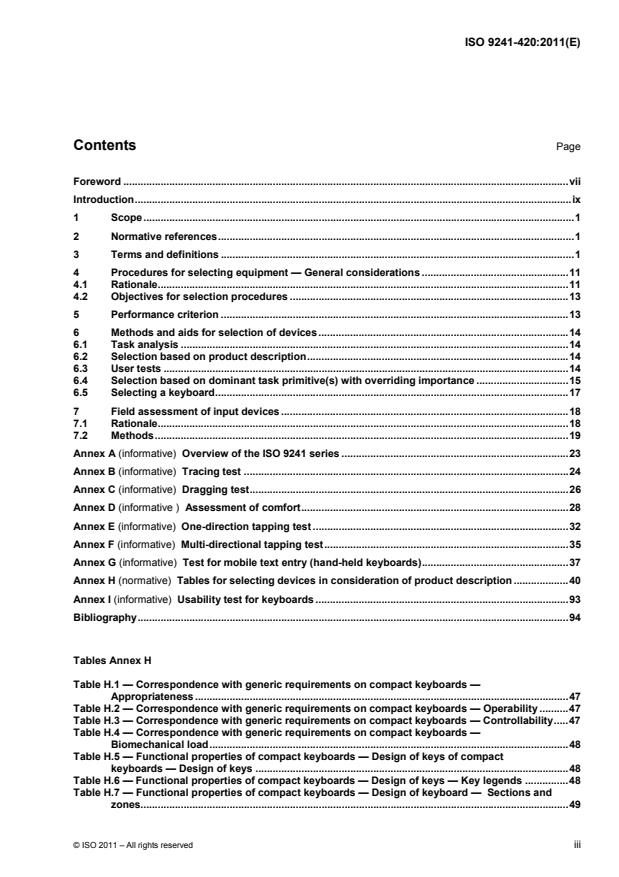
Contents Page
Foreword .vii
Introduction.ix
1 Scope.1
2 Normative references.1
3 Terms and definitions .1
4 Procedures for selecting equipment — General considerations .11
4.1 Rationale.11
4.2 Objectives for selection procedures .13
5 Performance criterion .13
6 Methods and aids for selection of devices.14
6.1 Task analysis .14
6.2 Selection based on product description.14
6.3 User tests .14
6.4 Selection based on dominant task primitive(s) with overriding importance .15
6.5 Selecting a keyboard.17
7 Field assessment of input devices .18
7.1 Rationale.18
7.2 Methods.19
Annex A (informative) Overview of the ISO 9241 series .23
Annex B (informative) Tracing test .24
Annex C (informative) Dragging test.26
Annex D (informative ) Assessment of comfort.28
Annex E (informative) One-direction tapping test .32
Annex F (informative) Multi-directional tapping test.35
Annex G (informative) Test for mobile text entry (hand-held keyboards).37
Annex H (normative) Tables for selecting devices in consideration of product description .40
Annex I (informative) Usability test for keyboards .93
Bibliography.94
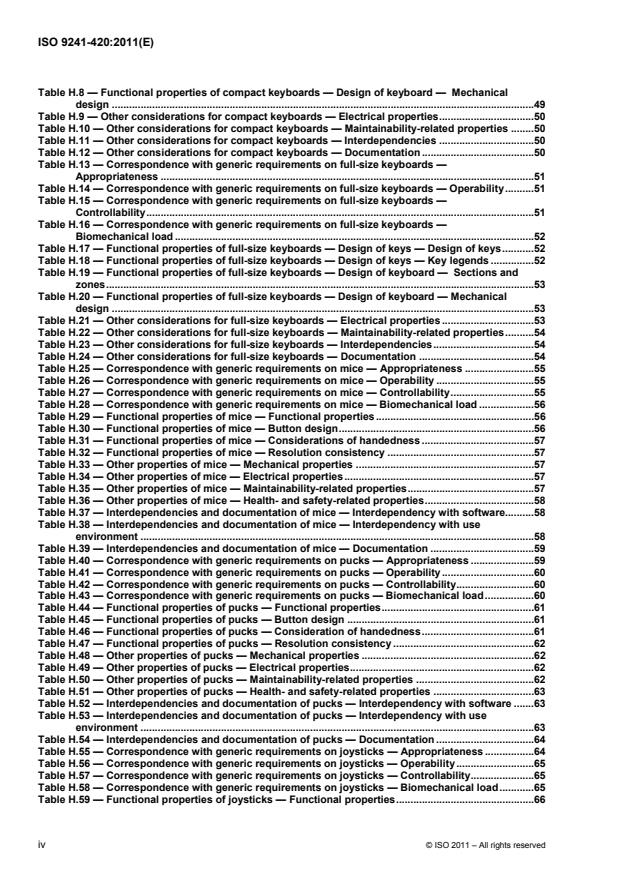
Tables Annex H
Table H.1 — Correspondence with generic requirements on compact keyboards —
Appropriateness .47
Table H.2 — Correspondence with generic requirements on compact keyboards — Operability .47
Table H.3 — Correspondence with generic requirements on compact keyboards — Controllability.47
Table H.4 — Correspondence with generic requirements on compact keyboards —
Biomechanical load.48
Table H.5 — Functional properties of compact keyboards — Design of keys of compact
keyboards — Design of keys .48
Table H.6 — Functional properties of compact keyboards — Design of keys — Key legends .48
Table H.7 — Functional properties of compact keyboards — Design of keyboard — Sections and
zones.49
Table H.8 — Functional properties of compact keyboards — Design of keyboard — Mechanical
design .49
Table H.9 — Other considerations for compact keyboards — Electrical properties.50
Table H.10 — Other considerations for compact keyboards — Maintainability-related properties .50
Table H.11 — Other considerations for compact keyboards — Interdependencies .50
Table H.12 — Other considerations for compact keyboards — Documentation .50
Table H.13 — Correspondence with generic requirements on full-size keyboards —
Appropriateness .51
Table H.14 — Correspondence with generic requirements on full-size keyboards — Operability.51
Table H.15 — Correspondence with generic requirements on full-size keyboards —
Controllability.51
Table H.16 — Correspondence with generic requirements on full-size keyboards —
Biomechanical load .52
Table H.17 — Functional properties of full-size keyboards — Design of keys — Design of keys.52
Table H.18 — Functional properties of full-size keyboards — Design of keys — Key legends .52
Table H.19 — Functional properties of full-size keyboards — Design of keyboard — Sections and
zones.53
Table H.20 — Functional properties of full-size keyboards — Design of keyboard — Mechanical
design .53
Table H.21 — Other considerations for full-size keyboards — Electrical properties .53
Table H.22 — Other considerations for full-size keyboards — Maintainability-related properties.54
Table H.23 — Other considerations for full-size keyboards — Interdependencies.54
Table H.24 — Other considerations for full-size keyboards — Documentation .54
Table H.25 — Correspondence with generic requirements on mice — Appropriateness .55
Table H.26 — Correspondence with generic requirements on mice — Operability .55
Table H.27 — Correspondence with generic requirements on mice — Controllability.55
Table H.28 — Correspondence with generic requirements on mice — Biomechanical load .56
Table H.29 — Functional properties of mice — Functional properties .56
Table H.30 — Functional properties of mice — Button design.56
Table H.31 — Functional properties of mice — Considerations of handedness .57
Table H.32 — Functional properties of mice — Resolution consistency .57
Table H.33 — Other properties of mice — Mechanical properties .57
Table H.34 — Other properties of mice — Electrical properties.57
Table H.35 — Other properties of mice — Maintainability-related properties.57
Table H.36 — Other properties of mice — Health- and safety-related properties.58
Table H.37 — Interdependencies and documentation of mice — Interdependency with software.58
Table H.38 — Interdependencies and documentation of mice — Interdependency with use
environment .58
Table H.39 — Interdependencies and documentation of mice — Documentation .59
Table H.40 — Correspondence with generic requirements on pucks — Appropriateness .59
Table H.41 — Correspondence with generic requirements on pucks — Operability.60
Table H.42 — Correspondence with generic requirements on pucks — Controllability.60
Table H.43 — Correspondence with generic requirements on pucks — Biomechanical load.60
Table H.44 — Functional properties of pucks — Functional properties.61
Table H.45 — Functional properties of pucks — Button design .61
Table H.46 — Functional properties of pucks — Consideration of handedness.61
Table H.47 — Functional properties of pucks — Resolution consistency .62
Table H.48 — Other properties of pucks — Mechanical properties .62
Table H.49 — Other properties of pucks — Electrical properties.62
Table H.50 — Other properties of pucks — Maintainability-related properties .62
Table H.51 — Other properties of pucks — Health- and safety-related properties .63
Table H.52 — Interdependencies and documentation of pucks — Interdependency with software .63
Table H.53 — Interdependencies and documentation of pucks — Interdependency with use
environment .63
Table H.54 — Interdependencies and documentation of pucks — Documentation .64
Table H.55 — Correspondence with generic requirements on joysticks — Appropriateness .64
Table H.56 — Correspondence with generic requirements on joysticks — Operability.65
Table H.57 — Correspondence with generic requirements on joysticks — Controllability.65
Table H.58 — Correspondence with generic requirements on joysticks — Biomechanical load.65
Table H.59 — Functional properties of joysticks — Functional properties.66
iv © ISO 2011 – All rights reserved
Table H.60 — Functional properties of joysticks — Button design .66
Table H.61 — Functional properties of joysticks — Consideration of handedness.66
Table H.62 — Functional properties of joysticks — Resolution consistency.67
Table H.63 — Other properties of joysticks — Mechanical properties.67
Table H.64 — Other properties of joysticks — Electrical properties .67
Table H.65 — Other properties of joysticks — Maintainability-related properties .67
Table H.66 — Other properties of joysticks — Health- and safety-related properties .68
Table H.67 — Interdependencies and documentation of joysticks — Interdependency with
software.68
Table H.68 — Interdependencies and documentation of joysticks — Interdependency with use
environment .68
Table H.69 — Interdependencies and documentation of joysticks — Documentation.68
Table H.70 — Correspondence with generic requirements on trackballs — Appropriateness .69
Table H.71 — Correspondence with generic requirements on trackballs — Operability .69
Table H.72 — Correspondence with generic requirements on trackballs — Controllability.70
Table H.73 — Correspondence with generic requirements on trackballs — Biomechanical load .70
Table H.74 — Functional properties of trackballs — Functional properties .70
Table H.75 — Functional properties of trackballs — Button design.71
Table H.76 — Functional properties of trackballs — Consideration of handedness .71
Table H.77 — Functional properties of trackballs — Resolution consistency .71
Table H.78 — Other properties of trackballs — Mechanical properties .72
Table H.79 — Other properties of trackballs — Electrical properties.72
Table H.80 — Other properties of trackballs — Maintainability-related properties.72
Table H.81 — Other properties of trackballs — Health- and safety-related properties.72
Table H.82 — Interdependencies and documentation of trackballs — Interdependency with
software.73
Table H.83 — Interdependencies and documentation of trackballs — Interdependency with use
environment .73
Table H.84 — Interdependencies and documentation of trackballs — Documentation .73
Table H.85 — Correspondence with generic requirements on touchpads — Appropriateness.74
Table H.86 — Correspondence with generic requirements on touchpads — Operability.74
Table H.87 — Correspondence with generic requirements on touchpads — Controllability .75
Table H.88 — Correspondence with generic requirements on touchpads — Biomechanical load.75
Table H.89 — Functional properties of touchpads — Functional properties.75
Table H.90 — Functional properties of touchpads — Button design .76
Table H.91 — Functional properties of touchpads — Consideration of handedness.76
Table H.92 — Functional properties of touchpads — Resolution consistency.76
Table H.93 — Other properties of touchpads — Mechanical properties .77
Table H.94 — Other properties of touchpads — Electrical properties.77
Table H.95 — Other properties of touchpads — Maintainability-related properties .77
Table H.96 — Other properties of touchpads — Health- and safety-related properties .77
Table H.97 — Interdependencies and documentation of touchpads — Interdependency with
software.78
Table H.98 — Interdependencies and documentation of touchpads — Interdependency with use
environment .78
Table H.99 — Interdependencies and documentation of touchpads — Documentation.78
Table H.100 — Correspondence with generic requirements on tablets/overlays —
Appropriateness .79
Table H.101 — Correspondence with generic requirements on tablets/overlays — Operability.79
Table H.102 — Correspondence with generic requirements on tablets/overlays — Controllability .80
Table H.103 — Correspondence with generic requirements on tablets/overlays — Biomechanical
load .80
Table H.104 — Functional properties of tablets/overlays — Functional properties.80
Table H.105 — Functional properties of tablets/overlays — Button design .81
Table H.106 — Functional properties of tablets/overlays — Consideration of handedness.81
Table H.107 — Functional properties of tablets/overlays — Resolution consistency.81
Table H.108 — Other properties of tablets/overlays — Mechanical properties .82
Table H.109 — Other properties of tablets/overlays — Legibility and visibility of legends and
graphical symbols .82
Table H.110 — Other properties of tablets/overlays — Electrical properties .83
Table H.111 — Other properties of tablets/overlays — Maintainability-related properties.83
Table H.112 — Other properties of tablets/overlays — Health- and safety-related properties.83
Table H.113 — Interdependencies and documentation of tablets/overlays — Interdependency
with software.84
Table H.114 — Interdependencies and documentation of tablets/overlays — Interdependency
with use environment.84
Table H.115 — Interdependencies and documentation of tablets/overlays — Documentation .84
Table H.116 — Correspondence with generic requirements on styli and light pens —
Appropriateness .85
Table H.117 — Correspondence with generic requirements on styli and light pens — Operability.85
Table H.118 — Correspondence with generic requirements on styli and light pens —
Controllability.85
Table H.119 — Correspondence with generic requirements on styli and light pens —
Biomechanical load .86
Table H.120 — Functional properties of styli and light pens — Functional properties .86
Table H.121 — Functional properties of styli and light pens — Button design .87
Table H.122 — Functional properties of styli and light pens — Consideration of handedness.87
Table H.123 — Functional properties of styli and light pens — Mechanical properties .88
Table H.124 — Other properties of styli and light pens — Electrical properties .88
Table H.125 — Other properties of styli and light pens — Maintainability-related properties .88
Table H.126 — Other properties of styli and light pens — Health- and safety-related properties .88
Table H.127 — Interdependencies and documentation of styli and light pens — Interdependency
with software.88
Table H.128 — Interdependencies and documentation of styli and light pens — Interdependency
with use environment.89
Table H.129 — Interdependencies and documentation of styli and light pens — Documentation.89
Table H.130 — Correspondence with generic requirements on touch-sensitive screens —
Appropriateness .89
Table H.131 — Correspondence with generic requirements on touch-sensitive screens —
Operability .89
Table H.132 — Correspondence with generic requirements on touch-sensitive screens —
Controllability.90
Table H.133 — Correspondence with generic requirements on touch-sensitive screens —
Biomechanical load .90
Table H.134 — Functional properties of touch-sensitive screens — Functional properties.91
Table H.135 — Functional properties of touch-sensitive screens — Mechanical properties.91
Table H.136 — Other properties of touch-sensitive screens — Electrical properties.91
Table H.137 — Other properties of touch-sensitive screens — Maintainability-related properties.92
Table H.138 — Other properties of touch-sensitive screen — Health- and safety-related properties.92
Table H.139 — Other properties of touch-sensitive screens — Interdependency with software.92
Table H.140 — Other properties of touch-sensitive screens — Interdependency with use
environment .92
Table H.141 — Other properties of touch-sensitive screen — Mechanical properties .92
vi © ISO 2011 – All rights reserved
Foreword
ISO (the International Organization for Standardization) is a worldwide federation of national standards bodies
(ISO member bodies). The work of preparing International Standards is normally carried out through ISO
technical committees. Each member body interested in a subject for which a technical committee has been
established has the right to be represented on that committee. International organizations, governmental and
non-governmental, in liaison with ISO, also take part in the work. ISO collaborates closely with the
International Electrotechnical Commission (IEC) on all matters of electrotechnical standardization.
International Standards are drafted in accordance with the rules given in the ISO/IEC Directives, Part 2.
The main task of technical committees is to prepare International Standards. Draft International Standards
adopted by the technical committees are circulated to the member bodies for voting. Publication as an
International Standard requires approval by at least 75 % of the member bodies casting a vote.
Attention is drawn to the possibility that some of the elements of this document may be the subject of patent
rights. ISO shall not be held responsible for identifying any or all such patent rights.
ISO 9241-420 was prepared by Technical Committee ISO/TC 159, Ergonomics, Subcommittee SC 4,
Ergonomics of human-system interaction.
This first edition of ISO 9241-420, together with ISO 9241-400, ISO 9241-410 and ISO/TS 9241-411, partially
replaces ISO 9241-4 and ISO 9241-9, technically revised as follows:
⎯ terms and definitions from ISO 9241-4 and ISO 9241-9 have been transferred to ISO 9241-400;
⎯ guiding principles, collected in ISO 9241-400, have been incorporated and unified so that they correspond
to the scope of the new ISO 9241 series;
⎯ test methods taken from ISO 9241-4 and ISO 9241-9 have been reviewed and amended and new test
methods introduced and collected in annexes for greater convenience.
ISO 9241 consists of the following parts, under the general title Ergonomic requirements for office work with
visual display terminals (VDTs):
⎯ Part 1: General introduction
⎯ Part 2: Guidance on task requirements
⎯ Part 4: Keyboard requirements
⎯ Part 5: Workstation layout and postural requirements
⎯ Part 6: Guidance on the work environment
⎯ Part 9: Requirements for non-keyboard input devices
⎯ Part 11: Guidance on usability
⎯ Part 12: Presentation of information
⎯ Part 13: User guidance
⎯ Part 14: Menu dialogues
⎯ Part 15: Command dialogues
⎯ Part 16: Direct manipulation dialogues
⎯ Part 17: Form filling dialogues
ISO 9241 also consists of the following parts, under the general title Ergonomics of human-system interaction:
⎯ Part 20: Accessibility guidelines for information/communication technology (ICT) equipment and services
⎯ Part 100: Introduction to standards related to software ergonomics [Technical Report]
⎯ Part 110: Dialogue principles
⎯ Part 129: Guidance on software individualization
⎯ Part 143: Forms
⎯ Part 151: Guidance on World Wide Web user interfaces
⎯ Part 171: Guidance on software accessibility
⎯ Part 210: Human-centred design for interactive systems
⎯ Part 300: Introduction to electronic visual display requirements
⎯ Part 302: Terminology for electronic visual displays
⎯ Part 303: Requirements for electronic visual displays
⎯ Part 304: User performance test methods for electronic visual displays
⎯ Part 305: Optical laboratory test methods for electronic visual displays
⎯ Part 306: Field assessment methods for electronic visual displays
⎯ Part 307: Analysis and compliance test methods for electronic visual displays
⎯ Part 308: Surface-conduction electron-emitter displays (SED) [Technical Report]
⎯ Part 309: Organic light-emitting diode (OLED) displays [Technical Report]
⎯ Part 310: Visibility, aesthetics and ergonomics of pixel defects [Technical Report]
⎯ Part 400: Principles and requirements for physical input devices
⎯ Part 410: Design criteria for physical input devices
⎯ Part 411: Evaluation methods for the design of physical input devices [Technical Specification]
⎯ Part 420: Selection of physical input devices
⎯ Part 910: Framework for tactile and haptic interaction
⎯ Part 920: Guidance on tactile and haptic interactions
The following parts are under preparation:
⎯ Part 143: Form-based dialogues
⎯ Part 154: Interactive voice response (IVR) applications
Human-centred design and evaluation methods, optical characteristics of autostereoscopic displays, and
requirements, analysis and compliance test methods for the reduction of photosensitive seizures are to form
the subjects of future parts 230, 330 and 391.
viii © ISO 2011 – All rights reserved
Introduction
Input devices provide the means for users to enter data into interactive systems. Generally speaking, an input
device is a sensor that can detect changes in user behaviour (gestures, moving fingers, etc.) and transform
them into signals to be interpreted by the interactive system.
This part of ISO 9241 gives guidance for selecting products on the basis of the relevant properties of the input
devices, as outlined in ISO 9241-400, and the design criteria for products, as given in ISO 9241-410. It also
includes test and evaluation methods for use at the workplace level. To accelerate the future development of
test and evaluation methods, these are treated in separate annexes according to the maturity of the test
procedure.
This part of ISO 9241 includes test and evaluation methods for application by user organizations. These
methods can also be applied by test houses.
INTERNATIONAL STANDARD ISO 9241-420:2011(E)
Ergonomics of human-system interaction —
Part 420:
Selection of physical input devices
1 Scope
This part of ISO 9241 provides guidance for the selection of input devices for interactive systems, based on
ergonomic factors, considering the limitations and capabilities of users and the specific tasks and context of
use. It describes methods for selecting a device or a combination of devices for the task at hand. It can also
be used for evaluating the acceptability of trade-offs under the existing conditions.
The target users of this part of ISO 9241 are user organizations and systems integrators who tailor systems
for a given context of use.
It is applicable to the following input devices: keyboards, mice, pucks, joysticks, trackballs, trackpads, tablets
and overlays, touch-sensitive screens, styli and light pens. It does not specify design requirements or give
recommendations for those devices.
NOTE 1 The selection guidance has been developed for the single-finger use of touchpads. Touchpads that allow the
use of more fingers do exist; however, this part of ISO 9241 does not offer any guidance on their selection.
NOTE 2 The only physical component of a speech-recognition system is a microphone. Without proper knowledge of
the context of use it is not possible to give guidance for selection.
2 Normative references
The following referenced documents are indispensable for the application of this document. For dated
references, only the edition cited applies. For undated references, the latest edition of the referenced
document (including any amendments) applies.
ISO 9241-11, Ergonomic requirements for office work with visual display terminals (VDTs) — Part 11:
Guidance on usability
ISO 9241-400, Ergonomics of human-system interaction — Part 400: Principles and requirements for physical
input devices
ISO 9241-410, Ergonomics of human-system interaction — Part 410: Design criteria for physical input devices
3 Terms and definitions
For the purposes of this document, the terms and definitions given in ISO 9241-400 and ISO 9241-410 and
the following apply.
3.1
appropriateness
application of the concept of usability on entities that are combined for a specific purpose
EXAMPLE 1 Achieving a certain level of usability for users with special needs or for uses where no single device can
achieve the level of usability required for a certain task.
EXAMPLE 2 Achieving a certain level of usability for text input and dragging by a combination of a keyboard and a
tablet.
NOTE See also ISO 9241-400 and ISO 9241-410.
3.2
cursor
visual indication of where the user interaction via keyboard (or equivalent input device) will occur
[ISO 9241-400:2007, 5.3.2]
3.3
dragging
dragging and dropping
moving one (or more) objects on a display by translating it along a path determined by a pointer
[ISO 9241-400:2007, 3.9.1]
3.4
accessibility
〈interactive system〉 usability of a product, service, environment or facility by people with the widest range of
capabilities
NOTE 1 The concept of accessibility addresses the full range of user capabilities and is not limited to users who are
formally recognized as having a disability.
NOTE 2 The usability-orientated concept of accessibility aims to achieve levels of effectiveness, efficiency and
satisfaction that are as high as possible considering the specified context of use, while paying particular attention to the full
range of capabilities within the user population.
[ISO 9241-20:2008, 3.1]
3.5
effectiveness
accuracy and completeness with which users achieve specified goals
[ISO 9241-11:1998, 3.2]
3.6
efficiency
resources expended in relation to the accuracy and completeness with which users achieve goals
[ISO 9241-11:1998, 3.3]
3.7
home row
row of the keyboard to which the fingers typically return between keystrokes
See Figure 1.
NOTE On the typical keyboard, the home row is row C as defined by ISO/IEC 9995-1:1994 in the alphanumeric
section as well as in the numeric section.
[ISO 9241-400:2007, 3.6.1]
2 © ISO 2011 – All rights reserved
Figure 1 — Typical keyboard — Home row
3.8
home row height
h
height from the centre of the strike surface of an unactuated key in the home row to the support surface
See Figure 2.
[ISO 9241-400:2007, 3.6.2]
Figure 2 — Typical keyboard — Home row height
3.9
index of difficulty
I
D
measure of the user precision required in a task
NOTE The index of difficulty, I , is measured in bits, and is calculated for selection, pointing, or dragging tasks by
D
dw+
I = log (1)
D
w
and for tracing tasks by
d
I = (2)
D
w
where
d is the distance of movement to the target;
w is the target width of the displayed target along the approach axis for selection, pointing or dragging tasks, and
perpendicular for tracing tasks.
[ISO 9241-410:2008, 3.12]
3.10
input device
user-controlled device that transmits information to a system
[ISO 9241-400:2007, 3.6.3]
3.11
intended user population
group of human beings for which a product or a workstation is designed
EXAMPLE Male and female workers of Southeast Asian origin aged between 45 and 65 years.
[ISO 9241-400:2007, 3.7.7]
3.12
joystick
lever mounted in a fixed base used to control the movement of objects displayed on a screen
NOTE See Figure 3.
[ISO 9241-400:2007, 3.6.4]
Figure 3 — Side view of example joystick
3.12.1
displacement joystick
joystick with a lever that tilts in the direction of applied force from a home position moving the display pointer
in proportion to the displacement distance
[ISO 9241-400:2007, 3.6.4.1]
3.12.2
isometric joystick
joystick where the input depends on the force exerted rather than the position of the control
[ISO 9241-400:2007, 3.6.4.2]
3.13
keyboard layout
spatial allocation of keys on a keyboard
[ISO 9241-400:2007, 3.6.9]
3.14
keyboard profile
geometric (i.e. flat, stepped, sloped, dished or sculptured) configuration of the top of the keys
[ISO 9241-400:2007, 3.6.5]
3.14.1
dished profile keyboard
keyboard in which the side profile of the keys resembles a continuous concave curve
NOTE See Figure 4.
[ISO 9241-400:2007, 3.6.5.1]
4 © ISO 2011 – All rights reserved
Figure 4 — Example of dished profile keyboard
3.14.2
flat profile keyboard
keyboard that has a zero slope with the front at the same height as the back when placed on a flat work
surface
NOTE See Figure 5.
[ISO 9241-400:2007, 3.6.5.2]
Figure 5 — Example of flat profile keyboard
3.14.3
keyboard slope
α
angle between the plane of the key top surfaces (P-P) and the horizontal surface (H-H) as measured across
row A-E using the notation of ISO 9995-1
See Figure 6.
NOTE For keyboards without an E row, rows B to D are used.
[ISO 9241-400:2007, 3.6.5.3]
Figure 6 — Keyboard slope
3.14.4
sculptured profile keyboard
keyboard in which the side view of the keytops is shaped in other than a straight line
NOTE See Figure 7.
[ISO 9241-400:2007, 3.6.5.4]
Figure 7 — Example of sculptured profile keyboard
3.14.5
stepped profile keyboard
keyboard in which the top of each row of keys is parallel to the work surface but at a different height from the
work surface
NOTE 1 See Figure 8.
NOTE 2 Adapted from ISO 9241-400:2007, definition 3.6.5.5.
Figure 8 — Example of stepped profile keyboard
3.15
key displacement
key movement from its rest position to its fully depressed position
[ISO 9241-400:2007, 3.6.6]
3.16
key force
force required to displace a key to a specified position
[ISO 9241-400:2007, 3.6.7]
3.17
key roll over
ability of a keyboard to register the correct order of activation of a set of keys
[ISO 9241-400:2007, 3.6.8]
3.18
light pen
light-sensitive input device that, when pointed onto a specific location on a display, identifies its position to the
system
NOTE See Figure 9.
[ISO 9241-400:2007, 3.6.10]
Figure 9 — Example of light pen against display
6 © ISO 2011 – All rights reserved
3.19
mouse
computer input device having one or more buttons and capable of two-dimensional rolling motion which can
drive a pointer on the display and performs a variety of selection options or commands
NOTE Adapted from ISO 9241-400:2007, definition 3.6.11.
3.20
numeric keypad
array of keys in the numeric section to which are allocated the ten digits 0 to 9 and the decimal separator
[ISO 9241-400:2007, 3.6.12]
3.21
overlay
thin template on the surface of a tablet used to indicate the graphic functions available to the user
NOTE See Figure 10.
[ISO 9241-400:2007, 3.6.13]
Key
1 graphic overlay
Figure 10 — Top view of example table with graphic overlay
3.22
palm rest
surface supporting the palm of the hand (when using an input device) for a keyboard platform placed in front
of the keyboard or embedded in the keyboard on which the operator may place the palms of the hands
[ISO 9241-400:2007, 3.6.14]
3.23
pointer
symbol on a display, which indicates input or selection position whose movement is controlled by an input
device
[ISO 9241-400:2007, 3.6.15]
3.24
pointing
operation with a graphic user interface in which an input device is used to move a small display image (such
as a pointer) to a specific location on the display
[ISO 9241-400:2007, 3.9.2]
3.25
puck
hand-held device similar to a mouse but with a reticle view port and that is typically used with a digitising tablet
NOTE See Figure 11.
[ISO 9241-400:2007, 3.6.16]
Figure 11 — Top view examples of two types of puck
3.26
quality
degree to which a set of inherent characteristics fulfils requirements
NOTE 1 The term “quality” can be used with adjectives such as poor, good or excellent.
NOTE 2 “Inherent”, as opposed to “assigned”, means existing in something, especially as a permanent characteristic.
[ISO 9000:2005, 3.1.1]
3.27
ramp action
kinaesthetic sensation during key actuation in which the force required to actuate the key increases as the key
is displaced
[ISO 9241-400:2007, 3.6.17]
3.28
reticle
orthogonal lines in the lens of a puck used to visually align the puck to an image
NOTE See Figure 12.
[ISO 9241-400:2007, 3.6.18]
Key
1 reticle
Figure 12 — Top view of example puck with reticle
8 © ISO 2011 – All rights reserved
3.29
satisfaction
freedom from discomfort, and positive attitudes towards the use of the product
[ISO 9241-11:1998, 3.4]
3.30
section
〈keyboard〉 part of a keyboard
EXAMPLE Alphanumeric section, editing section, function section or numeric section.
[ISO 9241-400:2007, 3.6.19]
3.31
selecting
choosing one or more items on a display
[ISO 9241-400:2007, 3.9.3]
3.32
selector button
actuator located on an input device
[ISO 9241-400:2007, 3.6.20]
3.33
snap action
sudden drop in force required to further displace a key
[ISO 9241-400:2007, 3.6.21]
3.34
strike surface
area on the top surface of the key, which the finger contacts during key actuation
[ISO 9241-400:2007, 3.6.22]
3.35
stylus
pen-shaped pointing device which, when touched to a display or graphics tablet, can be used to draw images
on a display or select displayed objects, typically by depressing the stylus tip or actuating a button located
along the side of the stylus
NOTE See Figure 13.
[ISO 9241-400:2007, 3.6.23]
Figure 13 — Side view example of stylus over graphics tablet
3.36
tablet
special flat surface with an input device (such as a stylus or puck) for selection, drawing, or indicating the
position, of images to be displayed
[ISO 9241-400:2007, 3.6.24]
3.37
tactile indicator keys
keys in the home row which contain a tactile aid for recentring the hands
[ISO 9241-400:2007, 3.6.25]
3.38
task primitive
fundamental action (such as pointing, selecting and dragging) associated with using a non-keyboard input
device
NOTE User tasks contain a mix of task primitives.
[ISO 9241-400:2007, 3.9.4]
3.39
tracing
following the outline of an image by moving the pointer or input device over the lines or shape of an image
[ISO 9241-400:2007, 3.9.5]
3.40
trackball
ball in a fixed housing that can be rolled in any direction by the fingers to control pointer movement and that
often has adjacent buttons
NOTE See Figure 14.
[ISO 9241-400:2007, 3.6
...
NORME ISO
INTERNATIONALE 9241-420
Première édition
2011-07-15
Ergonomie de l'interaction
homme-système —
Partie 420:
Sélection des dispositifs d'entrée
physiques
Ergonomics of human-system interaction —
Part 420: Selection of physical input devices
Numéro de référence
©
ISO 2011
DOCUMENT PROTÉGÉ PAR COPYRIGHT
© ISO 2011
Droits de reproduction réservés. Sauf prescription différente, aucune partie de cette publication ne peut être reproduite ni utilisée sous
quelque forme que ce soit et par aucun procédé, électronique ou mécanique, y compris la photocopie et les microfilms, sans l'accord écrit
de l'ISO à l'adresse ci-après ou du comité membre de l'ISO dans le pays du demandeur.
ISO copyright office
Case postale 56 • CH-1211 Geneva 20
Tel. + 41 22 749 01 11
Fax + 41 22 749 09 47
E-mail copyright@iso.org
Web www.iso.org
Publié en Suisse
ii © ISO 2011 – Tous droits réservés
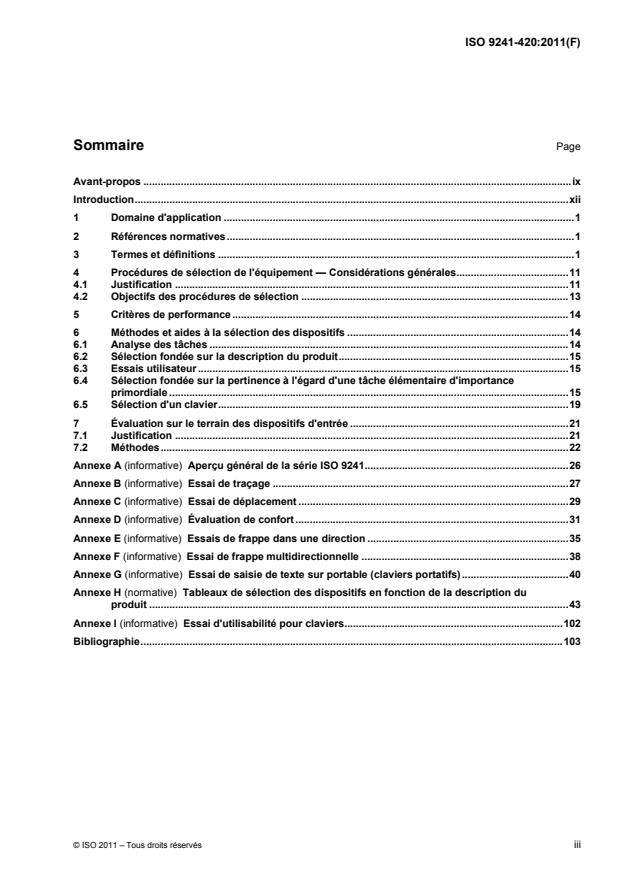
Sommaire Page
Avant-propos .ix
Introduction.xii
1 Domaine d'application .1
2 Références normatives.1
3 Termes et définitions .1
4 Procédures de sélection de l'équipement — Considérations générales.11
4.1 Justification .11
4.2 Objectifs des procédures de sélection .13
5 Critères de performance.14
6 Méthodes et aides à la sélection des dispositifs .14
6.1 Analyse des tâches .14
6.2 Sélection fondée sur la description du produit.15
6.3 Essais utilisateur .15
6.4 Sélection fondée sur la pertinence à l'égard d'une tâche élémentaire d'importance
primordiale .15
6.5 Sélection d'un clavier.19
7 Évaluation sur le terrain des dispositifs d'entrée .21
7.1 Justification .21
7.2 Méthodes.22
Annexe A (informative) Aperçu général de la série ISO 9241.26
Annexe B (informative) Essai de traçage .27
Annexe C (informative) Essai de déplacement .29
Annexe D (informative) Évaluation de confort.31
Annexe E (informative) Essais de frappe dans une direction .35
Annexe F (informative) Essai de frappe multidirectionnelle .38
Annexe G (informative) Essai de saisie de texte sur portable (claviers portatifs).40
Annexe H (normative) Tableaux de sélection des dispositifs en fonction de la description du
produit .43
Annexe I (informative) Essai d'utilisabilité pour claviers.102
Bibliographie.103
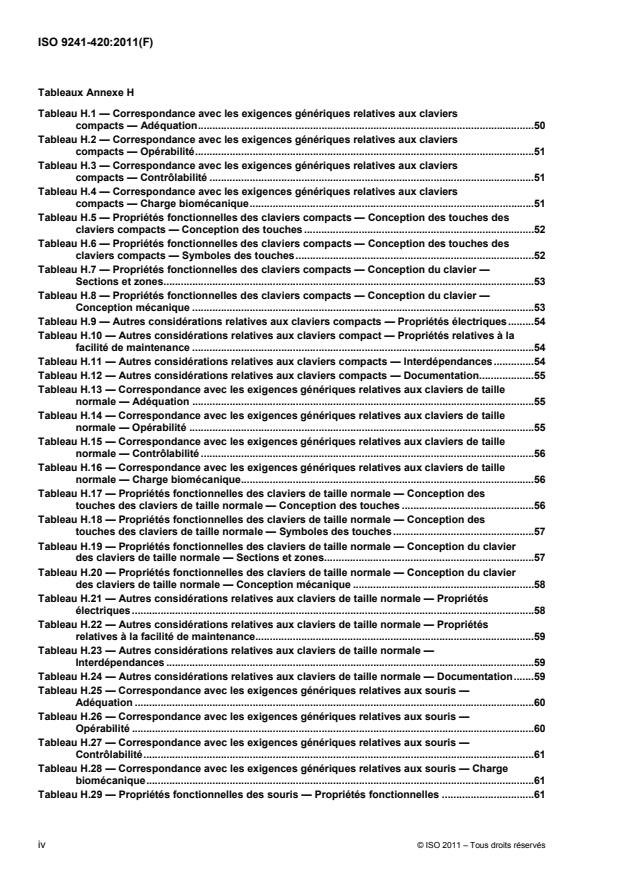
Tableaux Annexe H
Tableau H.1 — Correspondance avec les exigences génériques relatives aux claviers
compacts — Adéquation.50
Tableau H.2 — Correspondance avec les exigences génériques relatives aux claviers
compacts — Opérabilité.51
Tableau H.3 — Correspondance avec les exigences génériques relatives aux claviers
compacts — Contrôlabilité .51
Tableau H.4 — Correspondance avec les exigences génériques relatives aux claviers
compacts — Charge biomécanique.51
Tableau H.5 — Propriétés fonctionnelles des claviers compacts — Conception des touches des
claviers compacts — Conception des touches .52
Tableau H.6 — Propriétés fonctionnelles des claviers compacts — Conception des touches des
claviers compacts — Symboles des touches.52
Tableau H.7 — Propriétés fonctionnelles des claviers compacts — Conception du clavier —
Sections et zones.53
Tableau H.8 — Propriétés fonctionnelles des claviers compacts — Conception du clavier —
Conception mécanique .53
Tableau H.9 — Autres considérations relatives aux claviers compacts — Propriétés électriques.54
Tableau H.10 — Autres considérations relatives aux claviers compact — Propriétés relatives à la
facilité de maintenance .54
Tableau H.11 — Autres considérations relatives aux claviers compacts — Interdépendances.54
Tableau H.12 — Autres considérations relatives aux claviers compacts — Documentation.55
Tableau H.13 — Correspondance avec les exigences génériques relatives aux claviers de taille
normale — Adéquation .55
Tableau H.14 — Correspondance avec les exigences génériques relatives aux claviers de taille
normale — Opérabilité .55
Tableau H.15 — Correspondance avec les exigences génériques relatives aux claviers de taille
normale — Contrôlabilité .56
Tableau H.16 — Correspondance avec les exigences génériques relatives aux claviers de taille
normale — Charge biomécanique.56
Tableau H.17 — Propriétés fonctionnelles des claviers de taille normale — Conception des
touches des claviers de taille normale — Conception des touches .56
Tableau H.18 — Propriétés fonctionnelles des claviers de taille normale — Conception des
touches des claviers de taille normale — Symboles des touches.57
Tableau H.19 — Propriétés fonctionnelles des claviers de taille normale — Conception du clavier
des claviers de taille normale — Sections et zones.57
Tableau H.20 — Propriétés fonctionnelles des claviers de taille normale — Conception du clavier
des claviers de taille normale — Conception mécanique .58
Tableau H.21 — Autres considérations relatives aux claviers de taille normale — Propriétés
électriques .58
Tableau H.22 — Autres considérations relatives aux claviers de taille normale — Propriétés
relatives à la facilité de maintenance.59
Tableau H.23 — Autres considérations relatives aux claviers de taille normale —
Interdépendances .59
Tableau H.24 — Autres considérations relatives aux claviers de taille normale — Documentation.59
Tableau H.25 — Correspondance avec les exigences génériques relatives aux souris —
Adéquation .60
Tableau H.26 — Correspondance avec les exigences génériques relatives aux souris —
Opérabilité .60
Tableau H.27 — Correspondance avec les exigences génériques relatives aux souris —
Contrôlabilité.61
Tableau H.28 — Correspondance avec les exigences génériques relatives aux souris — Charge
biomécanique.61
Tableau H.29 — Propriétés fonctionnelles des souris — Propriétés fonctionnelles .61
iv © ISO 2011 – Tous droits réservés
Tableau H.30 — Propriétés fonctionnelles des souris — Conception du bouton.62
Tableau H.31 — Propriétés fonctionnelles des souris — Considérations afférentes à la manualité.62
Tableau H.32 — Propriétés fonctionnelles des souris — Homogénéité de la résolution.62
Tableau H.33 — Autres propriétés des souris — Propriétés mécaniques .63
Tableau H.34 — Autres propriétés des souris — Propriétés électriques.63
Tableau H.35 — Autres propriétés des souris — Propriétés relatives à la facilité de maintenance .63
Tableau H.36 — Autres propriétés des souris — Propriétés relatives à la santé et à la sécurité.63
Tableau H.37 — Interdépendances et documentation afférente aux souris — Interdépendance
avec les logiciels .64
Tableau H.38 — Interdépendances et documentation afférente aux souris — Interdépendance
avec l'environnement d'utilisation.64
Tableau H.39 — Interdépendances et documentation afférente aux souris — Documentation .64
Tableau H.40 — Correspondance avec les exigences génériques relatives aux souris optiques —
Adéquation.65
Tableau H.41 — Correspondance avec les exigences génériques relatives aux souris optiques —
Opérabilité.65
Tableau H.42 — Correspondance avec les exigences génériques relatives aux souris optiques —
Contrôlabilité .66
Tableau H.43 — Correspondance avec les exigences génériques relatives aux souris optiques —
Charge biomécanique.66
Tableau H.44 — Propriétés fonctionnelles des souris optiques — Propriétés fonctionnelles.66
Tableau H.45 — Propriétés fonctionnelles des souris optiques — Conception du bouton.67
Tableau H.46 — Propriétés fonctionnelles des souris optiques — Considérations afférentes à la
manualité.67
Tableau H.47 — Propriétés fonctionnelles des souris optiques — Homogénéité de la résolution.67
Tableau H.48 — Autres propriétés des souris optiques — Propriétés mécaniques.68
Tableau H.49 — Autres propriétés des souris optiques — Propriétés électriques.68
Tableau H.50 — Autres propriétés des souris optiques — Propriétés relatives à la facilité de
maintenance.68
Tableau H.51 — Autres propriétés des souris optiques — Propriétés relatives à la santé et à la
sécurité.69
Tableau H.52 — Interdépendances et documentation afférente aux souris optiques —
Interdépendance avec les logiciels .69
Tableau H.53 — Interdépendances et documentation afférente aux souris optiques —
Interdépendance avec l'environnement d'utilisation.69
Tableau H.54 — Interdépendances et documentation afférente aux souris optiques —
Documentation .70
Tableau H.55 — Correspondance avec les exigences génériques relatives aux manettes —
Adéquation.70
Tableau H.56 — Correspondance avec les exigences génériques relatives aux manettes —
Opérabilité.71
Tableau H.57 — Correspondance avec les exigences génériques relatives aux manettes —
Contrôlabilité .71
Tableau H.58 — Correspondance avec les exigences génériques relatives aux manettes —
Charge biomécanique.72
Tableau H.59 — Propriétés fonctionnelles des manettes — Propriétés fonctionnelles .72
Tableau H.60 — Propriétés fonctionnelles des manettes — Conception du bouton.72
Tableau H.61 — Propriétés fonctionnelles des manettes — Considérations afférentes à la
manualité.73
Tableau H.62 — Propriétés fonctionnelles des manettes — Homogénéité de la résolution.73
Tableau H.63 — Autres propriétés des manettes — Propriétés mécaniques .73
Tableau H.64 — Autres propriétés des manettes — Propriétés électriques.73
Tableau H.65 — Autres propriétés des manettes — Propriétés relatives à la facilité de
maintenance.74
Tableau H.66 — Autres propriétés des manettes — Propriétés relatives à la santé et à la sécurité.74
Tableau H.67 — Interdépendances et documentation afférente aux manettes — Interdépendance
avec les logiciels.74
Tableau H.68 — Interdépendances et documentation afférente aux manettes — Interdépendance
avec l'environnement d'utilisation .74
Tableau H.69 — Interdépendances et documentation afférente aux manettes — Documentation .75
Tableau H.70 — Correspondance avec les exigences génériques relatives aux boules
roulantes — Adéquation .75
Tableau H.71 — Correspondance avec les exigences génériques relatives aux boules roulantes
— Opérabilité.76
Tableau H.72 — Correspondance avec les exigences génériques relatives aux boules roulantes
— Contrôlabilité .76
Tableau H.73 — Correspondance avec les exigences génériques relatives aux boules roulantes
— Charge biomécanique.77
Tableau H.74 — Propriétés fonctionnelles des boules roulantes — Propriétés fonctionnelles .77
Tableau H.75 — Propriétés fonctionnelles des boules roulantes — Conception du bouton .77
Tableau H.76 — Propriétés fonctionnelles des boules roulantes — Considérations afférentes à la
manualité .78
Tableau H.77 — Propriétés fonctionnelles des boules roulantes — Homogénéité de la résolution .78
Tableau H.78 — Autres propriétés des boules roulantes— Propriétés mécaniques .78
Tableau H.79 — Autres propriétés des boules roulantes— Propriétés électriques .78
Tableau H.80 — Autres propriétés des boules roulantes — Propriétés relatives à la facilité
de maintenance.79
Tableau H.81 — Autres propriétés des boules roulantes — Propriétés relatives à la santé et à la
sécurité .79
Tableau H.82 — Interdépendances et documentation afférente aux boules roulantes —
Interdépendance avec les logiciels.79
Tableau H.83 — Interdépendances et documentation afférente aux boules roulantes —
Interdépendance avec l'environnement d'utilisation.80
Tableau H.84 — Interdépendances et documentation afférente aux boules roulantes —
Documentation.80
Tableau H.85 — Correspondance avec les exigences génériques relatives aux blocs à
effleurement — Adéquation.81
Tableau H.86 — Correspondance avec les exigences génériques relatives aux blocs à
effleurement — Opérabilité.81
Tableau H.87 — Correspondance avec les exigences génériques relatives aux blocs à
effleurement — Contrôlabilité .82
Tableau H.88 — Correspondance avec les exigences génériques relatives aux blocs à
effleurement — Charge biomécanique.82
Tableau H.89 — Propriétés fonctionnelles des blocs à effleurement — Propriétés fonctionnelles .82
Tableau H.90 — Propriétés fonctionnelles des blocs à effleurement — Conception du bouton.83
Tableau H.91 — Propriétés fonctionnelles des blocs à effleurement — Considérations afférentes
à la manualité .83
Tableau H.92 — Propriétés fonctionnelles des blocs à effleurement — Homogénéité de la
résolution.83
Tableau H.93 — Autres propriétés des blocs à effleurement — Propriétés mécaniques .84
Tableau H.94 — Autres propriétés des blocs à effleurement — Propriétés électriques.84
Tableau H.95 — Autres propriétés des blocs à effleurement — Propriétés relatives à la facilité de
maintenance .84
Tableau H.96 — Autres propriétés des blocs à effleurement — Propriétés relatives à la santé et à
la sécurité .85
Tableau H.97 — Interdépendances et documentation afférente aux blocs à effleurement —
Interdépendance avec les logiciels.85
vi © ISO 2011 – Tous droits réservés
Tableau H.98 — Interdépendances et documentation afférente aux blocs à effleurement —
Interdépendance avec l'environnement d'utilisation.85
Tableau H.99 — Interdépendances et documentation afférente aux blocs à effleurement —
Documentation .86
Tableau H.100 — Correspondance avec les exigences génériques relatives aux tablettes et
barres graphiques — Adéquation.86
Tableau H.101 — Correspondance avec les exigences génériques relatives aux tablettes et
barres graphiques — Opérabilité.87
Tableau H.102 — Correspondance avec les exigences génériques relatives aux tablettes et
barres graphiques — Contrôlabilité .87
Tableau H.103 — Correspondance avec les exigences génériques relatives aux tablettes et
barres graphiques — Charge biomécanique.88
Tableau H.104 — Propriétés fonctionnelles des tablettes et barres graphiques — Propriétés
fonctionnelles .88
Tableau H.105 — Propriétés fonctionnelles des tablettes et barres graphiques — Conception du
bouton.88
Tableau H.106 — Propriétés fonctionnelles des tablettes et barres graphiques — Considérations
afférentes à la manualité.89
Tableau H.107 — Propriétés fonctionnelles des tablettes et barres graphiques — Homogénéité de
la résolution .89
Tableau H.108 — Autres propriétés des tablettes et barres graphiques — Propriétés mécaniques .89
Tableau H.109 — Autres propriétés des tablettes et barres graphiques — Propriétés relatives à la
lisibilité et à la visibilité des marquages et symboles graphiques .90
Tableau H.110 — Autres propriétés des tablettes et barres graphiques — Propriétés électriques.90
Tableau H.111 — Autres propriétés des tablettes et barres graphiques — Propriétés relatives à la
facilité de maintenance.91
Tableau H.112 — Autres propriétés des tablettes et barres graphiques — Propriétés relatives à la
santé et à la sécurité .91
Tableau H.113 — Interdépendances et documentation afférente aux tablettes et barres
graphiques — Interdépendance avec les logiciels .91
Tableau H.114 — Interdépendances et documentation afférente aux tablettes et barres
graphiques — Interdépendance avec l'environnement d'utilisation.92
Tableau H.115 — Interdépendances et documentation afférente aux tablettes et barres
graphiques — Documentation .92
Tableau H.116 — Correspondance avec les exigences génériques relatives aux stylets et
photostyles — Adéquation.93
Tableau H.117 — Correspondance avec les exigences génériques relatives aux stylets et
photostyles — Opérabilité.93
Tableau H.118 — Correspondance avec les exigences génériques relatives aux stylets et
photostyles — Contrôlabilité.94
Tableau H.119 — Correspondance avec les exigences génériques relatives aux stylets et
photostyles — Charge biomécanique .94
Tableau H.120 — Propriétés fonctionnelles des stylets et photostyles —
Propriétés fonctionnelles .94
Tableau H.121 — Propriétés fonctionnelles des stylets et photostyles — Conception du bouton.95
Tableau H.122 — Propriétés fonctionnelles des stylets et photostyles — Considérations
afférentes à la manualité.95
Tableau H.123 — Propriétés fonctionnelles des stylets et photostyles — Propriétés mécaniques.96
Tableau H.124 — Autres propriétés des stylets et photostyles — Propriétés électriques.96
Tableau H.125 — Autres propriétés des stylets et photostyles — Propriétés relatives à la facilité
de maintenance .96
Tableau H.126 — Autres propriétés des stylets et photostyles — Propriétés relatives à la santé et
à la sécurité.96
Tableau H.127 — Interdépendances et documentation afférente aux stylets et photostyles —
Interdépendance avec les logiciels .97
Tableau H.128 — Interdépendances et documentation afférente aux stylets et photostyles —
Interdépendance avec l'environnement d'utilisation.97
Tableau H.129 — Interdépendances et documentation afférente aux stylets et photostyles —
Documentation.97
Tableau H.130 — Correspondance avec les exigences génériques relatives aux écrans tactiles —
Adéquation .97
Tableau H.131 — Correspondance avec les exigences génériques relatives aux écrans tactiles —
Opérabilité .98
Tableau H.132 — Correspondance avec les exigences génériques relatives aux écrans tactiles —
Contrôlabilité.98
Tableau H.133 — Correspondance avec les exigences génériques relatives aux écrans tactiles —
Charge biomécanique .99
Tableau H.134 — Propriétés fonctionnelles des écrans tactiles — Propriétés fonctionnelles .99
Tableau H.135 — Propriétés fonctionnelles des écrans tactiles — Propriétés mécaniques.100
Tableau H.136 — Autres propriétés des écrans tactiles — Propriétés électriques.100
Tableau H.137 — Autres propriétés des écrans tactiles — Propriétés relatives à la facilité de
maintenance .100
Tableau H.138 — Autres propriétés des écrans tactiles — Propriétés relatives à la santé et à la
sécurité .100
Tableau H.139 — Autres propriétés des écrans tactiles — Interdépendance avec les logiciels .101
Tableau H.140 — Autres propriétés des écrans tactiles — Interdépendance avec l'environnement
d'utilisation.101
Tableau H.141 — Autres propriétés des écrans tactiles — Propriétés mécaniques .101
viii © ISO 2011 – Tous droits réservés
Avant-propos
L'ISO (Organisation internationale de normalisation) est une fédération mondiale d'organismes nationaux de
normalisation (comités membres de l'ISO). L'élaboration des Normes internationales est en général confiée
aux comités techniques de l'ISO. Chaque comité membre intéressé par une étude a le droit de faire partie du
comité technique créé à cet effet. Les organisations internationales, gouvernementales et non
gouvernementales, en liaison avec l'ISO participent également aux travaux. L'ISO collabore étroitement avec
la Commission électrotechnique internationale (CEI) en ce qui concerne la normalisation électrotechnique.
Les Normes internationales sont rédigées conformément aux règles données dans les Directives ISO/CEI,
Partie 2.
La tâche principale des comités techniques est d'élaborer les Normes internationales. Les projets de Normes
internationales adoptés par les comités techniques sont soumis aux comités membres pour vote. Leur
publication comme Normes internationales requiert l'approbation de 75 % au moins des comités membres
votants.
L'attention est appelée sur le fait que certains des éléments du présent document peuvent faire l'objet de
droits de propriété intellectuelle ou de droits analogues. L'ISO ne saurait être tenue pour responsable de ne
pas avoir identifié de tels droits de propriété et averti de leur existence.
L'ISO 9241-420 a été élaborée par le comité technique ISO/TC 159, Ergonomie, sous-comité SC 4,
Ergonomie de l'interaction homme-système.
Cette première édition de l'ISO 9241-420, conjointement avec l'ISO 9241-400, l'ISO 9241-410 et
l'ISO/TS 9241-411, remplacent partiellement l'ISO 9241-4 et l'ISO 9241-9. Les points suivants ont fait l'objet
d'une révision:
⎯ les termes et définitions de l'ISO 9241-4 et de l'ISO 9241-9 ont été transférés dans l'ISO 9241-400;
⎯ les principes directeurs, publiés dans l'ISO 9241-400, ont été incorporés et harmonisés pour
correspondre au domaine d'application de la nouvelle série ISO 9241;
⎯ les méthodes d'essai de l'ISO 9241-4 et de l'ISO 9241-9 ont été révisées et amendées, de nouvelles
méthodes d'essai ont été introduites et rassemblées dans les annexes informatives pour une plus grande
facilité d'utilisation.
L'ISO 9241 comprend les parties suivantes, présentées sous le titre général Exigences ergonomiques pour
travail de bureau avec terminaux à écrans de visualisation (TEV):
⎯ Partie 1: Introduction générale
⎯ Partie 2: Guide général concernant les exigences des tâches
⎯ Partie 4: Exigences relatives aux claviers
⎯ Partie 5: Aménagement du poste de travail et exigences relatives aux postures
⎯ Partie 6: Guide général relatif à l'environnement de travail
⎯ Partie 9: Exigences relatives aux dispositifs d'entrée autres que les claviers
⎯ Partie 11: Lignes directrices relatives à l'utilisabilité
⎯ Partie 12: Présentation de l'information
⎯ Partie 13: Guidage de l'utilisateur
⎯ Partie 14: Dialogues de type menu
⎯ Partie 15: Dialogues de type langage de commande
⎯ Partie 16: Dialogues de type manipulation directe
⎯ Partie 17: Dialogues de type remplissage de formulaires
L'ISO 9241 comprend également les parties suivantes, présentées sous le titre général Ergonomie de
l'interaction homme-système:
⎯ Partie 20: Lignes directrices sur l'accessibilité de l'équipement et des services des technologies de
l'information et de la communication (TIC)
⎯ Partie 100: Introduction aux normes relatives à l'ergonomie des logiciels [Rapport technique]
⎯ Partie 110: Principes de dialogue
⎯ Partie 129: Lignes directrices relatives à l'individualisation des logiciels
⎯ Partie 143: Formulaires
⎯ Partie 151: Lignes directrices relatives aux interfaces utilisateurs Web
⎯ Partie 171: Lignes directrices relatives à l'accessibilité aux logiciels
⎯ Partie 210: Conception centrée sur l'opérateur humain pour les systèmes interactifs
⎯ Partie 300: Introduction aux exigences relatives aux écrans de visualisation électroniques
⎯ Partie 302: Terminologie relative aux écrans de visualisation électroniques
⎯ Partie 303: Exigences relatives aux écrans de visualisation électroniques
⎯ Partie 304: Méthodes d'essai de la performance de l'utilisateur pour écrans de visualisation électroniques
⎯ Partie 305: Méthodes d'essai de laboratoire optique pour écrans de visualisation électroniques
⎯ Partie 306: Méthodes d'appréciation sur le terrain des écrans de visualisation électroniques
⎯ Partie 307: Analyse et méthodes d'essai de conformité pour écrans de visualisation électroniques
⎯ Partie 308: Écrans à émission d'électrons par conduction de surface (SED) [Rapport Technique]
⎯ Partie 309: Écrans à diodes électroluminescentes organiques (OLED) [Rapport Technique]
⎯ Partie 310: Visibilité, esthétique et ergonomie des défauts de pixel [Rapport Technique]
⎯ Partie 400: Principes et exigences pour les dispositifs d'entrée physiques
⎯ Partie 410: Critères de conception des dispositifs d'entrée physiques
x © ISO 2011 – Tous droits réservés
⎯ Partie 411: Méthodes d'évaluation de la conception des dispositifs d'entrée physiques [Spécification
Technique]
⎯ Partie 420: Sélection des dispositifs d'entrée physiques
⎯ Partie 910: Cadre pour les interactions tactiles et haptiques
⎯ Partie 920: Lignes directrices relatives aux interactions tactiles et haptiques
Les parties suivantes sont en cours d'élaboration:
⎯ Partie 154: Applications de réponse vocale interactive (RVI)
La conception centrée sur l'opérateur humain et les méthodes d'évaluation; les caractéristiques optiques des
écrans autostéréoscopiques et les exigences, les analyses et les méthodes d'essai de conformité pour la
réduction des saisies photosensibles vont former l'objet des futures parties 230, 330 et 391.
Introduction
Les dispositifs d'entrée permettent aux utilisateurs d'entrer des données dans des systèmes interactifs. En
général, un dispositif d'entrée est un capteur capable de détecter les variations de comportement d'un
utilisateur (par exemple gestes, mouvement des doigts, etc.) et de les transformer en signaux devant être
interprétés par le système interactif.
La présente partie de l'ISO 9241 fournit des recommandations relatives à la sélection de produits en fonction
des propriétés applicables des dispositifs d'entrée, conformément aux spécifications de l'ISO 9241-400, ainsi
que des critères de conception pour des produits conformément aux spécifications de l'ISO 9241-410. Elle
fournit également les méthodes d'évaluation et d'essai pour une utilisation au poste de travail. Afin d'accélérer
les futurs développements des méthodes d'essai et d'évaluation, celles-ci sont traitées séparément en
annexes et classées en fonction du degré de maturité de la procédure d'essai.
La présente partie de l'ISO 9241 inclut des méthodes d'évaluation et d'essai pour une utilisation par des
organismes utilisateurs. Ces méthodes peuvent également être reprises par des établissements d'essai.
xii © ISO 2011 – Tous droits réservés
NORME INTERNATIONALE ISO 9241-420:2011(F)
Ergonomie de l'interaction homme-système —
Partie 420:
Sélection des dispositifs d'entrée physiques
1 Domaine d'application
La présente partie de l'ISO 9241 donne des indications pour sélectionner des dispositifs d'entrée pour
systèmes interactifs, en fonction de facteurs ergonomiques, prenant en compte les capacités et les limites des
utilisateurs ainsi que les tâches et le contexte spécifiques d'utilisation. Elle spécifie des méthodes de sélection
d'un dispositif ou d'une combinaison de dispositifs axés sur la tâche à accomplir. Elle peut également servir
pour évaluer l'acceptabilité de compromis dans les conditions existantes.
Les utilisateurs auxquels s'adresse la présente partie de l'ISO 9241 sont les organismes utilisateurs et les
intégrateurs de systèmes qui personnalisent ces systèmes en fonction d'un contexte d'utilisation donné.
Elle est applicable aux dispositifs d'entrée suivants: claviers, souris, souris optiques, manettes, boules
roulantes, blocs à effleurement, tablettes et barres graphiques, écrans tactiles, stylets et photostyles. Elle ne
spécifie aucune exigence ou recommandation de conception pour ces dispositifs.
NOTE 1 Les recommandations de sélection du présent document ont été rédigées pour l'utilisation de blocs à
effleurement avec un seul doigt. Les blocs à effleurement qui permettent l'utilisation de plusieurs doigts existent, mais la
présente partie de l'ISO 9241 ne propose aucune recommandation de sélection.
NOTE 2 Le seul composant physique d'un système de reconnaissance vocale est un microphone. En l'absence d'une
connaissance adéquate du contexte d'utilisation, il n'est pas possible de donner des recommandations de sélection.
2 Références normatives
Les documents de référence suivants sont indispensables pour l'application du présent document. Pour les
références datées, seule l'édition citée s'applique. Pour les références non datées, la dernière édition du
document de référence s'applique (y compris les éventuels amendements).
ISO 9241-11, Exigences ergonomiques pour travail de bureau avec terminaux à écrans de visualisation
(TEV) — Partie 11: Lignes directrices concernant l'utilisabilité
ISO 9241-400, Ergonomie de l'interaction homme-système — Partie 400: Principes et exigences pour les
dispositifs d'entrée physiques
ISO 9241-410, Ergonomie de l'interaction homme-système — Partie 410: Critères de conception des
dispositifs d'entrée physiques
3 Termes et définitions
Pour les besoins du présent document, les termes et définitions donnés dans l'ISO 9241-400 et
l'ISO 9241-410 ainsi que les suivants s'appliquent.
3.1
adéquation
application du concept d'utilisabilité à des entités combinées pour servir un objectif spécifique
EXEMPLE 1 Atteindre un certain niveau d'utilisabilité pour des utilisateurs ayant des besoins particuliers ou pour des
utilisations dans lesquelles aucun dispositif unique ne peut atteindre le niveau d'utilisabilité requis pour une certaine tâche.
EXEMPLE 2 Atteindre un certain niveau d'utilisabilité pour la saisie et le déplacement de texte en utilisant
conjointement clavier et tablette graphique.
NOTE Voir également l'ISO 9241-400 et l'ISO 9241-410.
3.2
curseur
indication visuelle de l'endroit où doit s'opérer l'interaction de l'utilisateur via le clavier (ou dispositif d'entrée
équivalent)
[ISO 9241-400:2007, 5.3.2]
3.3
déplacement
glisser-déposer
transfert d'un ou de plusieurs objets à l'écran suivant une trajectoire déterminée par le pointeur
[ISO 9241-400:2007, 3.9.1]
3.4
accessibilité
〈système interactif〉 utilisabilité d'un produit, d'un service, d'un environnement ou d'une installation par des
personnes disposant de la plus large gamme de capacités
NOTE 1 Le concept d'accessibilité traite de toute la gamme de capaci
...