

ISO/IEC 14496-16:2011
(Main)Information technology — Coding of audio-visual objects — Part 16: Animation Framework eXtension (AFX)
General Information
- Abstract
ISO/IEC 14496-16:2011 specifies MPEG-4 Animation Framework eXtension (AFX) model for representing and encoding 3D graphics assets to be used standalone or integrated in interactive multimedia presentations (the latter when combined with other parts of MPEG-4). Within this model, MPEG-4 is extended with higher-level synthetic objects for geometry, texture, and animation as well as dedicated compressed representations.
- Status
- Published
- Publication Date
- 24-Oct-2011
- Current Stage
- 9020 - International Standard under periodical review
- Start Date
- 15-Jul-2026
- Completion Date
- 15-Jul-2026
Buy Documents

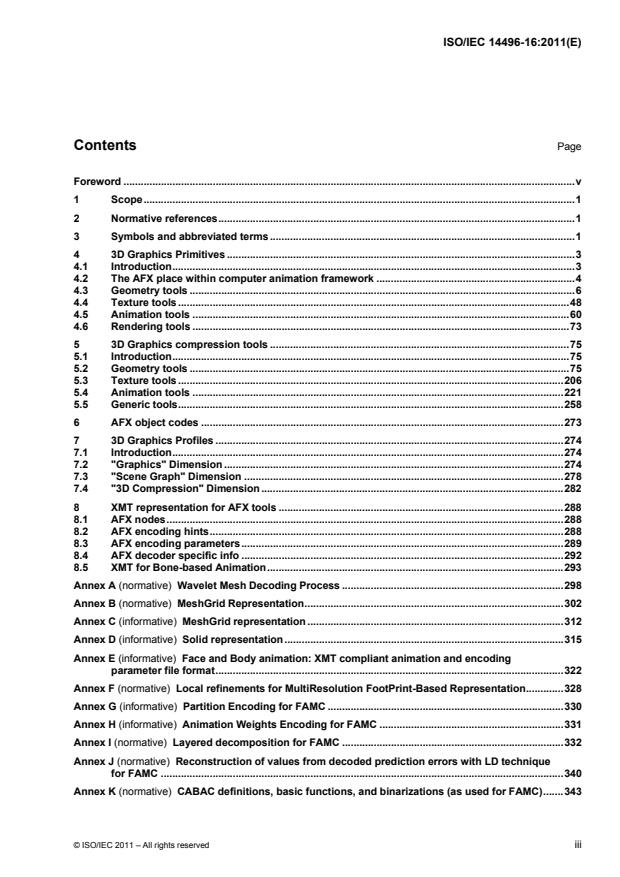

ISO/IEC 14496-16:2011 - Information technology — Coding of audio-visual objects — Part 16: Animation Framework eXtension (AFX) Released:10/25/2011



ISO/IEC 14496-16:2011 - Information technology — Coding of audio-visual objects — Part 16: Animation Framework eXtension (AFX) Released:10/25/2011
Overview
ISO/IEC 14496-16:2011 - Animation Framework eXtension (AFX) defines an MPEG‑4 extension for representing and encoding 3D graphics assets. The standard specifies an AFX model that supports higher‑level synthetic objects for geometry, texture and animation and provides dedicated compressed representations. AFX assets can be used standalone (as packaged 3D content) or integrated into interactive multimedia presentations when combined with other MPEG‑4 parts.
Keywords: ISO/IEC 14496-16:2011, MPEG-4 AFX, Animation Framework eXtension, 3D graphics encoding, 3D asset compression, interactive multimedia
Key topics and technical scope
- AFX data model: Defines how 3D scene components - geometry, materials/textures and animation data - are represented as higher‑level synthetic objects suitable for MPEG‑4 workflows.
- Encoding and compressed representations: Specifies compressed encodings for efficient storage and transmission of 3D assets while preserving the model semantics for rendering and animation.
- Geometry and texture handling: Covers representation approaches for geometry primitives and texture mapping as part of the AFX model.
- Animation semantics: Describes how animated properties (skeletal, vertex, transform, or parameter animations) are represented within the framework.
- Integration with MPEG‑4 systems: Enables AFX assets to be packaged or synchronized with other MPEG‑4 components for interactive or streamed multimedia presentations.
- Interoperability and reuse: Focuses on standardized object models and compressed formats to enable reuse across authoring tools, players and distribution systems.
Note: The standard formalizes model and encoding concepts rather than implementation APIs; implementers map these concepts into products and tools.
Practical applications and users
Who uses ISO/IEC 14496-16:2011:
- Multimedia and streaming platform developers who need standardized 3D asset packaging for interactive content.
- 3D tool and authoring software vendors implementing export/import for MPEG‑4 workflows.
- Renderer and player implementers that must decode and render MPEG‑4 AFX assets.
- Broadcasters, VR/AR and immersive media producers seeking interoperable delivery of animated 3D content.
- Systems integrators creating interactive presentations, e‑learning modules or mixed media applications combining video, audio and 3D assets.
Common applications:
- Delivering compressed 3D models and animations over networks for web, mobile and broadcast.
- Integrating animated 3D objects into MPEG‑4 based interactive scenes and multimedia presentations.
- Asset interchange between authoring tools and playback engines with predictable rendering semantics.
Related standards
- Other parts of the MPEG‑4 family that handle systems, visual/audio coding and scene description - AFX is intended to be combined with these parts for complete interactive multimedia solutions.
For implementers and content creators, ISO/IEC 14496-16:2011 provides a standardized foundation for encoding, packaging and integrating animated 3D assets in MPEG‑4 ecosystems.
Relations
- Effective Date
- 08-Jan-2022
- Effective Date
- 25-Dec-2021
- Effective Date
- 11-Dec-2021
- Effective Date
- 26-Nov-2021
- Effective Date
- 18-Sep-2010
- Effective Date
- 18-Sep-2010
Buy Documents
ISO/IEC 14496-16:2011 - Information technology — Coding of audio-visual objects — Part 16: Animation Framework eXtension (AFX) Released:10/25/2011
ISO/IEC 14496-16:2011 - Information technology — Coding of audio-visual objects — Part 16: Animation Framework eXtension (AFX) Released:10/25/2011
Get Certified
Connect with accredited certification bodies for this standard

BSI Group
BSI (British Standards Institution) is the business standards company that helps organizations make excellence a habit.

NYCE
Mexican standards and certification body.
Sponsored listings
Frequently Asked Questions
ISO/IEC 14496-16:2011 is a standard published by the International Organization for Standardization (ISO). Its full title is "Information technology — Coding of audio-visual objects — Part 16: Animation Framework eXtension (AFX)". This standard covers: ISO/IEC 14496-16:2011 specifies MPEG-4 Animation Framework eXtension (AFX) model for representing and encoding 3D graphics assets to be used standalone or integrated in interactive multimedia presentations (the latter when combined with other parts of MPEG-4). Within this model, MPEG-4 is extended with higher-level synthetic objects for geometry, texture, and animation as well as dedicated compressed representations.
ISO/IEC 14496-16:2011 specifies MPEG-4 Animation Framework eXtension (AFX) model for representing and encoding 3D graphics assets to be used standalone or integrated in interactive multimedia presentations (the latter when combined with other parts of MPEG-4). Within this model, MPEG-4 is extended with higher-level synthetic objects for geometry, texture, and animation as well as dedicated compressed representations.
ISO/IEC 14496-16:2011 is classified under the following ICS (International Classification for Standards) categories: 35.040 - Information coding; 35.040.40 - Coding of audio, video, multimedia and hypermedia information. The ICS classification helps identify the subject area and facilitates finding related standards.
ISO/IEC 14496-16:2011 has the following relationships with other standards: It is inter standard links to ISO/IEC 14496-16:2011/Amd 1:2011, ISO/IEC 14496-16:2011/Amd 3:2016, ISO/IEC 14496-16:2011/Amd 4:2017, ISO/IEC 14496-16:2011/Amd 2:2014, ISO/IEC 14496-16:2009, ISO/IEC 14496-16:2009/FDAmd 1. Understanding these relationships helps ensure you are using the most current and applicable version of the standard.
ISO/IEC 14496-16:2011 is available in PDF format for immediate download after purchase. The document can be added to your cart and obtained through the secure checkout process. Digital delivery ensures instant access to the complete standard document.
Standards Content (Sample)
INTERNATIONAL ISO/IEC
STANDARD 14496-16
Fourth edition
2011-11-01
Information technology — Coding of
audio-visual objects —
Part 16:
Animation Framework eXtension (AFX)
Technologies de l'information — Codage des objets audiovisuels —
Partie 16: Extension du cadre d'animation (AFX)
Reference number
©
ISO/IEC 2011
© ISO/IEC 2011
All rights reserved. Unless otherwise specified, no part of this publication may be reproduced or utilized in any form or by any means,
electronic or mechanical, including photocopying and microfilm, without permission in writing from either ISO at the address below or
ISO's member body in the country of the requester.
ISO copyright office
Case postale 56 CH-1211 Geneva 20
Tel. + 41 22 749 01 11
Fax + 41 22 749 09 47
E-mail copyright@iso.org
Web www.iso.org
Published in Switzerland
ii © ISO/IEC 2011 – All rights reserved
Contents Page
Foreword . v
1 Scope . 1
2 Normative references . 1
3 Symbols and abbreviated terms . 1
4 3D Graphics Primitives . 3
4.1 Introduction . 3
4.2 The AFX place within computer animation framework . 4
4.3 Geometry tools . 6
4.4 Texture tools . 48
4.5 Animation tools . 60
4.6 Rendering tools . 73
5 3D Graphics compression tools . 75
5.1 Introduction . 75
5.2 Geometry tools . 75
5.3 Texture tools . 206
5.4 Animation tools . 221
5.5 Generic tools . 258
6 AFX object codes . 273
7 3D Graphics Profiles . 274
7.1 Introduction . 274
7.2 "Graphics" Dimension . 274
7.3 "Scene Graph" Dimension . 278
7.4 "3D Compression" Dimension . 282
8 XMT representation for AFX tools . 288
8.1 AFX nodes . 288
8.2 AFX encoding hints . 288
8.3 AFX encoding parameters . 289
8.4 AFX decoder specific info . 292
8.5 XMT for Bone-based Animation . 293
Annex A (normative) Wavelet Mesh Decoding Process . 298
Annex B (normative) MeshGrid Representation . 302
Annex C (informative) MeshGrid representation . 312
Annex D (informative) Solid representation . 315
Annex E (informative) Face and Body animation: XMT compliant animation and encoding
parameter file format . 322
Annex F (normative) Local refinements for MultiResolution FootPrint-Based Representation . 328
Annex G (informative) Partition Encoding for FAMC . 330
Annex H (informative) Animation Weights Encoding for FAMC . 331
Annex I (normative) Layered decomposition for FAMC . 332
Annex J (normative) Reconstruction of values from decoded prediction errors with LD technique
for FAMC . 340
Annex K (normative) CABAC definitions, basic functions, and binarizations (as used for FAMC) . 343
© ISO/IEC 2011 – All rights reserved iii
Annex L (normative) Node coding tables . 349
Annex M (Informative) SC3DMC Encoding Process . 350
Annex N (informative) QBCR Encoding Process . 351
Annex O (informative) SVA Encoding Process . 352
Annex P (informative) TFAN Encoding Process . 356
Annex Q (informative) Prediction Process . 363
Annex R (informative) BPC process . 370
Annex S (informative) 4C Process . 373
Annex T (informative) AC/EGk Process . 377
Annex U (informative) Patent Statements . 380
Bibliography . 381
iv © ISO/IEC 2011 – All rights reserved
Foreword
ISO (the International Organization for Standardization) and IEC (the International Electrotechnical
Commission) form the specialized system for worldwide standardization. National bodies that are members of
ISO or IEC participate in the development of International Standards through technical committees
established by the respective organization to deal with particular fields of technical activity. ISO and IEC
technical committees collaborate in fields of mutual interest. Other international organizations, governmental
and non-governmental, in liaison with ISO and IEC, also take part in the work. In the field of information
technology, ISO and IEC have established a joint technical committee, ISO/IEC JTC 1.
International Standards are drafted in accordance with the rules given in the ISO/IEC Directives, Part 2.
The main task of the joint technical committee is to prepare International Standards. Draft International
Standards adopted by the joint technical committee are circulated to national bodies for voting. Publication as
an International Standard requires approval by at least 75 % of the national bodies casting a vote.
Attention is drawn to the possibility that some of the elements of this document may be the subject of patent
rights. ISO and IEC shall not be held responsible for identifying any or all such patent rights.
ISO/IEC 14496-16 was prepared by Joint Technical Committee ISO/IEC JTC 1, Information technology,
Subcommittee SC 29, Coding of audio, picture, multimedia and hypermedia information.
This fourth edition cancels and replaces the third edition (ISO/IEC 14496-16:2009) which has been technically
revised.
ISO/IEC 14496 consists of the following parts, under the general title Information technology — Coding of
audio-visual objects:
Part 1: Systems
Part 2: Visual
Part 3: Audio
Part 4: Conformance testing
Part 5: Reference software
Part 6: Delivery Multimedia Integration Framework (DMIF)
Part 7: Optimized reference software for coding of audio-visual objects [Technical Report]
Part 8: Carriage of ISO/IEC 14496 contents over IP networks
Part 9: Reference hardware description
Part 10: Advanced Video Coding
Part 11: Scene description and application engine
Part 12: ISO base media file format
Part 13: Intellectual Property Management and Protection (IPMP) extensions
© ISO/IEC 2011 – All rights reserved v
Part 14: MP4 file format
Part 15: Advanced Video Coding (AVC) file format
Part 16: Animation Framework eXtension (AFX)
Part 17: Streaming text format
Part 18: Font compression and streaming
Part 19: Synthesized texture stream
Part 20: Lightweight Application Scene Representation (LASeR) and Simple Aggregation Format (SAF)
Part 21: MPEG-J Graphics Framework eXtensions (GFX)
Part 22: Open Font Format
Part 23: Symbolic Music Representation
Part 24: Audio and systems interaction [Technical Report]
Part 25: 3D Graphics Compression Model
Part 26: Audio conformance
Part 27: 3D Graphics conformance
vi © ISO/IEC 2011 – All rights reserved
INTERNATIONAL STANDARD ISO/IEC 14496-16:2011(E)
Information technology — Coding of audio-visual objects —
Part 16:
Animation Framework eXtension (AFX)
1 Scope
This part of ISO/IEC 14496 specifies MPEG-4 Animation Framework eXtension (AFX) model for representing
and encoding 3D graphics assets to be used standalone or integrated in interactive multimedia presentations
(the latter when combined with other parts of MPEG-4). Within this model, MPEG-4 is extended with higher-
level synthetic objects for geometry, texture, and animation as well as dedicated compressed representations.
AFX also specifies a backchannel for progressive streaming of view-dependent information.
2 Normative references
The following referenced documents are indispensable for the application of this document. For dated
references, only the edition cited applies. For undated references, the latest edition of the referenced
document (including any amendments) applies.
ISO/IEC 14496-1, Information technology — Coding of audio-visual objects — Part 1: Systems
ISO/IEC 14496-2, Information technology — Coding of audio-visual objects — Part 2: Visual
ISO/IEC 14496-11, Information technology — Coding of audio-visual objects — Part 11: Scene description
and application engine
3 Symbols and abbreviated terms
List of symbols and abbreviated terms.
AFX Animation Framework eXtension
BIFS BInary Format for Scene
DIBR Depth-Image Based Representation
ES Elementary Stream
IBR Image-Based Rendering
NDT Node Data Type
OD Object Descriptor
VRML Virtual Reality Modelling Language
4C 4-bits-based Coding
AC Arithmetic Coding
BPC Bit Precision Coding
© ISO/IEC 2011 – All rights reserved 1
SVA Shared Vertex Analysis
TFAN Triangle FAN
QBCR Quantization Based Compact Representation
The mathematical operators used to describe this part of ISO/IEC 14496 are similar to those used in the C
programming language. However, integer divisions with truncation and rounding are specifically defined.
Numbering and counting loops generally begin from zero.
Arithmetic operators:
+ Addition.
- Subtraction (as a binary operator) or negation (as a unary operator).
++ Increment, i.e. x++ is equivalent to x = x + 1.
- - Decrement, i.e. x-- is equivalent to x = x - 1.
Multiplication.
^ Power.
/ Integer division with truncation of the result toward zero. For example, 7/4 and -7/-4 are truncated
to 1 and -7/4 and 7/-4 are truncated to -1.
÷ Used to denote division in mathematical equations where no truncation or rounding is intended.
% Modulus operator. Defined only for positive numbers.
xx 0
Abs( ) .
Abs (x)
xx 0
Logical operators
|| Logical OR.
&& Logical AND.
! Logical NOT.
Relational operators
> Greater than.
>= Greater than or equal to.
Greater than or equal to.
< Less than.
<= Less than or equal to.
Less than or equal to.
== Equal to.
2 © ISO/IEC 2011 – All rights reserved
!= Not equal to.
max [, ,] the maximum value in the argument list.
min [, ,] the minimum value in the argument list.
Bitwise operators
& AND.
| OR.
>> Shift right with sign extension.
<< Shift left with zero fill.
Assignment
= Assignment operator.
4 3D Graphics Primitives
4.1 Introduction
MPEG-4, ISO/IEC 14496, is a multimedia standard that enables composition of multiple audio-visual objects
on a terminal. Audio and visual objects can come from natural sources (e.g. a microphone, a camera) or from
synthetic ones (i.e. made by a computer); each source is called a media or a stream. On their terminals, users
can display, play, and interact with MPEG-4 audio-visual contents, which can be downloaded previously or
streamed from remote servers. Moreover, each object may be protected to ensure a user has the right
credentials before downloading and displaying it.
Unlike natural audio and video objects, computer graphics objects are purely synthetic. Mixing computer
graphics objects with traditional audio and video enables augmented reality applications, i.e. applications
mixing natural and synthetic objects. Examples of such contents range from DVD menus, and TV's Electronic
Programming Guides to medical and training applications, games, and so on.
Like other computer graphics specifications, MPEG-4 synthetic objects are organized in a scene graph based
on VRML97 [1], which is a direct acyclic tree where nodes represent objects and branches their properties,
called fields. As each object can receive and emit events, two branches can be connected by the means of a
route, which propagates events from one field of one node to another field of another node. As any other
MPEG-4 media, scenes may receive updates from a server that modify the topology of the scene graph.
The main objective of Animation Framework eXtension (AFX) is to propose compression scheme for static
and animated 3D assets. This encoded version is encapsulated in an Elementary Stream, a similar approach
as the one used by audio or video in MPEG-4. The AFX compression is closely connected to the definition of
the graphics primitives in the scene graph. For such reason, AFX second objective is to update the scene
graph when necessary and define new BIFS nodes for graphics primitives. However, AFX compression can
also operate on other scene graph formalisms (as indicated in ISO/IEC 14496-25 a.k.a. MPEG-4 Part 25).
The place of AFX within the MPEG-4 terminal architecture is illustrated in Figure 1.
© ISO/IEC 2011 – All rights reserved 3
Figure 1 — Animation Framework eXtension (in green) and MPEG-4 Systems.
Figure 1 shows the position of AFX within MPEG-4 Terminal architecture. It extends the existing BIFS tree
with new nodes and define the AFX streams that carry dedicated compressed object representations and a
backchannel for view-dependent features.
4.2 The AFX place within computer animation framework
To understand the place of AFX within computer animation framework [35], let's take an example. Suppose
one wants to build an avatar. The avatar consists of geometry elements that describe its legs, arms, head and
so on. Simple geometric elements can be used and deformed to produce more physically realistic geometry.
Then, skin, hair, cloths are added. These may be physic-based models attached to the geometry. Whenever
the geometry is deformed, these models deform and thanks to their physics, they may produce wrinkles.
Biomechanical models are used for motion, collision response, and so on. Finally, the avatar may exhibit
special behaviors when it encounters objects in its world. It might also learn from experiences: for example, if
it touches a hot surface and gets hurt, next time, it will avoid touching it. This hierarchy also works in a top to
bottom manner: if it touches a hot surface, its behavior may be to retract its hand. Retracting its hand follows a
biomechanical pattern. The speed of the movement is based on the physical property of its hand linked to the
rest of its body, which in turn modify geometric properties that define the hand.
4 © ISO/IEC 2011 – All rights reserved
Figure 2 — Models in computer games and animation [35].
1) Geometric component. These models capture the form and appearance of an object. Many characters
in animations and games can be quite efficiently controlled at this low-level. Due to the predictable
nature of motion, building higher-level models for characters that are controlled at the geometric level
is generally much simpler.
2) Modeling component. These models are an extension of geometric models and add linear and non-
linear deformations to them. They capture transformation of the models without changing its original
shape. Animations can be made on changing the deformation parameters independently of the
geometric models.
3) Physical component. These models capture additional aspects of the world such as an object’s mass
inertia, and how it responds to forces such as gravity. The use of physical models allows many
motions to be created automatically and with unparallel realism.
4) Biomechanical component. Real animals have muscles that they use to exert forces and torques on
their own bodies. If we already have built physical models of characters, they can use virtual muscles
to move themselves around. These models have their roots in control theory.
5) Behavioral component. A character may expose a reactive behavior when its behavior is solely based
on its perception of the current situation (i.e. no memory of previous situations). Goal-directed
behaviors can be used to define a cognitive character’s goals. They can also be used to model
flocking behaviors.
6) Cognitive component. If the character is able to learn from stimuli from the world, it may be able to
adapt its behavior. These models are related to artificial intelligence techniques.
AFX specification currently deals with the first two categories. Models of the last two categories are typically
application-specific and often designed programmatically. While the first four categories can be animated
using existing tools such as interpolators, the last two categories have their own logic and cannot be animated
the same way.
In each category, one can find many models for any applications: from simple models that require little
processing power (low-level models) to more complex models (high-level models) that require more
computations by the terminal. VRML [1] and BIFS specifications provide low-level models that belong to the
Geometry and Modeling components.
© ISO/IEC 2011 – All rights reserved 5
Higher-level components can be defined as providing a compact representation of functionality in a more
abstract manner. Typically, this abstraction leads to mathematical models that need few parameters. These
models cannot be rendered directly by a graphic card: internally, they are converted to low-level primitives a
graphic card can render.
Besides a more compact representation, this abstraction often provides other functionalities such as view-
dependent subdivision, automatic level-of-details, smoother graphical representation, scalability across
terminals, and progressive local refinements. For example, a subdivision surface can be subdivided based on
the area viewed by the user. For animations, piecewise-linear interpolators require few computations but
require lots of data in order to represent a curved path. Higher-level animation models represent animation
using piecewise-spline interpolators with less values and provide more control over the animation path and
timeline.
In the remaining of this document, this conceptual organization of tools is followed in the same spirit an author
will create content: the geometry is first defined with or without solid modeling tools, then texture is added to it.
Objects can be deformed and animated using modeling and animation tools. Behavioral and Cognitive models
can be programmatically implemented using JavaScript or MPEG-J as defined in ISO/IEC 14496-11.
NOTE Some generic tools developed originally within the Animation Framework eXtension have been
relocated in ISO/IEC 14496-11 along with other generic tools. This includes:
Spline-based generic animation tools, called Animator nodes;
Optimized interpolator compression tools;
BitWrapper node that enables compressed representation of exisiting nodes;
Procedural textures based on fractal plasma.
4.3 Geometry tools
4.3.1 Non-Uniform Rational B-Spline (NURBS)
4.3.1.1 Introduction
A Non-Uniform Rational B-Spline (NURBS) curve of degree p 0 (and hence of order p1) and control points
{P } (0 i n1; n p1) is mathematically defined as [34], [60], [85]:
i
n1
N (u)w P
i, p i i
n1
i0
C(u) R (u)P
i, p i
n1
i0
N (u)w
i, p i
i0
The parameter u [0, 1] allows to travel along the curve and {R } are its rational basis functions. The latter
i,p
th
can in turn be expressed in terms of some positive (and not all null) weights {w}, and {N }, the p -degree
i i,p
B-Spline basis functions defined on the possibly non-uniform, but always non-decreasing knot
sequence/vector of length m n p1: U {u , u , …, u }, where 0 u u 1 0 i m 2.
0 1 m1 i i1
The B-Spline basis functions are defined recursively using the Cox de Boor formula:
1 if u u u ;
i i1
N (u)
i,0
0 otherwise;
u u
u u
i p1
i
N (u) N (u) N (u).
i, p i, p1 i1, p1
u u u u
i p i i p1 i1
6 © ISO/IEC 2011 – All rights reserved
If u u … u , it is said that u has multiplicity k. C(u) is infinitely differentiable inside knot spans, i.e.,
i i1 ik1 i
for u u u , but only pk times differentiable at the parameter value corresponding to a knot of multiplicity k,
i i1
so setting several consecutive knots to the same value u decreases the smoothness of the curve at u. In
j j
general, knots cannot have multiplicity greater than p, but the first and/or last knot of U can have multiplicity
p1, i.e., u … u 0 and/or u … u 1, which causes C to interpolate the corresponding
0 p mp1 m1
endpoint(s) of the control polygon defined by {P }, i.e., C(0) P and/or C(1) P . Therefore, a knot vector of
i 0 n1
the kind U u 0,,0,u ,,u ,1,,1 u causes the curve to be endpoint interpolating, i.e., to
0 p1 m p2 m1
p1 p1
interpolate both endpoints of its control polygon. Extreme knots, multiple or not, may enclose any non-
decreasing subsequence of interior knots: 0 u u 1. An endpoint interpolating curve with no interior
i i1
th
knots, i.e., one with U consisting of p1 zeroes followed by p1 ones, with no other values in between, is a p -
degree Bézier curve: e.g., a cubic Bézier curve can be described with four control points (of which the first and
last will lie on the curve) and a knot vector U {0, 0, 0, 0, 1, 1, 1, 1}.
It is possible to represent all types of curves with NURBS and, in particular, all conic curves (including
parabolas, hyperbolas, ellipses, etc.) can be represented using rational functions, unlike when using merely
polynomial functions.
Other interesting properties of NURBS curves are the following:
Affine invariance: rotations, translations, scalings, and shears can be applied to the curve by applying
them to {P }.
i
Convex hull property: the curve lies within the convex hull defined by {P}. The control polygon defined
i
by {P } represents a piecewise approximation to the curve. As a general rule, the lower the degree, the
i
closer the NURBS curve follows its control polygon.
Local control: if the control point P is moved or the weight w is changed, only the portion of the curve
i i
swept when u u u is affected by the change.
i i+p+1
NURBS surfaces are defined as tensor products of two NURBS curves, of possibly different degrees
and/or numbers of control points:
n1 l1
N (u)N (v)w P
i, p j,q i, j i, j
i0 j0
C(u,v)
n1 l1
N (u)N (v)w
i, p j,q i, j
i0 j0
The two independent parameters u, v [0, 1] allow to travel across the surface. The B-Spline basis functions
are defined as previously, and the resulting surface has the same interesting properties that NURBS curves
have. Multiplicity of knots may be used to introduce sharp features (corners, creases, etc.) in an otherwise
smooth surface, or to have it interpolate the perimeter of its control polyhedron.
4.3.1.2 NurbsCurve
4.3.1.2.1 Node interface
NurbsCurve { #%NDT=SFGeometryNode
eventIn MFInt32 set_colorIndex
exposedField SFColorNode color NULL
exposedField MFVec4f controlPoint [ ]
exposedField SFInt32 tessellation 0 # [0, )
field MFInt32 colorIndex [ ]
# [-1, )
field SFBool colorPerVertex TRUE
field MFFloat knot [ ]
field SFInt32 order 4 # [3, 34]
}
© ISO/IEC 2011 – All rights reserved 7
4.3.1.2.2 Functionality and semantics
The NurbsCurve node describes a 3D NURBS curve, which is displayed as a curved line, similarly to what
is done with the IndexedLineSet primitive.
The order field defines the order of the NURBS curve, which is its degree plus one.
The controlPoint field defines a set of control points in a coordinate system where the weight is the last
component. The number of control points must be greater than or equal to the order of the curve. All weight
values must be greater than or equal to 0, and at least one weight must be strictly greater than 0. If the weight
of a control point is increased above 1, that point is more closely approximated by the surface. However the
surface is not changed if all weights are multiplied by a common factor.
The knot field defines the knot vector. The number of knots must be equal to the number of control points
plus the order of the curve, and they must be ordered non-decreasingly. By setting consecutive knots to the
same value, the degree of continuity of the curve at that parameter value is decreased. If o is the value of the
field order, o consecutive knots with the same value at the beginning (resp. end) of the knot vector cause the
curve to interpolate the first (resp. last) control point. Other than at its extremes, there may not be more than
o1 consecutive knots of equal value within the knot vector. If the length of the knot vector is 0, a default knot
vector consisting of o 0’s followed by o 1’s, with no other values in between, will be used, and a Bézier curve
of degree o1 will be obtained. A closed curve may be specified by repeating the starting control point at the
end and specifying a periodic knot vector.
The tessellation field gives hints to the curve tessellator as to the number of subdivision steps that must be
used to approximate the curve with linear segments: for instance, if the value t of this field is greater than or
equal to that of the order field, t can be interpreted as the absolute number of tesselation steps, whereas
t 0 lets the browser choose a suitable tessellation.
Fields color, colorIndex, colorPerVertex, and set_colorIndex have the same semantic as for
IndexedLineSet applied to the control points.
4.3.1.3 NurbsCurve2D
4.3.1.3.1 Node interface
NurbsCurve2D { #%NDT=SFGeometryNode
eventIn MFInt32 set_colorIndex
exposedField SFColorNode color NULL
exposedField MFVec3f controlPoint [ ]
exposedField SFInt32 tessellation 0
# [0, )
field MFInt32 colorIndex [ ]
# [-1, )
field SFBool colorPerVertex TRUE
field MFFloat knot [ ]
# (-, )
field SFInt32 order 4 # [3, 34]
}
4.3.1.3.2 Functionality and semantics
The NurbsCurve2D is the 2D version of NurbsCurve; it follows the same semantic as NurbsCurve
with 2D control points.
8 © ISO/IEC 2011 – All rights reserved
4.3.1.4 NurbsSurface
4.3.1.4.1 Node interface
NurbsSurface { #%NDT=SFGeometryNode
eventIn MFInt32 set_colorIndex
eventIn MFInt32 set_texCoordIndex
exposedField SFColorNode color NULL
exposedField MFVec4f controlPoint []
exposedField SFTextureCoordinateNode texCoord NULL
exposedField SFInt32 uTessellation 0
# [0, )
exposedField SFInt32 vTessellation 0
# [0 ,)
field MFInt32 colorIndex [] # [-1, )
field SFBool colorPerVertex TRUE
field SFBool solid TRUE
field MFInt32 texCoordIndex []
# [-1 ,)
field SFInt32 uDimension 4 # [3, 258]
field MFFloat uKnot [] # (-,)
field SFInt32 uOrder 4 # [3, 34]
field SFInt32 vDimension 4 # [3, 258]
field MFFloat vKnot []
# (-,)
field SFInt32 vOrder 4 # [3, 34]
}
4.3.1.4.2 Functionality and semantics
The NurbsSurface Node describes a 3D NURBS surface. Similar 3D surface nodes are ElevationGrid
and IndexedFaceSet. In particular, NurbsSurface extends the definition of IndexedFaceSet. If an
implementation does not support NurbsSurface, it should still be able to display its control polygon as a
set of (triangulated) quadrilaterals, which is the coarsest approximation of the NURBS surface.
The uOrder field defines the order of the surface in the u dimension, which is its degree in the u dimension
plus one. Similarly, the vOrder field define the order of the surface in the v dimension.
The uDimension and vDimension fields define respectively the number of control points in the u and v
dimensions, which must be greater than or equal to the respective orders of the curve.
The controlPoint field defines a set of control points in a coordinate system where the weight is the last
component. These control points form an array of dimension uDimension x vDimension, in a similar way
to the regular grid formed by the control points of an ElevationGrid, the difference being that, in the case
of a NurbsSurface, the points need not be regularly spaced. The number of control points in each
dimension must be greater than or equal to the corresponding order of the curve. Specifically, the three spatial
coordinates (x, y, z) and weight (w) of control point P (NB: 0 i uDimension uOrder and
i,j
0 j vDimension vOrder) are obtained as follows:
P[i,j].x = controlPoint[i + j*uDimension].x
P[i,j].y = controlPoint[i + j*uDimension].y
P[i,j].z = controlPoint[i + j*uDimension].z
P[i,j].w = controlPoint[i + j*uDimension].w
All weight values must be greater than or equal to 0, and at least one weight must be strictly greater than 0.
If the weight of a control point is increased above 1, that point is more closely approximated by the surface.
However the surface is not changed if all weights are multiplied by a common factor.
The uKnot and vKnot fields define the knot vectors in the u and v dimensions respectively, and their
semantics are analogous to that of the knot field of the NurbsCurve node.
© ISO/IEC 2011 – All rights reserved 9
The uTessellation and vTessellation fields give hints to the surface tessellator as to the number of
subdivision steps that must be used to approximate the surface with (triangulated) quadrilaterals: for instance,
if the value t of the uTessellation field is greater than or equal to that of the uOrder field, t can be
interpreted as the absolute number of tesselation steps in the u dimension, whereas t equals zero lets the
browser choose a suitable tessellation.
solid is a rendering hints that indicates if the surface is closed. If FALSE, two-side lighting is enabled. If
TRUE, only one-side lighting is applied.
color, colorIndex, colorPerVertex, set_colorIndex, texCoord, texCoordIndex, and
set_textCoordIndex have the same functionality and semantics as for IndexedFaceSet and they apply
on the control points defined in controlPoint, just like these fields apply on coord points of an
IndexedFaceSet.
4.3.2 Subdivision surfaces
4.3.2.1 Introduction
Subdivision is a recursive refinement process that splits the facets or vertices of a polygonal mesh (the initial
“control hull”) to yield a smooth limit surface. The refined mesh obtained after each subdivision step is used as
the control hull for the next step, so all successive (and hierarchically nested) meshes can be regarded as
control hulls. The refinement of a mesh is performed both on its topology, as the vertex connectivity is made
richer and richer, and on its geometry, as the new vertices are positioned in such a way that the angles
formed by the new facets are smaller than those formed by the old facets.
Figure 3 — Nested control meshes
Figure 3 shows an example of how subdivision would be applied to a triangular mesh. At each step, one
triangle is shaded to highlight the correspondence between one level and the next: each triangle is broken
down into four new triangles, whose vertex positions are perturbed to have a smoother and smoother surface.
4.3.2.1.1 Piecewise Smooth Surfaces
Subdivision schemes for piecewise smooth surfaces include common modeling primitives such as
quadrilateral free-form patches with creases and corners.
A somewhat informal description of piecewise smooth surfaces is given here; for simplicity, only surfaces
without self intersections are considered. For a closed C -continuous surface in , each point has a
neighborhood that can be smoothly deformed into an open planar disk D. A surface with a smooth boundary
can be described in a similar way, but neighborhoods of boundary points can be smoothly deformed into a
half-disk H, with closed boundary (Figure 4). In order to allow piecewise smooth boundaries, two additional
types of local charts are introduced: concave and convex corner charts, Q and Q .
3 1
10 © ISO/IEC 2011 – All rights reserved
Figure 4 — The charts for a surface with piecewise smooth boundary
Piecewise-smooth surfaces are constructed out of surfaces with piecewise smooth boundaries joined together.
If two surface patches have a common boundary, but different normal directions along the boundary, the
resulting surface has a sharp crease.
Two adjacent smooth segments of a boundary are allowed to be joined, producing a crease ending in a dart
(cf. [37]). For dart vertices an additional chart Q is required; the surface near a dart can be deformed into this
chart smoothly everywhere except at an open edge starting at the center of the disk.
4.3.2.1.2 Tagged meshes
Before describing the set of subdivision rules, the description of the tagged meshes is described, which the
algorithms accept as input. These meshes represent piecewise-smooth surfaces with features described
above.
The complete list of tags is as follows. Edges can be tagged as crease edges. A vertex with incident crease
edges receives one of the following tags:
Crease vertex: joins exactly two incident crease edges smoothly.
Corner vertex: connects two or more creases in a corner (convex or concave).
Dart vertex: causes the crease to blend smoothly into the surface; this is the only allowed type of
crease termination at an interior non-corner vertex.
Figure 5 — Features: (a) concave corner, (b) convex corner, (c) smooth boundary/crease, (d) corner
with two convex sectors.
Boundary edges are automatically assigned crease tags; boundary vertices that do not have a corner tag are
assumed to be smooth crease vertices.
Crease edges divide the mesh into separate patches, several of which can meet in a corner vertex. At a
corner vertex, the creases meeting at that vertex separate the ring of triangles around the vertex into sectors.
Each sector of the mesh is labeled as convex sector or concave sector indicating how the surface should
approach the corner.
In all formulas k denotes the number of faces incident at a vertex in a given sector. Note that this is different
from the standard definition of the vertex degree: faces, rather than edges are counted. Both quantities
coincide for interior vertices with no incident crease edges. This number is referred as crease degree.
© ISO/IEC 2011 – All rights reserved 11
The only restriction on sector tags is that concave sectors consist of at least two faces. An example of a
tagged mesh is given in Figure 6.
Figure 6 — Crease edges meeting in a corner with two convex (light grey) and one concave (dark grey)
sectors. The subdivision scheme modifies the rules for edges incident to crease vertices (e.g. e ) and
corners (e.g. e ).
4.3.2.2 SubdivisionSurface
4.3.2.2.1 Node interface
SubdivisionSurface { #%NDT=SFGeometryNode, SFBaseMeshNode
eventIn MFInt32 set_colorIndex
eventIn MFInt32 set_coordIndex
eventIn MFInt32 set_texCoordIndex
eventIn MFInt32 set_creaseEdgeIndex
eventIn MFInt32 set_cornerVertexIndex
eventIn MFInt32 set_creaseVertexIndex
eventIn MFInt32 set_dartVertexIndex
exposedField SFColorNode color NULL
exposedField SFCoordinateNode coord NULL
exposedField SFTextureCoordinateNode texCoord NULL
exposedField SFInt32 subdivisionType 0 # 0 – midpoint, 1 –
Loop, 2 – butterfly, 3 –
Catmull-Clark
exposedField SFInt32 subdivisionSubType 0 # 0 – Loop, 1 – Warren-
Loop
field MFInt32 invisibleEdgeIndex [] # [0, )
# extended Loop if non-empty
exposedField SFInt32 subdivisionLevel 0
# [-1, )
# IndexedFaceSet fields
field SFBool ccw TRUE
field MFInt32 colorIndex [] # [-1, )
field SFBool colorPerVertex TRUE
field SFBool convex TRUE
field MFInt32 coordIndex []
# [-1, )
field SFBool solid TRUE
[]
field MFInt32 texCoordIndex # [-1, )
# tags
field MFInt32 creaseEdgeIndex []
# [-1, )
field MFInt32 dartVertexIndex []
# [-1, )
field MFInt32 creaseVertexIndex []
# [-1, )
field MFInt32 cornerVertexIndex []
# [-1, )
# sector information
exposedField MFSubdivSurfaceSectorNode sectors []
}
12 © ISO/IEC 2011 – All rights reserved
4.3.2.2.2 Functionality and semantics
The SubdivisionSurface node is similar to the existing IndexedFaceSet node with all fields relating to
face normals and the creaseAngle field removed since normals are generated by the subdivision algorithm
at run-time and their behavior at facet boundaries is controlled by edge and vertex crease tagging. The control
hull is specified as a collection of polygons and must be a manifold mesh. No “dangling” edges or vertices are
permitted, and each polygon may share each of its edges with at most one other polygon. More details about
the subdivision process and rules are described in 4.3.2.2.3.
The SubdivisionSurface node represents a 3D shape formed through surface subdivision of a control
hull constructed from vertices listed in the coord field. The coord field contains a Coordinate node that
defines the 3D vertices referenced by the coordIndex field. SubdivisionSurface uses the indices in its
coordIndex field to specify the polygonal faces of the control hull by indexing into the coordinates in the
Coordinate node. An index of “-1” is used as a separator for the control hull faces. The last face may be
(but does not have to be) followed by a “-1” index. If the greatest index in the coordIndex field is N, then the
Coordinate node shall contain N+1 coordinates (indexed as 0 to N). Each face of the
SubdivisionSurface control hull shall have:
exactly three non-coincident vertices for triangular schemes (midpoint, Loop and butterfly);
at least three non-coincident vertices for quadrilateral schemes (Catmull-Clark and extended Loop);
vertices that define a planar, non-self-intersecting polygon.
Otherwise, the results are undefined.
The SubdivisionSurface node is specified in the local coordinate system and is affected by the
transformation of its ancestors.
The subdivisionType field specifies the major subdivision scheme:
1) Midpoint (non-smoothing);
2) Loop (4.3.2.2.3.1);
3) Dyn’s butterfly (cf. [31], [91]);
4) Catmull-Clark (4.3.2.2.3.3).
The subdivisionSubType field specifies a sub category of subdivision rules in the major subdivision rule.
For this specification, for subdivisionType 0 (Loop), subdivisionSubType 0 indicates Loop and 1
Warren’s Loop.
A subdivisionType value of zero and a non-empty invisibleEdgeIndex array imply that the extended
Loop scheme (4.3.2.2.3.2) is used.
The invisibleEdgeIndex field is used to select co-ordinate pairs from coord to define which edges should
be tagged as invisible. Consecutive pairs of co-ordinates define an edge; this pair of vertices must belong to
one facet as defined by the coordIndex field and may be “interior” to the facet (e.g. in the case of a
quadrilateral, the invisible edge would be one of its diagonals). All non-triangular facets should have enough
tags to fully describe their triangulation. Note that a non-empty invisibleEdgeIndex array is only allowed
when subdivisionType is 0; the results are undefined in other cases.
The subdivis
...
INTERNATIONAL ISO/IEC
STANDARD 14496-16
Fourth edition
2011-11-01
Information technology — Coding of
audio-visual objects —
Part 16:
Animation Framework eXtension (AFX)
Technologies de l'information — Codage des objets audiovisuels —
Partie 16: Extension du cadre d'animation (AFX)
Reference number
©
ISO/IEC 2011
This CD-ROM contains the publication ISO/IEC 14496-16:2011 in portable document format (PDF), which
can be viewed using Adobe® Acrobat® Reader.
Adobe and Acrobat are trademarks of Adobe Systems Incorporated.
© ISO/IEC 2011
All rights reserved. Unless required for installation or otherwise specified, no part of this CD-ROM/ may be reproduced, stored in a
retrieval system or transmitted in any form or by any means without prior permission from ISO. Requests for permission to reproduce this
product should be addressed to
ISO copyright office Case postale 56 CH-1211 Geneva 20 Switzerland
Internet copyright@iso.org
Reproduction may be subject to royalty payments or a licensing agreement.
Violators may be prosecuted.
Published in Switzerland
ii © ISO/IEC 2011 – All rights reserved
Installation
If this publication has been packaged as a zipped file, do NOT open the file from the CD-ROM, but copy it to
the desired location in your local environment. Once the file h
...