

ISO/IEC 24752-8:2018
(Main)Information technology — User interfaces — Universal remote console — Part 8: User interface resource framework
General Information
- Abstract
ISO/IEC 24752-8:2018 defines a RESTful protocol for the provision and delivery of resources that are related to user interface adaptation based on context of use. ISO/IEC 24752-8:2018 addresses requirements and recommendations for the following services: - user-context service; - task-context service; - equipment-context service; - environment-context service; - resource service; - resource-description service; - matching service (for finding appropriate resources based on specific contexts and other match criteria).
- Status
- Published
- Publication Date
- 03-Apr-2018
- Technical Committee
- ISO/IEC JTC 1/SC 35 - User interfaces
- Drafting Committee
- ISO/IEC JTC 1/SC 35 - User interfaces
- Current Stage
- 9093 - International Standard confirmed
- Start Date
- 11-Sep-2023
- Completion Date
- 29-Aug-2026
Buy Documents

ISO/IEC 24752-8:2018 - Information technology -- User interfaces -- Universal remote console

ISO/IEC 24752-8:2018 - Information technology — User interfaces — Universal remote console — Part 8: User interface resource framework/4/2018
Overview
ISO/IEC 24752-8:2018 - part of the Universal Remote Console family - defines a user interface resource framework and a RESTful protocol for providing and delivering resources used to adapt user interfaces at runtime based on the context of use. The standard standardizes how resource services describe, publish, discover and deliver UI resources (e.g., alternate text, simplified UI variants, audio descriptions) so adaptive, accessible and localized interfaces can find and apply them dynamically.
Key topics and technical requirements
- RESTful service model: Specifies syntax and semantics for a REST API used by resource services and clients to CREATE, GET, UPDATE and DELETE context objects and resources.
- Context services: Defines separate services and data models for:
- user-context
- task-context
- equipment-context
- environment-context
- Resource services:
- resource and resource-description services for hosting and describing user interface resources.
- matching service to locate appropriate resources based on contexts and match criteria.
- listing and rating/confirmation operations for published resources.
- Data interchange: Normative mappings for both XML and JSON representations (Annex A and B).
- Workflow and use cases: Includes informative workflows for storing/retrieving contexts, describing resources and resolving matching resources at runtime.
- Security and conformance: Addresses authentication, response codes and other general REST requirements; defines conformance clauses for implementations.
Practical applications
ISO/IEC 24752-8 is intended for implementations that need dynamic UI adaptation and resource discovery, including:
- Delivering localized UI elements and translations on demand (localization).
- Applying accessibility overlays such as captions, audio descriptions or simplified help (accessibility).
- Personalizing interface content and layout according to user preferences (personalization).
- Adapting UI behavior for varying devices or environmental conditions (responsiveness and equipment adaptation).
- Enabling third-party authors (user groups, accessibility experts) to publish custom UI resources that apps can discover at runtime.
Who should use this standard
- UX engineers and front-end developers building adaptive or context-aware interfaces.
- Platform architects and service providers offering resource repositories / REST APIs for UI assets.
- Accessibility specialists, localization teams and third-party content providers who publish UI resources.
- Vendors implementing interoperability in the Universal Remote Console ecosystem.
Related standards
- Other parts of the ISO/IEC 24752 series (see ISO website for the complete list).
Keywords: ISO/IEC 24752-8, Universal Remote Console, user interface resource framework, RESTful API, adaptive user interfaces, context-aware UI, resource discovery, accessibility, localization, JSON, XML.
Relations
- Consolidated By
ISO 17225-2:2021 - Solid biofuels — Fuel specifications and classes — Part 2: Graded wood pellets - Effective Date
- 06-Jun-2022
Buy Documents
ISO/IEC 24752-8:2018 - Information technology -- User interfaces -- Universal remote console
ISO/IEC 24752-8:2018 - Information technology — User interfaces — Universal remote console — Part 8: User interface resource framework/4/2018
Get Certified
Connect with accredited certification bodies for this standard

BSI Group
BSI (British Standards Institution) is the business standards company that helps organizations make excellence a habit.

NYCE
Mexican standards and certification body.
Sponsored listings
Frequently Asked Questions
ISO/IEC 24752-8:2018 is a standard published by the International Organization for Standardization (ISO). Its full title is "Information technology — User interfaces — Universal remote console — Part 8: User interface resource framework". This standard covers: ISO/IEC 24752-8:2018 defines a RESTful protocol for the provision and delivery of resources that are related to user interface adaptation based on context of use. ISO/IEC 24752-8:2018 addresses requirements and recommendations for the following services: - user-context service; - task-context service; - equipment-context service; - environment-context service; - resource service; - resource-description service; - matching service (for finding appropriate resources based on specific contexts and other match criteria).
ISO/IEC 24752-8:2018 defines a RESTful protocol for the provision and delivery of resources that are related to user interface adaptation based on context of use. ISO/IEC 24752-8:2018 addresses requirements and recommendations for the following services: - user-context service; - task-context service; - equipment-context service; - environment-context service; - resource service; - resource-description service; - matching service (for finding appropriate resources based on specific contexts and other match criteria).
ISO/IEC 24752-8:2018 is classified under the following ICS (International Classification for Standards) categories: 35.240.20 - IT applications in office work. The ICS classification helps identify the subject area and facilitates finding related standards.
ISO/IEC 24752-8:2018 has the following relationships with other standards: It is inter standard links to ISO 17225-2:2021. Understanding these relationships helps ensure you are using the most current and applicable version of the standard.
ISO/IEC 24752-8:2018 is available in PDF format for immediate download after purchase. The document can be added to your cart and obtained through the secure checkout process. Digital delivery ensures instant access to the complete standard document.
Standards Content (Sample)
INTERNATIONAL ISO/IEC
STANDARD 24752-8
First edition
2018-04
Information technology — User
interfaces — Universal remote
console —
Part 8:
User interface resource framework
Technologies de l'information — Interfaces utilisateur —
Télécommande universelle —
Partie 8: Cadre de ressources pour les interfaces utilisateur
Reference number
©
ISO/IEC 2018
© ISO/IEC 2018
All rights reserved. Unless otherwise specified, or required in the context of its implementation, no part of this publication may
be reproduced or utilized otherwise in any form or by any means, electronic or mechanical, including photocopying, or posting
on the internet or an intranet, without prior written permission. Permission can be requested from either ISO at the address
below or ISO’s member body in the country of the requester.
ISO copyright office
CP 401 • Ch. de Blandonnet 8
CH-1214 Vernier, Geneva
Phone: +41 22 749 01 11
Fax: +41 22 749 09 47
Email: copyright@iso.org
Website: www.iso.org
Published in Switzerland
ii © ISO/IEC 2018 – All rights reserved
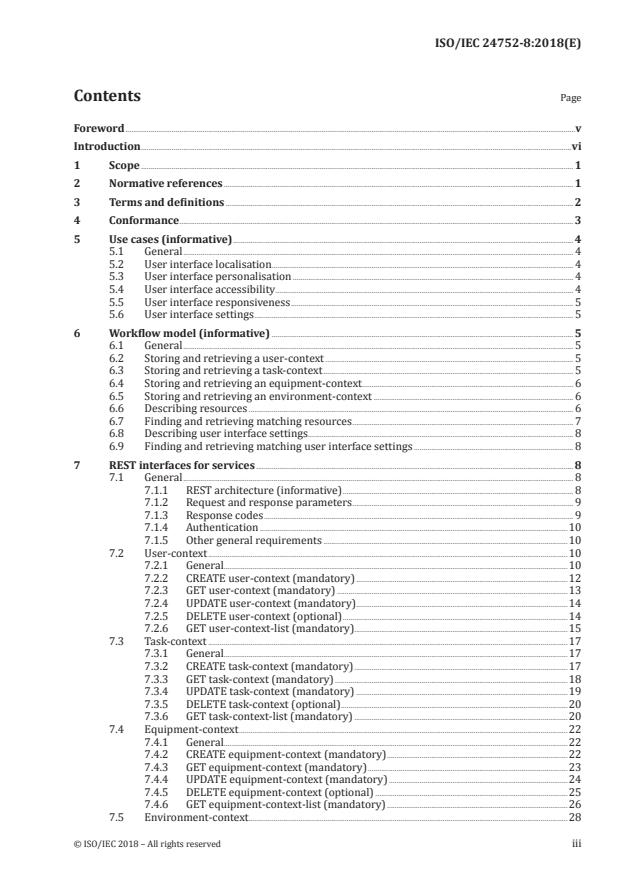
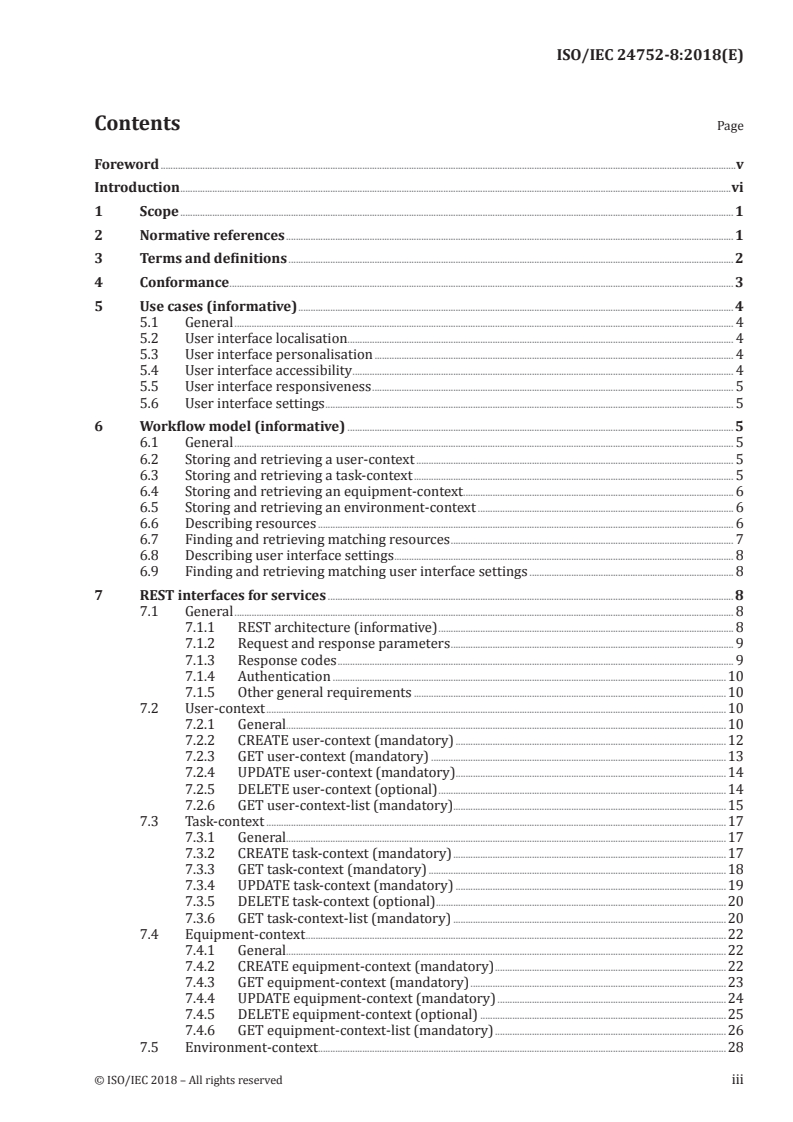
Contents Page
Foreword .v
Introduction .vi
1 Scope . 1
2 Normative references . 1
3 Terms and definitions . 2
4 Conformance . 3
5 Use cases (informative) . 4
5.1 General . 4
5.2 User interface localisation. 4
5.3 User interface personalisation . 4
5.4 User interface accessibility . 4
5.5 User interface responsiveness . 5
5.6 User interface settings . 5
6 Workflow model (informative) . 5
6.1 General . 5
6.2 Storing and retrieving a user-context . 5
6.3 Storing and retrieving a task-context . 5
6.4 Storing and retrieving an equipment-context . . 6
6.5 Storing and retrieving an environment-context . 6
6.6 Describing resources . 6
6.7 Finding and retrieving matching resources . 7
6.8 Describing user interface settings . 8
6.9 Finding and retrieving matching user interface settings . 8
7 REST interfaces for services . 8
7.1 General . 8
7.1.1 REST architecture (informative) . 8
7.1.2 Request and response parameters . 9
7.1.3 Response codes . 9
7.1.4 Authentication .10
7.1.5 Other general requirements .10
7.2 User-context .10
7.2.1 General.10
7.2.2 CREATE user-context (mandatory) .12
7.2.3 GET user-context (mandatory) .13
7.2.4 UPDATE user-context (mandatory) .14
7.2.5 DELETE user-context (optional) .14
7.2.6 GET user-context-list (mandatory) . .15
7.3 Task-context .17
7.3.1 General.17
7.3.2 CREATE task-context (mandatory) .17
7.3.3 GET task-context (mandatory) .18
7.3.4 UPDATE task-context (mandatory) .19
7.3.5 DELETE task-context (optional) .20
7.3.6 GET task-context-list (mandatory) .20
7.4 Equipment-context .22
7.4.1 General.22
7.4.2 CREATE equipment-context (mandatory) .22
7.4.3 GET equipment-context (mandatory) .23
7.4.4 UPDATE equipment-context (mandatory) .24
7.4.5 DELETE equipment-context (optional) .25
7.4.6 GET equipment-context-list (mandatory) .26
7.5 Environment-context.28
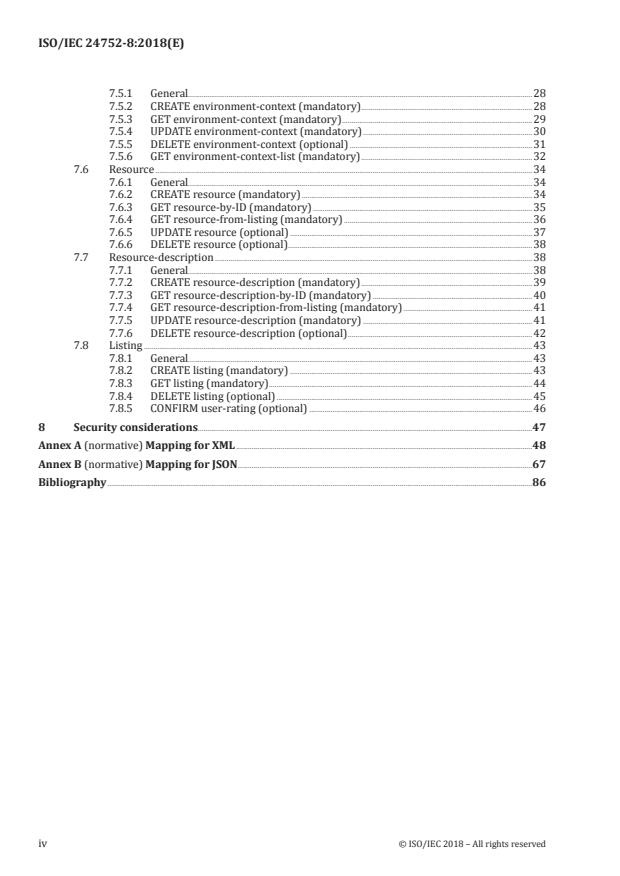
© ISO/IEC 2018 – All rights reserved iii
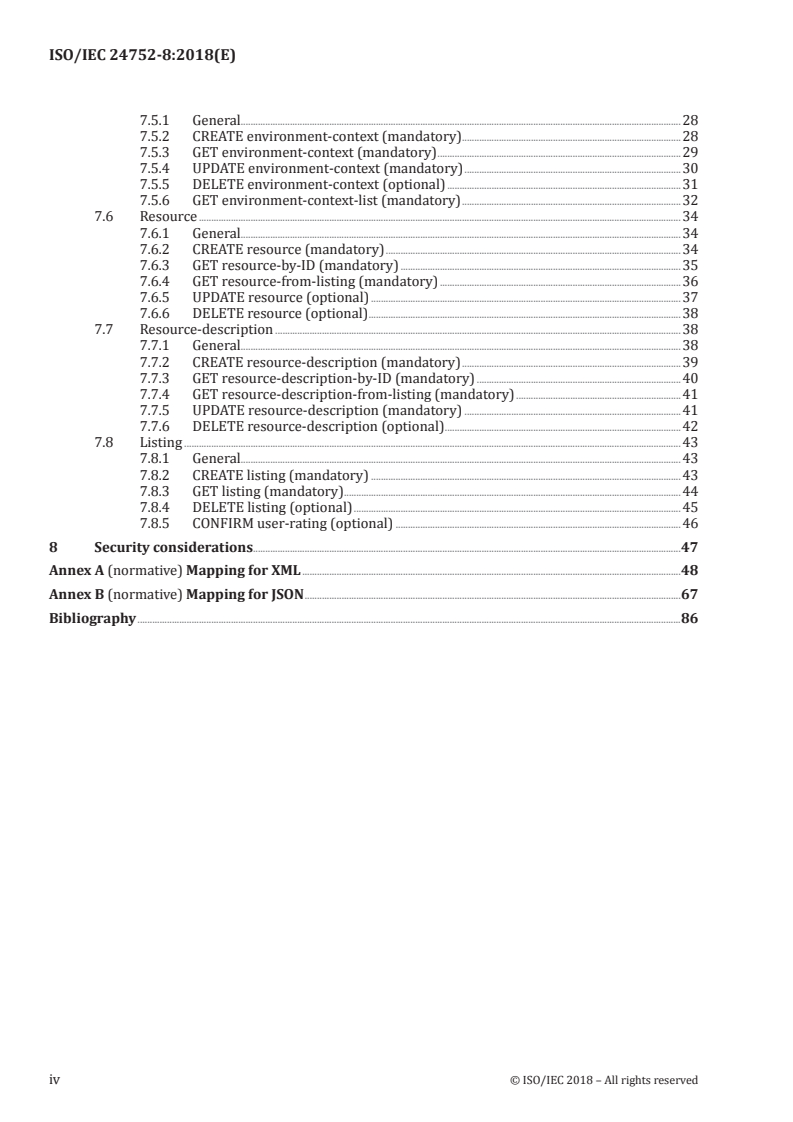
7.5.1 General.28
7.5.2 CREATE environment-context (mandatory) .28
7.5.3 GET environment-context (mandatory) .29
7.5.4 UPDATE environment-context (mandatory) .30
7.5.5 DELETE environment-context (optional) .31
7.5.6 GET environment-context-list (mandatory) .32
7.6 Resource .34
7.6.1 General.34
7.6.2 CREATE resource (mandatory) .34
7.6.3 GET resource-by-ID (mandatory) .35
7.6.4 GET resource-from-listing (mandatory) .36
7.6.5 UPDATE resource (optional) .37
7.6.6 DELETE resource (optional) .38
7.7 Resource-description .38
7.7.1 General.38
7.7.2 CREATE resource-description (mandatory) .39
7.7.3 GET resource-description-by-ID (mandatory) .40
7.7.4 GET resource-description-from-listing (mandatory) .41
7.7.5 UPDATE resource-description (mandatory) .41
7.7.6 DELETE resource-description (optional) .42
7.8 Listing .43
7.8.1 General.43
7.8.2 CREATE listing (mandatory) .43
7.8.3 GET listing (mandatory) .44
7.8.4 DELETE listing (optional) .45
7.8.5 CONFIRM user-rating (optional) .46
8 Security considerations.47
Annex A (normative) Mapping for XML .48
Annex B (normative) Mapping for JSON .67
Bibliography .86
iv © ISO/IEC 2018 – All rights reserved
Foreword
ISO (the International Organization for Standardization) and IEC (the International Electrotechnical
Commission) form the specialized system for worldwide standardization. National bodies that are
members of ISO or IEC participate in the development of International Standards through technical
committees established by the respective organization to deal with particular fields of technical
activity. ISO and IEC technical committees collaborate in fields of mutual interest. Other international
organizations, governmental and non-governmental, in liaison with ISO and IEC, also take part in the
work. In the field of information technology, ISO and IEC have established a joint technical committee,
ISO/IEC JTC 1.
The procedures used to develop this document and those intended for its further maintenance are
described in the ISO/IEC Directives, Part 1. In particular the different approval criteria needed for
the different types of document should be noted. This document was drafted in accordance with the
editorial rules of the ISO/IEC Directives, Part 2 (see www .iso .org/ directives).
Attention is drawn to the possibility that some of the elements of this document may be the subject
of patent rights. ISO and IEC shall not be held responsible for identifying any or all such patent
rights. Details of any patent rights identified during the development of the document will be in the
Introduction and/or on the ISO list of patent declarations received (see www .iso .org/ patents).
Any trade name used in this document is information given for the convenience of users and does not
constitute an endorsement.
For an explanation on the voluntary nature of standards, the meaning of ISO specific terms and
expressions related to conformity assessment, as well as information about ISO's adherence to the
World Trade Organization (WTO) principles in the Technical Barriers to Trade (TBT) see the following
URL: www .iso .org/ iso/ foreword .html.
This document was prepared by Technical Committee ISO/IEC JTC 1, Information technology,
Subcommittee SC 35, User interfaces.
A list of all parts in the ISO/IEC 24752 series can be found on the ISO website.
© ISO/IEC 2018 – All rights reserved v
Introduction
Adaptive user interfaces change their presentation and behaviour according to the specific context
of use, including the user's needs and preferences, their devices and environmental parameters. Such
changes are to be considered at development time. At runtime, the user interface can take all aspects of
the context of use into consideration.
Changes at runtime often require that some custom-tailored user interface resources be prepared
in advance. Examples include captions and audio description for videos, alternate text for images, a
simplified version of an online banking app, a sign language video explaining how to take HDR photos on
an online camera guide, and a help item in easy language for a tax report software. Such user interface
resources will often be made available by third parties, for example human factors experts, user groups
and individual users. They will upload and describe these resources on resource services from which
adaptive user interface implementations can discover and retrieve them at runtime.
To make this process work, two aspects need standardization: First, user interface resources should
be clearly and unambiguously described so that they can be discovered at runtime. Second, resource
services hosting these user interface resources should be discoverable and have a clearly described
interface for querying and retrieving user interface resources.
This document addresses both aspects in a flexible way. It specifies syntax and semantics for a RESTful
resource service interface while not restricting the clients in using whatever vocabulary and terms
they choose for the description of user interface resources. Since HTTP is used as the most common
REST implementation, this document defines a light-weight protocol that can be used on virtually all
user interface platforms, including web browsers, mobile apps and software agents.
NOTE Though this document is part of the Universal Remote Console (URC) framework, it can be used
independently from the other URC technologies. In particular, a user interface implementation can benefit from
a user interface resource service without being connected to a URC target and without employing the user
interface socket approach.
vi © ISO/IEC 2018 – All rights reserved
INTERNATIONAL STANDARD ISO/IEC 24752-8:2018(E)
Information technology — User interfaces — Universal
remote console —
Part 8:
User interface resource framework
1 Scope
This document defines a RESTful protocol for the provision and delivery of resources that are related to
user interface adaptation based on context of use.
This document addresses requirements and recommendations for the following services:
— user-context service;
— task-context service;
— equipment-context service;
— environment-context service;
— resource service;
— resource-description service;
— matching service (for finding appropriate resources based on specific contexts and other match
criteria).
2 Normative references
The following documents are referred to in the text in such a way that some or all of their content
constitutes requirements of this document. For dated references, only the edition cited applies. For
undated references, the latest edition of the referenced document (including any amendments) applies.
ISO/IEC 10646, Universal Multiple-Octet Coded Character Set (UCS)
1)
IETF RFC 2046 , Multipurpose Internet Mail Extensions (MIME) Part Two: Media Types
2)
IETF RFC 3986 , Uniform Resource Identifier (URI): Generic Syntax
3)
IETF RFC 7159 , The JavaScript Object Notation (JSON) Data Interchange Format
4)
IETF RFC 7230 , Hypertext Transfer Protocol (HTTP/1.1): Message Syntax and Routing
5)
IETF RFC 7231 , Hypertext Transfer Protocol (HTTP/1.1): Semantics and Content
1) November 1996, https:// tools .ietf .org/ html/ rfc2046.
2) January 2005, https:// tools .ietf .org/ html/ rfc3986.
3) March 2014, https:// tools .ietf .org/ html/ rfc7159.
4) June 2014, https:// tools .ietf .org/ html/ rfc7230.
5) June 2014, https:// tools .ietf .org/ html/ rfc7231.
© ISO/IEC 2018 – All rights reserved 1
6)
W3C XML 1.0 , Extensible Markup Language (XML) 1.0, W3C Recommendation
7)
W3C XML Schema Part 1 , Structures, W3C Recommendation
8)
W3C XML Schema Part 2 , Datatypes, W3C Recommendation
3 Terms and definitions
For the purposes of this document, the following terms, definitions, symbols and abbreviated terms apply.
ISO and IEC maintain terminological databases for use in standardization at the following addresses:
— IEC Electropedia: available at http:// www .electropedia .org/
— ISO Online browsing platform: available at http:// www .iso .org/ obp
3.1 Context of use
3.1.1
context of use
use context
users, tasks, equipment (hardware, software and materials), and the physical and social environments
in which a product is used
[SOURCE: ISO 9241-11:1998, 3.5]
3.1.2
user-context
part of the context of use that describes aspects of an individual user interacting with an ICT system
3.1.3
task-context
part of the context of use that describes aspects of the task done by a user in interacting with an
ICT system
3.1.4
equipment-context
part of the context of use that describes aspects of the equipment (hardware, software and materials)
used by a user to interact with an ICT system
3.1.5
environment-context
part of the context of use that describes aspects of the physical and social environments in which a user
interacts with an ICT system
3.2 Resources
3.2.1
resource
user interface resource
object that is used as an entity or to support decision making in the construction of a concrete user
interface
[SOURCE: ISO/IEC 24752-1:2014, 3.31¸modified — the alternative term ‘user interface resource’ has
been added and an EXAMPLE and Note to entry have been removed]
6) https:// www .w3 .org/ TR/ xml/ .
7) https:// www .w3 .org/ TR/ xmlschema -1/ .
8) https:// www .w3 .org/ TR/ xmlschema -2/ .
2 © ISO/IEC 2018 – All rights reserved
3.2.2
property
aspect of a context or resource used to describe the context or resource
Note 1 to entry: In this document, properties are represented as key-value pairs.
3.2.3
user-rating
explicit or implicit statement of an individual user about the degree of personal preference for a
particular resource or resource description
Note 1 to entry: In this document, user-ratings are represented as float values between −1.0 and 1.0. The value
−1.0 represents the highest degree of dislike, 0.0 represents no preference (neutral position), and 1.0 represents
the highest degree of like.
3.3 Services
3.3.1
service
server offering RESTful operations for the management of REST resources
3.3.2
matching service
service that manages listings
3.3.3
listing
ordered list of resource descriptions that match specific criteria for user-context, task-context,
equipment-context, environment-context and resource description properties
3.4 Representational State Transfer
3.4.1
Representational State Transfer
REST
paradigm for an HTTP-based protocol that is built upon HTTP methods as operations and URIs as
resources
Note 1 to entry: Representational State Transfer was first introduced by Fielding (2000).
3.4.2
RESTful
conforming to the constraints of REST
3.4.3
REST resource
data object that is addressable with a URI and that can be manipulated via HTTP verbs
4 Conformance
A user-context service conforms to this document if all of the following is true:
— It complies with 7.1 and 7.2.
— It provides appropriate mappings for XML (A.1, A.2) and JSON (B.1, B.2).
A task-context service conforms to this document if all of the following is true:
— It complies with 7.1 and 7.3.
— It provides appropriate mappings for XML (A.1, A.3) and JSON (B.1, B.3).
© ISO/IEC 2018 – All rights reserved 3
An equipment-context service conforms to this document if all of the following is true:
— It complies with 7.1 and 7.4.
— It provides appropriate mappings for XML (A.1, A.4) and JSON (B.1, B.4).
An environment-context service conforms to this document if all of the following is true:
— It complies with 7.1 and 7.5.
— It provides appropriate mappings for XML (A.1, A.5) and JSON (B.1, B.5).
A resource service conforms to this document if all of the following is true:
— It complies with 7.1 and 7.6.
— It provides appropriate mappings for XML (A.1, A.6) and JSON (B.1, B.6).
A resource-description service conforms to this document if all of the following is true:
— It complies with 7.1 and 7.7.
— It provides appropriate mappings for XML (A.1, A.7) and JSON (B.1, B.7).
A matching service conforms to this document if all of the following is true:
— It complies with 7.1 and 7.8.
— It provides appropriate mappings for XML (A.1, A.8) and JSON (B.1, B.8).
5 Use cases (informative)
5.1 General
This clause contains a set of use cases for illustration of possible applications for this document. The set
of use cases is not exhaustive, and does not limit the applicability of this document.
5.2 User interface localisation
— User interface localisation: A user interface label or icon is replaced at runtime by a supplementary
label or icon from a resource service.
— User interface augmentation: A sign language video from a resource service is added to a user
interface at runtime for the purpose of making the user interface more accessible for a deaf user.
5.3 User interface personalisation
— A browser loads an alternative style sheet from a resource service for the purpose of personalisation
of a specific webpage.
— A smart-home device loads an old-style design of light controls from a resource service as a web
component to replace the default design.
— A simplified user interface of an online banking application is loaded at runtime for a user with a
mild cognitive disability.
5.4 User interface accessibility
— A browser downloads a long image description from a resource service for the purpose of allowing
the user to listen to the image description via their screenreader.
4 © ISO/IEC 2018 – All rights reserved
— A video player downloads a third-party caption file from a resource service, for the purpose of
displaying them with the rendition of a video from the Internet that had no captions attached.
— A video player downloads a third-party audio description track from a resource service, for the
purpose of playing it in place of the default audio track of a video from the Internet that included no
audio description.
5.5 User interface responsiveness
— At runtime, a drop-down menu in a webpage is replaced by a group of large graphical push buttons
to make it easier to be operated on a Tablet with touch screen.
5.6 User interface settings
— An operating system retrieves and activates a set of user interface settings that accommodates
the needs and preferences of an individual user although this user has never used the operating
system before.
— An application (e.g. an editor) finds a suitable configuration for an individual user although the user
has never used the application before.
6 Workflow model (informative)
6.1 General
This document supports applications (in the role of a client of a service) in operating with user-
contexts, task-contexts, equipment-contexts, environment-contexts, resources, resource descriptions
and listings.
The following subsections describe typical workflows for user interface adaptation. However, they do
not limit the applicability of this document.
6.2 Storing and retrieving a user-context
In general, clients create, retrieve, update and delete user-contexts by conducting the following steps:
1) A client creates a user-context object (see 7.2.2).
2) A client retrieves a user-context object or a part of it (see 7.2.3).
3) A client updates a user-context object (see 7.2.4).
4) (optional) A client deletes a user-context object which is obsolete or not needed anymore (see 7.2.5).
Whereby:
— Steps 2 and 3 can be executed in any order, and any number of times.
NOTE Multiple clients can be involved in these steps; it does not need to be a single one.
6.3 Storing and retrieving a task-context
In general, clients create, retrieve, update and delete task-contexts by conducting the following steps:
1) A client creates a task-context object (see 7.3.2).
2) A client retrieves a task-context object or a part of it (see 7.3.3).
3) A client updates a task-context object (see 7.3.4).
© ISO/IEC 2018 – All rights reserved 5
4) (optional) A client deletes a task-context object which is obsolete or not needed anymore (see 7.3.5).
Whereby:
— Steps 2 and 3 can be executed in any order, and any number of times.
NOTE Multiple clients can be involved in these steps; it does not need to be a single one.
6.4 Storing and retrieving an equipment-context
In general, clients create, retrieve, update and delete equipment-contexts by conducting the
following steps:
1) A client creates an equipment-context object (see 7.4.2).
2) A client retrieves an equipment-context object or a part of it (see 7.4.3).
3) A client updates an equipment-context object (see 7.4.4).
4) (optional) A client deletes an equipment-context object which is obsolete or not needed anymore
(see 7.4.5).
Whereby:
— Steps 2 and 3 can be executed in any order, and any number of times.
NOTE Multiple clients can be involved in these steps; it does not need to be a single one.
6.5 Storing and retrieving an environment-context
In general, clients create, retrieve, update and delete environment-contexts by conducting the
following steps:
1) A client creates an environment-context object (see 7.5.2).
2) A client retrieves an environment-context object or a part of it (see 7.5.3).
3) A client updates an environment-context object (see 7.5.4).
4) (optional) A client deletes an environment-context object which is obsolete or not needed anymore
(see 7.5.5).
Whereby:
— Steps 2 and 3 can be executed in any order, and any number of times.
NOTE Multiple clients can be involved in these steps; it does not need to be a single one.
6.6 Describing resources
In general, clients describe resources by conducting the following steps:
1) A client uploads an external resource to a resource service (see 7.6.2) or to any other URI-enabled
location. As a result, the resource is retrievable through a resolvable URI (see 7.6.3).
2) A client creates a resource description and links the resource to it (see 7.7.2).
3) A client retrieves a resource description or a part of it any number of times (see 7.7.3).
4) A client updates a resource description any number of times (see 7.7.5).
5) A client confirms a user-rating for a resource description any number of times (see 7.8.5).
6 © ISO/IEC 2018 – All rights reserved
6) (optional) A client deletes a resource description which is obsolete or not needed anymore (see 7.7.6).
7) (optional) A client deletes a resource which is obsolete or not needed anymore (see 7.6.6).
Whereby:
— Step 1 is optional since a resource description may not have a link to an external resource.
— Steps 3 to 5 can be executed in any order, and any number of times.
NOTE Multiple clients can be involved in these steps; it does not need to be a single one.
6.7 Finding and retrieving matching resources
In general, clients search for resources that match the following characteristics:
— a specific user-context;
— a specific task-context;
— a specific equipment-context;
— a specific environment-context;
— a set of arbitrary resource properties (key-value pairs) representing a query for a resource
description object.
The general sequence of steps is as follows, in this order:
1) A client creates a user-context object (see 7.2.2).
2) A client creates a task-context object (see 7.3.2).
3) A client creates an equipment-context object (see 7.4.2).
4) A client creates an environment-context object (see 7.5.2).
5) A client sends a resource-description-query object to a matching service, thus creating a listing
object (see 7.8.2).
6) (optional) A client retrieves (and examines) one or more matching resource descriptions from the
listing object created in step 5, possibly sequentially in multiple parts, i.e. by slices (see 7.8.3).
7) A client retrieves one or multiple resources, either by looking up the resource ID from the resource
descriptions of the listing object (see 7.6.3), or by referencing the first entry in the listing object
(see 7.6.4).
8) (optional) A client deletes the listing object created in step 5 (see 7.8.4).
9) (optional) A client deletes the environment-context object created in step 4 (see 7.5.5).
10) (optional) A client deletes the equipment-context object created in step 3 (see 7.4.5).
11) (optional) A client deletes the task-context object created in step 2 (see 7.3.5).
12) (optional) A client deletes the user-context object created in step 1 (see 7.2.5).
Whereby:
— Steps 1 to 4 can be executed in any order.
— The block of steps 5 to 8 can be repeated any number of times.
— Steps 9 to 12 can be executed in any order.
© ISO/IEC 2018 – All rights reserved 7
NOTE 1 A client can omit step 6 if it is only interested in the one best matching resource (which it downloads
in step 7 by reference to an index in the listing object), and does not care about its resource description.
NOTE 2 Multiple clients can be involved in these steps; it does not need to be a single one.
6.8 Describing user interface settings
A particular set of user interface settings is represented by a resource description object that has no
resource attached. Such user interface settings are either created by a client, or generated on demand
by a matching service upon receiving a matching request (see 6.9).
For user interface settings that are created by a client, the workflow is the same as for describing
resources (see 6.6), with the following exceptions:
— Step 1 is omitted since there is no resource involved.
— In step 2, no resource is linked to the resource description.
6.9 Finding and retrieving matching user interface settings
In general, clients search for user interface settings that match the following characteristics:
— a specific user-context;
— a specific task-context;
— a specific equipment-context;
— a specific environment-context;
— a set of arbitrary user interface settings (key-value pairs) representing a query for a complete user
interface settings object.
The workflow is the same as for finding and retrieving matching resources (see 6.7), with the following
exceptions:
— A particular set of user interface settings is retrieved from a resource description service (step 6
which is mandatory in this case).
— Step 7 (client retrieves one or multiple resources) is omitted since there is no resource associated
with the resource description.
7 REST interfaces for services
7.1 General
7.1.1 REST architecture (informative)
The interface specified in this document is based on the REST architecture (Fielding, 2000). This
provides a contract between a resource service and a client that is easy to implement, test and maintain
on both sides.
According to REST, HTTP request methods (see IETF RFC 7231, section 4) are used to manipulate REST
resources which are located on a resource service:
— POST creates a new resource with a new URI.
— GET retrieves a resource.
— PUT modifies a resource.
8 © ISO/IEC 2018 – All rights reserved
— DELETE deletes a resource.
NOTE These methods are called "HTTP request methods" according to IETF RFC 7231, but are applicable for
HTTPS as well (see IETF RFC 7230). In fact, the use of HTTPS as a more secure protocol is recommended for all
services (see [8]).
Each operation has one or multiple request parameters, and one or multiple response parameters, as
specified in 7.2-7.8.
7.1.2 Request and response parameters
The request and response parameters for an operation in this clause are made up of information items,
each with a specific type. Complex types are Object and Array, primitive types are String, Number,
Boolean, URI (as specified in IETF RFC 3986) and the NULL value.
Each request and response parameter, as used for the operations in this clause, shall have one of four
different categories:
1) URI path. The parameter is submitted as URI path in a request (in accordance with IETF RFC 3986).
EXAMPLE 1 In the operation PUT /api/user-contexts/user-context-id the parameter user-
context-id is contained in the path of the URI.
2) URI query parameter. The parameter is submitted as one of the query parameters of the URI (in
accordance with IETF RFC 3986).
EXAMPLE 2 In the operation GET /api/listings/listing-id?start=start&max=max the
parameters start and max are URI query parameters.
3) HTTP header field. The parameter is submitted as content of an HTTP header field (in accordance
with IETF RFC 7231).
EXAMPLE 3 In the following HTTP response header, the parameter user-context-uri is submitted as
content of the field "Location".
HTTP/1.1 200 OK
Location: https:// example .com/ api/ user -contexts/ U12345
4) Message body. The parameter is submitted as content of the request/response body, whereby the
body's MIME type is specified through the Content-Type HTTP header field (in accordance with
IETF RFC 7231).
EXAMPLE 4 In the following HTTP response body, the parameter total is submitted as content of the
attribute value on element .
In addition to the request and response parameters specified in this clause, other (proprietary) request
and response parameters may be added to any operation, as long as they do not interfere with the
parameters as specified in this document. Also, additional (proprietary) information may be added to
the parameters specified in this document, as long as they do not interfere with the parameter's content
as specified in this document. If a service or client does not know the meaning of such proprietary
information, it shall ignore it.
NOTE It is possible that future versions of this document will adopt specific proprietary extensions used in
existing systems if the extensions prove to be useful and there is a need for standardization.
7.1.3 Response codes
Format and semantics of HTTP response codes shall adhere to IETF RFC 7231.
NOTE Clause 7 lists only the most important HTTP codes for every operation. Nevertheless, a service can
make use of the full range of HTTP response codes as listed in IETF RFC 7231.
© ISO/IEC 2018 – All rights reserved 9
7.1.4 Authentication
A service may apply access restrictions to its operations, based on client privileges.
EXAMPLE A service can store ownership information for every REST resource. For example, only owners
(creators) of a REST resource are allowed to modify and delete it.
If a service requires authentication, Basic authentication (in accordance with IETF RFC 7617) over
Transport Layer Security (TLS) (as specified in IETF RFC 5246) should be supported, and/or other
stronger HTTP authentication schemes.
7.1.5 Other general requirements
For all operations in Clause 7, the following requirements shall be met:
— If used inside a URI for a GET request, reserved characters (in accordance with RFC 3986, section
2.2) shall be percent-encoded (in accordance with RFC 3986, section 2.1).
— The encoding of request and response shall be UTF-8 (in accordance with ISO/IEC 10646).
— The header fields of request and response shall comply with IETF RFC 7231.
— A service shall support request bodies in XML and JSON formats, alternatively. The format (MIME
type, as specified in IETF RFC 2046) of the request body is indicated by the Content-Type field
value in the HTTP request header (as specified in IETF RFC 7231). This is referred to as the request
body format parameter in the remainder of this clause.
— A service shall indicate its response format (MIME type, as specified in IETF RFC 2046) by the
Content-Type field value in the HTTP response header (in accordance with IETF RFC 7231). This
is referred to as the response body format parameter in the remainder of this clause.
— A service shall respect a client's preferred response body format (MIME type, as specified in
IETF RFC 2046), as specified by the Accept field value in the HTTP request header (in accordance
with IETF RFC 7231). This is referred to as the preferred response body format parameter. At a
minimum, a service shall support all of the following formats:
i) XML format (MIME type "application/xml"), according to the mapping provided normatively in
Annex A;
ii) JSON format (MIME type "application/json"), according to the mapping provided normatively
in Annex B.
A service may support additional formats for requests and responses. In this case, the additional
formats shall be specified by different MIME types (not listed in this document).
7.2 User-context
7.2.1 General
A user-context service shall implement all mandatory and optional operations in 7.2, with support for
all mandatory and optional parameters. It shall support both XML and JSON mapping, as specified in
Annexes A and B.
A user-context shall be an object with the following restrictions:
— User-context shall be an ordered Array with any number of option objects, describing an individual's
preferred concepts and values under various (alternative) conditions (conditions exclude each other).
— The names of the option objects shall be mutually unique, but are not otherwise restricted.
10 © ISO/IEC 2018 – All rights reserved
— Each option object
— may include a name (type string) – for internal identification purposes,
— shall include preferences with an Array of preference objects – specifying the individual's needs
and preferences,
— may include conditions with a non-empty Array of condition objects – defining the exact condition
in which the preferences apply,
— may include any other objects with proprietary content,
...
INTERNATIONAL ISO/IEC
STANDARD 24752-8
First edition
2018-04
Information technology — User
interfaces — Universal remote
console —
Part 8:
User interface resource framework
Technologies de l'information — Interfaces utilisateur —
Télécommande universelle —
Partie 8: Cadre de ressources pour les interfaces utilisateur
Reference number
©
ISO/IEC 2018
© ISO/IEC 2018
All rights reserved. Unless otherwise specified, or required in the context of its implementation, no part of this publication may
be reproduced or utilized otherwise in any form or by any means, electronic or mechanical, including photocopying, or posting
on the internet or an intranet, without prior written permission. Permission can be requested from either ISO at the address
below or ISO’s member body in the country of the requester.
ISO copyright office
CP 401 • Ch. de Blandonnet 8
CH-1214 Vernier, Geneva
Phone: +41 22 749 01 11
Fax: +41 22 749 09 47
Email: copyright@iso.org
Website: www.iso.org
Published in Switzerland
ii © ISO/IEC 2018 – All rights reserved
Contents Page
Foreword .v
Introduction .vi
1 Scope . 1
2 Normative references . 1
3 Terms and definitions . 2
4 Conformance . 3
5 Use cases (informative) . 4
5.1 General . 4
5.2 User interface localisation. 4
5.3 User interface personalisation . 4
5.4 User interface accessibility . 4
5.5 User interface responsiveness . 5
5.6 User interface settings . 5
6 Workflow model (informative) . 5
6.1 General . 5
6.2 Storing and retrieving a user-context . 5
6.3 Storing and retrieving a task-context . 5
6.4 Storing and retrieving an equipment-context . . 6
6.5 Storing and retrieving an environment-context . 6
6.6 Describing resources . 6
6.7 Finding and retrieving matching resources . 7
6.8 Describing user interface settings . 8
6.9 Finding and retrieving matching user interface settings . 8
7 REST interfaces for services . 8
7.1 General . 8
7.1.1 REST architecture (informative) . 8
7.1.2 Request and response parameters . 9
7.1.3 Response codes . 9
7.1.4 Authentication .10
7.1.5 Other general requirements .10
7.2 User-context .10
7.2.1 General.10
7.2.2 CREATE user-context (mandatory) .12
7.2.3 GET user-context (mandatory) .13
7.2.4 UPDATE user-context (mandatory) .14
7.2.5 DELETE user-context (optional) .14
7.2.6 GET user-context-list (mandatory) . .15
7.3 Task-context .17
7.3.1 General.17
7.3.2 CREATE task-context (mandatory) .17
7.3.3 GET task-context (mandatory) .18
7.3.4 UPDATE task-context (mandatory) .19
7.3.5 DELETE task-context (optional) .20
7.3.6 GET task-context-list (mandatory) .20
7.4 Equipment-context .22
7.4.1 General.22
7.4.2 CREATE equipment-context (mandatory) .22
7.4.3 GET equipment-context (mandatory) .23
7.4.4 UPDATE equipment-context (mandatory) .24
7.4.5 DELETE equipment-context (optional) .25
7.4.6 GET equipment-context-list (mandatory) .26
7.5 Environment-context.28
© ISO/IEC 2018 – All rights reserved iii
7.5.1 General.28
7.5.2 CREATE environment-context (mandatory) .28
7.5.3 GET environment-context (mandatory) .29
7.5.4 UPDATE environment-context (mandatory) .30
7.5.5 DELETE environment-context (optional) .31
7.5.6 GET environment-context-list (mandatory) .32
7.6 Resource .34
7.6.1 General.34
7.6.2 CREATE resource (mandatory) .34
7.6.3 GET resource-by-ID (mandatory) .35
7.6.4 GET resource-from-listing (mandatory) .36
7.6.5 UPDATE resource (optional) .37
7.6.6 DELETE resource (optional) .38
7.7 Resource-description .38
7.7.1 General.38
7.7.2 CREATE resource-description (mandatory) .39
7.7.3 GET resource-description-by-ID (mandatory) .40
7.7.4 GET resource-description-from-listing (mandatory) .41
7.7.5 UPDATE resource-description (mandatory) .41
7.7.6 DELETE resource-description (optional) .42
7.8 Listing .43
7.8.1 General.43
7.8.2 CREATE listing (mandatory) .43
7.8.3 GET listing (mandatory) .44
7.8.4 DELETE listing (optional) .45
7.8.5 CONFIRM user-rating (optional) .46
8 Security considerations.47
Annex A (normative) Mapping for XML .48
Annex B (normative) Mapping for JSON .67
Bibliography .86
iv © ISO/IEC 2018 – All rights reserved
Foreword
ISO (the International Organization for Standardization) and IEC (the International Electrotechnical
Commission) form the specialized system for worldwide standardization. National bodies that are
members of ISO or IEC participate in the development of International Standards through technical
committees established by the respective organization to deal with particular fields of technical
activity. ISO and IEC technical committees collaborate in fields of mutual interest. Other international
organizations, governmental and non-governmental, in liaison with ISO and IEC, also take part in the
work. In the field of information technology, ISO and IEC have established a joint technical committee,
ISO/IEC JTC 1.
The procedures used to develop this document and those intended for its further maintenance are
described in the ISO/IEC Directives, Part 1. In particular the different approval criteria needed for
the different types of document should be noted. This document was drafted in accordance with the
editorial rules of the ISO/IEC Directives, Part 2 (see www .iso .org/ directives).
Attention is drawn to the possibility that some of the elements of this document may be the subject
of patent rights. ISO and IEC shall not be held responsible for identifying any or all such patent
rights. Details of any patent rights identified during the development of the document will be in the
Introduction and/or on the ISO list of patent declarations received (see www .iso .org/ patents).
Any trade name used in this document is information given for the convenience of users and does not
constitute an endorsement.
For an explanation on the voluntary nature of standards, the meaning of ISO specific terms and
expressions related to conformity assessment, as well as information about ISO's adherence to the
World Trade Organization (WTO) principles in the Technical Barriers to Trade (TBT) see the following
URL: www .iso .org/ iso/ foreword .html.
This document was prepared by Technical Committee ISO/IEC JTC 1, Information technology,
Subcommittee SC 35, User interfaces.
A list of all parts in the ISO/IEC 24752 series can be found on the ISO website.
© ISO/IEC 2018 – All rights reserved v
Introduction
Adaptive user interfaces change their presentation and behaviour according to the specific context
of use, including the user's needs and preferences, their devices and environmental parameters. Such
changes are to be considered at development time. At runtime, the user interface can take all aspects of
the context of use into consideration.
Changes at runtime often require that some custom-tailored user interface resources be prepared
in advance. Examples include captions and audio description for videos, alternate text for images, a
simplified version of an online banking app, a sign language video explaining how to take HDR photos on
an online camera guide, and a help item in easy language for a tax report software. Such user interface
resources will often be made available by third parties, for example human factors experts, user groups
and individual users. They will upload and describe these resources on resource services from which
adaptive user interface implementations can discover and retrieve them at runtime.
To make this process work, two aspects need standardization: First, user interface resources should
be clearly and unambiguously described so that they can be discovered at runtime. Second, resource
services hosting these user interface resources should be discoverable and have a clearly described
interface for querying and retrieving user interface resources.
This document addresses both aspects in a flexible way. It specifies syntax and semantics for a RESTful
resource service interface while not restricting the clients in using whatever vocabulary and terms
they choose for the description of user interface resources. Since HTTP is used as the most common
REST implementation, this document defines a light-weight protocol that can be used on virtually all
user interface platforms, including web browsers, mobile apps and software agents.
NOTE Though this document is part of the Universal Remote Console (URC) framework, it can be used
independently from the other URC technologies. In particular, a user interface implementation can benefit from
a user interface resource service without being connected to a URC target and without employing the user
interface socket approach.
vi © ISO/IEC 2018 – All rights reserved
INTERNATIONAL STANDARD ISO/IEC 24752-8:2018(E)
Information technology — User interfaces — Universal
remote console —
Part 8:
User interface resource framework
1 Scope
This document defines a RESTful protocol for the provision and delivery of resources that are related to
user interface adaptation based on context of use.
This document addresses requirements and recommendations for the following services:
— user-context service;
— task-context service;
— equipment-context service;
— environment-context service;
— resource service;
— resource-description service;
— matching service (for finding appropriate resources based on specific contexts and other match
criteria).
2 Normative references
The following documents are referred to in the text in such a way that some or all of their content
constitutes requirements of this document. For dated references, only the edition cited applies. For
undated references, the latest edition of the referenced document (including any amendments) applies.
ISO/IEC 10646, Universal Multiple-Octet Coded Character Set (UCS)
1)
IETF RFC 2046 , Multipurpose Internet Mail Extensions (MIME) Part Two: Media Types
2)
IETF RFC 3986 , Uniform Resource Identifier (URI): Generic Syntax
3)
IETF RFC 7159 , The JavaScript Object Notation (JSON) Data Interchange Format
4)
IETF RFC 7230 , Hypertext Transfer Protocol (HTTP/1.1): Message Syntax and Routing
5)
IETF RFC 7231 , Hypertext Transfer Protocol (HTTP/1.1): Semantics and Content
1) November 1996, https:// tools .ietf .org/ html/ rfc2046.
2) January 2005, https:// tools .ietf .org/ html/ rfc3986.
3) March 2014, https:// tools .ietf .org/ html/ rfc7159.
4) June 2014, https:// tools .ietf .org/ html/ rfc7230.
5) June 2014, https:// tools .ietf .org/ html/ rfc7231.
© ISO/IEC 2018 – All rights reserved 1
6)
W3C XML 1.0 , Extensible Markup Language (XML) 1.0, W3C Recommendation
7)
W3C XML Schema Part 1 , Structures, W3C Recommendation
8)
W3C XML Schema Part 2 , Datatypes, W3C Recommendation
3 Terms and definitions
For the purposes of this document, the following terms, definitions, symbols and abbreviated terms apply.
ISO and IEC maintain terminological databases for use in standardization at the following addresses:
— IEC Electropedia: available at http:// www .electropedia .org/
— ISO Online browsing platform: available at http:// www .iso .org/ obp
3.1 Context of use
3.1.1
context of use
use context
users, tasks, equipment (hardware, software and materials), and the physical and social environments
in which a product is used
[SOURCE: ISO 9241-11:1998, 3.5]
3.1.2
user-context
part of the context of use that describes aspects of an individual user interacting with an ICT system
3.1.3
task-context
part of the context of use that describes aspects of the task done by a user in interacting with an
ICT system
3.1.4
equipment-context
part of the context of use that describes aspects of the equipment (hardware, software and materials)
used by a user to interact with an ICT system
3.1.5
environment-context
part of the context of use that describes aspects of the physical and social environments in which a user
interacts with an ICT system
3.2 Resources
3.2.1
resource
user interface resource
object that is used as an entity or to support decision making in the construction of a concrete user
interface
[SOURCE: ISO/IEC 24752-1:2014, 3.31¸modified — the alternative term ‘user interface resource’ has
been added and an EXAMPLE and Note to entry have been removed]
6) https:// www .w3 .org/ TR/ xml/ .
7) https:// www .w3 .org/ TR/ xmlschema -1/ .
8) https:// www .w3 .org/ TR/ xmlschema -2/ .
2 © ISO/IEC 2018 – All rights reserved
3.2.2
property
aspect of a context or resource used to describe the context or resource
Note 1 to entry: In this document, properties are represented as key-value pairs.
3.2.3
user-rating
explicit or implicit statement of an individual user about the degree of personal preference for a
particular resource or resource description
Note 1 to entry: In this document, user-ratings are represented as float values between −1.0 and 1.0. The value
−1.0 represents the highest degree of dislike, 0.0 represents no preference (neutral position), and 1.0 represents
the highest degree of like.
3.3 Services
3.3.1
service
server offering RESTful operations for the management of REST resources
3.3.2
matching service
service that manages listings
3.3.3
listing
ordered list of resource descriptions that match specific criteria for user-context, task-context,
equipment-context, environment-context and resource description properties
3.4 Representational State Transfer
3.4.1
Representational State Transfer
REST
paradigm for an HTTP-based protocol that is built upon HTTP methods as operations and URIs as
resources
Note 1 to entry: Representational State Transfer was first introduced by Fielding (2000).
3.4.2
RESTful
conforming to the constraints of REST
3.4.3
REST resource
data object that is addressable with a URI and that can be manipulated via HTTP verbs
4 Conformance
A user-context service conforms to this document if all of the following is true:
— It complies with 7.1 and 7.2.
— It provides appropriate mappings for XML (A.1, A.2) and JSON (B.1, B.2).
A task-context service conforms to this document if all of the following is true:
— It complies with 7.1 and 7.3.
— It provides appropriate mappings for XML (A.1, A.3) and JSON (B.1, B.3).
© ISO/IEC 2018 – All rights reserved 3
An equipment-context service conforms to this document if all of the following is true:
— It complies with 7.1 and 7.4.
— It provides appropriate mappings for XML (A.1, A.4) and JSON (B.1, B.4).
An environment-context service conforms to this document if all of the following is true:
— It complies with 7.1 and 7.5.
— It provides appropriate mappings for XML (A.1, A.5) and JSON (B.1, B.5).
A resource service conforms to this document if all of the following is true:
— It complies with 7.1 and 7.6.
— It provides appropriate mappings for XML (A.1, A.6) and JSON (B.1, B.6).
A resource-description service conforms to this document if all of the following is true:
— It complies with 7.1 and 7.7.
— It provides appropriate mappings for XML (A.1, A.7) and JSON (B.1, B.7).
A matching service conforms to this document if all of the following is true:
— It complies with 7.1 and 7.8.
— It provides appropriate mappings for XML (A.1, A.8) and JSON (B.1, B.8).
5 Use cases (informative)
5.1 General
This clause contains a set of use cases for illustration of possible applications for this document. The set
of use cases is not exhaustive, and does not limit the applicability of this document.
5.2 User interface localisation
— User interface localisation: A user interface label or icon is replaced at runtime by a supplementary
label or icon from a resource service.
— User interface augmentation: A sign language video from a resource service is added to a user
interface at runtime for the purpose of making the user interface more accessible for a deaf user.
5.3 User interface personalisation
— A browser loads an alternative style sheet from a resource service for the purpose of personalisation
of a specific webpage.
— A smart-home device loads an old-style design of light controls from a resource service as a web
component to replace the default design.
— A simplified user interface of an online banking application is loaded at runtime for a user with a
mild cognitive disability.
5.4 User interface accessibility
— A browser downloads a long image description from a resource service for the purpose of allowing
the user to listen to the image description via their screenreader.
4 © ISO/IEC 2018 – All rights reserved
— A video player downloads a third-party caption file from a resource service, for the purpose of
displaying them with the rendition of a video from the Internet that had no captions attached.
— A video player downloads a third-party audio description track from a resource service, for the
purpose of playing it in place of the default audio track of a video from the Internet that included no
audio description.
5.5 User interface responsiveness
— At runtime, a drop-down menu in a webpage is replaced by a group of large graphical push buttons
to make it easier to be operated on a Tablet with touch screen.
5.6 User interface settings
— An operating system retrieves and activates a set of user interface settings that accommodates
the needs and preferences of an individual user although this user has never used the operating
system before.
— An application (e.g. an editor) finds a suitable configuration for an individual user although the user
has never used the application before.
6 Workflow model (informative)
6.1 General
This document supports applications (in the role of a client of a service) in operating with user-
contexts, task-contexts, equipment-contexts, environment-contexts, resources, resource descriptions
and listings.
The following subsections describe typical workflows for user interface adaptation. However, they do
not limit the applicability of this document.
6.2 Storing and retrieving a user-context
In general, clients create, retrieve, update and delete user-contexts by conducting the following steps:
1) A client creates a user-context object (see 7.2.2).
2) A client retrieves a user-context object or a part of it (see 7.2.3).
3) A client updates a user-context object (see 7.2.4).
4) (optional) A client deletes a user-context object which is obsolete or not needed anymore (see 7.2.5).
Whereby:
— Steps 2 and 3 can be executed in any order, and any number of times.
NOTE Multiple clients can be involved in these steps; it does not need to be a single one.
6.3 Storing and retrieving a task-context
In general, clients create, retrieve, update and delete task-contexts by conducting the following steps:
1) A client creates a task-context object (see 7.3.2).
2) A client retrieves a task-context object or a part of it (see 7.3.3).
3) A client updates a task-context object (see 7.3.4).
© ISO/IEC 2018 – All rights reserved 5
4) (optional) A client deletes a task-context object which is obsolete or not needed anymore (see 7.3.5).
Whereby:
— Steps 2 and 3 can be executed in any order, and any number of times.
NOTE Multiple clients can be involved in these steps; it does not need to be a single one.
6.4 Storing and retrieving an equipment-context
In general, clients create, retrieve, update and delete equipment-contexts by conducting the
following steps:
1) A client creates an equipment-context object (see 7.4.2).
2) A client retrieves an equipment-context object or a part of it (see 7.4.3).
3) A client updates an equipment-context object (see 7.4.4).
4) (optional) A client deletes an equipment-context object which is obsolete or not needed anymore
(see 7.4.5).
Whereby:
— Steps 2 and 3 can be executed in any order, and any number of times.
NOTE Multiple clients can be involved in these steps; it does not need to be a single one.
6.5 Storing and retrieving an environment-context
In general, clients create, retrieve, update and delete environment-contexts by conducting the
following steps:
1) A client creates an environment-context object (see 7.5.2).
2) A client retrieves an environment-context object or a part of it (see 7.5.3).
3) A client updates an environment-context object (see 7.5.4).
4) (optional) A client deletes an environment-context object which is obsolete or not needed anymore
(see 7.5.5).
Whereby:
— Steps 2 and 3 can be executed in any order, and any number of times.
NOTE Multiple clients can be involved in these steps; it does not need to be a single one.
6.6 Describing resources
In general, clients describe resources by conducting the following steps:
1) A client uploads an external resource to a resource service (see 7.6.2) or to any other URI-enabled
location. As a result, the resource is retrievable through a resolvable URI (see 7.6.3).
2) A client creates a resource description and links the resource to it (see 7.7.2).
3) A client retrieves a resource description or a part of it any number of times (see 7.7.3).
4) A client updates a resource description any number of times (see 7.7.5).
5) A client confirms a user-rating for a resource description any number of times (see 7.8.5).
6 © ISO/IEC 2018 – All rights reserved
6) (optional) A client deletes a resource description which is obsolete or not needed anymore (see 7.7.6).
7) (optional) A client deletes a resource which is obsolete or not needed anymore (see 7.6.6).
Whereby:
— Step 1 is optional since a resource description may not have a link to an external resource.
— Steps 3 to 5 can be executed in any order, and any number of times.
NOTE Multiple clients can be involved in these steps; it does not need to be a single one.
6.7 Finding and retrieving matching resources
In general, clients search for resources that match the following characteristics:
— a specific user-context;
— a specific task-context;
— a specific equipment-context;
— a specific environment-context;
— a set of arbitrary resource properties (key-value pairs) representing a query for a resource
description object.
The general sequence of steps is as follows, in this order:
1) A client creates a user-context object (see 7.2.2).
2) A client creates a task-context object (see 7.3.2).
3) A client creates an equipment-context object (see 7.4.2).
4) A client creates an environment-context object (see 7.5.2).
5) A client sends a resource-description-query object to a matching service, thus creating a listing
object (see 7.8.2).
6) (optional) A client retrieves (and examines) one or more matching resource descriptions from the
listing object created in step 5, possibly sequentially in multiple parts, i.e. by slices (see 7.8.3).
7) A client retrieves one or multiple resources, either by looking up the resource ID from the resource
descriptions of the listing object (see 7.6.3), or by referencing the first entry in the listing object
(see 7.6.4).
8) (optional) A client deletes the listing object created in step 5 (see 7.8.4).
9) (optional) A client deletes the environment-context object created in step 4 (see 7.5.5).
10) (optional) A client deletes the equipment-context object created in step 3 (see 7.4.5).
11) (optional) A client deletes the task-context object created in step 2 (see 7.3.5).
12) (optional) A client deletes the user-context object created in step 1 (see 7.2.5).
Whereby:
— Steps 1 to 4 can be executed in any order.
— The block of steps 5 to 8 can be repeated any number of times.
— Steps 9 to 12 can be executed in any order.
© ISO/IEC 2018 – All rights reserved 7
NOTE 1 A client can omit step 6 if it is only interested in the one best matching resource (which it downloads
in step 7 by reference to an index in the listing object), and does not care about its resource description.
NOTE 2 Multiple clients can be involved in these steps; it does not need to be a single one.
6.8 Describing user interface settings
A particular set of user interface settings is represented by a resource description object that has no
resource attached. Such user interface settings are either created by a client, or generated on demand
by a matching service upon receiving a matching request (see 6.9).
For user interface settings that are created by a client, the workflow is the same as for describing
resources (see 6.6), with the following exceptions:
— Step 1 is omitted since there is no resource involved.
— In step 2, no resource is linked to the resource description.
6.9 Finding and retrieving matching user interface settings
In general, clients search for user interface settings that match the following characteristics:
— a specific user-context;
— a specific task-context;
— a specific equipment-context;
— a specific environment-context;
— a set of arbitrary user interface settings (key-value pairs) representing a query for a complete user
interface settings object.
The workflow is the same as for finding and retrieving matching resources (see 6.7), with the following
exceptions:
— A particular set of user interface settings is retrieved from a resource description service (step 6
which is mandatory in this case).
— Step 7 (client retrieves one or multiple resources) is omitted since there is no resource associated
with the resource description.
7 REST interfaces for services
7.1 General
7.1.1 REST architecture (informative)
The interface specified in this document is based on the REST architecture (Fielding, 2000). This
provides a contract between a resource service and a client that is easy to implement, test and maintain
on both sides.
According to REST, HTTP request methods (see IETF RFC 7231, section 4) are used to manipulate REST
resources which are located on a resource service:
— POST creates a new resource with a new URI.
— GET retrieves a resource.
— PUT modifies a resource.
8 © ISO/IEC 2018 – All rights reserved
— DELETE deletes a resource.
NOTE These methods are called "HTTP request methods" according to IETF RFC 7231, but are applicable for
HTTPS as well (see IETF RFC 7230). In fact, the use of HTTPS as a more secure protocol is recommended for all
services (see [8]).
Each operation has one or multiple request parameters, and one or multiple response parameters, as
specified in 7.2-7.8.
7.1.2 Request and response parameters
The request and response parameters for an operation in this clause are made up of information items,
each with a specific type. Complex types are Object and Array, primitive types are String, Number,
Boolean, URI (as specified in IETF RFC 3986) and the NULL value.
Each request and response parameter, as used for the operations in this clause, shall have one of four
different categories:
1) URI path. The parameter is submitted as URI path in a request (in accordance with IETF RFC 3986).
EXAMPLE 1 In the operation PUT /api/user-contexts/user-context-id the parameter user-
context-id is contained in the path of the URI.
2) URI query parameter. The parameter is submitted as one of the query parameters of the URI (in
accordance with IETF RFC 3986).
EXAMPLE 2 In the operation GET /api/listings/listing-id?start=start&max=max the
parameters start and max are URI query parameters.
3) HTTP header field. The parameter is submitted as content of an HTTP header field (in accordance
with IETF RFC 7231).
EXAMPLE 3 In the following HTTP response header, the parameter user-context-uri is submitted as
content of the field "Location".
HTTP/1.1 200 OK
Location: https:// example .com/ api/ user -contexts/ U12345
4) Message body. The parameter is submitted as content of the request/response body, whereby the
body's MIME type is specified through the Content-Type HTTP header field (in accordance with
IETF RFC 7231).
EXAMPLE 4 In the following HTTP response body, the parameter total is submitted as content of the
attribute value on element .
In addition to the request and response parameters specified in this clause, other (proprietary) request
and response parameters may be added to any operation, as long as they do not interfere with the
parameters as specified in this document. Also, additional (proprietary) information may be added to
the parameters specified in this document, as long as they do not interfere with the parameter's content
as specified in this document. If a service or client does not know the meaning of such proprietary
information, it shall ignore it.
NOTE It is possible that future versions of this document will adopt specific proprietary extensions used in
existing systems if the extensions prove to be useful and there is a need for standardization.
7.1.3 Response codes
Format and semantics of HTTP response codes shall adhere to IETF RFC 7231.
NOTE Clause 7 lists only the most important HTTP codes for every operation. Nevertheless, a service can
make use of the full range of HTTP response codes as listed in IETF RFC 7231.
© ISO/IEC 2018 – All rights reserved 9
7.1.4 Authentication
A service may apply access restrictions to its operations, based on client privileges.
EXAMPLE A service can store ownership information for every REST resource. For example, only owners
(creators) of a REST resource are allowed to modify and delete it.
If a service requires authentication, Basic authentication (in accordance with IETF RFC 7617) over
Transport Layer Security (TLS) (as specified in IETF RFC 5246) should be supported, and/or other
stronger HTTP authentication schemes.
7.1.5 Other general requirements
For all operations in Clause 7, the following requirements shall be met:
— If used inside a URI for a GET request, reserved characters (in accordance with RFC 3986, section
2.2) shall be percent-encoded (in accordance with RFC 3986, section 2.1).
— The encoding of request and response shall be UTF-8 (in accordance with ISO/IEC 10646).
— The header fields of request and response shall comply with IETF RFC 7231.
— A service shall support request bodies in XML and JSON formats, alternatively. The format (MIME
type, as specified in IETF RFC 2046) of the request body is indicated by the Content-Type field
value in the HTTP request header (as specified in IETF RFC 7231). This is referred to as the request
body format parameter in the remainder of this clause.
— A service shall indicate its response format (MIME type, as specified in IETF RFC 2046) by the
Content-Type field value in the HTTP response header (in accordance with IETF RFC 7231). This
is referred to as the response body format parameter in the remainder of this clause.
— A service shall respect a client's preferred response body format (MIME type, as specified in
IETF RFC 2046), as specified by the Accept field value in the HTTP request header (in accordance
with IETF RFC 7231). This is referred to as the preferred response body format parameter. At a
minimum, a service shall support all of the following formats:
i) XML format (MIME type "application/xml"), according to the mapping provided normatively in
Annex A;
ii) JSON format (MIME type "application/json"), according to the mapping provided normatively
in Annex B.
A service may support additional formats for requests and responses. In this case, the additional
formats shall be specified by different MIME types (not listed in this document).
7.2 User-context
7.2.1 General
A user-context service shall implement all mandatory and optional operations in 7.2, with support for
all mandatory and optional parameters. It shall support both XML and JSON mapping, as specified in
Annexes A and B.
A user-context shall be an object with the following restrictions:
— User-context shall be an ordered Array with any number of option objects, describing an individual's
preferred concepts and values under various (alternative) conditions (conditions exclude each other).
— The names of the option objects shall be mutually unique, but are not otherwise restricted.
10 © ISO/IEC 2018 – All rights reserved
— Each option object
— may include a name (type string) – for internal identification purposes,
— shall include preferences with an Array of preference objects – specifying the individual's needs
and preferences,
— may include conditions with a non-empty Array of condition objects – defining the exact condition
in which the preferences apply,
— may include any other objects with proprietary content,
...