


ISO/IEC 29183:2021
(Main)Information technology — Office equipment — Method for measuring digital copying productivity for a single one-sided original
Information technology — Office equipment — Method for measuring digital copying productivity for a single one-sided original
This document specifies a method for measuring productivity of digital copying devices and multifunctional devices with various copying modes and a single one-sided original. The document is applicable to digital copying devices and multifunctional devices. The document is intended to be used for black and white (B&W) as well as colour digital copying devices and multifunctional devices of any underlying marking technology. This document includes instructions for the creation of test charts, test setup procedure, test procedure, and the reporting requirements for the digital copying productivity measurements. This document is not intended to replace manufacturer's rated speeds.
Technologies de l'information — Équipement de bureau — Méthode de mesure de la productivité du copiage numérique d'un simple original une face
General Information
- Status
- Published
- Publication Date
- 12-Apr-2021
- Technical Committee
- ISO/IEC JTC 1/SC 28 - Office equipment
- Drafting Committee
- ISO/IEC JTC 1/SC 28/WG 3 - Productivity
- Current Stage
- 9092 - International Standard to be revised
- Start Date
- 26-Aug-2024
- Completion Date
- 14-Feb-2026
Relations
- Effective Date
- 22-Jul-2017
Overview - ISO/IEC 29183:2021 (digital copying productivity)
ISO/IEC 29183:2021 specifies a standardized method to measure the digital copying productivity of single one‑sided originals on digital copying devices and multifunctional devices (MFDs). Applicable to both black & white (B&W) and colour devices of any marking technology, the standard defines test chart creation, test setup, measurement procedures and reporting requirements for key productivity metrics such as sFCOT (first copy out time), sESAT (estimated saturated throughput) and sEFTP (effective throughput). It is explicitly not intended to replace manufacturer rated speeds.
Key technical topics and requirements
- Scope and applicability
- Single one‑sided original measurements for digital copiers and MFDs; B&W and colour.
- Defined metrics
- sFCOT - first copy out time (from job initiation to exit of first copy).
- sESAT - estimated saturated throughput (steady‑state output rate).
- sEFTP - effective throughput (rate from job initiation through last test set exit).
- Test setup and parameters
- Device setup, sample size, paper grammage, environmental and voltage conditions, maintenance state.
- Preparation and use of test charts / test targets (instructions included).
- Measurement procedures
- Tests from different device states: ready, sleep, off (including specified delays and ready delay time).
- Specific procedures for “1 copy” tests, “1 copy + 30 s”, and “1 copy + 4 min” variants and guidance on repeatability and consistency (±5% criteria).
- Data handling and reporting
- Calculations, data treatment, and presentation formats: minimum declaration, summary report, and full report.
- Annexes provide example reports, test targets and a procedure for establishing ready delay time.
Practical applications - who uses ISO/IEC 29183:2021
- Manufacturers - benchmark device performance, develop product specifications, support marketing claims with standardized test data.
- Test laboratories - conduct reproducible productivity tests for certification, comparison and validation.
- Procurement teams and buyers - compare real‑world productivity between models for purchasing decisions in offices and fleets.
- Service and quality engineers - validate performance after maintenance or firmware updates.
- Reviewers and analysts - produce independent performance evaluations and comparisons.
Related standards and references
- Normative references cited include ISO 536 (paper grammage), ISO 2470‑1 (paper reflectance/brightness) and ISO/IEC 24734 (digital printing productivity methods). Annexes A–D in ISO/IEC 29183 provide report examples, test targets and the procedure to determine ready delay time.
Using ISO/IEC 29183:2021 ensures consistent, reproducible measurement of single‑page copying productivity - enabling fair comparisons, reliable procurement decisions, and consistent performance reporting across digital copying devices and multifunctional equipment.
Buy Documents
ISO/IEC 29183:2021 - Information technology -- Office equipment -- Method for measuring digital copying productivity for a single one-sided original
ISO/IEC 29183:2021 - Information technology — Office equipment — Method for measuring digital copying productivity for a single one-sided original Released:4/13/2021
Frequently Asked Questions
ISO/IEC 29183:2021 is a standard published by the International Organization for Standardization (ISO). Its full title is "Information technology — Office equipment — Method for measuring digital copying productivity for a single one-sided original". This standard covers: This document specifies a method for measuring productivity of digital copying devices and multifunctional devices with various copying modes and a single one-sided original. The document is applicable to digital copying devices and multifunctional devices. The document is intended to be used for black and white (B&W) as well as colour digital copying devices and multifunctional devices of any underlying marking technology. This document includes instructions for the creation of test charts, test setup procedure, test procedure, and the reporting requirements for the digital copying productivity measurements. This document is not intended to replace manufacturer's rated speeds.
This document specifies a method for measuring productivity of digital copying devices and multifunctional devices with various copying modes and a single one-sided original. The document is applicable to digital copying devices and multifunctional devices. The document is intended to be used for black and white (B&W) as well as colour digital copying devices and multifunctional devices of any underlying marking technology. This document includes instructions for the creation of test charts, test setup procedure, test procedure, and the reporting requirements for the digital copying productivity measurements. This document is not intended to replace manufacturer's rated speeds.
ISO/IEC 29183:2021 is classified under the following ICS (International Classification for Standards) categories: 37.100.10 - Reproduction equipment. The ICS classification helps identify the subject area and facilitates finding related standards.
ISO/IEC 29183:2021 has the following relationships with other standards: It is inter standard links to ISO/IEC 29183:2010. Understanding these relationships helps ensure you are using the most current and applicable version of the standard.
ISO/IEC 29183:2021 is available in PDF format for immediate download after purchase. The document can be added to your cart and obtained through the secure checkout process. Digital delivery ensures instant access to the complete standard document.
Standards Content (Sample)
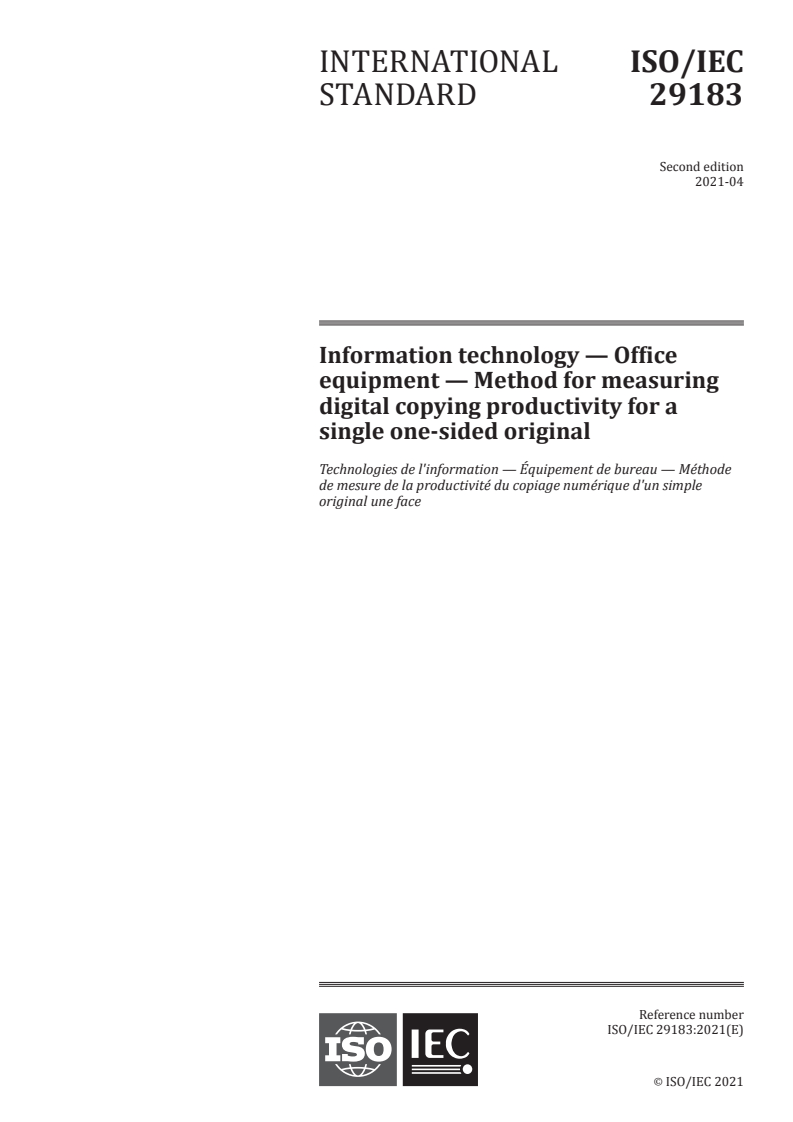
INTERNATIONAL ISO/IEC
STANDARD 29183
Second edition
2021-04
Information technology — Office
equipment — Method for measuring
digital copying productivity for a
single one-sided original
Technologies de l'information — Équipement de bureau — Méthode
de mesure de la productivité du copiage numérique d'un simple
original une face
Reference number
©
ISO/IEC 2021
© ISO/IEC 2021
All rights reserved. Unless otherwise specified, or required in the context of its implementation, no part of this publication may
be reproduced or utilized otherwise in any form or by any means, electronic or mechanical, including photocopying, or posting
on the internet or an intranet, without prior written permission. Permission can be requested from either ISO at the address
below or ISO’s member body in the country of the requester.
ISO copyright office
CP 401 • Ch. de Blandonnet 8
CH-1214 Vernier, Geneva
Phone: +41 22 749 01 11
Email: copyright@iso.org
Website: www.iso.org
Published in Switzerland
ii © ISO/IEC 2021 – All rights reserved
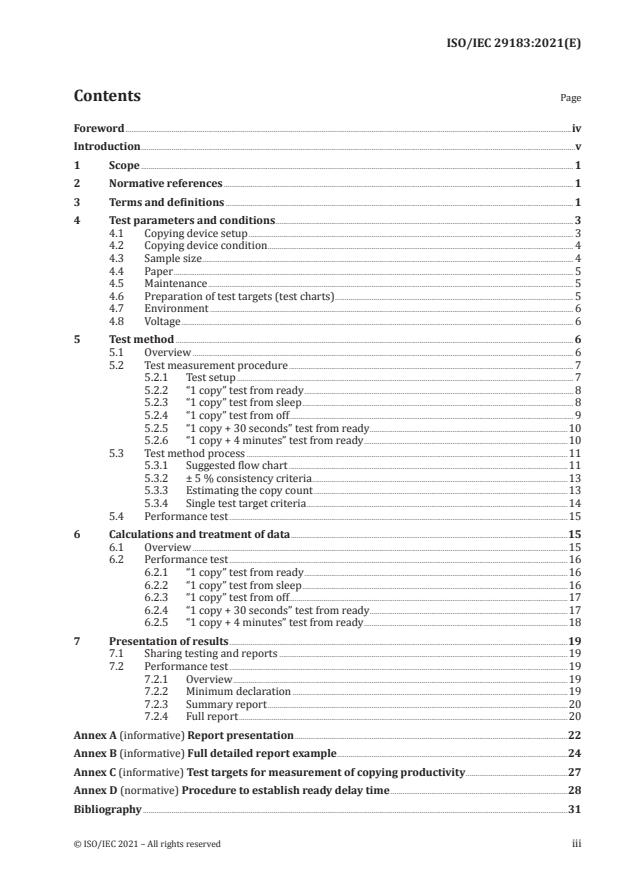
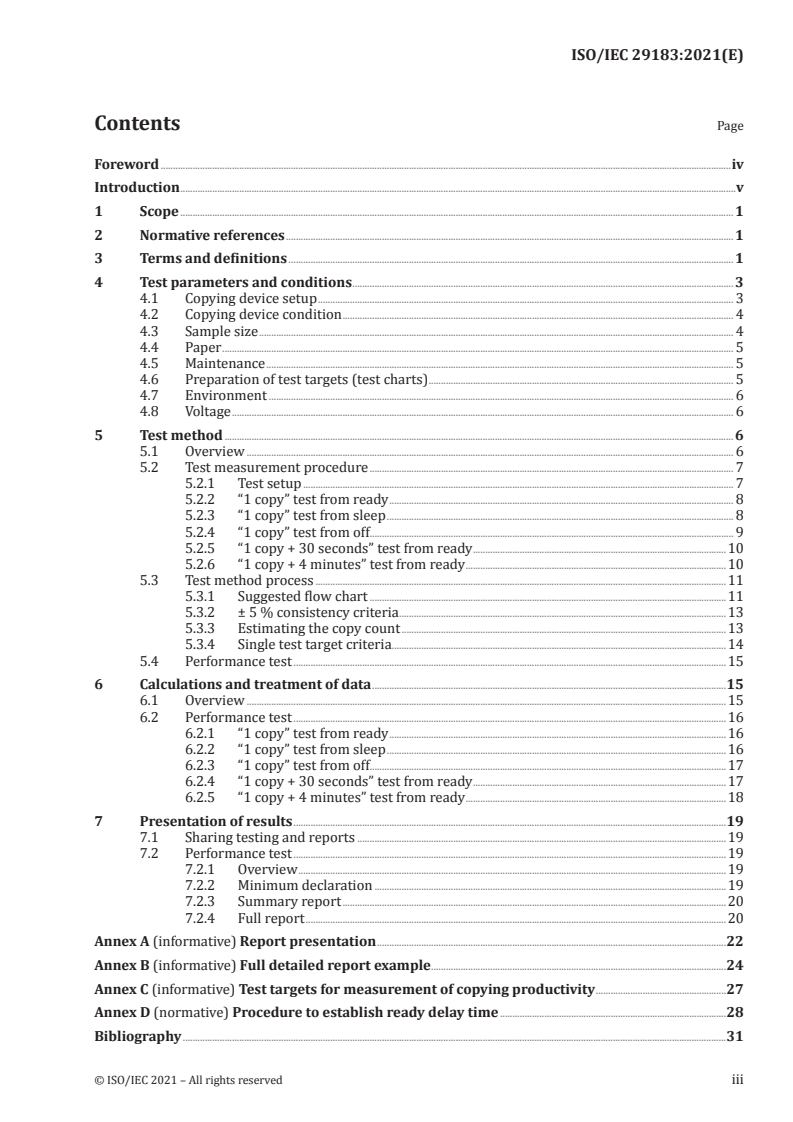
Contents Page
Foreword .iv
Introduction .v
1 Scope . 1
2 Normative references . 1
3 Terms and definitions . 1
4 Test parameters and conditions . 3
4.1 Copying device setup . 3
4.2 Copying device condition . 4
4.3 Sample size . 4
4.4 Paper . 5
4.5 Maintenance . 5
4.6 Preparation of test targets (test charts) . 5
4.7 Environment . 6
4.8 Voltage . 6
5 Test method . 6
5.1 Overview . 6
5.2 Test measurement procedure . 7
5.2.1 Test setup . 7
5.2.2 “1 copy” test from ready . 8
5.2.3 “1 copy” test from sleep . 8
5.2.4 “1 copy” test from off. 9
5.2.5 “1 copy + 30 seconds” test from ready .10
5.2.6 “1 copy + 4 minutes” test from ready .10
5.3 Test method process .11
5.3.1 Suggested flow chart .11
5.3.2 ± 5 % consistency criteria .13
5.3.3 Estimating the copy count .13
5.3.4 Single test target criteria .14
5.4 Performance test .15
6 Calculations and treatment of data .15
6.1 Overview .15
6.2 Performance test .16
6.2.1 “1 copy” test from ready .16
6.2.2 “1 copy” test from sleep .16
6.2.3 “1 copy” test from off.17
6.2.4 “1 copy + 30 seconds” test from ready .17
6.2.5 “1 copy + 4 minutes” test from ready .18
7 Presentation of results .19
7.1 Sharing testing and reports .19
7.2 Performance test .19
7.2.1 Overview .19
7.2.2 Minimum declaration .19
7.2.3 Summary report .20
7.2.4 Full report .20
Annex A (informative) Report presentation .22
Annex B (informative) Full detailed report example .24
Annex C (informative) Test targets for measurement of copying productivity .27
Annex D (normative) Procedure to establish ready delay time .28
Bibliography .31
© ISO/IEC 2021 – All rights reserved iii
Foreword
ISO (the International Organization for Standardization) and IEC (the International Electrotechnical
Commission) form the specialized system for worldwide standardization. National bodies that
are members of ISO or IEC participate in the development of International Standards through
technical committees established by the respective organization to deal with particular fields of
technical activity. ISO and IEC technical committees collaborate in fields of mutual interest. Other
international organizations, governmental and non-governmental, in liaison with ISO and IEC, also
take part in the work.
The procedures used to develop this document and those intended for its further maintenance are
described in the ISO/IEC Directives, Part 1. In particular, the different approval criteria needed for
the different types of document should be noted. This document was drafted in accordance with the
editorial rules of the ISO/IEC Directives, Part 2 (see www .iso .org/ directives or www .iec .ch/ members
_experts/ refdocs).
Attention is drawn to the possibility that some of the elements of this document may be the subject
of patent rights. ISO and IEC shall not be held responsible for identifying any or all such patent
rights. Details of any patent rights identified during the development of the document will be in the
Introduction and/or on the ISO list of patent declarations received (see www .iso .org/ patents) or the IEC
list of patent declarations received (see patents.iec.ch).
Any trade name used in this document is information given for the convenience of users and does not
constitute an endorsement.
For an explanation of the voluntary nature of standards, the meaning of ISO specific terms and
expressions related to conformity assessment, as well as information about ISO's adherence to the
World Trade Organization (WTO) principles in the Technical Barriers to Trade (TBT) see www .iso .org/
iso/ foreword .html. In the IEC, see www .iec .ch/ understanding -standards.
This document was prepared by Joint Technical Committee ISO/IEC JTC 1, Information technology,
Subcommittee SC 28, Office equipment.
This second edition cancels and replaces the first edition (ISO/IEC 29183:2010), which has been
technically revised.
The main changes compared to the previous edition are as follows:
— “Terms and definitions” clause has been modified to add new definitions and removed definitions of
terms not used in the text;
— annex structure was changed to be consistent with other productivity standards;
— added “ready delay time” requirement to “test measurement” procedures;
— added Annex D for the procedure to determine the “ready delay time”;
— added sFCOT from sleep, sFCOT from sleep after 15 min, and sFCOT from off tests and reporting;
— added minimum declaration examples to Annex A.
Any feedback or questions on this document should be directed to the user’s national standards body. A
complete listing of these bodies can be found at www .iso .org/ members .html and www .iec .ch/ national
-committees.
iv © ISO/IEC 2021 – All rights reserved
Introduction
Many digital copying devices produce copied pages at a different rate than their nominal speed when
running with different quality modes, different substrate grammage, different job content and job
lengths. The degree to which a change in productivity is experienced depends significantly on other
parameters of the job stream. The most dominant of the parameters of the job stream are: (image
quality modes selected, job content, B&W and colour reproduction job stream, run length). The existing
International Standard (ISO/IEC 24735) only addresses the productivity issues for digital copying
devices when using both collation and an ADF (automatic document feeder) and cannot be used for a
single one sided original.
This document provides a general method for measuring productivity when the above-mentioned job
stream parameters for digital copying devices are taken into consideration. This document also includes
instructions for the creation of test charts. It allows manufacturers and buyers of digital copying
devices to describe the productivity of various digital copying devices with respect to representative
office usage.
© ISO/IEC 2021 – All rights reserved v
INTERNATIONAL STANDARD ISO/IEC 29183:2021(E)
Information technology — Office equipment — Method for
measuring digital copying productivity for a single one-
sided original
1 Scope
This document specifies a method for measuring productivity of digital copying devices and
multifunctional devices with various copying modes and a single one-sided original. The document is
applicable to digital copying devices and multifunctional devices. The document is intended to be used
for black and white (B&W) as well as colour digital copying devices and multifunctional devices of any
underlying marking technology. This document includes instructions for the creation of test charts, test
setup procedure, test procedure, and the reporting requirements for the digital copying productivity
measurements.
This document is not intended to replace manufacturer's rated speeds.
2 Normative references
The following documents are referred to in the text in such a way that some or all of their content
constitutes requirements of this document. For dated references, only the edition cited applies. For
undated references, the latest edition of the referenced document (including any amendments) applies.
ISO 536, Paper and board — Determination of grammage
ISO 2470-1, Paper, board and pulps — Measurement of diffuse blue reflectance factor — Part 1: Indoor
daylight conditions (ISO brightness)
ISO/IEC 24734, Information technology — Office equipment — Method for measuring digital printing
productivity
3 Terms and definitions
For the purposes of this document, the terms and definitions given in ISO/IEC 24734 and the
following apply.
ISO and IEC maintain terminological databases for use in standardization at the following addresses:
— ISO Online browsing platform: available at https:// www .iso .org/ obp
— IEC Electropedia: available at http:// www .electropedia .org/
3.1
sEFTP
effective throughput
rate at which a device produces pages measured from the initiation of the job through the complete exit
of the last test set (3.11)
Note 1 to entry: “s” denotes that a single one sided original is used for the measurement.
Note 2 to entry: sEFTP is expressed in images per minute (ipm). sEFTP can be affected by scan time, digital
processing time, and maintenance as well as the run time of the test.
[SOURCE: ISO/IEC 24734:2021, 3.6, modified — The term "EFTP" has been replaced by "sEFTP" and
Note 1 to entry has been added.]
© ISO/IEC 2021 – All rights reserved 1
3.2
sESAT
estimated saturated throughput
rate at which a device produces pages measured from the complete exit of the first test set (3.11) to the
complete exit of the last test set
Note 1 to entry: “s” denotes that a single one sided original is used for the measurement.
Note 2 to entry: sESAT is expressed in images per minute (ipm).
Note 3 to entry: There is a different definition called “Continuous Copy Speed” for EP (electrophotographic)
copying machine is defined in ISO/IEC 21117.
Note 4 to entry: Since each test set is one page. it is by definition the last page of the test set.
[SOURCE: ISO/IEC 24734:2021, 3.7, modified — The term "ESAT" has been replaced by "sESAT" and
Notes 1 and 3 to entry have been added.]
3.3
sFCOT
first copy out time
number of seconds between the initiation of the job to the complete exit of the first copy
Note 1 to entry: “s” denotes that a single one sided original is used for the measurement.
Note 2 to entry: For a single one sided original the first copy is the first set and sFCOT equals sFSOT.
Note 3 to entry: sFCOT can refer to sFCOT from ready, sFCOT from sleep, sFCOT from off. Specific usage will be
noted by sFCOT , sFCOT , sFCOT .
ready sleep off
Note 4 to entry: sFCOT is strongly affected by the scanning time.
Note 5 to entry: There is a different definition called “FCOT; first copy out time”. This “FCOT” for EP
(electrophotographic) copying machine is defined in ISO/IEC 21117.
3.4
full report
presentation of results including the first copy out time (sFCOT) (3.3) from ready,
sFCOT from sleep, sFCOT from off, estimated saturated throughput (sESAT) (3.2) and effective throughput
(sEFTP) (3.1) values as well as the calculated averages for each values
3.5
off state
state from which a device is not capable of making a copy without user intervention to turn on the power
Note 1 to entry: A device may enter off state due to a user turning the device off, or the device may enter off state
automatically after a delay.
3.6
performance test
test used to evaluate productivity by providing first copy out time (sFCOT) (3.3), estimated saturated
throughput (sESAT) (3.2) and effective throughput (sEFTP) (3.1)
3.7
power management delay time
time that a device waits between the exit of the last page of the last job and being in a lower power state
such as sleep state or off state (3.5)
Note 1 to entry: The power management delay time corresponding to the setting as shipped is referred to as
“default power management delay time” or "default delay time".
2 © ISO/IEC 2021 – All rights reserved
3.8
recovery time
time required by a device to recover from a sleep state given by the difference in the exit timing of the
first page of the sleep state job and the exit timing of the first page of the ready state job
Note 1 to entry: Other related terms are “resume time” and “return time”. Other similar terms have been used in
industry as well.
3.9
saturated time per copy
average time per copy measured from the complete exit of the first copy to the complete exit of the
last copy
3.10
test run
operation of copying one test target (3.12), in a particular system configuration, with a particular test
set (3.11) and page count
Note 1 to entry: Copy times are recorded for each test run.
3.11
test set
test copy
single page test target (3.12)
[SOURCE: ISO/IEC 24735:2021, 3.11, modified — The definition modified for single page.]
3.12
test target
test chart
hardcopy page used for testing per the test method, created from the test file
[SOURCE: ISO/IEC 24735:2021, 3.25, modified — The word "document" has been replaced by "page".]
3.13
warm-up time
time required by a device to recover from off state (3.5) given by the difference in first copy out time
(sFCOT) (3.3) between off state and ready state
Note 1 to entry: Other similar terms, such as "wait time", have been used in industry as well.
4 Test parameters and conditions
4.1 Copying device setup
Place the copying device on a horizontal surface and set up the copying device according to the
manufacturer's recommendations.
The copying device shall be fully enclosed in its normal exterior cover. The machine and all of its
necessary supplies shall be acclimated in the test environment prior to conducting the test(s) for at least
8 h. All supplies used in the test(s), including copy paper, shall be those specified by the manufacturer.
All image and copying modes shall be at their factory preset configuration for the copying device. It
is assumed that the settings listed in Table 1 are common to all copying devices. These listed settings
shall be set to the manufacturer's default or preset condition for the device. If a device has settings not
listed in Table 1, they too shall be set to default settings. For copying devices that have additional print
quality and digital image processing features, those features shall be set to match their normal default
condition and included in the result reporting.
© ISO/IEC 2021 – All rights reserved 3
Disabling manufacturer default installed features, routines or applications, is not allowed.
EXAMPLE 1 Examples of routines that may not be disabled include, but are not limited to the following:
— automatic cleaning;
— calibration cycles;
— energy save settings.
If the system has automatic media detect (automatic paper type selection), it can be disabled, and paper
used in the test shall be selected manually. This shall be noted in the full detailed report (see Annex B).
The following preset values in the test will be noted on this report format. Additional optional tests
with non-default settings or configurations may be run.
If the copying device is setup with internal or external options such as memory, sorter, or finisher as
default, then these options shall be noted on the full detailed report format in the configuration options
as shown in Annex B.
EXAMPLE 2 Examples of configurations options to be captured:
— finisher as default;
— 160GB HDD installed.
Table 1 — Preset settings
Preset item Preset value
Output resolution default
Output quality default
Mode Copying mode default
Auto density adjustment default
Collating function default
Paper sending direction default
Paper
Paper type setting default
Paper feeding default paper feeder
Paper-path Paper exit standard exit tray
Face up exit default
Fixing capability default
Image quality stability default
Temporary stop
Capacity of paper default
Others default
4.2 Copying device condition
All supplies used in the test(s), including paper and printing device consumables, shall be only those
specified as acceptable for use by the manufacturer (or otherwise noted). If available the number
of pages printed on the engine and printed on the consumables prior to the start of the test shall be
recorded and reported. The machine and all of its necessary supplies shall be acclimated in the test
environment prior to conducting the test(s) at least 8 h.
4.3 Sample size
Each target shall be tested and measured at least twice for repeatability. All required tests shall be run
using one device.
4 © ISO/IEC 2021 – All rights reserved
4.4 Paper
The output paper used in this test shall be within the range of, and/or not violate, specific written
attribute guidelines and recommendations provided by the copying device manufacturer, which may
include but are not limited to: size, grammage, composition, paper manufacturer(s), paper type, part
number and other physical characteristics. Care shall be taken to use a paper that conforms to the
copying device manufacturers' paper specifications for the default copying device settings. The paper
used for the performance test 5.4 shall be cut sheet, A4 and/or 8,5" × 11" (215,9 mm × 279,4 mm) size.
The paper used in the test shall be recorded in the full detailed test report.
The same paper size should be used for each machine when wanting to compare the productivity
results of one machine with other machines. If the copying device is used in “thick paper mode” for
copying, then this optional mode should be noted on the full detailed report format in corresponding
column in Annex B.
4.5 Maintenance
Copying device maintenance routines shall be performed throughout testing per the manufacturer's
recommendations on an as needed basis.
EXAMPLE Examples of maintenance routines:
— cleaning routines;
— consumables replacement.
4.6 Preparation of test targets (test charts)
The copying test file is outlined in Annex C.
This test file is from ISO/IEC 24735. The test file consists of four single-sided pages. When using the
test file for the copying productivity test, the test targets shall be created by printing the most recent
electronic test file. If the intended machine does not have a printer function, then record the name of
the printer which is used to print out the actual test targets.
The quality of test targets may affect the productivity measurement. Test targets should be created
according to the following instructions.
a) The test targets shall be printed by the equipment to be tested in its default-printing mode in
simplex mode.
b) The paper used for creating the test targets shall have a brightness of at least 80 % to eliminate the
influence of background.
c) The paper used for creating the test targets shall be 64 g/m or above and sufficiently opaque.
d) The paper used for creating the test targets shall be free of wrinkles or other surface defects.
e) Confirm that there are no defects such as unexpected dots or contamination on the paper.
f) Page scaling shall not be used. Typically, this is done by setting page scaling to “none”. Options such
as “Fit to printable area” shall not be used.
The brightness shall be measured according to ISO 2470-1. The paper grammage shall be measured
according to ISO 536.
© ISO/IEC 2021 – All rights reserved 5
4.7 Environment
The test environment, including temperature and humidity, shall be within the ranges recommended
by the manufacturer for operating the device. If no recommendation is available, the following ranges
shall apply:
— temperature: 18 °C to 25 °C,
— relative humidity: 30 % to 70 %.
The temperature and humidity ranges of the test environment shall be recorded in the full detailed report.
4.8 Voltage
The copying device shall be connected to a voltage supply within the manufacturer specified operating
voltage range for the copying device under test. The voltage should be measured under no-load
condition prior to each test suite and recorded in the full detailed report.
NOTE It is possible that devices that utilise a heater have a longer sFCOT time when the line voltage is at the
lower value of the recommended operating range.
5 Test method
5.1 Overview
The test procedures in this document apply to tests using either the scanning glass or ADF. For devices
with both ADF and a scanning glass testing with the scanning glass is mandatory, testing with the ADF
is optional. If the test is performed with the scanning glass and the ADF, then results from both tests
shall be documented in the full test report. It is acceptable to test with only the ADF if it is the only
scanner input path. This may be the case on scroll fed scanners, such as those typically found on fax
machines.
A single copy (1 copy test) of the relevant test target is copied in order to measure first copy out time
from ready (sFCOT ), sleep (sFCOT ), and off (sFCOT ). Multiple, N sets, of each relevant test
ready sleep off
target are copied and measured for the 1 copy + 30 seconds test run to calculate estimated saturated
throughput (sESAT ) and effective throughput (sEFTP ), where N is the number of sets needed to
30sec 30sec
meet sLSOT - sFSOT ≥ 30 s , and sLSOT is the last set out time for the 1 copy + 30 seconds
30sec 30sec 30sec
test. The 1 copy + 4 minutes test is a similar concept used to calculate sEFTP .
4min
The 1 copy + 30 seconds test is used to provide a test for products across varying segments. Without
defining and categorizing products by segments, this simple method allows faster products to be
tested with more sets and slower products to be tested with fewer sets, therefore more consistent
with their usage.
The 1 copy + 4 minutes test is intended to provide a test to illustrate that differences in productivity
can occur for longer printing times compared to shorter printing times. It is understood and recognized
that 4 min may be a long test for some devices, but a short test for other, higher end devices. The 4 min
time is a compromise to meet the needs of the many products across many segments covered in the
scope of this document.
In order to ensure clarity between the results of each test and to avoid test result confusion that can be
caused by back to back job spooling effect, each copy job test should be started only after the last copy of
the previous test has been fully ejected from the machine and the device has returned to a ready state.
Repeat the (1 copy test, 1 copy + 30 seconds test, and 1 copy + 4 minutes test) for each required/
optional test target, test suite, as applicable for the relevant copying modes on the device under test.
(See Table 2, and/or Table 3.)
6 © ISO/IEC 2021 – All rights reserved
5.2 Test measurement procedure
5.2.1 Test setup
Before testing, the following setup activities shall be completed.
a) Install the copying device following the manufacturer's recommendations.
b) Clean the surface of the image scanning device if needed.
c) The default required tests shall be run after the copying device has warmed-up and entered a ready
state. Use of warm-up copying (that means at least one page is copied just before testing) to ready
the copying device is acceptable.
d) Set the system parameters (such as paper grammage selection, paper size and feed orientation,
quality mode) for test. Record the copying device model, configuration (options), default condition
and any other variations if selected. If the system has automatic media detect (automatic paper
type selection), it can be disabled, and paper used in the test shall be selected manually. This shall
be noted in the full detailed report.
e) Refer to Annex B for an example of settings to record. Refer to 5.4 for information on required tests.
Refer to Clause 6 for information on the calculation and treatment of data. Refer to Clause 7 for
information on data reporting.
f) Prepare the test targets (test charts) that will be used in the test, identified as described in 4.6, and
place the target on the scanning glass of the device.
g) Refer to 5.4 to decide what tests are to be run.
h) The 1 copy test and the 1 copy + 30 seconds test are required for each test target A, B, C, and D. Only
test target A is required for the 1 copy + 4 minutes test while test targets B, C, and D are optional.
These tests can be performed in any order with any of the test targets.
NOTE 1 Four test targets are used in order to test the productivity versus the content of various originals.
This document is not designed or intended to test the time it takes for an operator to switch originals on the
scanner glass.
i) As described in 5.3.4, if the saturated time per copy is consistent to ±5 % between the four test
targets, testing can be carried out on only test target A. If only test target A is used, it shall be noted
in the full detailed test report.
j) Determine the ready delay time between jobs. The (sFCOT, 1 copy test, 1 copy + 30 seconds test, and
1 copy + 4 minutes test) from ready for some devices is sensitive to the ready delay time from the
exit of the last page of the previous copy job to the initiation of the next job. The ready delay time
used shall be no shorter than 20 s and no longer than 50 s; however, care shall be taken to select a
ready delay time that places the device in a stable condition. If the tester is unsure of what ready
delay time will place the device in a stable condition, the procedure in Annex D shall be used to
establish a ready delay time to place the device in a stable condition. The ready delay time used
may be different from what Annex D would indicate as long as the (sFCOT, 1 copy test, 1 copy +
30 seconds test, and 1 copy + 4 minutes test) result is equivalent to the (sFCOT, 1 copy test, 1 copy
+ 30 seconds test, and 1 copy + 4 minutes test) at the ready delay time that Annex D would have
selected. The ready delay time and whether a ready delay time found with Annex D was used shall
be noted in the full report.
NOTE 2 In general, electro-photographic devices are in a stable condition at 50 s , although many devices
can be in a stable condition in less than 50 s . With inkjet devices, an unstable condition happens during a
print head capping or servicing routine.
k) Determine the default power management delay time to the lowest power sleep state.
This may be done through examining device settings, timing how long until a device user interface
(UI) switches from ready to the lowest power sleep state, or by consulting device documentation
© ISO/IEC 2021 – All rights reserved 7
or the device manufacturer. If no information can be found on the default power management delay
time to the lowest power sleep state, a delay of 60 min shall be used.
An additional wait is added after the power management delay time to sleep determined above.
The additional wait is 60 min. If the device under test is an inkjet device, and the recovery time is
known to be independent from the length of time elapsed after entering sleep, instead of waiting
an additional 60 min, an additional wait of 10 min is allowed. If 60 min is not used as the additional
wait time, the additional wait time and reason 60 min was not used shall be noted in the full report.
The total delay time is the sum of the power management delay time and the additional delay time.
The total delay time from the complete exit of the last page of the previous job to the initiation of
the next job shall be noted in the full detailed report.
If the device enters off state automatically during the sFCOT from sleep test, the device shall be
turned on manually, and noted as such in the full report. The result of the test shall still be reported
as sFCOT from sleep.
An optional test is to measure sFCOT from sleep with a total delay time from complete exit of the
last page of the previous job to the initiation of the next job after a 15 min total delay time.
l) Default delay time for sFCOT from off is 60 min.
5.2.2 “1 copy” test from ready
The procedure to measure sFCOT and sEFTP is defined by the following steps.
ready 1copy
a) Enter copy set count = 1 and press the copy start button. Start the ready delay timer when the page
has fully exited from the device.
NOTE 1 Step a) is skipped when the ready delay timer is started at the end of a different test.
b) Enter copy count = 1 required for this specific test run on the copying device operation panel.
c) [Start test run] At the end of the ready delay time, press the copy start button and simultaneously
start the timing device (watch or otherwise).
d) Record the time for completion of one copy to at least two decimal places and start the ready
delay timer.
e) [End test run]
f) Run the 1 copy test steps b) – e) twice. Determine if the results are consistent within ±5 % according
to 5.3.2, and perform a third test run if required. (The data from the test is average of the individual
runs. Three iterations are the maximum and the results from all iterations are averaged to get the
required data.)
g) Calculate the average sFCOT and sEFTP for the current test target according to Clause 6.
ready 1copy
NOTE 2 If sFCOT is constant regardless of copy count, a copy count of 2 can be used, and this test used as
the initial test described in 5.3.2.
5.2.3 “1 copy” test from sleep
The procedure to measure sFCOT is defined by the following steps:
sleep
a) Preconfigure the device settings to be the same as the current test run.
NOTE 1 The intent is to enable pressing just the start button to begin the copy job.
b) Make a copy job at the device using page A of the test targets and the same copy mode settings as
the current test run.
8 © ISO/IEC 2021 – All rights reserved
c) When the page has fully exited from the device, start a timing device for the total delay time.
d) Wait until the total delay time has elapsed before continuing.
e) Use one of the following two methods to perform copy job.
1) If the device is in sleep state: when the total delay time has elapsed, select the copy start button
and simultaneously start the timing device (watch or otherwise). The time measurement is
started when the copy start button is first pressed. In the case that the measured results are
the same, quick copy, or similar features may be used to initiate the copy job.
NOTE 2 It is possible that the copy start button needs to be pressed multiple times to wake the
device and start the job. Timing will start on the first copy start button press. Some devices can require
another button to be hit to wake the device, such as a “Power/Sleep” button. The timer starts when the
first button is pressed to wake the device up.
2) If the device is in off state: when the total delay time has elapsed, turn the copy device on using
the power button and simultaneously start the timing device. The time measurement is started
when the device is turned on. In the case that the measured results are the same, quick copy,
or similar features may be used to initiate the copy job. Some copy systems may require some
amount of delay between turning on the copy device and selecting copy start button on the
control panel for the copy job to successfully execute. For such systems, the delay used shall be
noted in the full report.
f) Record the time in seconds for completion of the page (the test page has been fully ejected from the
device) to at least two decimal places, and optionally start a timing device for the delay time for the
next test run.
g) Determine which steps to run next.
1) If the timing device for the delay time was started in step c), run steps c) – f) once more for a
total of 2 measurements before continuing to step h).
2) If the timing device for the delay time was not started in step c), run steps a) – f) once more for
a total of 2 measurements before continuing to step h).
h) Determine if the results are consistent according to 5.3.2, and perform a third test run of steps a) –
f) if required.
i) Calculate the average sFCOT .
sleep
5.2.4 “1 copy” test from off
The procedure to measure sFCOT is defined by the following steps.
off
a) Make a copy job at the device using page A of the test targets and the same copy mode settings as
the current test run.
NOTE 1 The intent is to enable pressing just the copy start button to begin the copy job.
b) Place the device in off state by turning the device off using the power button on the device and start
a timing device for the delay time.
c) Wait until no earlier than 5 min before the delay time has elapsed before continuing.
d) When the delay time has elapsed, turn the copy device on using the power button and simultaneously
start the timing device. The time measurement is started when turning on the device.
e) As soon as copy UI is functional, configure the copy job again using the same settings as the current
test run.
f) Select the copy start button on the control panel. In the case that the measured results are the
same, the quick copy, or similar features may be used to initiate the copy job. Some copy systems
© ISO/IEC 2021 – All rights reserved 9
may require some amount of delay between turning on the copy device and selecting the copy start
button on the control panel. For such systems, the delay used shall be noted in the full report.
g) Record the time in seconds for completion of the page (the test page has been fully ejected from the
device) to at least two decimal places.
h) Run steps b) – g) twice.
i) Determine if the results are consistent according to 5.3.2, and perform a third test run of steps b) –
g) if required.
j) Calculate the average sFCOT .
off
5.2.5 “1 copy + 30 seconds” test from ready
The procedure to measure sESAT and sEFTP is defined by the following steps.
30sec 30sec
a) Enter copy set count = 1 and press the copy start button. Start the ready delay timer when the page
has fully exited from the device.
NOTE 1 Step a) is skipped when the ready delay timer is started at the end of a different test.
b) Enter copy count = N required for sLCOT – sFCOT ≥ 30 s. For the second and third tests, use
30sec 30sec
the same copy count as used in the first test.
NOTE 2 This sFCOT is not the same as sFCOT from the 1 copy test. The sFCOT measured is
30sec 1copy 30sec
used to verify sLCOT – sFCOT ≥ 30 s and to calculate sESAT .
30sec 30sec 30sec
c) [Start test run] At the end of the ready delay time, press the copy start button and simultaneously
start the timing device (watch or otherwise).
d) Record the time for completion of the sFCOT to at least two decimal places. This is the time
30sec
from pressing the copy button until the first copy is fully ejected from the machine. If the output
paper bin capacity is less than the number of pages to be copied, remove the output paper during
the test.
e) Record the time for completion of the sLCOT to at least two decimal places and start the ready
30sec
delay timer. This is the time from pressing the copy button until the last copy is fully ejected from
the machine.
f) [End test run]
g) Run the 1 copy + 30 Seconds test steps b) – f) twice. Calculate sESAT and sEFTP for each
30sec 30sec
test run according to Clause 6.
h) Determine if the results are consistent within ±5 % according to 5.3.2 and perform a third test
run if required. (The data from the test is average of the individual runs. Three iterations are the
maximum and the results from all iterations are averaged to get the required data.)
i) Calculate the average sESAT and sEFTP for the current test target according to Clause 6.
30sec 30sec
5.2.6 “1 copy + 4 minutes” test from ready
The procedure to measure sEFTP is defined by the following steps.
4min
a) Enter copy set count = 1 and press the copy start button. Start the ready delay timer when the page
has fully exited from the device.
NOTE 1 Step a) is skipped when the ready delay timer is started at the end of a different test.
10 © ISO/IEC 2021 – All rights reserved
b) Enter copy count = N requ
...
INTERNATIONAL ISO/IEC
STANDARD 29183
Second edition
2021-04
Information technology — Office
equipment — Method for measuring
digital copying productivity for a
single one-sided original
Technologies de l'information — Équipement de bureau — Méthode
de mesure de la productivité du copiage numérique d'un simple
original une face
Reference number
©
ISO/IEC 2021
© ISO/IEC 2021
All rights reserved. Unless otherwise specified, or required in the context of its implementation, no part of this publication may
be reproduced or utilized otherwise in any form or by any means, electronic or mechanical, including photocopying, or posting
on the internet or an intranet, without prior written permission. Permission can be requested from either ISO at the address
below or ISO’s member body in the country of the requester.
ISO copyright office
CP 401 • Ch. de Blandonnet 8
CH-1214 Vernier, Geneva
Phone: +41 22 749 01 11
Email: copyright@iso.org
Website: www.iso.org
Published in Switzerland
ii © ISO/IEC 2021 – All rights reserved
Contents Page
Foreword .iv
Introduction .v
1 Scope . 1
2 Normative references . 1
3 Terms and definitions . 1
4 Test parameters and conditions . 3
4.1 Copying device setup . 3
4.2 Copying device condition . 4
4.3 Sample size . 4
4.4 Paper . 5
4.5 Maintenance . 5
4.6 Preparation of test targets (test charts) . 5
4.7 Environment . 6
4.8 Voltage . 6
5 Test method . 6
5.1 Overview . 6
5.2 Test measurement procedure . 7
5.2.1 Test setup . 7
5.2.2 “1 copy” test from ready . 8
5.2.3 “1 copy” test from sleep . 8
5.2.4 “1 copy” test from off. 9
5.2.5 “1 copy + 30 seconds” test from ready .10
5.2.6 “1 copy + 4 minutes” test from ready .10
5.3 Test method process .11
5.3.1 Suggested flow chart .11
5.3.2 ± 5 % consistency criteria .13
5.3.3 Estimating the copy count .13
5.3.4 Single test target criteria .14
5.4 Performance test .15
6 Calculations and treatment of data .15
6.1 Overview .15
6.2 Performance test .16
6.2.1 “1 copy” test from ready .16
6.2.2 “1 copy” test from sleep .16
6.2.3 “1 copy” test from off.17
6.2.4 “1 copy + 30 seconds” test from ready .17
6.2.5 “1 copy + 4 minutes” test from ready .18
7 Presentation of results .19
7.1 Sharing testing and reports .19
7.2 Performance test .19
7.2.1 Overview .19
7.2.2 Minimum declaration .19
7.2.3 Summary report .20
7.2.4 Full report .20
Annex A (informative) Report presentation .22
Annex B (informative) Full detailed report example .24
Annex C (informative) Test targets for measurement of copying productivity .27
Annex D (normative) Procedure to establish ready delay time .28
Bibliography .31
© ISO/IEC 2021 – All rights reserved iii
Foreword
ISO (the International Organization for Standardization) and IEC (the International Electrotechnical
Commission) form the specialized system for worldwide standardization. National bodies that
are members of ISO or IEC participate in the development of International Standards through
technical committees established by the respective organization to deal with particular fields of
technical activity. ISO and IEC technical committees collaborate in fields of mutual interest. Other
international organizations, governmental and non-governmental, in liaison with ISO and IEC, also
take part in the work.
The procedures used to develop this document and those intended for its further maintenance are
described in the ISO/IEC Directives, Part 1. In particular, the different approval criteria needed for
the different types of document should be noted. This document was drafted in accordance with the
editorial rules of the ISO/IEC Directives, Part 2 (see www .iso .org/ directives or www .iec .ch/ members
_experts/ refdocs).
Attention is drawn to the possibility that some of the elements of this document may be the subject
of patent rights. ISO and IEC shall not be held responsible for identifying any or all such patent
rights. Details of any patent rights identified during the development of the document will be in the
Introduction and/or on the ISO list of patent declarations received (see www .iso .org/ patents) or the IEC
list of patent declarations received (see patents.iec.ch).
Any trade name used in this document is information given for the convenience of users and does not
constitute an endorsement.
For an explanation of the voluntary nature of standards, the meaning of ISO specific terms and
expressions related to conformity assessment, as well as information about ISO's adherence to the
World Trade Organization (WTO) principles in the Technical Barriers to Trade (TBT) see www .iso .org/
iso/ foreword .html. In the IEC, see www .iec .ch/ understanding -standards.
This document was prepared by Joint Technical Committee ISO/IEC JTC 1, Information technology,
Subcommittee SC 28, Office equipment.
This second edition cancels and replaces the first edition (ISO/IEC 29183:2010), which has been
technically revised.
The main changes compared to the previous edition are as follows:
— “Terms and definitions” clause has been modified to add new definitions and removed definitions of
terms not used in the text;
— annex structure was changed to be consistent with other productivity standards;
— added “ready delay time” requirement to “test measurement” procedures;
— added Annex D for the procedure to determine the “ready delay time”;
— added sFCOT from sleep, sFCOT from sleep after 15 min, and sFCOT from off tests and reporting;
— added minimum declaration examples to Annex A.
Any feedback or questions on this document should be directed to the user’s national standards body. A
complete listing of these bodies can be found at www .iso .org/ members .html and www .iec .ch/ national
-committees.
iv © ISO/IEC 2021 – All rights reserved
Introduction
Many digital copying devices produce copied pages at a different rate than their nominal speed when
running with different quality modes, different substrate grammage, different job content and job
lengths. The degree to which a change in productivity is experienced depends significantly on other
parameters of the job stream. The most dominant of the parameters of the job stream are: (image
quality modes selected, job content, B&W and colour reproduction job stream, run length). The existing
International Standard (ISO/IEC 24735) only addresses the productivity issues for digital copying
devices when using both collation and an ADF (automatic document feeder) and cannot be used for a
single one sided original.
This document provides a general method for measuring productivity when the above-mentioned job
stream parameters for digital copying devices are taken into consideration. This document also includes
instructions for the creation of test charts. It allows manufacturers and buyers of digital copying
devices to describe the productivity of various digital copying devices with respect to representative
office usage.
© ISO/IEC 2021 – All rights reserved v
INTERNATIONAL STANDARD ISO/IEC 29183:2021(E)
Information technology — Office equipment — Method for
measuring digital copying productivity for a single one-
sided original
1 Scope
This document specifies a method for measuring productivity of digital copying devices and
multifunctional devices with various copying modes and a single one-sided original. The document is
applicable to digital copying devices and multifunctional devices. The document is intended to be used
for black and white (B&W) as well as colour digital copying devices and multifunctional devices of any
underlying marking technology. This document includes instructions for the creation of test charts, test
setup procedure, test procedure, and the reporting requirements for the digital copying productivity
measurements.
This document is not intended to replace manufacturer's rated speeds.
2 Normative references
The following documents are referred to in the text in such a way that some or all of their content
constitutes requirements of this document. For dated references, only the edition cited applies. For
undated references, the latest edition of the referenced document (including any amendments) applies.
ISO 536, Paper and board — Determination of grammage
ISO 2470-1, Paper, board and pulps — Measurement of diffuse blue reflectance factor — Part 1: Indoor
daylight conditions (ISO brightness)
ISO/IEC 24734, Information technology — Office equipment — Method for measuring digital printing
productivity
3 Terms and definitions
For the purposes of this document, the terms and definitions given in ISO/IEC 24734 and the
following apply.
ISO and IEC maintain terminological databases for use in standardization at the following addresses:
— ISO Online browsing platform: available at https:// www .iso .org/ obp
— IEC Electropedia: available at http:// www .electropedia .org/
3.1
sEFTP
effective throughput
rate at which a device produces pages measured from the initiation of the job through the complete exit
of the last test set (3.11)
Note 1 to entry: “s” denotes that a single one sided original is used for the measurement.
Note 2 to entry: sEFTP is expressed in images per minute (ipm). sEFTP can be affected by scan time, digital
processing time, and maintenance as well as the run time of the test.
[SOURCE: ISO/IEC 24734:2021, 3.6, modified — The term "EFTP" has been replaced by "sEFTP" and
Note 1 to entry has been added.]
© ISO/IEC 2021 – All rights reserved 1
3.2
sESAT
estimated saturated throughput
rate at which a device produces pages measured from the complete exit of the first test set (3.11) to the
complete exit of the last test set
Note 1 to entry: “s” denotes that a single one sided original is used for the measurement.
Note 2 to entry: sESAT is expressed in images per minute (ipm).
Note 3 to entry: There is a different definition called “Continuous Copy Speed” for EP (electrophotographic)
copying machine is defined in ISO/IEC 21117.
Note 4 to entry: Since each test set is one page. it is by definition the last page of the test set.
[SOURCE: ISO/IEC 24734:2021, 3.7, modified — The term "ESAT" has been replaced by "sESAT" and
Notes 1 and 3 to entry have been added.]
3.3
sFCOT
first copy out time
number of seconds between the initiation of the job to the complete exit of the first copy
Note 1 to entry: “s” denotes that a single one sided original is used for the measurement.
Note 2 to entry: For a single one sided original the first copy is the first set and sFCOT equals sFSOT.
Note 3 to entry: sFCOT can refer to sFCOT from ready, sFCOT from sleep, sFCOT from off. Specific usage will be
noted by sFCOT , sFCOT , sFCOT .
ready sleep off
Note 4 to entry: sFCOT is strongly affected by the scanning time.
Note 5 to entry: There is a different definition called “FCOT; first copy out time”. This “FCOT” for EP
(electrophotographic) copying machine is defined in ISO/IEC 21117.
3.4
full report
presentation of results including the first copy out time (sFCOT) (3.3) from ready,
sFCOT from sleep, sFCOT from off, estimated saturated throughput (sESAT) (3.2) and effective throughput
(sEFTP) (3.1) values as well as the calculated averages for each values
3.5
off state
state from which a device is not capable of making a copy without user intervention to turn on the power
Note 1 to entry: A device may enter off state due to a user turning the device off, or the device may enter off state
automatically after a delay.
3.6
performance test
test used to evaluate productivity by providing first copy out time (sFCOT) (3.3), estimated saturated
throughput (sESAT) (3.2) and effective throughput (sEFTP) (3.1)
3.7
power management delay time
time that a device waits between the exit of the last page of the last job and being in a lower power state
such as sleep state or off state (3.5)
Note 1 to entry: The power management delay time corresponding to the setting as shipped is referred to as
“default power management delay time” or "default delay time".
2 © ISO/IEC 2021 – All rights reserved
3.8
recovery time
time required by a device to recover from a sleep state given by the difference in the exit timing of the
first page of the sleep state job and the exit timing of the first page of the ready state job
Note 1 to entry: Other related terms are “resume time” and “return time”. Other similar terms have been used in
industry as well.
3.9
saturated time per copy
average time per copy measured from the complete exit of the first copy to the complete exit of the
last copy
3.10
test run
operation of copying one test target (3.12), in a particular system configuration, with a particular test
set (3.11) and page count
Note 1 to entry: Copy times are recorded for each test run.
3.11
test set
test copy
single page test target (3.12)
[SOURCE: ISO/IEC 24735:2021, 3.11, modified — The definition modified for single page.]
3.12
test target
test chart
hardcopy page used for testing per the test method, created from the test file
[SOURCE: ISO/IEC 24735:2021, 3.25, modified — The word "document" has been replaced by "page".]
3.13
warm-up time
time required by a device to recover from off state (3.5) given by the difference in first copy out time
(sFCOT) (3.3) between off state and ready state
Note 1 to entry: Other similar terms, such as "wait time", have been used in industry as well.
4 Test parameters and conditions
4.1 Copying device setup
Place the copying device on a horizontal surface and set up the copying device according to the
manufacturer's recommendations.
The copying device shall be fully enclosed in its normal exterior cover. The machine and all of its
necessary supplies shall be acclimated in the test environment prior to conducting the test(s) for at least
8 h. All supplies used in the test(s), including copy paper, shall be those specified by the manufacturer.
All image and copying modes shall be at their factory preset configuration for the copying device. It
is assumed that the settings listed in Table 1 are common to all copying devices. These listed settings
shall be set to the manufacturer's default or preset condition for the device. If a device has settings not
listed in Table 1, they too shall be set to default settings. For copying devices that have additional print
quality and digital image processing features, those features shall be set to match their normal default
condition and included in the result reporting.
© ISO/IEC 2021 – All rights reserved 3
Disabling manufacturer default installed features, routines or applications, is not allowed.
EXAMPLE 1 Examples of routines that may not be disabled include, but are not limited to the following:
— automatic cleaning;
— calibration cycles;
— energy save settings.
If the system has automatic media detect (automatic paper type selection), it can be disabled, and paper
used in the test shall be selected manually. This shall be noted in the full detailed report (see Annex B).
The following preset values in the test will be noted on this report format. Additional optional tests
with non-default settings or configurations may be run.
If the copying device is setup with internal or external options such as memory, sorter, or finisher as
default, then these options shall be noted on the full detailed report format in the configuration options
as shown in Annex B.
EXAMPLE 2 Examples of configurations options to be captured:
— finisher as default;
— 160GB HDD installed.
Table 1 — Preset settings
Preset item Preset value
Output resolution default
Output quality default
Mode Copying mode default
Auto density adjustment default
Collating function default
Paper sending direction default
Paper
Paper type setting default
Paper feeding default paper feeder
Paper-path Paper exit standard exit tray
Face up exit default
Fixing capability default
Image quality stability default
Temporary stop
Capacity of paper default
Others default
4.2 Copying device condition
All supplies used in the test(s), including paper and printing device consumables, shall be only those
specified as acceptable for use by the manufacturer (or otherwise noted). If available the number
of pages printed on the engine and printed on the consumables prior to the start of the test shall be
recorded and reported. The machine and all of its necessary supplies shall be acclimated in the test
environment prior to conducting the test(s) at least 8 h.
4.3 Sample size
Each target shall be tested and measured at least twice for repeatability. All required tests shall be run
using one device.
4 © ISO/IEC 2021 – All rights reserved
4.4 Paper
The output paper used in this test shall be within the range of, and/or not violate, specific written
attribute guidelines and recommendations provided by the copying device manufacturer, which may
include but are not limited to: size, grammage, composition, paper manufacturer(s), paper type, part
number and other physical characteristics. Care shall be taken to use a paper that conforms to the
copying device manufacturers' paper specifications for the default copying device settings. The paper
used for the performance test 5.4 shall be cut sheet, A4 and/or 8,5" × 11" (215,9 mm × 279,4 mm) size.
The paper used in the test shall be recorded in the full detailed test report.
The same paper size should be used for each machine when wanting to compare the productivity
results of one machine with other machines. If the copying device is used in “thick paper mode” for
copying, then this optional mode should be noted on the full detailed report format in corresponding
column in Annex B.
4.5 Maintenance
Copying device maintenance routines shall be performed throughout testing per the manufacturer's
recommendations on an as needed basis.
EXAMPLE Examples of maintenance routines:
— cleaning routines;
— consumables replacement.
4.6 Preparation of test targets (test charts)
The copying test file is outlined in Annex C.
This test file is from ISO/IEC 24735. The test file consists of four single-sided pages. When using the
test file for the copying productivity test, the test targets shall be created by printing the most recent
electronic test file. If the intended machine does not have a printer function, then record the name of
the printer which is used to print out the actual test targets.
The quality of test targets may affect the productivity measurement. Test targets should be created
according to the following instructions.
a) The test targets shall be printed by the equipment to be tested in its default-printing mode in
simplex mode.
b) The paper used for creating the test targets shall have a brightness of at least 80 % to eliminate the
influence of background.
c) The paper used for creating the test targets shall be 64 g/m or above and sufficiently opaque.
d) The paper used for creating the test targets shall be free of wrinkles or other surface defects.
e) Confirm that there are no defects such as unexpected dots or contamination on the paper.
f) Page scaling shall not be used. Typically, this is done by setting page scaling to “none”. Options such
as “Fit to printable area” shall not be used.
The brightness shall be measured according to ISO 2470-1. The paper grammage shall be measured
according to ISO 536.
© ISO/IEC 2021 – All rights reserved 5
4.7 Environment
The test environment, including temperature and humidity, shall be within the ranges recommended
by the manufacturer for operating the device. If no recommendation is available, the following ranges
shall apply:
— temperature: 18 °C to 25 °C,
— relative humidity: 30 % to 70 %.
The temperature and humidity ranges of the test environment shall be recorded in the full detailed report.
4.8 Voltage
The copying device shall be connected to a voltage supply within the manufacturer specified operating
voltage range for the copying device under test. The voltage should be measured under no-load
condition prior to each test suite and recorded in the full detailed report.
NOTE It is possible that devices that utilise a heater have a longer sFCOT time when the line voltage is at the
lower value of the recommended operating range.
5 Test method
5.1 Overview
The test procedures in this document apply to tests using either the scanning glass or ADF. For devices
with both ADF and a scanning glass testing with the scanning glass is mandatory, testing with the ADF
is optional. If the test is performed with the scanning glass and the ADF, then results from both tests
shall be documented in the full test report. It is acceptable to test with only the ADF if it is the only
scanner input path. This may be the case on scroll fed scanners, such as those typically found on fax
machines.
A single copy (1 copy test) of the relevant test target is copied in order to measure first copy out time
from ready (sFCOT ), sleep (sFCOT ), and off (sFCOT ). Multiple, N sets, of each relevant test
ready sleep off
target are copied and measured for the 1 copy + 30 seconds test run to calculate estimated saturated
throughput (sESAT ) and effective throughput (sEFTP ), where N is the number of sets needed to
30sec 30sec
meet sLSOT - sFSOT ≥ 30 s , and sLSOT is the last set out time for the 1 copy + 30 seconds
30sec 30sec 30sec
test. The 1 copy + 4 minutes test is a similar concept used to calculate sEFTP .
4min
The 1 copy + 30 seconds test is used to provide a test for products across varying segments. Without
defining and categorizing products by segments, this simple method allows faster products to be
tested with more sets and slower products to be tested with fewer sets, therefore more consistent
with their usage.
The 1 copy + 4 minutes test is intended to provide a test to illustrate that differences in productivity
can occur for longer printing times compared to shorter printing times. It is understood and recognized
that 4 min may be a long test for some devices, but a short test for other, higher end devices. The 4 min
time is a compromise to meet the needs of the many products across many segments covered in the
scope of this document.
In order to ensure clarity between the results of each test and to avoid test result confusion that can be
caused by back to back job spooling effect, each copy job test should be started only after the last copy of
the previous test has been fully ejected from the machine and the device has returned to a ready state.
Repeat the (1 copy test, 1 copy + 30 seconds test, and 1 copy + 4 minutes test) for each required/
optional test target, test suite, as applicable for the relevant copying modes on the device under test.
(See Table 2, and/or Table 3.)
6 © ISO/IEC 2021 – All rights reserved
5.2 Test measurement procedure
5.2.1 Test setup
Before testing, the following setup activities shall be completed.
a) Install the copying device following the manufacturer's recommendations.
b) Clean the surface of the image scanning device if needed.
c) The default required tests shall be run after the copying device has warmed-up and entered a ready
state. Use of warm-up copying (that means at least one page is copied just before testing) to ready
the copying device is acceptable.
d) Set the system parameters (such as paper grammage selection, paper size and feed orientation,
quality mode) for test. Record the copying device model, configuration (options), default condition
and any other variations if selected. If the system has automatic media detect (automatic paper
type selection), it can be disabled, and paper used in the test shall be selected manually. This shall
be noted in the full detailed report.
e) Refer to Annex B for an example of settings to record. Refer to 5.4 for information on required tests.
Refer to Clause 6 for information on the calculation and treatment of data. Refer to Clause 7 for
information on data reporting.
f) Prepare the test targets (test charts) that will be used in the test, identified as described in 4.6, and
place the target on the scanning glass of the device.
g) Refer to 5.4 to decide what tests are to be run.
h) The 1 copy test and the 1 copy + 30 seconds test are required for each test target A, B, C, and D. Only
test target A is required for the 1 copy + 4 minutes test while test targets B, C, and D are optional.
These tests can be performed in any order with any of the test targets.
NOTE 1 Four test targets are used in order to test the productivity versus the content of various originals.
This document is not designed or intended to test the time it takes for an operator to switch originals on the
scanner glass.
i) As described in 5.3.4, if the saturated time per copy is consistent to ±5 % between the four test
targets, testing can be carried out on only test target A. If only test target A is used, it shall be noted
in the full detailed test report.
j) Determine the ready delay time between jobs. The (sFCOT, 1 copy test, 1 copy + 30 seconds test, and
1 copy + 4 minutes test) from ready for some devices is sensitive to the ready delay time from the
exit of the last page of the previous copy job to the initiation of the next job. The ready delay time
used shall be no shorter than 20 s and no longer than 50 s; however, care shall be taken to select a
ready delay time that places the device in a stable condition. If the tester is unsure of what ready
delay time will place the device in a stable condition, the procedure in Annex D shall be used to
establish a ready delay time to place the device in a stable condition. The ready delay time used
may be different from what Annex D would indicate as long as the (sFCOT, 1 copy test, 1 copy +
30 seconds test, and 1 copy + 4 minutes test) result is equivalent to the (sFCOT, 1 copy test, 1 copy
+ 30 seconds test, and 1 copy + 4 minutes test) at the ready delay time that Annex D would have
selected. The ready delay time and whether a ready delay time found with Annex D was used shall
be noted in the full report.
NOTE 2 In general, electro-photographic devices are in a stable condition at 50 s , although many devices
can be in a stable condition in less than 50 s . With inkjet devices, an unstable condition happens during a
print head capping or servicing routine.
k) Determine the default power management delay time to the lowest power sleep state.
This may be done through examining device settings, timing how long until a device user interface
(UI) switches from ready to the lowest power sleep state, or by consulting device documentation
© ISO/IEC 2021 – All rights reserved 7
or the device manufacturer. If no information can be found on the default power management delay
time to the lowest power sleep state, a delay of 60 min shall be used.
An additional wait is added after the power management delay time to sleep determined above.
The additional wait is 60 min. If the device under test is an inkjet device, and the recovery time is
known to be independent from the length of time elapsed after entering sleep, instead of waiting
an additional 60 min, an additional wait of 10 min is allowed. If 60 min is not used as the additional
wait time, the additional wait time and reason 60 min was not used shall be noted in the full report.
The total delay time is the sum of the power management delay time and the additional delay time.
The total delay time from the complete exit of the last page of the previous job to the initiation of
the next job shall be noted in the full detailed report.
If the device enters off state automatically during the sFCOT from sleep test, the device shall be
turned on manually, and noted as such in the full report. The result of the test shall still be reported
as sFCOT from sleep.
An optional test is to measure sFCOT from sleep with a total delay time from complete exit of the
last page of the previous job to the initiation of the next job after a 15 min total delay time.
l) Default delay time for sFCOT from off is 60 min.
5.2.2 “1 copy” test from ready
The procedure to measure sFCOT and sEFTP is defined by the following steps.
ready 1copy
a) Enter copy set count = 1 and press the copy start button. Start the ready delay timer when the page
has fully exited from the device.
NOTE 1 Step a) is skipped when the ready delay timer is started at the end of a different test.
b) Enter copy count = 1 required for this specific test run on the copying device operation panel.
c) [Start test run] At the end of the ready delay time, press the copy start button and simultaneously
start the timing device (watch or otherwise).
d) Record the time for completion of one copy to at least two decimal places and start the ready
delay timer.
e) [End test run]
f) Run the 1 copy test steps b) – e) twice. Determine if the results are consistent within ±5 % according
to 5.3.2, and perform a third test run if required. (The data from the test is average of the individual
runs. Three iterations are the maximum and the results from all iterations are averaged to get the
required data.)
g) Calculate the average sFCOT and sEFTP for the current test target according to Clause 6.
ready 1copy
NOTE 2 If sFCOT is constant regardless of copy count, a copy count of 2 can be used, and this test used as
the initial test described in 5.3.2.
5.2.3 “1 copy” test from sleep
The procedure to measure sFCOT is defined by the following steps:
sleep
a) Preconfigure the device settings to be the same as the current test run.
NOTE 1 The intent is to enable pressing just the start button to begin the copy job.
b) Make a copy job at the device using page A of the test targets and the same copy mode settings as
the current test run.
8 © ISO/IEC 2021 – All rights reserved
c) When the page has fully exited from the device, start a timing device for the total delay time.
d) Wait until the total delay time has elapsed before continuing.
e) Use one of the following two methods to perform copy job.
1) If the device is in sleep state: when the total delay time has elapsed, select the copy start button
and simultaneously start the timing device (watch or otherwise). The time measurement is
started when the copy start button is first pressed. In the case that the measured results are
the same, quick copy, or similar features may be used to initiate the copy job.
NOTE 2 It is possible that the copy start button needs to be pressed multiple times to wake the
device and start the job. Timing will start on the first copy start button press. Some devices can require
another button to be hit to wake the device, such as a “Power/Sleep” button. The timer starts when the
first button is pressed to wake the device up.
2) If the device is in off state: when the total delay time has elapsed, turn the copy device on using
the power button and simultaneously start the timing device. The time measurement is started
when the device is turned on. In the case that the measured results are the same, quick copy,
or similar features may be used to initiate the copy job. Some copy systems may require some
amount of delay between turning on the copy device and selecting copy start button on the
control panel for the copy job to successfully execute. For such systems, the delay used shall be
noted in the full report.
f) Record the time in seconds for completion of the page (the test page has been fully ejected from the
device) to at least two decimal places, and optionally start a timing device for the delay time for the
next test run.
g) Determine which steps to run next.
1) If the timing device for the delay time was started in step c), run steps c) – f) once more for a
total of 2 measurements before continuing to step h).
2) If the timing device for the delay time was not started in step c), run steps a) – f) once more for
a total of 2 measurements before continuing to step h).
h) Determine if the results are consistent according to 5.3.2, and perform a third test run of steps a) –
f) if required.
i) Calculate the average sFCOT .
sleep
5.2.4 “1 copy” test from off
The procedure to measure sFCOT is defined by the following steps.
off
a) Make a copy job at the device using page A of the test targets and the same copy mode settings as
the current test run.
NOTE 1 The intent is to enable pressing just the copy start button to begin the copy job.
b) Place the device in off state by turning the device off using the power button on the device and start
a timing device for the delay time.
c) Wait until no earlier than 5 min before the delay time has elapsed before continuing.
d) When the delay time has elapsed, turn the copy device on using the power button and simultaneously
start the timing device. The time measurement is started when turning on the device.
e) As soon as copy UI is functional, configure the copy job again using the same settings as the current
test run.
f) Select the copy start button on the control panel. In the case that the measured results are the
same, the quick copy, or similar features may be used to initiate the copy job. Some copy systems
© ISO/IEC 2021 – All rights reserved 9
may require some amount of delay between turning on the copy device and selecting the copy start
button on the control panel. For such systems, the delay used shall be noted in the full report.
g) Record the time in seconds for completion of the page (the test page has been fully ejected from the
device) to at least two decimal places.
h) Run steps b) – g) twice.
i) Determine if the results are consistent according to 5.3.2, and perform a third test run of steps b) –
g) if required.
j) Calculate the average sFCOT .
off
5.2.5 “1 copy + 30 seconds” test from ready
The procedure to measure sESAT and sEFTP is defined by the following steps.
30sec 30sec
a) Enter copy set count = 1 and press the copy start button. Start the ready delay timer when the page
has fully exited from the device.
NOTE 1 Step a) is skipped when the ready delay timer is started at the end of a different test.
b) Enter copy count = N required for sLCOT – sFCOT ≥ 30 s. For the second and third tests, use
30sec 30sec
the same copy count as used in the first test.
NOTE 2 This sFCOT is not the same as sFCOT from the 1 copy test. The sFCOT measured is
30sec 1copy 30sec
used to verify sLCOT – sFCOT ≥ 30 s and to calculate sESAT .
30sec 30sec 30sec
c) [Start test run] At the end of the ready delay time, press the copy start button and simultaneously
start the timing device (watch or otherwise).
d) Record the time for completion of the sFCOT to at least two decimal places. This is the time
30sec
from pressing the copy button until the first copy is fully ejected from the machine. If the output
paper bin capacity is less than the number of pages to be copied, remove the output paper during
the test.
e) Record the time for completion of the sLCOT to at least two decimal places and start the ready
30sec
delay timer. This is the time from pressing the copy button until the last copy is fully ejected from
the machine.
f) [End test run]
g) Run the 1 copy + 30 Seconds test steps b) – f) twice. Calculate sESAT and sEFTP for each
30sec 30sec
test run according to Clause 6.
h) Determine if the results are consistent within ±5 % according to 5.3.2 and perform a third test
run if required. (The data from the test is average of the individual runs. Three iterations are the
maximum and the results from all iterations are averaged to get the required data.)
i) Calculate the average sESAT and sEFTP for the current test target according to Clause 6.
30sec 30sec
5.2.6 “1 copy + 4 minutes” test from ready
The procedure to measure sEFTP is defined by the following steps.
4min
a) Enter copy set count = 1 and press the copy start button. Start the ready delay timer when the page
has fully exited from the device.
NOTE 1 Step a) is skipped when the ready delay timer is started at the end of a different test.
10 © ISO/IEC 2021 – All rights reserved
b) Enter copy count = N requ
...
Questions, Comments and Discussion
Ask us and Technical Secretary will try to provide an answer. You can facilitate discussion about the standard in here.
Loading comments...