

ISO/IEC 24756:2009
(Main)Information technology — Framework for specifying a common access profile (CAP) of needs and capabilities of users, systems, and their environments
General Information
- Abstract
ISO/IEC 24756:2009 defines a framework for specifying a common access profile (CAP) of needs and capabilities of users, computing systems, and their environments, including access supported by assistive technologies. It provides a basis for identifying and dealing with accessibility issues in a standardized manner across multiple platforms. It can be used to evaluate the accessibility of existing systems in particular environments for particular users. Users of various systems in various environments can experience temporary or permanent accessibility difficulties. Potential users of systems need to evaluate whether the systems will be accessible to them in the intended environments in which they will be used. Where accessibility can be insufficient, either due to environmental barriers or poor design, these users can wish to resort to assistive technologies (ATs) to provide the required level of accessibility. Currently, there is no common framework for describing accessibility needs or abilities. This requires each potential user to develop their own evaluation method, and then to investigate and evaluate various systems and ATs using this method. However, due to the lack of an existing method, there might also be a lack of suitable information on the abilities of different systems and ATs, leading to inefficiency, confusion, frustration and a general lack of satisfaction by the user. ISO/IEC 24756:2009 introduces a model of accessibility as a basis for understanding access issues with the interactions between users and systems in various environments. It further describes logical operators used along CAPs to qualify and combine them. It then specifies methods to apply a CAP.
- Status
- Published
- Publication Date
- 22-Mar-2009
- Technical Committee
- ISO/IEC JTC 1/SC 35 - User interfaces
- Drafting Committee
- ISO/IEC JTC 1/SC 35/WG 6 - User interfaces accessibility
- Current Stage
- 9093 - International Standard confirmed
- Start Date
- 16-Dec-2024
- Completion Date
- 29-Aug-2026
Overview
ISO/IEC 24756:2009 provides a standardized framework for specifying a Common Access Profile (CAP) that describes the needs and capabilities of users, interactive systems, assistive technologies (ATs), and their environments. The standard introduces a model of accessibility based on the user–system interaction within a defined context of use, defines a top‑down, extensible CAP structure, and specifies logical operators and methods for applying CAPs to evaluate and manage accessibility across platforms.
Key topics and technical requirements
- Model of accessibility: Describes interaction, context, environment, and the concept of a handicap (anything that interferes with accessibility). Emphasizes a “blame‑free” approach focused on resolving interaction barriers.
- Common Access Profile (CAP): A structured format to represent capabilities and needs for users, systems, and environments, including modality‑specific, capability‑specific, and processing‑specific information.
- Operations on CAPs: Formal operators and rules to qualify and combine CAP elements:
- Unary operators: Required (SHALL), Optional (MAY), Exclusion (NOT)
- Binary operators: AND (Included), OR (Substitutable), XOR (Mutually exclusive)
- Application methods: Processes to apply CAPs for identifying handicaps, selecting and managing ATs, developing base and alternate configurations, and reconfiguring current setups.
- Conformance: Systems or components claim conformance by meeting requirements in Clauses 6 and 7 (CAP definition and operations).
- References and interoperability: Uses established codes and units (e.g., ISO 639‑3 for language codes, ISO 15924 for scripts) to support consistent, machine‑readable descriptions.
Practical applications
- Accessibility evaluation: Assess whether a given system or environment meets the needs of a particular user or user group.
- Assistive technology selection & management: Match user CAPs to system CAPs and configure ATs or alternate system configurations.
- Procurement & specification: Write accessibility requirements and acceptance criteria that are portable and comparable across vendors and platforms.
- Design & testing: Guide designers and QA teams in creating and verifying solutions that reduce interaction handicaps.
- Interoperability & documentation: Provide a common language for describing capabilities across systems, ATs, and environments to reduce confusion and increase efficiency.
Who should use this standard
- Accessibility specialists, assistive technology developers, system architects, usability professionals, procurement officers, IT support staff, and policy makers who need a consistent method to describe, evaluate, and manage accessibility needs and capabilities.
Related standards
- ISO 639‑3 (language codes), ISO 15924 (script codes), ISO 80000 (quantities and units), and referenced usability definitions from ISO 9241 series - used to ensure consistent, interoperable CAP descriptions.
Keywords: ISO/IEC 24756:2009, Common Access Profile, CAP, accessibility framework, assistive technologies, accessibility evaluation, context of use, user capabilities.
Relations
- Effective Date
- 06-Jun-2022
Get Certified
Connect with accredited certification bodies for this standard

BSI Group
BSI (British Standards Institution) is the business standards company that helps organizations make excellence a habit.

NYCE
Mexican standards and certification body.
Sponsored listings
Frequently Asked Questions
ISO/IEC 24756:2009 is a standard published by the International Organization for Standardization (ISO). Its full title is "Information technology — Framework for specifying a common access profile (CAP) of needs and capabilities of users, systems, and their environments". This standard covers: ISO/IEC 24756:2009 defines a framework for specifying a common access profile (CAP) of needs and capabilities of users, computing systems, and their environments, including access supported by assistive technologies. It provides a basis for identifying and dealing with accessibility issues in a standardized manner across multiple platforms. It can be used to evaluate the accessibility of existing systems in particular environments for particular users. Users of various systems in various environments can experience temporary or permanent accessibility difficulties. Potential users of systems need to evaluate whether the systems will be accessible to them in the intended environments in which they will be used. Where accessibility can be insufficient, either due to environmental barriers or poor design, these users can wish to resort to assistive technologies (ATs) to provide the required level of accessibility. Currently, there is no common framework for describing accessibility needs or abilities. This requires each potential user to develop their own evaluation method, and then to investigate and evaluate various systems and ATs using this method. However, due to the lack of an existing method, there might also be a lack of suitable information on the abilities of different systems and ATs, leading to inefficiency, confusion, frustration and a general lack of satisfaction by the user. ISO/IEC 24756:2009 introduces a model of accessibility as a basis for understanding access issues with the interactions between users and systems in various environments. It further describes logical operators used along CAPs to qualify and combine them. It then specifies methods to apply a CAP.
ISO/IEC 24756:2009 defines a framework for specifying a common access profile (CAP) of needs and capabilities of users, computing systems, and their environments, including access supported by assistive technologies. It provides a basis for identifying and dealing with accessibility issues in a standardized manner across multiple platforms. It can be used to evaluate the accessibility of existing systems in particular environments for particular users. Users of various systems in various environments can experience temporary or permanent accessibility difficulties. Potential users of systems need to evaluate whether the systems will be accessible to them in the intended environments in which they will be used. Where accessibility can be insufficient, either due to environmental barriers or poor design, these users can wish to resort to assistive technologies (ATs) to provide the required level of accessibility. Currently, there is no common framework for describing accessibility needs or abilities. This requires each potential user to develop their own evaluation method, and then to investigate and evaluate various systems and ATs using this method. However, due to the lack of an existing method, there might also be a lack of suitable information on the abilities of different systems and ATs, leading to inefficiency, confusion, frustration and a general lack of satisfaction by the user. ISO/IEC 24756:2009 introduces a model of accessibility as a basis for understanding access issues with the interactions between users and systems in various environments. It further describes logical operators used along CAPs to qualify and combine them. It then specifies methods to apply a CAP.
ISO/IEC 24756:2009 is classified under the following ICS (International Classification for Standards) categories: 35.240.20 - IT applications in office work. The ICS classification helps identify the subject area and facilitates finding related standards.
ISO/IEC 24756:2009 has the following relationships with other standards: It is inter standard links to ISO 28721-4:2015. Understanding these relationships helps ensure you are using the most current and applicable version of the standard.
ISO/IEC 24756:2009 is available in PDF format for immediate download after purchase. The document can be added to your cart and obtained through the secure checkout process. Digital delivery ensures instant access to the complete standard document.
Standards Content (Sample)
INTERNATIONAL ISO/IEC
STANDARD 24756
First edition
2009-04-01
Information technology — Framework
for specifying a common access profile
(CAP) of needs and capabilities of users,
systems, and their environments
Technologies de l'information — Cadre de définition d'un profil d'accès
commun (CAP) des besoins et capacités des utilisateurs, des systèmes
et de leurs environnements
Reference number
©
ISO/IEC 2009
PDF disclaimer
This PDF file may contain embedded typefaces. In accordance with Adobe's licensing policy, this file may be printed or viewed but
shall not be edited unless the typefaces which are embedded are licensed to and installed on the computer performing the editing. In
downloading this file, parties accept therein the responsibility of not infringing Adobe's licensing policy. The ISO Central Secretariat
accepts no liability in this area.
Adobe is a trademark of Adobe Systems Incorporated.
Details of the software products used to create this PDF file can be found in the General Info relative to the file; the PDF-creation
parameters were optimized for printing. Every care has been taken to ensure that the file is suitable for use by ISO member bodies. In
the unlikely event that a problem relating to it is found, please inform the Central Secretariat at the address given below.
© ISO/IEC 2009
All rights reserved. Unless otherwise specified, no part of this publication may be reproduced or utilized in any form or by any means,
electronic or mechanical, including photocopying and microfilm, without permission in writing from either ISO at the address below or
ISO's member body in the country of the requester.
ISO copyright office
Case postale 56 • CH-1211 Geneva 20
Tel. + 41 22 749 01 11
Fax + 41 22 749 09 47
E-mail copyright@iso.org
Web www.iso.org
Published in Switzerland
ii © ISO/IEC 2009 – All rights reserved
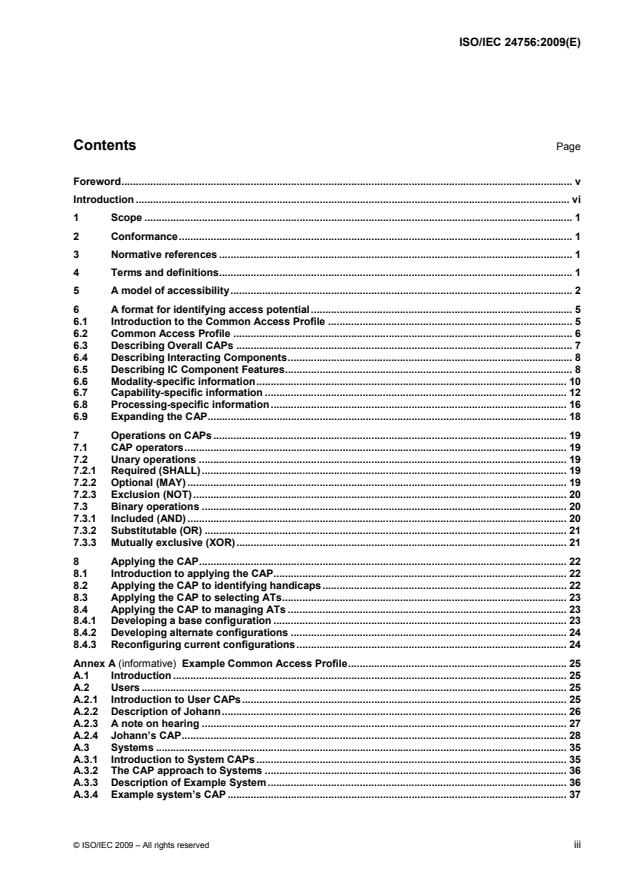
Contents Page
Foreword. v
Introduction . vi
1 Scope . 1
2 Conformance. 1
3 Normative references . 1
4 Terms and definitions. 1
5 A model of accessibility. 2
6 A format for identifying access potential. 5
6.1 Introduction to the Common Access Profile . 5
6.2 Common Access Profile . 6
6.3 Describing Overall CAPs . 7
6.4 Describing Interacting Components. 8
6.5 Describing IC Component Features. 8
6.6 Modality-specific information. 10
6.7 Capability-specific information . 12
6.8 Processing-specific information. 16
6.9 Expanding the CAP. 18
7 Operations on CAPs. 19
7.1 CAP operators. 19
7.2 Unary operations . 19
7.2.1 Required (SHALL). 19
7.2.2 Optional (MAY) . 19
7.2.3 Exclusion (NOT). 20
7.3 Binary operations . 20
7.3.1 Included (AND) . 20
7.3.2 Substitutable (OR) . 21
7.3.3 Mutually exclusive (XOR). 21
8 Applying the CAP. 22
8.1 Introduction to applying the CAP. 22
8.2 Applying the CAP to identifying handicaps. 22
8.3 Applying the CAP to selecting ATs. 23
8.4 Applying the CAP to managing ATs . 23
8.4.1 Developing a base configuration . 23
8.4.2 Developing alternate configurations . 24
8.4.3 Reconfiguring current configurations. 24
Annex A (informative) Example Common Access Profile. 25
A.1 Introduction . 25
A.2 Users . 25
A.2.1 Introduction to User CAPs. 25
A.2.2 Description of Johann. 26
A.2.3 A note on hearing . 27
A.2.4 Johann’s CAP. 28
A.3 Systems . 35
A.3.1 Introduction to System CAPs . 35
A.3.2 The CAP approach to Systems . 36
A.3.3 Description of Example System . 36
A.3.4 Example system’s CAP . 37
© ISO/IEC 2009 – All rights reserved iii
A.4 For more information. 50
Annex B (informative) Developers of this International Standard. 51
Bibliography . 52
iv © ISO/IEC 2009 – All rights reserved
Foreword
ISO (the International Organization for Standardization) and IEC (the International Electrotechnical
Commission) form the specialized system for worldwide standardization. National bodies that are members of
ISO or IEC participate in the development of International Standards through technical committees
established by the respective organization to deal with particular fields of technical activity. ISO and IEC
technical committees collaborate in fields of mutual interest. Other international organizations, governmental
and non-governmental, in liaison with ISO and IEC, also take part in the work. In the field of information
technology, ISO and IEC have established a joint technical committee, ISO/IEC JTC 1.
International Standards are drafted in accordance with the rules given in the ISO/IEC Directives, Part 2.
The main task of the joint technical committee is to prepare International Standards. Draft International
Standards adopted by the joint technical committee are circulated to national bodies for voting. Publication as
an International Standard requires approval by at least 75 % of the national bodies casting a vote.
Attention is drawn to the possibility that some of the elements of this document may be the subject of patent
rights. ISO and IEC shall not be held responsible for identifying any or all such patent rights.
ISO/IEC 24756 was prepared by Joint Technical Committee ISO/IEC JTC 1, Information technology,
Subcommittee SC 35, User interfaces.
© ISO/IEC 2009 – All rights reserved v
Introduction
Users of various systems in various environments can experience temporary or permanent accessibility
difficulties. Potential users of systems need to evaluate whether the systems will be accessible to them in the
intended environments in which they will be used. Where accessibility can be insufficient, either due to
environmental barriers or poor design, these users can wish to resort to assistive technologies (ATs) to
provide the required level of accessibility. Currently, there is no common framework for describing accessibility
needs or abilities. This requires each potential user to develop their own evaluation method, and then to
investigate and evaluate various systems and ATs using this method. However, due to the lack of an existing
method, there might also be a lack of suitable information on the abilities of different systems and ATs, leading
to inefficiency, confusion, frustration and a general lack of satisfaction by the user.
A variety of difficulties can be encountered when trying to identify suitable ATs to improve accessibility.
Accessibility issues being encountered by potential users can inhibit them from obtaining the required
information to identify possible ATs that could help improve their accessibility. Lack of experience with ATs
can also affect information technology support staff who attempt to assist these potential users.
The need for accessibility extends to all systems that a proposed user can access. The ability for information
gathered regarding accessibility issues and solutions for individual users to be portable across systems and
environments is essential. This International Standard introduces a model of accessibility as a basis for
understanding access issues with the interactions between users and systems in various environments.
Accessibility is multi-dimensional; existing at multiple levels. The model shows that users and systems must
share capabilities of communicating. This International Standard provides a framework to specify a profile of
common access capabilities (the CAP) of interactive systems, users, and their environment that are necessary
for accessibility to be possible.
The CAP is specified in a top-down manner that provides extensibility to be able to include capabilities at
increasingly detailed levels.
vi © ISO/IEC 2009 – All rights reserved
INTERNATIONAL STANDARD ISO/IEC 24756:2009(E)
Information technology — Framework for specifying a common
access profile (CAP) of needs and capabilities of users,
systems, and their environments
1 Scope
This International Standard defines a framework for specifying a common access profile (CAP) of needs and
capabilities of users, computing systems, and their environments, including access that is supported by
assistive technologies. It provides a basis for identifying and dealing with accessibility issues in a standardised
manner across multiple platforms. It can be used to evaluate the accessibility of existing systems in particular
environments for particular users.
2 Conformance
Specifications for systems and/or system components, including assistive technologies, conform to
ISO/IEC 24756 if they conform to Clauses 6 and 7 of this International Standard.
3 Normative references
The following referenced documents are indispensable for the application of this document. For dated
references, only the edition cited applies. For undated references, the latest edition of the referenced
document (including any amendments) applies.
ISO 639-3, Codes for the representation of names of languages — Part 3: Alpha-3 code for comprehensive
coverage of languages
ISO 15924, Information and documentation — Codes for the representation of names of scripts
ISO 80000 (all parts), Quantities and units
4 Terms and definitions
For the purposes of this document, the following terms and definitions apply.
4.1
accessibility
usability of a product, service, environment or facility by people with the widest range of capabilities
NOTE 1 The concept of accessibility addresses the full range of user capabilities and is not limited to users who are
formally recognised as having a disability.
NOTE 2 The usability-orientated concept of accessibility aims to achieve levels of effectiveness, efficiency and
satisfaction that are as high as possible considering the specified context of use, while paying particular attention to the full
range of capabilities within the user population.
[ISO 9241-171:2008, definition 3.2]
© ISO/IEC 2009 – All rights reserved 1
4.2
usability
extent to which a product can be used by specified users to achieve specified goals with effectiveness,
efficiency, and satisfaction in a specified context of use
[ISO 9241-11:1998, definition 3.1]
4.3
assistive technology
AT
hardware or software that is added to or incorporated within a system that increases accessibility for an
individual
EXAMPLE Braille displays, screen readers, screen magnification software and eye tracking devices are assistive
technologies.
[ISO 9241-171:2008, definition 3.5]
4.4
context of use
users, tasks, equipment (hardware, software, and materials), and the physical and social environments in
which a product is used
[ISO 9241-11:1998, definition 3.5]
4.5
handicap
anything that might interfere with the accessibility of interactions between users and systems
5 A model of accessibility
Accessibility involves usable interaction between a user and a system. This interaction takes place within a
context of use that includes the system, the user, the user’s tasks, and the environment. Figure 1 illustrates
the environment in which this interaction takes place. Handicaps are anything that might interfere with the
accessibility of interactions between users and systems. A handicap can have one or many sources among
the system, user, interaction, and/or environment. This model is “blame-free,” since resolving any handicap to
the interaction is more important than attributing blame to the source of the handicap.
2 © ISO/IEC 2009 – All rights reserved
CONTEXT
ENVIRONMENT
INTERACTION
USER SYSTEM
HANDICAP
INTERACTION
Figure 1 — A model of the User-System interaction
The figure uses a pipe metaphor to illustrate the flow of interactions between the user and the system and a
valve metaphor to illustrate various levels of handicaps to the interaction(s). The shaded flow between user
and system illustrates the possibility of multiple communications occurring in either direction. A fully open
valve represents the absence of a handicap to the interaction. A fully closed valve represents an interaction
being fully handicapped. Any other setting of the valve represents an interaction being partially handicapped.
While universal design features can reduce handicaps to interactions, it cannot eliminate all handicaps of the
interactions in all situations. An assistive technology (AT) is a means of reducing such handicaps. While a
consumer of an AT might not have a disability, there can be some component of the interaction that is
“handicapping” them. For example, one could attend a lecture where the speaker uses a language unknown
to the listener. Since most people know at least one language, the listener might eventually come to know the
language the presentation is given in, but the interaction between speaker and listener is currently
handicapped by one not knowing the language used by the other at the present time. The listener’s task of
following the details of the presentation would not be possible without the use of a translator to bridge the
interaction between the listener and the speaker. In this sense, the translator would be an AT.
Computer related ATs can be realised through: alternative input devices (e.g., trackball, left-handed mouse,
sip/puff systems), alternative output devices (e.g., voice, Braille display), accessible software (e.g., screen
magnification software), and “universal design” (i.e., barrier-free design). Since the interaction is what is being
handicapped, an accessible computing experience is realised by a reduction of this handicap.
ATs can be modelled as a means of opening the valve between systems and users, as shown in Figure 2.
© ISO/IEC 2009 – All rights reserved 3
CONTEXT
CONTEXT CONTEXT
ASSISTIVE
USER SYSTEM
TECHNOLOGY
Figure 2 — Assistive Technology in the User-System interaction
Accessibility relies on users and systems using compatible interfaces for interaction. The inclusion of an AT
allows translation between two incompatible interfaces as illustrated in Figure 3. To evaluate current and
proposed future accessibility, there is a need for a standard method to describe both user-system accessibility
and user-AT-system accessibility across all users and systems.
SYSTEM
USER AT
Figure 3 — Interfacing between components
The goal of accessibility is to make systems accessible to users. However, different situations call for different
packaging(s) of systems. Where the user’s goal is to interact with a particular application package, the user
can choose the operating system, computer, peripherals, and other ATs that make the application the most
accessible. ATs might be required for accessibility purposes where the user’s goal is to interact with an
application package that is part of an existing hardware/software system.
The model presented in Figure 3 holds in all situations regardless of the different possible locations of system
boundaries. In this model, ATs can be considered anything that is added to the basic system to make it
accessible to users. There is a very wide range of objects that can act as ATs, including: special purpose
assistive technologies, universal remote consoles, intelligent agents, and even components that are
specifically chosen to meet the accessibility needs of a particular user. Multiple ATs can be used in sequence
and/or in parallel to support access.
Figure 4 illustrates the paths between the User and their ultimate goal, the application (A1, A2, A3) the user
wants to use. Multiple communications can occur in either direction along the connecting lines between
components. The applications being used must be accessible to the user. To this end, software-based
Assistive Technology (SAT), software which may be part of the operating system or software that is added to
the system to increase accessibility for an individual user, might be needed. Examples of SATs include add-on
or built-in screen readers.
4 © ISO/IEC 2009 – All rights reserved
Processing
Interface
User – AT
Interface
Processing
System – AT
Interface
Interface
Processing
Figure 4 — Components of accessibility
Although not traditionally considered assistive technology, each of the layers (Operating System, Hardware,
Peripherals, Assistive Technology, and Environment) between the user and the application has the same
effect as an AT in either increasing or decreasing access. The choice of operating system (OS1, OS2) to use
with the application can limit or increase the user’s access to the application. It can limit access where it does
not support certain forms of interaction between the user and the application. It might increase access where it
supports transformations of interactions between the user and the application from one form of interaction to
another. The computer (C) with which the operating system interacts might limit the user’s experience still
further. Users are also limited by the capabilities of peripherals (P1, P2, P3) available with the computer.
The user might perceive the combination of application, operating system, computer, and peripherals as a
single system, as is indicated by a dotted box in the figure. When considering accessibility, these components
can be modelled separately or as a single system.
Assistive Technologies (AT1, AT2) can be used to transform interactions of peripherals to make them more
accessible. Environmental conditions (E) can further degrade the accessibility of certain interactions.
To the user, the total experience with all of these components might be perceived as a total system. It is the
total system that needs to be specified to evaluate accessibility for the user.
6 A format for identifying access potential
6.1 Introduction to the Common Access Profile
Communications are transmitted (by systems, users, or ATs through channels and environments) to their
intended receptors (systems, users, or ATs). This involves flows of information from the system to the user
and from the user to the system. The characteristics of these flows are not necessarily the same (e.g., the
system might provide spoken output which the user can hear however, if the user has a speech disability, they
might choose to use a keyboard to input information to the system). Access exists when the receptor is able to
receive and understand the message as transmitted. In this International Standard, systems, users, ATs,
environments, and channels will be considered Interacting Components (ICs). Individual communications can
be modelled in terms of the receptors, channels, and transmitters used to accomplish the communication.
Interaction involves many sets of communications going in either direction between the ICs in the interaction.
© ISO/IEC 2009 – All rights reserved 5
An access framework modelling all of the sets of transmitters, channels, and receptors involved in the set of
possible interactions between a particular user and a particular system can be used to evaluate the
accessibility of a system in a given environment to a particular user.
This access framework involves multiple sets of:
{ Interactions each of which is composed of one or more sets of { receptor, channel, transmitter } }
Rather than deal with each interaction, it is possible to model the set of potential interactions based on an
understanding of the compatibility of transmitters, receptors, and channel characteristics of the ICs.
6.2 Common Access Profile
An overall Common Access Profile (CAP ) is composed of the CAP of each different Interacting Component
O IC
(IC), including those of: users (CAP ), systems (CAP ), assistive technologies (CAP ), and
USE SYS AT
environments (CAP ).
ENV
(CAP ) = Σ (CAP ) = any (CAP ) ∪
O IC USE
any (CAP ) ∪
SYS
any (CAP ) ∪
AT
any (CAP )
ENV
NOTE 1 The union operation (∪) is used to indicate a composition (collection) of lower-level CAPs pertaining to a CAP.
Such compositions are further referenced as “Lower-CAP Linkages” for a specific CAP in this International Standard
(see Tables 2 and 3).
The CAP of each IC (user, system, AT, environment) is in turn composed of the CAP(s) of each of its
IC
Component Features (CAP ) that provide specifics of various directional communications and processes,
CF
these include: the CAP of each Input Receptor (IR), the CAP of each Output Transmitter (OT), and the
IR OT
CAP of each Processing Function (PF) involved in the IC. Describing PFs is optional for users and systems,
PF
but is required for ATs.
(CAP ) = Σ (CAP ) = any (CAP ) ∪
IC CF IR
any (CAP ) ∪
OT
any (CAP ) ∪
PF
ICs can make use of one or more OTs and/or IRs. Where multiple OTs or IRs are required they will be ANDed
within the CAP specification. Where substitutions of OTs or IRs are possible, they will be ORed within the
CAP specification.
NOTE 2 (IR1 AND IR2) is equivalent to (IR1, IR2).
EXAMPLE (IR1 AND (IR2 OR IR3)) requires that input receptor IR1 always be used and that either input receptor
IR2 or input receptor IR3 be used.
Systems are intended to help users to perform tasks. Systems might or might not be directly accessible by
users. The CAP of a system provides the starting point for evaluating and improving the accessibility of the
system for a user in a given environment. The Environment can reduce the accessibility of a system. ATs
might be used to increase the accessibility of a system. Thus, an evaluation of access involves analysing the
CAP(s) of a set of systems, users, environments, and ATs.
Figure 5 depicts the structure of the CAP. This four-level structure places CF Type-Specific Information [i.e.,
modality (CAP ), capability (CAP ), and processing (CAP )] within their own specific tables. Only those
M
C P
records that are applicable will be coded, leading to simplification and space saving.
6 © ISO/IEC 2009 – All rights reserved
CAP
O
CAP
IC
CAP
CF
CAP
M
CAP
C
CAP
P
Figure 5 — The CAP structure
6.3 Describing Overall CAPs
The overall CAP of a group of ICs shall be specified as outlined in Table 1. Every CAP specification has an
O
O
Identification Information section containing information such as the unique Name of the CAP , its Type (i.e.,
O
CAP ), and a Qualifier. It might also contain an unstructured narrative description. Narrative Descriptions can
O
be used to record preliminary information and/or provide an easy to read introduction to the structured details
of all CAP specifications. All useful CAP specifications have linkages to one or more CAP (s) and can have
O IC
linkages to other CAP (s).
O
Description Possible Values
Identification
Type The record type. CAP
O
Name An identifier of, or a commonly known any (must be unique within CAP)
name for, the CAP
O.
Qualifier A unary operator that qualifies this record one of
as being required, optional, or excluded. {SHALL
MAY
NOT}
Description A narrative description to record any
preliminary information and / or optional
comments further describing the object.
Linkages
Peer-CAP Peers to this CAP . {,
O O
,
…}
Lower-CAP The ICs used by this CAP . {,
IC O
,
…}
Table 1 — High level CAP structure
O
Linkages are described as pairs. The cap-name field is the name of the target CAP.
The linkage-type field describes the applicable binary operator this link implies (i.e. AND, OR, XOR), but if left
blank will imply the default linkage type for the given IC type (i.e. AND in the case of CAP /CAP /CAP ,
SYS AT ENV
OR in the case of CAP ). See 7.3 for more information.
USE
© ISO/IEC 2009 – All rights reserved 7
6.4 Describing Interacting Components
Each CAP shall be specified as outlined in Table 2. Every CAP specification has an Identification
IC IC
Information section with the unique Name of the CAP and the Type (i.e., CAP , CAP , CAP , or
IC USE SYS AT
CAP of the IC specification as well as an unstructured narrative Description and a Qualifier. All CAP
ENV IC
specifications have linkages to one or more IR/OT/PF Component Feature specifications as well as to the
CAP (s) to whom it belongs.
O
Description Possible Values
Identification
Type The record type. one of
{CAP
USE
CAP
SYS
CAP
AT
CAP }
ENV
Name An identifier of, or a commonly known any (must be unique within CAP)
name for, the IC.
Qualifier A unary operator that qualifies this record one of
as being required, optional, or excluded. {SHALL
MAY
NOT}
Description A narrative description to record any
preliminary information and / or optional
comments further describing the object.
Linkages
Higher-CAP The CAP to whom this IC belongs. {,
O
O
,
…}
Peer-CAP Peers to this IC. Linkages to Channel ICs, {,
IC
indicate the number of channel ,
connections to this IC. …}
Lower-CAP The IRs used by this IC. {,
IR
,
…}
Lower-CAP The PFs used by this IC. {,
PF
,
…}
Lower-CAP The OTs used by this IC. {,
OT
,
…}
Table 2 — Interacting Component CAP structure
IC
6.5 Describing IC Component Features
Communication is only possible where there are corresponding IRs for the OTs being used. Thus a common
format is used to describe both IRs and OTs. Environments can be modelled as components with their own IR
and OT and with processing that potentially inhibits access. Processing transforms communications between
inputs and outputs and thus is represented by a pair of input and output formats along with a rule to describe
the transformation. User and system processing is usually outside the bounds of evaluation. Environmental
processing only affects the usability of the communication. AT processing effects the communication by
transforming its characteristics.
Each CAP , CAP , or CAP shall be specified as outlined in Table 3. IC Component Feature (CF)
IR OT PF
specification has an Identification Information section containing information such as the unique Name of the
CF and the Type (i.e., CAP , CAP , or CAP ) of CAP specification. It might also contain an unstructured
IR OT PF CF
narrative Description and a Qualifier.
8 © ISO/IEC 2009 – All rights reserved
Description Possible Values
Identification
Type The record type. one of
{CAP
IR
CAP
PF
CAP }
OT
Name An identifier of, or a commonly known any (must be unique within CAP)
name for, the CF.
Qualifier A unary operator that qualifies this record one of
as being required, optional, or excluded. {SHALL
MAY
NOT}
Description A narrative description to record any
preliminary information and / or optional
comments further describing the object.
Linkages
Higher-CAP The IC(s) to whom this CF belongs. {,
IC
,
…}
Peer-CAP The IRs used by this CF. {,
IR
,
…}
Peer-CAP The PFs used by this CF. {,
PF
,
…}
Peer-CAP The OTs used by this CF. {,
OT
,
…}
Lower-CAP The modality specifications of this CF. {,
M
,
…}
Lower-CAP The capabilities of this CF. {,
C
,
…}
Lower-CAP The processing specifications of this CF. {,
P
,
…}
Connectivity
Channel capacity The maximum number of channels the CF one of
can accept. {1
any other specific integer
N}
Sharing capability The need for a CF to have a dedicated one of
channel {SHARABLE
DEDICATED
POSSIBLE}
CF operations The amount of time that a CF requires the one of
use of a channel. {INTERMITTENT
CONTINUOUS}
Priority The priority of this CF when using a shared one of
channel {LOW
MEDIUM
HIGH
URGENT}
Table 3 — IC Component Feature CAP general format
CF
© ISO/IEC 2009 – All rights reserved 9
Each CAP specification has a linkage to the CAP to which it belongs and can also have linkages to the
CF
IC
CAP of the other CF(s) to which this CF is directly connected within this IC (e.g., to other IRs/OTs and, as
CF
appropriate, to zero, one or more PFs). Linkages to other ICs are handled at the CAP level. The CAP also
IC CF
includes linkages to three types of specific information that describes the modality, capability, and processing
attributes of the CF that are the basis for establishing access.
CAP s also contain information about the channels they use to connect with each other. Each CF has a
CF
Channel capacity that indicates the number of channels that it can be connected to at one time. This can be
any integer number or the value "N" if it is unlimited in the number of channels. Its Sharing capacity indicates
whether or not it can share a channel with other similar CFs. A Sharing capacity can be "SHARABLE",
"DEDICATED" (i.e., not sharable), or "POSSIBLE". A CF’s ability to be shared is based on the CF operations
and/or the Priority of the various CFs that would be involved in the sharing. If the CF operates intermittently,
then there will be times when it does not use the channel, and thus the channel could be shared with another
intermittently operating CF. However, if one of the CFs involved with the channel operates continuously, then
that CF must have a sharing capacity of "SHARABLE" to share the channel. If one of the CFs involved with
the channel has a Priority of URGENT, then no other CF with a similar priority can share the channel.
6.6 Modality-specific information
Modality-specific information to be linked to a CAP shall be specified as outlined in Table 4. This includes
CF
identifying the basic modality of a CF, the media, if any, used in this modality of the CF, and the language(s), if
any, used in these media. Each CF has a single modality. Multiple modalities of an IC are represented by
multiple CF(s) being treated as separate parts of an IC.
Where a PF transforms modalities, the input modality is indicated in the modality specific information and the
output modality information is indicated as the result of the transformation.
The Modality Type "ALL" means that the CF being described can support all relevant modalities (i.e., visual,
auditory, tactile, olfactory). This type is most relevant to user and environment CAPs because it explicitly
means that a specific user’s or environment’s capabilities support all modalities and does not need further
description. Because it crosses multiple modalities, the Media Type "ALL" is allowed if and only if the Modality
Type "ALL" has been specified.
Identification
Description Possible Values
Type The record type. CAP
M
Name An identifier of, or a commonly known any (must be unique within CAP)
name for, the modality.
Qualifier A unary operator that qualifies this record one of
as being required, optional, or excluded. {SHALL
MAY
NOT}
Description See Table 3.
Linkages
Higher-CAP The IR(s) to whom this CAP belongs. {,
M
IR
, …}
Higher-CAP The OT(s) to whom this CAP belongs. {,
M
OT
, …}
Higher-CAP The PF(s) to whom this CAP belongs. {,
M
PF
, …}
Peer-CAP The other modalities used by this {,
M
IR/OT/PF. , …}
Peer-CAP The capabilities used by this IR/OT/PF. {,
C
, …}
Peer-CAP The processing specifications used by this {,
P
IR/OT/PF. , …}
10 © ISO/IEC 2009 – All rights reserved
Modality-specific information
Modality Type The modality type of this CF. Multiple one of
modalities require separate CF(s) {ALL
VISUAL
AUDITORY
TACTILE
OLFACTORY}
Media Types All the media types, if any, used in this {ALL} or {NONE} or one or more of
modality by this CF. {TextWritten,
TextSpoken,
TextSigned,
TextTactile,
Picture,
VisualModel,
Movie,
DynamicVisualModel,
Gesture
Sound,
Music,
Texture,
TactileGraphic,
ForceFeedback,
Temperature,
Odor}
Language A list of pairs of all three character {,
ISO 639-3 language code(s) and four ,
character ISO 15924 script code(s) in ,
format that ,
apply to this CF. Keyword "NONE" can be …}
substituted for the language code.
Keyword "NIL" can be substituted for the
script code.
Table 4 — Modality-specific information within the CAP structure
CF
Modalities can include none, one, or more media. The set of media in Table 5 can be used to identify the
various major types of media. This table includes descriptions of each type of media.
Media Type Description
TextWritten A language-based medium of words presented in a written symbolic script either
statically or dynamically, typically by a system on a screen or by a user on a
keyboard.
TextSpoken A language-based medium of words spoken by the user or system.
TextSigned A language-based medium of words presented visually in a signed language (e.g.,
signed video).
TextTactile A language-based medium of words presented in a tactile symbolic script either
statically or dynamically, typically by a system on a tactile display or by a user on a
specialized keyboard (e.g., Braille input or output).
Picture A static image presented by the system or loaded into the system by a user.
VisualModel An object that combines both data and functionality such that table or model data
can be used to render a static image (e.g., graph).
Movie A dynamic image presented by the system or loaded into the system by a user.
DynamicVisualModel An object that combines both data and functionality that can be modified by the
system or the user and that is presented visually (e.g., animation).
Gesture Movements of the user that can express an idea or meaning. Gestures can be
either tactile or visual in sensation.
Sound Any media that can be heard by the system or the user but does not necessarily
have an associated meaning.
© ISO/IEC 2009 – All rights reserved 11
Music Sounds produced by the system or user arranged in time possessing a degree of
melody, harmony, or rhythm.
Texture Variation of the intensity (feel) of a surface produced by a system or a user such as
its smoothness, coarseness, and regularity
TactileGraphic A static image produced by a system or user presented in a manner appropriate for
tactile exploration.
ForceFeedback A means of tactilely expressing an understanding of the three-dimensional structure,
shape, and viscosity of a virtual object.
Temperature A medium that affects the sense of its degree of hotness or coldness.
Odor A medium that affects the sense of smell.
Table 5 — Media Types used in a CAP
CF
A Media Type of "NONE" is used only if the media type is not otherwise obvious. For example, a computer
mouse uses the tactile modality but, unless designed to support force feedback, does not use any of the
above types of media.
The Language entry consists of a list of pairs of that uniquely identify the
languages/scripts used. This scheme ensures that, where multiple languages and scripts are indicated, the
“correct” script is always associated with the “correct” language; that is the script(s) used to represent a
certain language is paired only with that language. This approach means that one cannot make the mistake of
thinking a language (e.g., English) normally represented using one script (e.g., Latin) or its derivatives is
represented in another unlikely script (e.g., Cyrillic, Sanskrit, etc.). Therefore, this approach allows both a user
to state exactly which language/script pairs are preferred and/or can be used, and content to be explicitly
described (e.g., the message contains Ukrainian written using a Cyrillic script and English written using a Latin
script). With this approach, an example entry for English written text would be . However, some
languages might require multiple entries for the same medium (e.g., Japanese written text could require four
pairs, one each for Hiragana, Katakana, Kanji, and Latin).
A Language Code is a three letter code according to ISO 639-3 that identifies a particular language or the
keyword NONE. The keyword NONE was chosen as a four-character keyword to avoid confusion with current
and/or future three-character language codes. The keyword NONE is allowed for ICs with no language
dependency of any kind (e.g., Environments can be language independent).
A Script Code is a four letter code according to ISO 15924 that identifies a particular script or the keyword NIL.
Such codes are characterised by the use of four-character Script Codes. The keyword NIL was chosen as a
three-character keyword to avoid confusion with current and/or future four-character Script Codes. A Script
Code of "NIL" is allowed for media with no script dependency of any kind (e.g., audio text). For simplicity of
use and consistency with Language Code, Script Code does not use ISO 15924 three-digit codes.
6.7 Capability-specific information
Capability-specific information to be linked to a CAP shall be specified as outlined in Table 6. This structure
CF
is further expanded for a CAP , as described in clause 6.8.
P
Identification
Description Possible Values
Type The record type. CAP
C
Name An identifier of, or a commonly known name any (unique within the CAP)
for, the capability.
Qualifier A unary operator that
...