

ISO/IEC 22121-1:2026
(Main)Information technology — Virtual keyboards user interfaces — Part 1: General guidance and requirements
- Abstract
This document provides general requirements and recommendations for all forms of virtual keyboards including audio keyboards, on-screen or projected keyboards. This document does not apply to physical keyboards that use real material keys or adaptable keys, which can be customized to user needs, for example with LCD display.
- Status
- Published
- Publication Date
- 01-Jun-2026
- Technical Committee
- ISO/IEC JTC 1/SC 35 - User interfaces
- Drafting Committee
- ISO/IEC JTC 1/SC 35 - User interfaces
- Current Stage
- 6060 - International Standard published
- Start Date
- 02-Jun-2026
- Due Date
- 04-Apr-2026
- Completion Date
- 02-Jun-2026
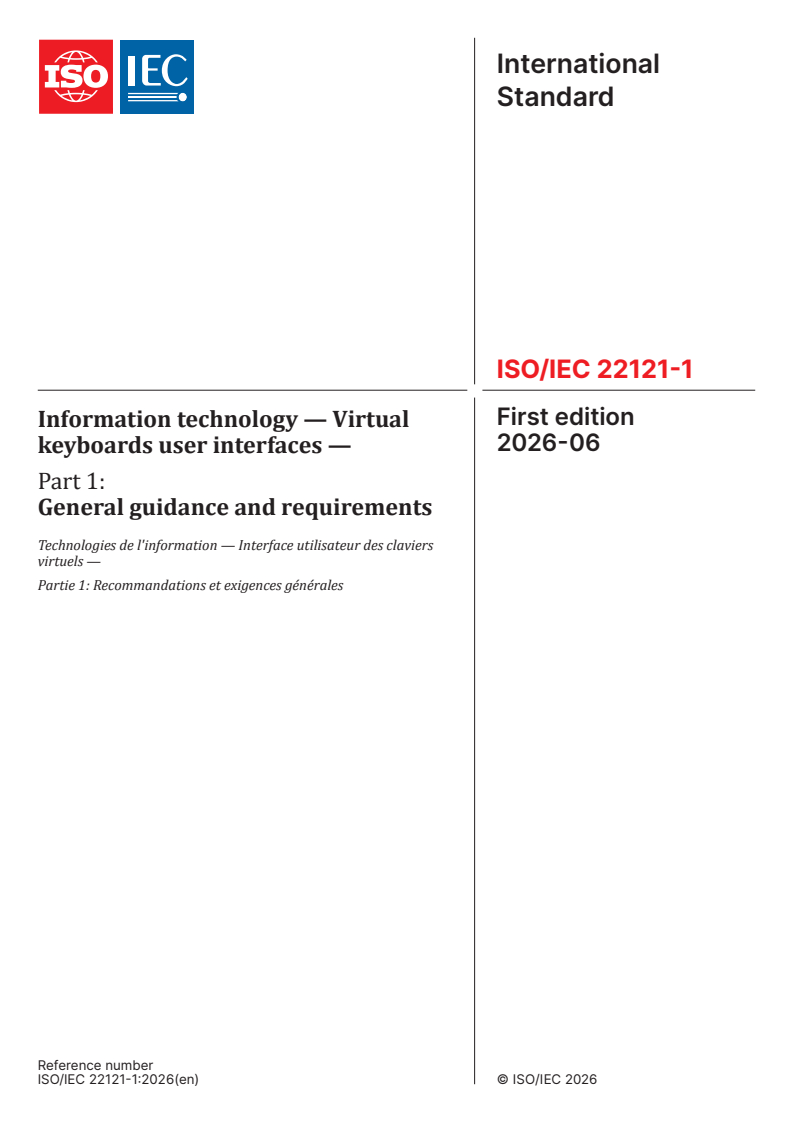

ISO/IEC 22121-1:2026 is an ISO/IEC standard for virtual keyboard user interfaces. It gives general guidance and requirements for audio keyboards, on-screen keyboards and projected keyboards, for people designing, implementing, evaluating or choosing these interfaces.
The document focuses on how virtual keyboards are displayed, manipulated, adapted and given visual or audio feedback. It is aimed at making those interfaces easier to use across different devices, tasks and user needs.
What does ISO/IEC 22121-1:2026 specify?
ISO/IEC 22121-1:2026 specifies general requirements and recommendations for all forms of virtual keyboards, including audio keyboards, on-screen keyboards and projected keyboards. It sets the common framework for how a virtual keyboard should behave, while excluding physical keyboards that use real material keys or adaptable keys such as keyboard designs with LCD display.
The document is organized into scope, normative references, terms and definitions, conformance, an overview of virtual keyboards, adaptation for specific needs, basic functionality requirements, and recommendations for additional functionality. The later clauses are where the practical interface guidance appears, so readers can quickly see what the standard expects for display, feedback, accessibility and customization.
What are the key requirements of ISO/IEC 22121-1:2026?
ISO/IEC 22121-1:2026 links conformance to the requirements in Clause 7. In practice, a virtual keyboard is conforming when it meets the basic visual and audio behavior required there, so implementers should check those functions first.
Conformance and overall behavior
- Clause 4 states that conformance depends on meeting Clause 7. This matters because the detailed visual and audio requirements are the basis for assessment.
- Clause 5 explains that a virtual keyboard is software-based, can appear only when input is needed, and can support many displays, manipulations and outputs. In practice, this means a design may combine text input with navigation, prediction, gaming or other functions.
Adaptation for users, tasks and contexts
- Clause 6 says virtual keyboards can be adapted to users, technical contexts, tasks and contexts of use. This matters because the same layout will not suit every device or every user.
- For users with motor constraints, the document points to interaction modes such as dwell selection, tap, tab, enter, focus auto-scroll, word completion and phrase completion. In practice, these options support input when direct typing is difficult.
- For users with cognitive constraints, the document highlights symbol-based keyboards, simplified layouts, phrase completion and spellchecking. This means the keyboard may need to reduce complexity rather than only add features.
- For users with visual constraints, the document calls for audio enhancement for key exploration. For users with speech impairment, it highlights self-learning word prediction, speech output, and the ability to create, store and organize frequently used phrases.
- Clause 6.3 to 6.5 also ties the keyboard to the use situation, such as no physical keyboard, distant screens, multitasking, driving, walking or multilingual use. In practice, the keyboard may need large keys, audio cues, gesture input or easy language switching.
Basic visual requirements
- Clause 7.1 requires clear visual rendering of the character or symbol keys, and a clearly distinguishable focused key. This helps users know what is available and what is currently selected.
- Clause 7.2 requires visual feedback during the pressure delay of a key and a visual output at the end of that delay. In practice, users should see that the press was registered before the character or command appears in the output field.
- Clause 7.2 also says this feedback should be able to be disabled for sensitive information. That matters when the keyboard is used for passwords or similar entries.
Visual enhancement settings
- Clause 7.3 requires visual keyboards to provide settings for key size, foreground/background colour pairs, contrast and focus display contrast. This matters because users often need to tune readability to their vision and the display environment.
- The same clause makes clear that the interface should support a small and a large keyboard at minimum. In practice, this supports different screen sizes and different pointing precision.
Audio requirements
- Clause 7.4 applies to projected, on-air, audio and braille virtual keyboards, whether they are pointed at or browsed sequentially. It requires audio rendering of the focused key to be available, plus generic audio feedback for focused and pressed keys.
- Clause 7.4 also requires an audio output at the end of the pressure delay of a key located in the keys area. In practice, this gives users feedback that both the key and the action were accepted.
- The audio settings should allow the system to play only the nature of the focused key, only the pressed key, both, or no audio at all. This flexibility matters because the same interface may need to support exploration, confirmation and quiet operation.
Additional functionality recommendations
- Clause 8 recommends word completion, self-learning word prediction and the ability to create and organize frequently used phrases. These features reduce typing effort and support repetitive tasks.
- Clause 8 also recommends customization for visuals, audio, labels, images, key organization, key mapping, new key creation, timing and load-save-share functions. In practice, this lets users or integrators adapt the keyboard to a task, a language or a disability profile.
What terms does ISO/IEC 22121-1:2026 define?
ISO/IEC 22121-1:2026 defines the main vocabulary used to describe virtual keyboard interfaces and interaction methods.
- Virtual keyboard - A software alternative to a physical keyboard, including audio keyboards, on-screen keyboards, tactile keyboards and projected keyboards.
- On-screen keyboard - A virtual keyboard displayed on any type of screen, such as a phone, tablet, TV, kiosk or whiteboard.
- Keyboard layout - The physical, visual or functional arrangement of keys on a keyboard, which may change more easily on a virtual keyboard than on a physical one.
- Focus - The current selected row or column set of characters, or an individual item, used when browsing the keyboard.
- Cursor - The special indicator used for text manipulation to mark the active position.
- Scanning - The method of moving a focus successively through items so that the user can choose one at a time.
- Prediction - Software-generated characters, words, phrases or text based on user typing, offered as the next input for faster typing.
- Augmentative and assistive communication (AAC) - A class of tools and methods for users who need dedicated communication support through a virtual keyboard.
Who uses ISO/IEC 22121-1:2026?
ISO/IEC 22121-1:2026 is used by people who design, build, test or specify virtual keyboard interfaces. That includes software developers, user interface designers, accessibility specialists, product managers, quality teams and buyers of devices or communication tools.
It is relevant across mobile phones, tablets, TVs, kiosks, whiteboards and other systems where text input happens without a conventional physical keyboard. It is also useful for teams working on AAC tools, assistive input, multilingual input, voice-assisted interfaces and interfaces for users with motor, visual, speech or cognitive constraints.
Which standards are used with ISO/IEC 22121-1:2026?
ISO/IEC 22121-1:2026 has no normative references, but it cites related standards that provide supporting vocabulary and interface guidance.
- ISO/IEC 2382:2015 - Provides general information technology vocabulary used for terms such as pointer.
- ISO/IEC 9995-1:2026 - Provides general principles for keyboard layouts.
- ISO/IEC 9995-7 - Covers graphical symbols used to represent functions.
- ISO/IEC 9995-9:2026 - Covers groups and mechanisms for multilingual and multiscript input.
- ISO/IEC 10741-1 - Deals with cursor control for text editing.
- ISO/IEC 11581-3:2000 - Covers pointer icons and related functions.
- ISO/IEC 14754 - Provides common gestures for text editing with pen-based systems.
- ISO/IEC 29138-1 - Describes user accessibility needs.
What does the ISO/IEC 22121-1:2026 document contain?
ISO/IEC 22121-1:2026 contains a general overview of virtual keyboards, examples of display types and interaction modes, and a set of basic visual and audio requirements. Its structure moves from definitions and conformance into practical guidance for display, manipulation, adaptation and feedback.
The document uses many figures to illustrate on-screen keyboards, projected keyboards, on-air keyboards, audio keyboards and braille virtual keyboards. It also shows examples of focus indication, press feedback, scanning selection, high-contrast display and audio-augmented interaction, which helps readers understand how the requirements work in practice without relying on a single device type.
Clause 6 shows how different users and use contexts change the keyboard design, while Clause 7 turns those ideas into specific requirements for readability, selection feedback, contrast and audio behavior. Clause 8 then adds recommendations for prediction and customization, which are the main options for speeding up input and tailoring the interface to the user.
Get Certified
Connect with accredited certification bodies for this standard

BSI Group
BSI (British Standards Institution) is the business standards company that helps organizations make excellence a habit.

NYCE
Mexican standards and certification body.
Sponsored listings
Frequently Asked Questions
ISO/IEC 22121-1:2026 is a standard published by the International Organization for Standardization (ISO). Its full title is "Information technology — Virtual keyboards user interfaces — Part 1: General guidance and requirements". This standard covers: This document provides general requirements and recommendations for all forms of virtual keyboards including audio keyboards, on-screen or projected keyboards. This document does not apply to physical keyboards that use real material keys or adaptable keys, which can be customized to user needs, for example with LCD display.
This document provides general requirements and recommendations for all forms of virtual keyboards including audio keyboards, on-screen or projected keyboards. This document does not apply to physical keyboards that use real material keys or adaptable keys, which can be customized to user needs, for example with LCD display.
ISO/IEC 22121-1:2026 is classified under the following ICS (International Classification for Standards) categories: 35.180 - IT Terminal and other peripheral equipment. The ICS classification helps identify the subject area and facilitates finding related standards.
ISO/IEC 22121-1:2026 is available in PDF format for immediate download after purchase. The document can be added to your cart and obtained through the secure checkout process. Digital delivery ensures instant access to the complete standard document.
Standards Content (Sample)
International
Standard
ISO/IEC 22121-1
First edition
Information technology — Virtual
2026-06
keyboards user interfaces —
Part 1:
General guidance and requirements
Technologies de l'information — Interface utilisateur des claviers
virtuels —
Partie 1: Recommandations et exigences générales
Reference number
© ISO/IEC 2026
All rights reserved. Unless otherwise specified, or required in the context of its implementation, no part of this publication may
be reproduced or utilized otherwise in any form or by any means, electronic or mechanical, including photocopying, or posting on
the internet or an intranet, without prior written permission. Permission can be requested from either ISO at the address below
or ISO’s member body in the country of the requester.
ISO copyright office
CP 401 • Ch. de Blandonnet 8
CH-1214 Vernier, Geneva
Phone: +41 22 749 01 11
Email: copyright@iso.org
Website: www.iso.org
Published in Switzerland
© ISO/IEC 2026 – All rights reserved
ii
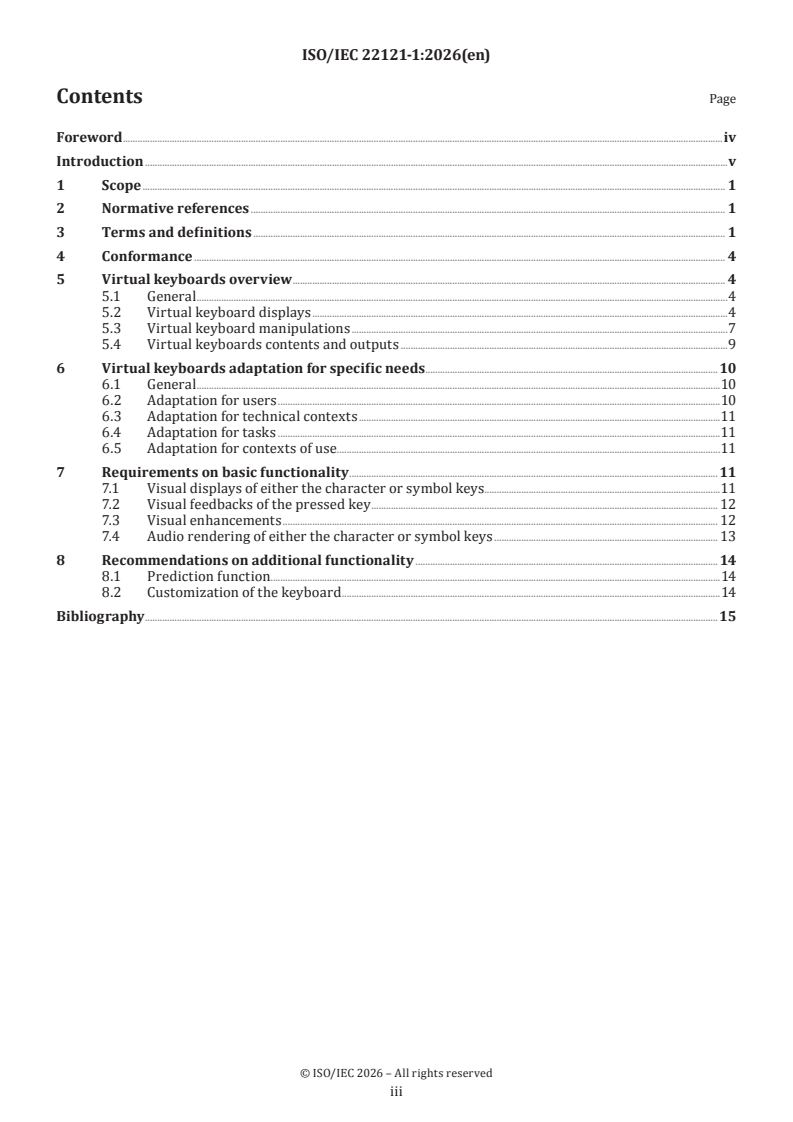
Contents Page
Foreword .iv
Introduction .v
1 Scope . 1
2 Normative references . 1
3 Terms and definitions . 1
4 Conformance . 4
5 Virtual keyboards overview . 4
5.1 General .4
5.2 Virtual keyboard displays .4
5.3 Virtual keyboard manipulations .7
5.4 Virtual keyboards contents and outputs .9
6 Virtual keyboards adaptation for specific needs . 10
6.1 General .10
6.2 Adaptation for users .10
6.3 Adaptation for technical contexts .11
6.4 Adaptation for tasks .11
6.5 Adaptation for contexts of use.11
7 Requirements on basic functionality .11
7.1 Visual displays of either the character or symbol keys . .11
7.2 Visual feedbacks of the pressed key . 12
7.3 Visual enhancements . 12
7.4 Audio rendering of either the character or symbol keys . 13
8 Recommendations on additional functionality . 14
8.1 Prediction function . .14
8.2 Customization of the keyboard .14
Bibliography .15
© ISO/IEC 2026 – All rights reserved
iii
Foreword
ISO (the International Organization for Standardization) and IEC (the International Electrotechnical
Commission) form the specialized system for worldwide standardization. National bodies that are
members of ISO or IEC participate in the development of International Standards through technical
committees established by the respective organization to deal with particular fields of technical activity.
ISO and IEC technical committees collaborate in fields of mutual interest. Other international organizations,
governmental and non-governmental, in liaison with ISO and IEC, also take part in the work.
The procedures used to develop this document and those intended for its further maintenance are described
in the ISO/IEC Directives, Part 1. In particular, the different approval criteria needed for the different types
of document should be noted. This document was drafted in accordance with the editorial rules of the ISO/
IEC Directives, Part 2 (see www.iso.org/directives or www.iec.ch/members_experts/refdocs).
ISO and IEC draw attention to the possibility that the implementation of this document may involve the
use of (a) patent(s). ISO and IEC take no position concerning the evidence, validity or applicability of any
claimed patent rights in respect thereof. As of the date of publication of this document, ISO and IEC had not
received notice of (a) patent(s) which may be required to implement this document. However, implementers
are cautioned that this may not represent the latest information, which may be obtained from the patent
database available at www.iso.org/patents and https://patents.iec.ch. ISO and IEC shall not be held
responsible for identifying any or all such patent rights.
Any trade name used in this document is information given for the convenience of users and does not
constitute an endorsement.
For an explanation of the voluntary nature of standards, the meaning of ISO specific terms and expressions
related to conformity assessment, as well as information about ISO’s adherence to the World Trade
Organization (WTO) principles in the Technical Barriers to Trade (TBT) see www.iso.org/iso/foreword.html.
In the IEC, see www.iec.ch/understanding-standards.
This document was prepared by Joint Technical Committee ISO/IEC JTC 1, Information technology,
Subcommittee SC 35, User interfaces.
A list of all parts in the ISO/IEC 22121 series can be found on the ISO and IEC websites.
Any feedback or questions on this document should be directed to the user’s national standards
body. A complete listing of these bodies can be found at www.iso.org/members.html and
www.iec.ch/national-committees.
© ISO/IEC 2026 – All rights reserved
iv
Introduction
Virtual keyboards are spreading exponentially; with the rise of mobile phones and devices, most users in
the world will have to use such interfaces for communication, work or leisure.
Virtual keyboards are mainly designed for text input but can offer various additional functionalities such as
navigation, text prediction or gaming.
Due to their virtual nature, they offer unlimited possibilities to interact through different ways. This can
generate trouble on the user side because from one device to another, and even in the same device, user
can be faced with different practices. But it is also a great opportunity for users with disabilities to get an
adapted keyboard to their specific needs, and also for standard users in a specific situation to find adapted
keyboards that fit well to their situation.
The ISO/IEC 22121 series consists of the following parts:
— ISO/IEC 22121-1 (this document) provides an overview of what virtual keyboards are. It describes virtual
keyboards such as audio keyboards, visual on-screen keyboards and tactile keyboards.
— ISO/IEC 22121-2 provides guidelines on the design of standard on-screen tactile keyboards that are
mainly focused on visualization: they are visually displayed, and keys are pointed at.
— ISO/IEC 22121-3 provides guidelines on the design of specific keyboards dedicated to specific interaction
modes that do not constrain user to point at keys and that can offer a wide range of displays.
© ISO/IEC 2026 – All rights reserved
v
International Standard ISO/IEC 22121-1:2026(en)
Information technology — Virtual keyboards user
interfaces —
Part 1:
General guidance and requirements
1 Scope
This document provides general requirements and recommendations for all forms of virtual keyboards
including audio keyboards, on-screen or projected keyboards.
This document does not apply to physical keyboards that use real material keys or adaptable keys, which
can be customized to user needs, for example with LCD display.
2 Normative references
There are no normative references in this document.
3 Terms and definitions
For the purposes of this document, the following terms and definitions apply.
ISO and IEC maintain terminology databases for use in standardization at the following addresses:
— ISO Online browsing platform: available at https:// www .iso .org/ obp
— IEC Electropedia: available at https:// www .electropedia .org/
3.1
on-screen keyboard
virtual keyboard (3.3) displayed on any type of screen
Note 1 to entry: On-screen keyboards are one specific type of virtual keyboards, probably the most common, that use
a screen to display a keyboard.
Note 2 to entry: This type of virtual keyboard can be used on personal computer screens, mobile phones, tablets, TVs,
kiosks and whiteboards.
3.2
physical keyboard
mechanical or electronic input device using an arrangement of buttons or keys
Note 1 to entry: Some physical keyboards can be adaptable (for example, using LCD screens instead of keys with
printed symbols and characters).
3.3
virtual keyboard
software alternative to a physical keyboard (3.2)
Note 1 to entry: Virtual keyboards include audio keyboards, visual on-screen keyboards (3.1), tactile keyboards and
projected keyboards.
EXAMPLE 1 Visual on-screen keyboards are available on touch screens.
© ISO/IEC 2026 – All rights reserved
EXAMPLE 2 Visual virtual keyboards can be projected on a table or whiteboard.
EXAMPLE 3 Speech keyboards used by speech-motor impaired users are vocalized and the user activates a switch
in order to select the adequate letter.
3.4
keyboard layout
physical, visual or functional arrangement of the keys on a keyboard
Note 1 to entry: Contrary to physical keyboards (3.2), on-screen keyboards (3.1) do not rely on mechanical keys and
printed/engraved labels; therefore, their layout can be changed conveniently by the user with the device’s user
interface.
Note 2 to entry: Some physical keyboards provide ways to change the visual arrangement of keys (for example,
physical keyboards with LCD/LED displayed keys).
Note 3 to entry: An on-screen keyboard layout may give access to one or multiple sets of characters.
Note 4 to entry: Keyboard layouts may be defined by national, regional or local standards.
3.5
focus
current selected row or column set of characters, or individual item
3.6
cursor
special indicator used for text manipulation to mark the active position
Note 1 to entry: ISO/IEC 10741-1 deals with cursor control.
Note 2 to entry: A cursor is not a pointer (3.7) icon, and both a cursor and a pointer icon can be available and visible at
the same time.
[SOURCE: ISO/IEC 11581-3:2000, 4.1]
3.7
pointer
icon displayed on a screen that a user can move with a pointing device, such as a mouse, to select items
[SOURCE: ISO/IEC 2382:2015, 2126058, modified — “” has been deleted. “symbol” has
been replaced by “icon”. Notes to entry deleted.]
3.8
scanning
successively moving a focus (3.5) to scan through items
3.9
tap
single consecutive touch and release actions on a touch screen device, typically it finishes shorter than
500 ms
Note 1 to entry: The touch action can be performed by any part of the human body (usually the fingers), a pen, stylus
or any other stylus-shaped object.
Note 2 to entry: ISO/IEC 14754 provides a definition for “tap” but this is restricted to pen-based systems.
3.10
prediction
software-generated set of characters, i.e. word, phrase or text, based on user typing that can be selected as
next input for faster typing
3.11
word prediction
generation of a set of words, of which one can be used next
© ISO/IEC 2026 – All rights reserved
3.12
arrow key
key used to move a cursor (3.6) or a focus (3.5) to left, right, up or down within and between user interface
objects
Note 1 to entry: An arrow key is indicated as one of left, right, up or down direction arrow graphic symbols (3.20).
3.13
end key
key used to move a cursor (3.6) or a focus (3.5) to the end of a group of user interface objects
3.14
enter key
key associated with an enter or return function
Note 1 to entry: An enter key is used to activate a focused item when it is used as a control of the virtual keyboard (3.3).
[SOURCE: ISO/IEC 9995-9:2026, 3.5, modified — Note 1 to entry has been added.]
3.15
home key
key used to move a cursor (3.6) or a focus (3.5) to the beginning of a group of user interface objects
3.16
navigation key
key used to move a cursor (3.6) or a focus (3.5) within and between user interface objects
Note 1 to entry: The arrow, tab, space, enter, home, end, page up and page down are navigation keys.
3.17
space key
key associated with character U+0020 SPACE
Note 1 to entry: The space key can be used to activate a focused item when it is used as a control of the virtual keyboard
(3.3).
[SOURCE: ISO/IEC 9995-9:2026, 3.12, modified — Note 1 to entry has been added.]
3.18
tab key
key used to move a focus (3.5) to the previous or the next user interface object
Note 1 to entry: A tab key associated with tabulation left or right function to move a cursor (3.6) during text input.
3.19
graphic character
character, other than a control function, that has a visual representation, normally handwritten, printed or
displayed
Note 1 to entry: Graphic characters with no visual representation can still be used, as per ISO/IEC 9995-7.
[SOURCE: ISO/IEC 9995-1:2026, 3.1, modified — Note 1 to entry has been added]
3.20
graphic symbol
visual representation of a graphic character (3.19), a control function, or a combination of one or more
graphic characters or control functions
[SOURCE: ISO/IEC 9995-1:2026, 3.15, modified — “… a combination of one or more graphic characters and/
or control functions” has been changed to “… a combination of one or more graphic characters or control
functions”.]
© ISO/IEC 2026 – All rights reserved
3.21
symbol
any graphic symbol (3.20) which is neither a letter nor a digit
[SOURCE: ISO/IEC 9995-9:2026, 3.16, modified — Note 1 to entry has been deleted.]
4 Conformance
A virtual keyboard is in conformance with this document if it meets the requirements of Clause 7.
5 Virtual keyboards overview
5.1 General
A virtual keyboard is not a physical keyboard: it has no physical keys, but instead, virtual ones.
A virtual keyboard typically appears on the screen only temporarily when character input is required and
does not always require physical presence.
Virtual keyboards have functionalities similar to other physical keyboards. Virtual keyboards shall be
displayed and manipulated but also enable many different displays and manipulations and offer to generate
a wide range of outputs.
5.2 Virtual keyboard displays
Virtual keys are displayed to the user. They can be either tactilely or visually displayed but can also be
available through audio.
An on-screen or projected virtual keyboard can have virtual keys that are displayed on a screen or a board
in a 2D space. The support can be a simple screen or a board, but it can also be enriched with audio or tactile
information.
1)
Figure 1 shows an on-screen virtual keyboard (Microsoft BÉPO French virtual keyboard) displayed on a
non-touch screen, with visual feedback of the focus and with or without audio rendering or haptic rendering.
Figure 1 — On-screen virtual keyboard on a personal computer (PC)
1) This keyboard supplied by Microsoft is an example of a suitable product available commercially. This information is
given for the convenience of users of this document and does not constitute an endorsement by ISO or IEC of this product.
© ISO/IEC 2026 – All rights reserved
Figure 2 shows an on-screen virtual keyboard (BÉPO French virtual keyboard) displayed on a touch screen
interface.
Figure 2 — On-screen virtual keyboard on a smartphone
Figure 3 shows a projected virtual keyboard displayed on a table without haptic rendering or audio
rendering.
Figure 3 — Projected virt
...