

ISO/FDIS 9241-130
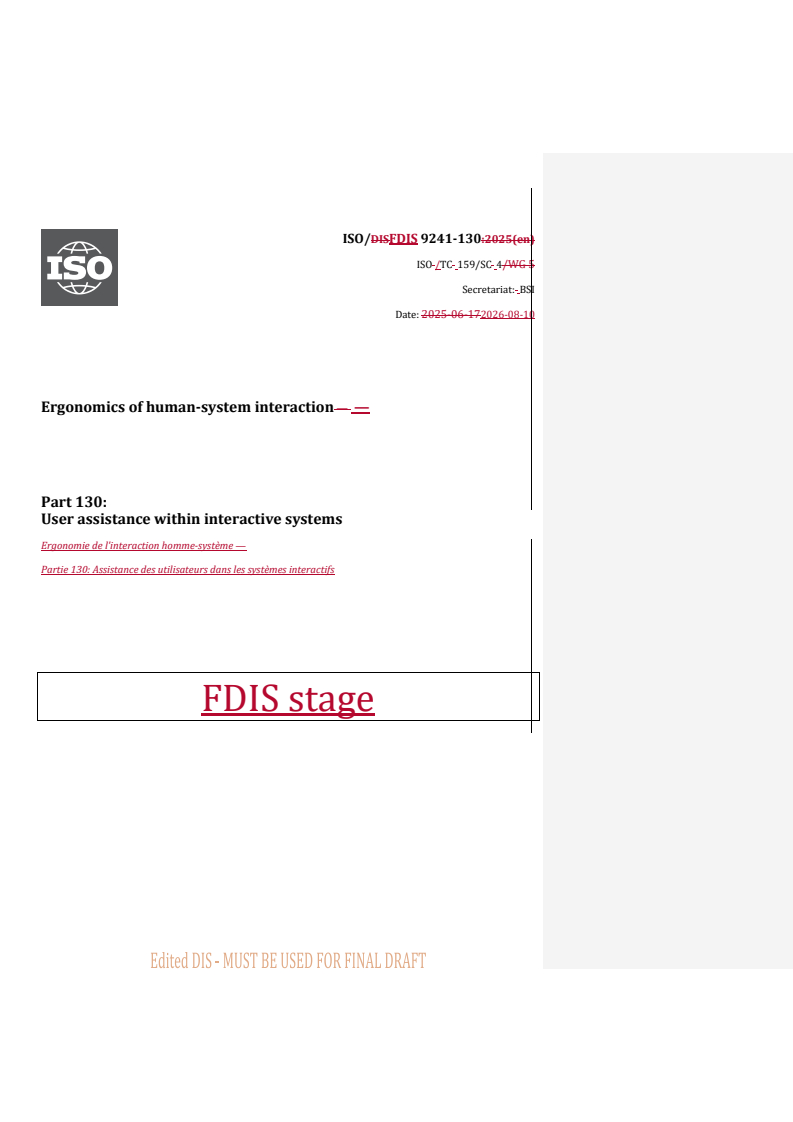
(Main)Ergonomics of human-system interaction — Part 130: User assistance within interactive systems
- Abstract
This part of ISO 9241 provides requirements and recommendations on user assistance, their nature, use and guidance on how to use them. This part of ISO 9241 is concerned with software components of interactive systems to make human-system interaction usable as far as the most basic interaction aspects are concerned. This part of ISO 9241 provides a list of generic user assistance guidelines regardless of a specific visualization and implementation technology. It gives guidance and recommendations on selection, usage and dependencies of user assistance and their applications in various contexts. It does not provide detailed coverage of the methods and techniques required for design and implementing of user assistance. The information in this part of ISO 9241 is intended for use by those responsible for developing user interfaces, but also for planning and managing platform specific aspects of user interface design. It therefore addresses technical issues only to the extent necessary to allow such individuals to understand the relevance and importance of a consistent interaction technique use in the design process. It also provides a framework for human factors and usability professionals involved in human-centred design. Detailed human factors, ergonomics, usability, and accessibility issues are dealt with more fully in a number of standards including other parts of ISO 9241 which sets out the broad principles of ergonomics (see Bibliography). Annex A provides a checklist that can be used to support claims of conformance to this standard.
- Status
- Not Published
- Technical Committee
- ISO/TC 159/SC 4 - Ergonomics of human-system interaction
- Drafting Committee
- ISO/TC 159/SC 4/WG 5 - Software ergonomics of human-computer interaction
- Current Stage
- 5020 - FDIS ballot initiated: 2 months. Proof sent to secretariat
- Start Date
- 24-Aug-2026
- Completion Date
- 24-Aug-2026
Buy Documents
ISO/FDIS 9241-130 - Ergonomics of human-system interaction — Part 130: User assistance within interactive systems
REDLINE ISO/FDIS 9241-130 - Ergonomics of human-system interaction — Part 130: User assistance within interactive systems
ISO/FDIS 9241-130 is an ISO document in the Ergonomics of human-system interaction series about user assistance within interactive systems. It specifies recommendations for user-initiated and system-initiated assistance in software components of interactive systems, for the people who design, manage, and evaluate user interfaces. In practice, it helps teams decide what help, messages, guidance, and recovery support to provide, and when to present it.
What does ISO/FDIS 9241-130 specify?
ISO/FDIS 9241-130 specifies recommendations for user assistance in interactive systems, including its nature, intended use, selection, and effective presentation. The document focuses on software components and keeps the guidance independent of a specific visualization or implementation technology.
It is organized into clauses on scope, references, terms, an introduction to user assistance, and recommendations. The scope also points to Annex A, which provides a checklist to support claims of conformance.
The document is structured as follows:
| Part of the document | What it covers |
|---|---|
| Clause 1 | Scope |
| Clause 2 | Normative references |
| Clause 3 | Terms and definitions |
| Clause 4 | Introduction to user assistance |
| Clause 5 | Recommendations |
| Annex A | Checklist to support claims of conformance |
| Bibliography | Related standards and background references |
What are the key requirements of ISO/FDIS 9241-130?
ISO/FDIS 9241-130 is mainly a design guidance standard. Its key requirements explain when to provide assistance, how to present it, and how to make it understandable, controllable, and usable in real interaction.
Provide both user-initiated and system-initiated assistance
Clause 5.1 says user-initiated assistance should be available when users run into difficulties, and system-initiated assistance should be offered when users are likely to get stuck, make use errors, or have already made one. In practice, this means help should not depend only on the user finding it, and the system should step in when the situation calls for it.
The same clause says system-initiated assistance should be controllable by the user, task-dependent, and not distracting. It should also be clearly distinguishable and accessible. For design teams, that means tutorials, notifications, and prompts need clear user choices and should not look or behave like ordinary content.
Match the assistance to the situation
Clause 5.2 requires context-specific help to refer exactly to the user’s current situation and to explain what an interface element is, what it does, and how to use it. It should be requestable through a simple, consistent action and presented in a form that fits the device in use. That matters because help is only useful if the user can reach it quickly and recognize that it matches the current task.
Clause 5.3 adds that instructions for use should be printable, organized around user tasks, and include links and cues to related topics. In practice, this supports documentation that users can scan, print, or navigate when they need more than on-screen help.
Show status clearly and without interrupting the task
Clause 5.4 covers status information. It should provide the right level of detail for the current task, stay visible while relevant, and be shown automatically when it is relevant, especially for inexperienced or infrequent users or when system state changes affect what the user can do. The clause also asks for a consistent location and for cues when input is disabled or when the system has modes.
For readers, this means users should be able to see what the system is doing without having to guess or keep asking. For designers, it means status elements must be stable, recognizable, and not mixed up with instructions.
Make system requests and notifications easy to understand
Clause 5.6 says system requests should clearly signal whether they are success, warning, error, or alarm messages, and they should use the user’s language rather than technical wording. They should disappear automatically when they are no longer valid, and users should be able to control some confirmation requests and sounds.
The same clause requires warning messages and error messages to use self-descriptive labels and safe information hierarchy. Error messages should explain the cause, suggest corrective action, avoid blaming the user, and allow more detail when needed. Alarms should be used for situations that can cause immediate harm and should have auditory annunciation.
Clause 5.7 covers notifications. They should appear when the outcome of an action may be uncertain, when an event is about to occur, or when the system has an update that matters but does not need immediate action. They should stay visible long enough to be noticed, then disappear automatically.
Support guided task completion and error recovery
Clause 5.8 recommends assisted task completion when users may not know the task well or when the task follows a fixed sequence with little flexibility. This is the basis for wizard-style support and other step-by-step guidance.
Clause 5.9 deals with error management. It emphasizes error avoidance first, then error tolerance, then recovery. The standard calls for undo where possible, ways to modify or cancel input before action, suspension of operations when safe, deferred correction where integrity is not affected, and tools such as syntax checkers, previews, histories, and spell checkers. For implementers, the message is clear: help users avoid errors, but also give them a way out when errors happen.
What terms does ISO/FDIS 9241-130 define?
- User assistance - Additional information or interactive capabilities beyond regular user-system interaction, provided on request or automatically by the system.
- Context-specific help - Requested information that gives extra guidance for the user’s current task, last input, selected object, or current location.
- Information for users - Supplier-provided information such as manuals, onscreen information, or online help that supports safe, effective, and efficient use.
- Status information - Information that indicates the current state of the system and does not require active confirmation.
- System request - A system message that requires confirmation by the user or one or more actions.
- Notification - A system message that indicates an event has occurred or will occur and does not require confirmation or action.
- Use error - A user action or lack of action that leads to a result different from what the manufacturer intended or the user expected.
- Error management - The system’s capabilities for avoiding use errors, handling them tolerantly, and supporting recovery.
Who uses ISO/FDIS 9241-130?
ISO/FDIS 9241-130 is intended for people responsible for developing user interfaces and for those planning and managing platform-specific aspects of user interface design. It is also a framework for human factors professionals and usability professionals working in human-centred design.
In practice, these roles use the standard when defining help behavior, designing messages, deciding when the system should step in, and checking whether assistance is understandable and consistent. It is relevant wherever interactive systems need user assistance, especially in software design and usability work.
What changed in ISO/FDIS 9241-130 from the previous edition?
ISO/FDIS 9241-130 replaces ISO 9241-13:1998 and is technically revised.
The stated changes are:
- the term “user guidance” has been replaced by “user assistance”
- the structure of the document has been revised
- the types of user assistance have been revised
- the recommendations have been comprehensively revised
Which standards are used with ISO/FDIS 9241-130?
ISO/FDIS 9241-130 states that there are no normative references, but it points readers to related standards for broader guidance:
- ISO 9241-11 - Usability definitions and concepts that support the document’s use of context of use and usability thinking.
- ISO 9241-20 - Accessibility guidance within the ISO 9241 series.
- ISO 9241-110 - Interaction principles that underpin interface behavior.
- ISO 9241-112 - Principles for the presentation of information, useful for designing user assistance messages and layouts.
- ISO 9241-171 - Software accessibility guidance.
- ISO 25062 - Reporting usability evaluations, referenced for evaluating the appropriateness of user assistance.
- ISO/IEC/IEEE 26514 - Design and development of information for users, relevant to instructions for use and help content.
- ISO/IEC/IEEE 82079-1 - General principles and requirements for instructions for use.
- ISO 7240 - Fire detection and alarm systems, cited for specific alarm-related practices.
- IEC 60601-1-8 - Alarm systems in medical electrical equipment and systems.
- IEC 62366-1 - Usability engineering for medical devices, cited for error-related terminology and concepts.
- ISO 11064-5 - Displays and controls in control centres, cited for the alarm definition.
- ISO 24183 - Vocabulary for technical communication, cited for warning message terminology.
What does the ISO/FDIS 9241-130 document contain?
ISO/FDIS 9241-130 contains a structured set of recommendations, definitions, and examples for user assistance in interactive systems. Table 1 summarizes the main assistance types, and Clause 4 develops them into user-initiated and system-initiated forms such as context-specific help, status information, system requests, notifications, assisted task completion, and error management.
The clause text uses many practical examples to show how each type behaves in real interfaces, including message wording, user control, timing, and visual or auditory presentation. Figures illustrate message types such as warnings, errors, alarms, and notifications.
Annex A, mentioned in the scope, provides a checklist for supporting conformance claims. The bibliography then points to related standards on usability, accessibility, user documentation, alarms, and technical communication so that implementers can extend the guidance where needed.
Relations
- Effective Date
- 28-Oct-2023
Buy Documents
ISO/FDIS 9241-130 - Ergonomics of human-system interaction — Part 130: User assistance within interactive systems
REDLINE ISO/FDIS 9241-130 - Ergonomics of human-system interaction — Part 130: User assistance within interactive systems
Get Certified
Connect with accredited certification bodies for this standard

BSI Group
BSI (British Standards Institution) is the business standards company that helps organizations make excellence a habit.

CIS Institut d.o.o.
Personal Protective Equipment (PPE) certification body. Notified Body NB-2890 for EU Regulation 2016/425 PPE.

Kiwa BDA Testing
Building and construction product certification.
Sponsored listings
Frequently Asked Questions
ISO/FDIS 9241-130 is a draft published by the International Organization for Standardization (ISO). Its full title is "Ergonomics of human-system interaction — Part 130: User assistance within interactive systems". This standard covers: This part of ISO 9241 provides requirements and recommendations on user assistance, their nature, use and guidance on how to use them. This part of ISO 9241 is concerned with software components of interactive systems to make human-system interaction usable as far as the most basic interaction aspects are concerned. This part of ISO 9241 provides a list of generic user assistance guidelines regardless of a specific visualization and implementation technology. It gives guidance and recommendations on selection, usage and dependencies of user assistance and their applications in various contexts. It does not provide detailed coverage of the methods and techniques required for design and implementing of user assistance. The information in this part of ISO 9241 is intended for use by those responsible for developing user interfaces, but also for planning and managing platform specific aspects of user interface design. It therefore addresses technical issues only to the extent necessary to allow such individuals to understand the relevance and importance of a consistent interaction technique use in the design process. It also provides a framework for human factors and usability professionals involved in human-centred design. Detailed human factors, ergonomics, usability, and accessibility issues are dealt with more fully in a number of standards including other parts of ISO 9241 which sets out the broad principles of ergonomics (see Bibliography). Annex A provides a checklist that can be used to support claims of conformance to this standard.
This part of ISO 9241 provides requirements and recommendations on user assistance, their nature, use and guidance on how to use them. This part of ISO 9241 is concerned with software components of interactive systems to make human-system interaction usable as far as the most basic interaction aspects are concerned. This part of ISO 9241 provides a list of generic user assistance guidelines regardless of a specific visualization and implementation technology. It gives guidance and recommendations on selection, usage and dependencies of user assistance and their applications in various contexts. It does not provide detailed coverage of the methods and techniques required for design and implementing of user assistance. The information in this part of ISO 9241 is intended for use by those responsible for developing user interfaces, but also for planning and managing platform specific aspects of user interface design. It therefore addresses technical issues only to the extent necessary to allow such individuals to understand the relevance and importance of a consistent interaction technique use in the design process. It also provides a framework for human factors and usability professionals involved in human-centred design. Detailed human factors, ergonomics, usability, and accessibility issues are dealt with more fully in a number of standards including other parts of ISO 9241 which sets out the broad principles of ergonomics (see Bibliography). Annex A provides a checklist that can be used to support claims of conformance to this standard.
ISO/FDIS 9241-130 is classified under the following ICS (International Classification for Standards) categories: 13.180 - Ergonomics; 35.180 - IT Terminal and other peripheral equipment. The ICS classification helps identify the subject area and facilitates finding related standards.
ISO/FDIS 9241-130 has the following relationships with other standards: It is inter standard links to ISO 9241-13:1998. Understanding these relationships helps ensure you are using the most current and applicable version of the standard.
ISO/FDIS 9241-130 is available in PDF format for immediate download after purchase. The document can be added to your cart and obtained through the secure checkout process. Digital delivery ensures instant access to the complete standard document.
Standards Content (Sample)
FINAL DRAFT
International
Standard
ISO/TC 159/SC 4
Ergonomics of human-system
Secretariat: BSI
interaction —
Voting begins on:
2026-08-24
Part 130:
User assistance within interactive
Voting terminates on:
2026-10-19
systems
Ergonomie de l'interaction homme-système —
Partie 130: Assistance des utilisateurs dans les systèmes
interactifs
RECIPIENTS OF THIS DRAFT ARE INVITED TO SUBMIT,
WITH THEIR COMMENTS, NOTIFICATION OF ANY
RELEVANT PATENT RIGHTS OF WHICH THEY ARE AWARE
AND TO PROVIDE SUPPOR TING DOCUMENTATION.
IN ADDITION TO THEIR EVALUATION AS
BEING ACCEPTABLE FOR INDUSTRIAL, TECHNO-
LOGICAL, COMMERCIAL AND USER PURPOSES, DRAFT
INTERNATIONAL STANDARDS MAY ON OCCASION HAVE
TO BE CONSIDERED IN THE LIGHT OF THEIR POTENTIAL
TO BECOME STAN DARDS TO WHICH REFERENCE MAY BE
MADE IN NATIONAL REGULATIONS.
Reference number
FINAL DRAFT
International
Standard
ISO/TC 159/SC 4
Ergonomics of human-system
Secretariat: BSI
interaction —
Voting begins on:
Part 130:
User assistance within interactive
Voting terminates on:
systems
Ergonomie de l'interaction homme-système —
Partie 130: Assistance des utilisateurs dans les systèmes
interactifs
RECIPIENTS OF THIS DRAFT ARE INVITED TO SUBMIT,
WITH THEIR COMMENTS, NOTIFICATION OF ANY
RELEVANT PATENT RIGHTS OF WHICH THEY ARE AWARE
AND TO PROVIDE SUPPOR TING DOCUMENTATION.
© ISO 2026
IN ADDITION TO THEIR EVALUATION AS
All rights reserved. Unless otherwise specified, or required in the context of its implementation, no part of this publication may
BEING ACCEPTABLE FOR INDUSTRIAL, TECHNO-
LOGICAL, COMMERCIAL AND USER PURPOSES, DRAFT
be reproduced or utilized otherwise in any form or by any means, electronic or mechanical, including photocopying, or posting on
INTERNATIONAL STANDARDS MAY ON OCCASION HAVE
the internet or an intranet, without prior written permission. Permission can be requested from either ISO at the address below
TO BE CONSIDERED IN THE LIGHT OF THEIR POTENTIAL
or ISO’s member body in the country of the requester.
TO BECOME STAN DARDS TO WHICH REFERENCE MAY BE
MADE IN NATIONAL REGULATIONS.
ISO copyright office
CP 401 • Ch. de Blandonnet 8
CH-1214 Vernier, Geneva
Phone: +41 22 749 01 11
Email: copyright@iso.org
Website: www.iso.org
Published in Switzerland Reference number
ii
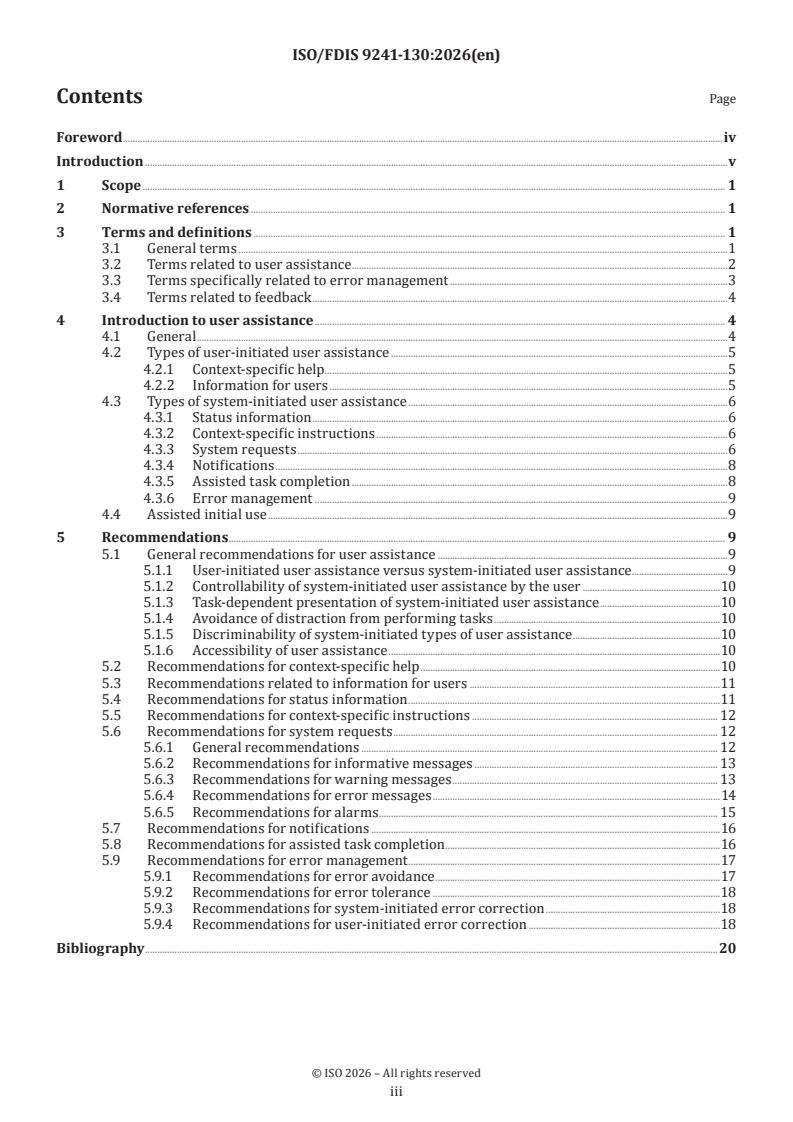
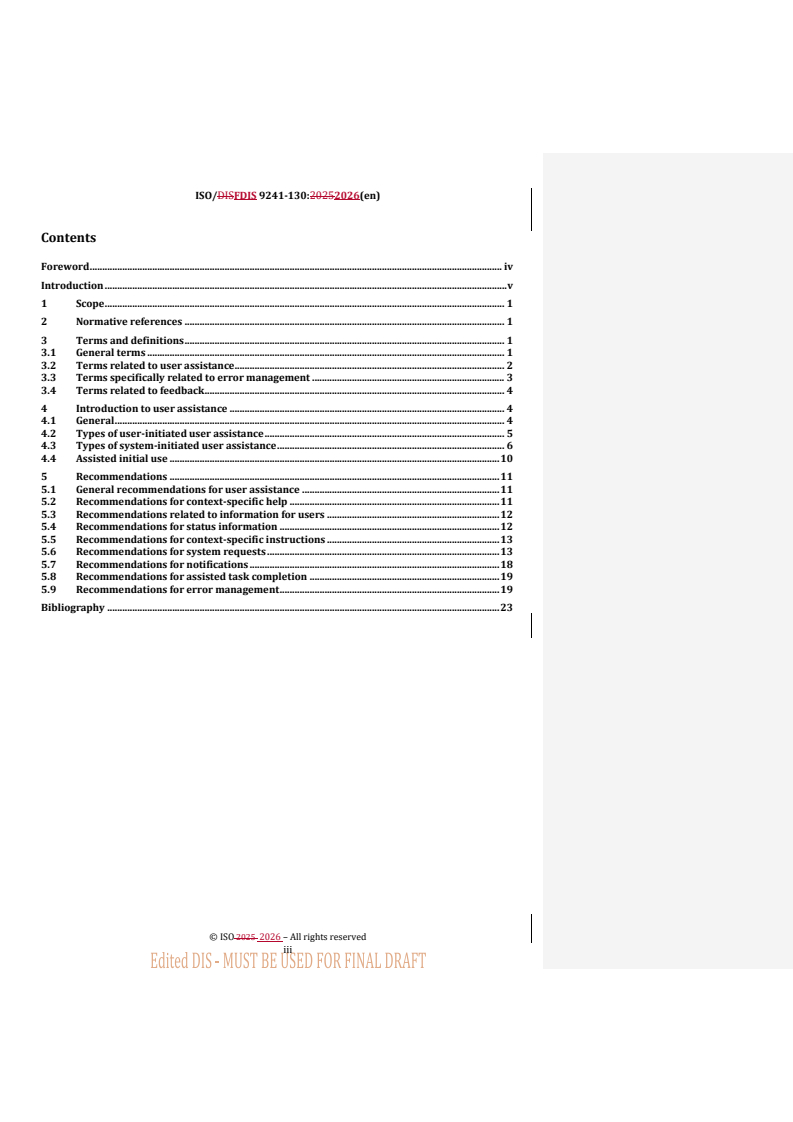
Contents Page
Foreword .iv
Introduction .v
1 Scope . 1
2 Normative references . 1
3 Terms and definitions . 1
3.1 General terms .1
3.2 Terms related to user assistance . .2
3.3 Terms specifically related to error management .3
3.4 Terms related to feedback .4
4 Introduction to user assistance . 4
4.1 General .4
4.2 Types of user-initiated user assistance .5
4.2.1 Context-specific help .5
4.2.2 Information for users .5
4.3 Types of system-initiated user assistance .6
4.3.1 Status information .6
4.3.2 Context-specific instructions .6
4.3.3 System requests .6
4.3.4 Notifications .8
4.3.5 Assisted task completion .8
4.3.6 Error management .9
4.4 Assisted initial use .9
5 Recommendations . 9
5.1 General recommendations for user assistance .9
5.1.1 User-initiated user assistance versus system-initiated user assistance .9
5.1.2 Controllability of system-initiated user assistance by the user .10
5.1.3 Task-dependent presentation of system-initiated user assistance .10
5.1.4 Avoidance of distraction from performing tasks .10
5.1.5 Discriminability of system-initiated types of user assistance .10
5.1.6 Accessibility of user assistance .10
5.2 Recommendations for context-specific help .10
5.3 Recommendations related to information for users .11
5.4 Recommendations for status information .11
5.5 Recommendations for context-specific instructions . 12
5.6 Recommendations for system requests . 12
5.6.1 General recommendations . 12
5.6.2 Recommendations for informative messages . 13
5.6.3 Recommendations for warning messages . 13
5.6.4 Recommendations for error messages .14
5.6.5 Recommendations for alarms. 15
5.7 Recommendations for notifications .16
5.8 Recommendations for assisted task completion .16
5.9 Recommendations for error management .17
5.9.1 Recommendations for error avoidance .17
5.9.2 Recommendations for error tolerance .18
5.9.3 Recommendations for system-initiated error correction .18
5.9.4 Recommendations for user-initiated error correction .18
Bibliography .20
iii
Foreword
ISO (the International Organization for Standardization) is a worldwide federation of national standards
bodies (ISO member bodies). The work of preparing International Standards is normally carried out through
ISO technical committees. Each member body interested in a subject for which a technical committee
has been established has the right to be represented on that committee. International organizations,
governmental and non-governmental, in liaison with ISO, also take part in the work. ISO collaborates closely
with the International Electrotechnical Commission (IEC) on all matters of electrotechnical standardization.
The procedures used to develop this document and those intended for its further maintenance are described
in the ISO/IEC Directives, Part 1. In particular, the different approval criteria needed for the different types
of ISO document should be noted. This document was drafted in accordance with the editorial rules of the
ISO/IEC Directives, Part 2 (see www.iso.org/directives).
ISO draws attention to the possibility that the implementation of this document may involve the use of (a)
patent(s). ISO takes no position concerning the evidence, validity or applicability of any claimed patent
rights in respect thereof. As of the date of publication of this document, ISO had not received notice of (a)
patent(s) which may be required to implement this document. However, implementers are cautioned that
this may not represent the latest information, which may be obtained from the patent database available at
www.iso.org/patents. ISO shall not be held responsible for identifying any or all such patent rights.
Any trade name used in this document is information given for the convenience of users and does not
constitute an endorsement.
For an explanation of the voluntary nature of standards, the meaning of ISO specific terms and expressions
related to conformity assessment, as well as information about ISO's adherence to the World Trade
Organization (WTO) principles in the Technical Barriers to Trade (TBT), see www.iso.org/iso/foreword.html.
This document was prepared by Technical Committee ISO/TC 159, Ergonomics, Subcommittee SC 4,
Ergonomics of human-system interaction.
This first edition of ISO ISO 9241-130 cancels and replaces ISO 9241-13:1998.
A list of all parts in the ISO 9241 series can be found on the ISO website.
Any feedback or questions on this document should be directed to the user’s national standards body. A
complete listing of these bodies can be found at www.iso.org/members.html.
iv
Introduction
This document provides recommendations on user assistance to help those;
— responsible for managing interactive system design and re-design processes;
— creating user interface specifications, style guides and concepts,
to identify, plan and design effective, efficient and satisfactory user assistance.
User assistance described in this document complements control elements and information on user
interfaces. User assistance can be applied in any kind of user interface, regardless of the technology used for
the user interface.
For the actual user of the interactive system, the benefit of user assistance will be to achieve intended
outcomes more effectively and efficiently.
This document provides recommendations on user assistance which help the designer to support the user
using the user interface by designing usable assistance meeting the information needs of the user in a
specific interaction situation, especially in cases where software or hardware constraints set limits on self-
descriptiveness and conformity with user expectations.
This document does not provide detailed coverage of the methods and techniques required for designing
and implementing of user assistance.
This document is applicable to those responsible for developing user interfaces, but also for planning and
managing platform specific aspects of user interface design. This document therefore addresses technical
issues only to the extent necessary to allow such individuals to understand the relevance and importance of
a consistent interaction technique use in the design process. This document also provides a framework for
human factors professionals and usability professionals involved in human-centred design. Detailed human
factors, ergonomics, usability, and accessibility issues are dealt with more fully in a number of standards
including other parts of ISO 9241 which sets out the broad principles of ergonomics (see Bibliography).
v
FINAL DRAFT International Standard ISO/FDIS 9241-130:2026(en)
Ergonomics of human-system interaction —
Part 130:
User assistance within interactive systems
1 Scope
This document provides recommendations on user assistance, including its nature, intended use, and
guidance for effective implementation. This document is applicable to software components of interactive
systems to make human-system interaction usable.
This document provides a list of user assistance guidelines regardless of a specific visualization and
implementation technology. It gives guidance and recommendations on selection, usage and dependencies of
user assistance and their applications in various contexts.
2 Normative references
There are no normative references in this document.
3 Terms and definitions
For the purposes of this document, the following terms and definitions apply.
ISO and IEC maintain terminology databases for use in standardization at the following addresses:
— ISO Online browsing platform: available at https:// www .iso .org/ obp
— IEC Electropedia: available at https:// www .electropedia .org/
3.1 General terms
3.1.1
accessibility
extent to which products, systems, services, environments and facilities can be used by people from a
population with the widest range of user needs, characteristics and capabilities to achieve identified goals in
identified contexts of use
Note 1 to entry: Context of use includes direct use or use supported by assistive technologies.
[SOURCE: ISO 9241-112:2025, 3.11]
3.1.2
context of use
context
combination of users, goals and tasks, resources, and environment
Note 1 to entry: The “environment” in a context of use includes the technical, physical, social, cultural and
organizational environments.
[SOURCE: ISO 9241-11:2018, 3.1.15, modified – synonym “context” has added]
3.1.3
interactive system
combination of hardware, software, services, and/or people that users interact with in order to achieve
specific goals
Note 1 to entry: This includes, where appropriate, packaging, instructions for use, on-line and human help, support
and training.
[SOURCE: ISO 9241-11:2018, 3.1.5]
3.2 Terms related to user assistance
3.2.1
alarm
high priority alert used to attract the operator’s attention to important deviations or abnormal events in
system operation
[SOURCE: ISO 11064-5:2008, 3.1]
3.2.2
assisted task completion
explicit type of user assistance that assists users in completing a task
3.2.3
context-specific help
information that can be obtained at the user’s request providing additional guidance on the presented
information associated with the user’s current task, user’s last input, selected object or current location
3.2.4
context-specific instruction
additional information presented by the interactive system guiding the user in achieving a specific outcome
Note 1 to entry: In contrast to help information, context-specific instructions are always present and do not need to be
actively requested by the user.
3.2.5
information for users
information provided by the supplier that provides the target audience with concepts, procedures and
reference material for the safe, effective, and efficient use of a supported product during its life cycle
EXAMPLE Printed manuals, onscreen information, and stand-alone online help are examples of information for
users.
Note 1 to entry: It can be provided separately or embedded in the product or both.
[SOURCE: ISO/IEC/IEEE 26514:2022, 3.1.29, modified – Notes 1 and 3 to entry have been deleted to widen
the scope to “interactive systems”.]
3.2.6
status information
information indicating the current state of the system
Note 1 to entry: Status information does not require active confirmation by the user.
3.2.7
system message
system-initiated user assistance that is either a system request or a notification that is relevant to the user
3.2.8
system request
system messages that require confirmation by the user or one or more actions
Note 1 to entry: System requests are either informative messages, warning messages, error messages or alarms.
Note 2 to entry: System requests stay present and prevent further interaction unless the user acknowledges the
system request or takes one of the available actions.
3.2.9
notification
system messages that either indicate that an event (status) has occurred or will occur that is relevant to the
user and do not require confirmation and/or action by the user
Note 1 to entry: Notifications are typically temporal. They can disappear after a predetermined time.
Note 2 to entry: Notifications do not prevent further interaction between user and interactive system. The user can
continue with the current task while a notification is present.
Note 3 to entry: Notifications can offer optional actions.
3.2.10
user assistance
additional information or interactive capabilities beyond the regular user-system interaction that is provided
to the user on request (user-initiated) or is automatically provided by the system (system-initiated)
Note 1 to entry: User assistance can be presented as text, images, videos and auditory information depending on the
context of use.
Note 2 to entry: User assistance can be information only or provide interactive capabilities (“interactive user
assistance”).
3.2.11
warning message
safety-related information that warns about hazards and instructs on how to avoid them
[SOURCE: ISO 24183:2024, 3.7.2.2, modified – Note 1 to entry has been deleted]
3.3 Terms specifically related to error management
3.3.1
use error
user action or lack of user action while using the interactive system that leads to a different result than that
intended by the manufacturer or expected by the user
Note 1 to entry: Use error includes the inability of the user to complete a task.
Note 2 to entry: Use errors can result from a mismatch between the characteristics of the user, user interface, task, or
use environment.
Note 3 to entry: Users can be aware or unaware that a use error has occurred.
Note 4 to entry: A malfunction of an interactive system that causes an unexpected result is not considered a use error.
Note 5 to entry: The term use error is used in preference to user error or human error in order to avoid the implied
assignment of responsibility for the error to the user.
Note 6 to entry: User interface patterns that manipulate users to perform unintended actions (also referred to as
deceptive patterns) can cause use errors.
[SOURCE: IEC 62366-1:2015, 3.21, modified – Term “medical device” has been replaced by “interactive
system” and Notes 4, 5 and 6 to entry have been replaced with new notes.]
3.3.2
error management
all capabilities of the interactive system explicitly designed to achieve use error robustness
Note 1 to entry: Error management aims at avoiding use errors, treating use errors tolerantly or enabling the user to
recover from use errors in a systematic manner.
3.3.3
use error robustness
the interactive system assists the user in avoiding errors and, in case of identifiable errors, treats them
tolerantly, and assists the user when recovering from errors
Note 1 to entry: Use error robustness involves guidance related to:
a) use error avoidance;
b) use error tolerance;
c) use error correction.
Note 2 to entry: An interactive system provides error tolerance when, despite evident errors in input, the intended
result can be achieved with either no, or minimal, corrective action by the user.
Note 3 to entry: System errors in identifying user inputs (e.g. inappropriate auto-correction) are also considered to be
use errors.
3.4 Terms related to feedback
3.4.1
feedback
output presented to the user by the system in reaction to the user’s input or a system event
[SOURCE: ISO 9241-13:1998, 3.6]
4 Introduction to user assistance
4.1 General
User assistance is appropriate to all styles of interaction, types of interaction and contexts of use, to help
users in accomplishing their tasks. User assistance is either additional information or interactive capabilities
beyond the regular user-system interaction that is provided to the user on request or is automatically
provided by the system. User assistance is either system-initiated or user-initiated (on request). User
assistance offers necessary information and guiding interactive capabilities to assist the users in completing
their tasks.
User assistance can be provided by different media or combinations of different media including:
— written text;
— sound (e.g. beep on error, mail-in);
— speech input/output (e.g. “drive to previous destination”, “mind the gap”);
— video (e.g. intro, how-to, guided tour);
— icons (e.g. stop, reading glass, help button);
— tactile / haptic feedback.
Table 1 gives an overview on the various types of user assistance. Each of these types of user assistance is
detailed in the following clauses.
Table 1 — Types of user assistance
Types of user-initiated user assistance Types of system-initiated user assistance
— Context-specific help — Status information
— Information for users — Context-specific instructions
— Digital information for users — System messages
— Printed information for users — System requests
— Notifications
— Assisted task completion
— Error management
— Assisted initial use
Whenever it can be predicted as part of system design that users can get stuck, are likely to make use errors
or have already made a use error, the interactive system should offer system-initiated user assistance.
NOTE The appropriateness of user assistance can be evaluated by the different approaches of usability evaluation
(usability testing, usability inspection and user survey). Further guidance on reporting such usability evaluation can
be found in ISO 25062.
4.2 Types of user-initiated user assistance
4.2.1 Context-specific help
Context-specific help provides additional instructions and support specific to the current step within the
task at hand. Context-specific help can be accessed by the user to assist during occurring problems in using
the interactive system and knowledge gaps in respect to the user’s task. It explains what can be done, where,
when, and how it can be done. Context-specific help can provide different levels of information for users
with different levels of skill.
EXAMPLE Types of support that can be provided through context-specific help include:
— descriptions of conventions used by the interactive system;
— explanations (e.g., concepts associated with the current task);
— supporting information (e.g., listing of options);
— descriptions of the currently presented portion of the user interface (e.g., screens and associated actions).
NOTE Chat-based help is one popular type of context-specific help where the user leads a conversation with
the interactive system by inputting textual information in natural language to which the system responds with
instructions or questions back related to the information provided by the user.
4.2.2 Information for users
Information for users is typically presented in digital and/or printed textual form and can be accompanied
by images and/or videos. Information for users typically consists of the instructions for use, technical
description, installation manual, quick reference guide and help articles.
NOTE 1 Comprehensive guidance on information for users is contained in ISO/IEC/IEEE 26514 and
ISO/IEC/IEEE 82079-1.
NOTE 2 Information for users is also referred to as accompanying documentation in IEC 62366-1.
NOTE 3 Information for users is particularly suitable to assist the user in discovering and exploring the capabilities
of the interactive system and therefore to support the user in the initial usage of the system.
4.3 Types of system-initiated user assistance
4.3.1 Status information
Status information is indicating the current state of the system. Status information does not require active
confirmation or acknowledgement by the user.
EXAMPLE 1 The interactive system displays the progress of exporting a large video file.
EXAMPLE 2 The e-mail application informs the user that there are “no new messages” rather than showing an
empty inbox.
EXAMPLE 3 The enrolment system for new suppliers indicates to the user which steps to be completed and which
steps have already been completed for successful enrolment as supplier.
4.3.2 Context-specific instructions
Context-specific instructions inform the user on how to precisely perform a specific action.
A context-specific instruction is information in textual, graphical or auditory form guiding the user in how
to proceed. Context-specific instructions are presented by the system at locations where use difficulties or
use errors are foreseeable or can be anticipated.
EXAMPLE In an e-mail application, where multiple recipients can be selected, the system instructs the user “You
can separate e-mail addresses by comma, semicolon or return key”.
4.3.3 System requests
4.3.3.1 General
System requests are system-initiated user assistance that contain information that always requires
confirmation/acknowledgement by the user.
Depending on the state of the interactive system and/or the user’s input, system requests are messages that
belong to one of the following categories:
— informative messages (informing on a successfully completed process);
— warning messages (alerting on a potential error);
— error messages (alerting on an occurred error);
— alarms (requiring immediate action by the user).
NOTE Within a specific context of use multiple interactive systems can notify the user about system status,
supply warning messages, errors and/or alarms at the same time. This can result in increased mental load and can
affect error handling or responses of the user.
System requests can be caused by both user actions and system events.
EXAMPLE 1 The error message “No drive found” is caused by an event identified by the system.
EXAMPLE 2 The error message “Can’t rename picture because the file name already exists. Choose a different file
name” is caused by a user action.
4.3.3.2 Informative messages
Informative messages typically inform the user that a process has been successfully completed that has
caused a waiting time for the user during which the user tends to complete other tasks until the process has
been completed.
EXAMPLE The informative message “You have successfully recorded the video on the DVD” is expected to be
confirmed by “OK”.
4.3.3.3 Warning messages
Warning messages alert the user of a potential unintended outcome when proceeding or of a problem that
can occur soon.
EXAMPLE 1
...
ISO/DISFDIS 9241-130:2025(en)
ISO /TC 159/SC 4/WG 5
Secretariat: BSI
Date: 2025-06-172026-08-10
Ergonomics of human-system interaction — —
Part 130:
User assistance within interactive systems
Ergonomie de l'interaction homme-système —
Partie 130: Assistance des utilisateurs dans les systèmes interactifs
FDIS stage
ISO #####-#:####(X/FDIS 9241-130:2026(en)
All rights reserved. Unless otherwise specified, or required in the context of its implementation, no part of this publication
may be reproduced or utilized otherwise in any form or by any means, electronic or mechanical, including photocopying,
or posting on the internet or an intranet, without prior written permission. Permission can be requested from either
ISO at the address below or ISO’s member body in the country of the requester.
ISO copyright office
CP 401 • Ch. de Blandonnet 8
CH-1214 Vernier, Geneva
Phone: + 41 22 749 01 11
EmailE-mail: copyright@iso.org
Formatted: French (France)
Website: www.iso.org
Published in Switzerland
© ISO #### 2026 – All rights reserved
ii
ISO/DISFDIS 9241-130:20252026(en)
Contents
Foreword . iv
Introduction . v
1 Scope . 1
2 Normative references . 1
3 Terms and definitions . 1
3.1 General terms . 1
3.2 Terms related to user assistance . 2
3.3 Terms specifically related to error management . 3
3.4 Terms related to feedback . 4
4 Introduction to user assistance . 4
4.1 General . 4
4.2 Types of user-initiated user assistance . 5
4.3 Types of system-initiated user assistance . 6
4.4 Assisted initial use . 10
5 Recommendations . 11
5.1 General recommendations for user assistance . 11
5.2 Recommendations for context-specific help . 11
5.3 Recommendations related to information for users . 12
5.4 Recommendations for status information . 12
5.5 Recommendations for context-specific instructions . 13
5.6 Recommendations for system requests . 13
5.7 Recommendations for notifications . 18
5.8 Recommendations for assisted task completion . 19
5.9 Recommendations for error management . 19
Bibliography . 23
iii
ISO #####-#:####(X/FDIS 9241-130:2026(en)
Foreword
ISO (the International Organization for Standardization) is a worldwide federation of national standards
bodies (ISO member bodies). The work of preparing International Standards is normally carried out through
ISO technical committees. Each member body interested in a subject for which a technical committee has been
established has the right to be represented on that committee. International organizations, governmental and
non-governmental, in liaison with ISO, also take part in the work. ISO collaborates closely with the
International Electrotechnical Commission (IEC) on all matters of electrotechnical standardization.
The procedures used to develop this document and those intended for its further maintenance are described
in the ISO/IEC Directives, Part 1. In particular, the different approval criteria needed for the different types of
ISO document should be noted. This document was drafted in accordance with the editorial rules of the
ISO/IEC Directives, Part 2 (see www.iso.org/directives).
ISO draws attention to the possibility that the implementation of this document may involve the use of (a)
patent(s). ISO takes no position concerning the evidence, validity or applicability of any claimed patent rights
in respect thereof. As of the date of publication of this document, ISO had not received notice of (a) patent(s)
which may be required to implement this document. However, implementers are cautioned that this may not
represent the latest information, which may be obtained from the patent database available at
www.iso.org/patents. ISO shall not be held responsible for identifying any or all such patent rights.
Any trade name used in this document is information given for the convenience of users and does not
constitute an endorsement.
For an explanation of the voluntary nature of standards, the meaning of ISO specific terms and expressions
related to conformity assessment, as well as information about ISO's adherence to the World Trade
Organization (WTO) principles in the Technical Barriers to Trade (TBT), see www.iso.org/iso/foreword.html.
This document was prepared by Technical Committee ISO/TC 159, Ergonomics, Subcommittee SC 4,
Ergonomics of human-system interaction.
This secondfirst edition of ISO ISO 9241-130 cancels and replaces the first edition (ISO 9241--13:1998), which
has been technically revised.
The main changes are as follows:
— — replacement of the term “user guidance” by “user assistance”;
— comprehensive revision of structure of document, types of user assistance and
recommendations.
A list of all parts in the ISO 9241 series can be found on the ISO website.
Any feedback or questions on this document should be directed to the user’s national standards body. A
complete listing of these bodies can be found at www.iso.org/members.html.
© ISO #### 2026 – All rights reserved
iv
ISO/DISFDIS 9241-130:20252026(en)
Introduction
This document aims to provideprovides recommendations on user assistance to help those ;
— responsible for managing interactive system design and re-design processes, ;
— creating user interface specifications, style guides and concepts ,
to identify, plan and design effective, efficient and satisfactory user assistance.
User assistance described in this document complements control elements and information on user interfaces.
User assistance can be applied in any kind of user interface, regardless of the technology used for the user
interface.
For the actual user of the interactive system, the benefit of user assistance will be to achieve intended
outcomes more effectively and efficiently.
This document provides recommendations on user assistance which help the designer to support the user
using the user interface by designing usable assistance meeting the information needs of the user in a specific
interaction situation, especially in cases where software or hardware constraints set limits on self-
descriptiveness and conformity with user expectations.
v
Ergonomics of human-system interaction — Part 130: User assistance
within interactive systems
1 Scope
This document provides recommendations on user assistance, including its nature, intended use, and guidance
for effective implementation. This document is applicable to software components of interactive systems to
make human-system interaction usable.
This document provides a list of user assistance guidelines regardless of a specific visualization and
implementation technology. It gives guidance and recommendations on selection, usage and dependencies of
user assistance and their applications in various contexts.
This document does not provide detailed coverage of the methods and techniques required for designing and
implementing of user assistance.
This document is applicable to those responsible for developing user interfaces, but also for planning and
managing platform specific aspects of user interface design. This document therefore addresses technical
issues only to the extent necessary to allow such individuals to understand the relevance and importance of a
consistent interaction technique use in the design process. This document also provides a framework for
human factors professionals and usability professionals involved in human-centred design. Detailed human
factors, ergonomics, usability, and accessibility issues are dealt with more fully in a number of standards
including other parts of ISO 9241 which sets out the broad principles of ergonomics (see Bibliography).
vi
DRAFT International Standard ISO/DIS 9241-130:2025(en)
Ergonomics of human-system interaction —
Part 130:
User assistance within interactive systems
1 Scope
This document provides recommendations on user assistance, including its nature, intended use, and guidance
for effective implementation. This document is applicable to software components of interactive systems to
make human-system interaction usable.
This document provides a list of user assistance guidelines regardless of a specific visualization and
implementation technology. It gives guidance and recommendations on selection, usage and dependencies of
user assistance and their applications in various contexts.
2 Normative references
There are no normative references in this document.
3 Terms and definitions
For the purposes of this document, the following terms and definitions apply.
ISO and IEC maintain terminology databases for use in standardization at the following addresses:
— — ISO Online browsing platform: available at https://www.iso.org/obp
— — IEC Electropedia: available at https://www.electropedia.org/
3.1 General terms
3.1.1 3.1.1
accessibility
extent to which products, systems, services, environments and facilities can be used by people from a
population with the widest range of user needs, characteristics and capabilities to achieve identified goals in
identified contexts of use
Note 1 to entry: Context of use includes direct use or use supported by assistive technologies.
[SOURCE: ISO 9241--112:2025, 3.11]
3.1.2 3.1.3
context of use
context
combination of users, goals and tasks, resources, and environment
Note 1 to entry: The “environment” in a context of use includes the technical, physical, social, cultural and organizational
environments.
[SOURCE: ISO 9241--11:2018, 3.1.15, modified – synonym “context” has added]
ISO #####-#:####(X/FDIS 9241-130:2026(en)
3.1.3 3.1.4
interactive system
combination of hardware and/or, software and/or, services, and/or people that users interact with in order
to achieve specific goals
Note 1 to entry: This includes, where appropriate, packaging, instructions for use, on-line and human help, support and
training.
[SOURCE: ISO 9241--11:2018, 3.1.5]
3.2 3.2 Terms related to user assistance
3.2.1 3.2.1
alarm
high priority alert used to attract the operator’s attention to important deviations or abnormal events in
system operation.
[SOURCE: ISO 11064-5:2008, 3.1]
3.2.2 3.2.2
assisted task completion
explicit type of user assistance that assists users in completing a task
3.2.3 3.2.3
context-specific help
information that can be obtained at the user’s request providing additional guidance on the presented
information associated with the user’s current task, user’s last input, selected object or current location
3.2.4 3.2.4
context-specific instruction
additional information presented by the interactive system guiding the user in achieving a specific outcome
Note 1 to entry: In contrast to help information, context-specific instructions are always present and do not need to be
actively requested by the user.
3.2.5 3.2.5
information for users
information provided by the supplier that provides the target audience with concepts, procedures and
reference material for the safe, effective, and efficient use of a supported product during its life cycle
EXAMPLE Printed manuals, onscreen information, and stand-alone online help are examples of information for
users.
Note 1 to entry: It can be provided separately or embedded in the product or both.
[SOURCE: ISO/IEC/IEEE 26514:2022, 3.1.29, modified – Notes 1 and 3 to entry have been deleted to widen
the scope to “interactive systems”.]
3.2.6 3.2.6
status information
information indicating the current state of the system
Note 1 to entry: Status information does not require active confirmation by the user.
3.2.7 3.2.7
system message
system-initiated user assistance that is either a system request or a notification that is relevant to the user
© ISO #### 2026 – All rights reserved
ISO/DISFDIS 9241-130:20252026(en)
3.2.8 3.2.8
system request
system messages that require confirmation by the user or one or more actions
Note 1 to entry: System requests are either informative messages, warning messages, error messages or alarms.
Note 2 to entry: System requests stay present and prevent further interaction unless the user acknowledges the system
request or takes one of the available actions.
3.2.9 3.2.9
notification
system messages that either indicate that an event (status) has occurred or will occur that is relevant to the
user and do not require confirmation and/or action by the user
Note 1 to entry: Notifications are typically temporal. They can disappear after a predetermined time.
Note 2 to entry: Notifications do not prevent further interaction between user and interactive system. The user can
continue with the current task while a notification is present.
Note 3 to entry: Notifications can offer optional actions.
3.2.10 3.2.10
user assistance
additional information or interactive capabilities beyond the regular user-system interaction that is provided
to the user on request (user-initiated) or is automatically provided by the system (system-initiated)
Note 1 to entry: User assistance can be presented as text, images, videos and auditory information depending on the
context of use.
Note 2 to entry: User assistance can be information only or provide interactive capabilities (“interactive user
assistance”).
3.2.11 3.2.11
warning message
safety-related information that warns about hazards and instructs on how to avoid them.
[SOURCE: ISO 24183:2024, 3.7.2.2, modified – Note 1 to entry has been deleted]
3.3 3.3 Terms specifically related to error management
3.3.1 3.3.1
use error
user action or lack of user action while using the interactive system that leads to a different result than that
intended by the manufacturer or expected by the user
Note 1 to entry: Use error includes the inability of the user to complete a task.
Note 2 to entry: Use errors can result from a mismatch between the characteristics of the user, user interface, task, or
use environment.
Note 3 to entry: Users mightcan be aware or unaware that a use error has occurred.
Note 4 to entry: A malfunction of an interactive system that causes an unexpected result is not considered a use error.
Note 5 to entry: The term use error is used in preference to user error or human error in order to avoid the implied
assignment of responsibility for the error to the user.
ISO #####-#:####(X/FDIS 9241-130:2026(en)
Note 6 to entry: User interface patterns that manipulate users to perform unintended actions (also referred to as
deceptive patterns) can cause use errors.
[SOURCE: IEC 62366-1:2015, 3.21, modified – Term “medical device” has been replaced by “interactive
system” and Notes 4, 5 and 6 to entry have been replaced with new notes.]
3.3.2 3.3.2
error management
all capabilities of the interactive system explicitly designed to achieve use error robustness.
Note 1 to entry: Error management aims at avoiding use errors, treating use errors tolerantly or enabling the user to
recover from use errors in a systematic manner.
3.3.3 3.3.3
use error robustness
the interactive system assists the user in avoiding errors and, in case of identifiable errors, treats them
tolerantly, and assists the user when recovering from errors
Note 1 to entry: Use error robustness involves guidance related to:
a) a) use error avoidance;
b) b) use error tolerance;
c) c) use error correction.
Note 2 to entry: An interactive system provides error tolerance when, despite evident errors in input, the intended result
can be achieved with either no, or minimal, corrective action by the user.
Note 3 to entry: System errors in identifying user inputs (e.g. inappropriate auto-correction) are also considered to be
use errors.
3.4 3.4 Terms related to feedback
3.4.1 3.4.1
feedback
output presented to the user by the system in reaction to the user’s input or a system event.
[SOURCE: ISO 9241--13:1998, 3.6]
4 Introduction to user assistance
4.1 General
User assistance is appropriate to all styles of interaction, types of interaction and contexts of use, to help users
in accomplishing their tasks. User assistance is either additional information or interactive capabilities beyond
the regular user-system interaction that is provided to the user on request or is automatically provided by the
system. User assistance is either system-initiated or user-initiated (on request). User assistance offers
necessary information and guiding interactive capabilities to assist the users in completing their tasks.
User assistance can be provided by different media or combinations of different media including:
— — written text;
— — sound (e.g. beep on error, mail-in);
— — speech input/output (e.g. “drive to previous destination”, “mind the gap”);
© ISO #### 2026 – All rights reserved
ISO/DISFDIS 9241-130:20252026(en)
— — video (e.g. intro, how-to, guided tour);
— — icons (e.g. stop, reading glass, help button);
— — tactile / haptic feedback.
Table 1Table 1 gives an overview on the various types of user assistance. Each of these types of user assistance
is detailed in the following clauses.
Table 1 — Types of user assistance
Types of user-initiated user assistance Types of system-initiated user assistance
— — Context-specific help — — Status information
— — Information for users — — Context-specific instructions
— — Digital information for users — — System messages
— — Printed information for users — — System requests
— — Notifications
— — Assisted task completion
— — Error management
— — Assisted initial use
Whenever it can be predicted as part of system design that users can get stuck, are likely to make use errors
or have already made a use error, the interactive system should offer system-initiated user assistance.
NOTE The appropriateness of user assistance can be evaluated by the different approaches of usability evaluation
(usability testing, usability inspection and user survey). Further guidance on reporting such usability evaluation can be
found in ISO 25062.
4.2 Types of user-initiated user assistance
4.2.1 Context-specific help
Context-specific help provides additional instructions and support specific to the current step within the task
at hand. Context-specific help can be accessed by the user to assist during occurring problems in using the
interactive system and knowledge gaps in respect to the user’s task. It explains what can be done, where, when,
and how it can be done. Context-specific help can provide different levels of information for users with
different levels of skill.
EXAMPLE Types of support that can be provided through context-specific help include:
— — descriptions of conventions used by the interactive system;
— — explanations (e.g., concepts associated with the current task);
— — supporting information (e.g., listing of options);
— — descriptions of the currently presented portion of the user interface (e.g., screens and associated actions).
ISO #####-#:####(X/FDIS 9241-130:2026(en)
NOTE Chat-based help is one popular type of context-specific help where the user leads a conversation with the
interactive system by inputting textual information in natural language to which the system responds with instructions
or questions back related to the information provided by the user.
4.2.2 Information for users
Information for users is typically presented in digital and/or printed textual form and can be accompanied by
images and/or videos. Information for users typically consists of the instructions for use, technical description,
installation manual, quick reference guide and help articles.
NOTE 1 Comprehensive guidance on information for users is contained in ISO/IEC/IEEE 26514 and
ISO/IEC/IEEE 82079--1.
NOTE 2 Information for users is also referred to as accompanying documentation in IEC 62366--1.
NOTE 3 Information for users is particularly suitable to assist the user in discovering and exploring the capabilities of
the interactive system and therefore to support the user in the initial usage of the system.
4.3 Types of system-initiated user assistance
4.3.1 Status information
Status information is indicating the current state of the system. Status information does not require active
confirmation or acknowledgement by the user.
EXAMPLE 1 The interactive system displays the progress of exporting a large video file.
EXAMPLE 2 The e-mail application informs the user that there are “no new messages” rather than showing an empty
inbox.
EXAMPLE 3 The enrolment system for new suppliers indicates to the user which steps to be completed and which
steps have already been completed for successful enrolment as supplier.
4.3.2 Context-specific instructions
Context-specific instructions inform the user on how to precisely perform a specific action.
A context-specific instruction is information in textual, graphical or auditory form guiding the user in how to
proceed. Context-specific instructions are presented by the system at locations where use difficulties or use
errors are foreseeable or can be anticipated.
EXAMPLE In an e-mail application, where multiple recipients can be selected, the system instructs the user “You
can separate e-mail addresses by comma, semicolon or return key”.
4.3.3 System requests
4.3.3.1 General
System requests are system-initiated user assistance that contain information that always requires
confirmation/acknowledgement by the user.
Depending on the state of the interactive system and/or the user’s input, system requests are messages that
belong to one of the following categories:
— — informative messages (informing on a successfully completed process);
— — warning messages (alerting on a potential error);
© ISO #### 2026 – All rights reserved
ISO/DISFDIS 9241-130:20252026(en)
— — error messages (alerting on an occurred error);
— — alarms (requiring immediate action by the user).
NOTE Within a specific context of use multiple interactive systems mightcan notify the user about system status,
supply warning messages, errors and/or alarms at the same time. This can result in increased mental load and can affect
error handling or responses of the user.
System requests can be caused by both user actions and system events.
EXAMPLE 1 The error message “No drive found” is caused by an event identified by the system.
EXAMPLE 2 The error message “Can’t rename picture because the file name already exists. Choose a different file
name” is caused by a user action.
4.3.3.2 Informative messages
Informative messages typically inform the user that a process has been successfully completed that has caused
a waiting time for the user during which the user tends to complete other tasks until the process has been
completed.
EXAMPLE The informative message “You have successfully recorded the video on the DVD” is expected to be
confirmed by “OK”.
4.3.3.3 Warning messages
Warning messages alert the user of a potential unintended outcome when proceeding or of a problem that can
occur soon.
EXAMPLE 1 The warning message in Figure 1Figure 1. “Your battery is running low” indicates a problem to occur
soon.
Figure 1 — Example for a warning message
NOTE 1 Warning messages that alert the user of a potential unintended outcome when proceeding are also referred
to as “confirmation messages”.
NOTE 2 For warning messages of the type “confirmation messages”, it is appropriate to offer an option that allows to
return to the previous system state.
ISO #####-#:####(X/FDIS 9241-130:2026(en)
EXAMPLE 2 The warning message in Figure 2Figure 2 “Do you want to save your changes” requests the user to select
“Save”, “Don’t save” or “Cancel”. Both, saving and not saving can potentially cause unintended outcomes.
Figure 2 — Example for a warning message (confirmation message)
4.3.3.4 Error messages
Error messages alert the user about a problem that has occurred and requires correction by the user before
the user can proceed with the regular task. Error messages are usually presented with a distinct description
of the occurred problem and an instruction how to resolve it.
EXAMPLE The error message “No printer found. Please make sure your printer is turned on and WIFI has been
activated on the printer” can be acknowledged by pressing “Close”.
4.3.3.5 Alarms
Alarms alert the user about a problem that has occurred and that requires immediate corrective action by the
user in order to prevent harm.
NOTE 1 Alarms are typically used, when the occurred problem is likely to immediately cause harm to human health
and safety, the environment or the financial status of humans.
NOTE 2 For specific types of interactive systems, specific ISO standards contain recommendations and requirements
on the implementation of alarms, e.g. the ISO 7240 series for fire detection and alarm systems as well as IEC 60601--1--
8 for alarm systems in medical electrical equipment.
EXAMPLE 1 The door lock of the house alarms the user when the door has been staying open for more than
10 minutes.
EXAMPLE 2 The car alerts the driver that the seat belt has not been fastened until the seat belt has been fastened.
EXAMPLE 3 The medical device alerts the nurse that the patient has no heartbeat anymore.
4.3.4 Notifications
Similar to system requests, notifications are also system messages. Their characteristics differ from system
requests by the following:
— — Notifications may offer (but do not require) confirmation and/or offer one or more actions by the user.
© ISO #### 2026 – All rights reserved
ISO/DISFDIS 9241-130:20252026(en)
— — Notifications indicate either that an event has occurred or that one will occur. These notifications can
be relevant to the user but do not necessarily require the user’s attention.
— — Notifications are typically temporal. If the user does not acknowledge the notification or take any of
the available actions, it disappears after a predetermined time. If the user takes one of the available actions,
the notification typically disappears immediately.
— — While the notification is present the user can continue with the current task without interruption. The
user is not required to interact
...