

oSIST prEN 18288:2026
(Main)Artificial Intelligence - Taxonomy of AI tasks in computer vision
General Information
- Abstract
This document describes a taxonomy of the AI tasks related to computer vision. It includes AI tasks pertaining to either the analysis or generation of images and videos.
- Status
- Not Published
- Public Enquiry End Date
- 08-Jul-2026
- Technical Committee
- UMI - Artificial intelligence
- Current Stage
- 4020 - Public enquire (PE) (Adopted Project)
- Start Date
- 23-Apr-2026
- Due Date
- 10-Sep-2026
- Completion Date
- 19-May-2026
- Directive
- 2024/1689 - EU AI Act



Overview
oSIST prEN 18288:2026, developed by CEN, defines a comprehensive taxonomy of AI tasks in computer vision. This standard establishes a structured classification system for AI-driven computer vision tasks, covering both the analysis and generation of images and videos. By harmonizing terminology and task definitions, oSIST prEN 18288:2026 facilitates interoperability, comparability, and clarity for AI adoption in computer vision applications across industries. The taxonomy addresses core building blocks and advanced tasks, promoting consistent development and evaluation frameworks for visual AI solutions.
Key Topics
- AI Task Definition: Clearly specifies what constitutes a computer vision task, focusing on the interpretation and transformation of visual data using computational methods.
- Computer Vision Task Categories: Outlines broad categories such as:
- Image analysis (e.g. object localization, classification, detection, segmentation)
- Spatial analysis (e.g. depth estimation, 3D reconstruction)
- Temporal analysis (e.g. object tracking, action recognition, motion detection)
- Image and video generation
- Multi-modal tasks (e.g. visual question answering, image captioning)
- Task Variants and Context: Considers input/output variations, operational environments, and contextual factors that affect task difficulty and outcomes (e.g., effects of weather or lighting in object detection).
- Core Computer Vision Tasks: Details individual analysis, generation, and multi-modal tasks, supporting the modular design of intelligent visual systems.
Applications
Adopting a standardized taxonomy for AI tasks in computer vision brings practical benefits to a range of sectors:
- Autonomous Vehicles: Ensures tasks such as object detection, lane segmentation, obstacle localization, and scene understanding are defined and comparable across solutions, improving safety and performance.
- Healthcare: Facilitates interoperability of image classification, segmentation, and registration tasks in medical imaging, supporting accurate diagnosis and cross-platform compatibility.
- Manufacturing and Quality Inspection: Streamlines feature extraction and similarity analysis for defect detection and product quality assurance on automated inspection lines.
- Security and Smart Surveillance: Standardizes tasks like face analysis, action recognition, and multiple object tracking, enhancing security system interoperability and reliability.
- Retail and Content Moderation: Improves image retrieval and similarity scoring for product search, digital asset management, and automated moderation, ensuring alignment between different AI systems.
- Robotics and Smart Environments: Enables consistent implementation of SLAM, pose estimation, and geometric feature detection tasks, supporting advanced navigation and manipulation capabilities.
By relying on a common taxonomy, organizations can benchmark AI models, integrate heterogeneous systems, and accelerate the deployment of computer vision technologies.
Related Standards
oSIST prEN 18288:2026 complements and references several international standards, providing a foundation for AI harmonization:
- ISO/IEC 2382: Information technology vocabulary, including computer vision terminology.
- ISO/IEC TS 4213: Classification tasks in artificial intelligence, referenced for binary, multi-class, and multi-label classification frameworks in computer vision.
- Other CEN and CENELEC AI Standards: Coordination with ongoing standardization efforts ensures alignment with pan-European and global AI frameworks, avoiding fragmented development and incompatibilities.
Practical Value
Aligning with oSIST prEN 18288:2026 enables organizations to:
- Accelerate solution development by reusing clear task definitions.
- Simplify tendering and evaluation processes through standardized criteria.
- Facilitate cross-industry collaboration by reducing ambiguities in AI computer vision task descriptions.
- Enhance regulatory compliance and reporting with harmonized, referenceable task taxonomies.
For AI developers, solution vendors, and end-users, oSIST prEN 18288:2026 delivers a unified basis for specifying, developing, and integrating AI-driven computer vision systems, fostering innovation and market trust.
Get Certified
Connect with accredited certification bodies for this standard

BSI Group
BSI (British Standards Institution) is the business standards company that helps organizations make excellence a habit.

NYCE
Mexican standards and certification body.
Sponsored listings
Frequently Asked Questions
oSIST prEN 18288:2026 is a draft published by the Slovenian Institute for Standardization (SIST). Its full title is "Artificial Intelligence - Taxonomy of AI tasks in computer vision". This standard covers: This document describes a taxonomy of the AI tasks related to computer vision. It includes AI tasks pertaining to either the analysis or generation of images and videos.
This document describes a taxonomy of the AI tasks related to computer vision. It includes AI tasks pertaining to either the analysis or generation of images and videos.
oSIST prEN 18288:2026 is classified under the following ICS (International Classification for Standards) categories: 35.240.01 - Application of information technology in general. The ICS classification helps identify the subject area and facilitates finding related standards.
oSIST prEN 18288:2026 is associated with the following European legislation: EU Directives/Regulations: 2024/1689; Standardization Mandates: M/613. When a standard is cited in the Official Journal of the European Union, products manufactured in conformity with it benefit from a presumption of conformity with the essential requirements of the corresponding EU directive or regulation.
oSIST prEN 18288:2026 is available in PDF format for immediate download after purchase. The document can be added to your cart and obtained through the secure checkout process. Digital delivery ensures instant access to the complete standard document.
Standards Content (Sample)
SLOVENSKI STANDARD
01-junij-2026
Umetna inteligenca - Taksonomija nalog umetne inteligence (UI) v računalniškem
vidu
Artificial Intelligence - Taxonomy of AI tasks in computer vision
Künstliche Intelligenz - Taxonomie der KI-Aufgaben in der Computer Vision
Intelligence artificielle - Taxonomie des tâches de l'IA dans le domaine de la vision par
ordinateur
Ta slovenski standard je istoveten z: prEN 18288
ICS:
35.240.01 Uporabniške rešitve Application of information
informacijske tehnike in technology in general
tehnologije na splošno
2003-01.Slovenski inštitut za standardizacijo. Razmnoževanje celote ali delov tega standarda ni dovoljeno.
EUROPEAN STANDARD DRAFT
NORME EUROPÉENNE
EUROPÄISCHE NORM
April 2026
ICS
English version
Artificial Intelligence - Taxonomy of AI tasks in computer
vision
Intelligence artificielle - Taxonomie des tâches de l'IA Künstliche Intelligenz - Taxonomie der KI-Aufgaben in
dans le domaine de la vision par ordinateur der Computer Vision
This draft European Standard is submitted to CEN members for enquiry. It has been drawn up by the Technical Committee
CEN/CLC/JTC 21.
If this draft becomes a European Standard, CEN and CENELEC members are bound to comply with the CEN/CENELEC Internal
Regulations which stipulate the conditions for giving this European Standard the status of a national standard without any
alteration.
This draft European Standard was established by CEN and CENELEC in three official versions (English, French, German). A
version in any other language made by translation under the responsibility of a CEN and CENELEC member into its own language
and notified to the CEN-CENELEC Management Centre has the same status as the official versions.
CEN and CENELEC members are the national standards bodies and national electrotechnical committees of Austria, Belgium,
Bulgaria, Croatia, Cyprus, Czech Republic, Denmark, Estonia, Finland, France, Germany, Greece, Hungary, Iceland, Ireland, Italy,
Latvia, Lithuania, Luxembourg, Malta, Netherlands, Norway, Poland, Portugal, Republic of North Macedonia, Romania, Serbia,
Slovakia, Slovenia, Spain, Sweden, Switzerland, Türkiye and United Kingdom.
Recipients of this draft are invited to submit, with their comments, notification of any relevant patent rights of which they are
aware and to provide supporting documentation.Recipients of this draft are invited to submit, with their comments, notification
of any relevant patent rights of which they are aware and to provide supporting documentation.
Warning : This document is not a European Standard. It is distributed for review and comments. It is subject to change without
notice and shall not be referred to as a European Standard.
CEN-CENELEC Management Centre:
Rue de la Science 23, B-1040 Brussels
© 2026 CEN/CENELEC All rights of exploitation in any form and by any means
Ref. No. prEN 18288:2026 E
reserved worldwide for CEN national Members and for
CENELEC Members.
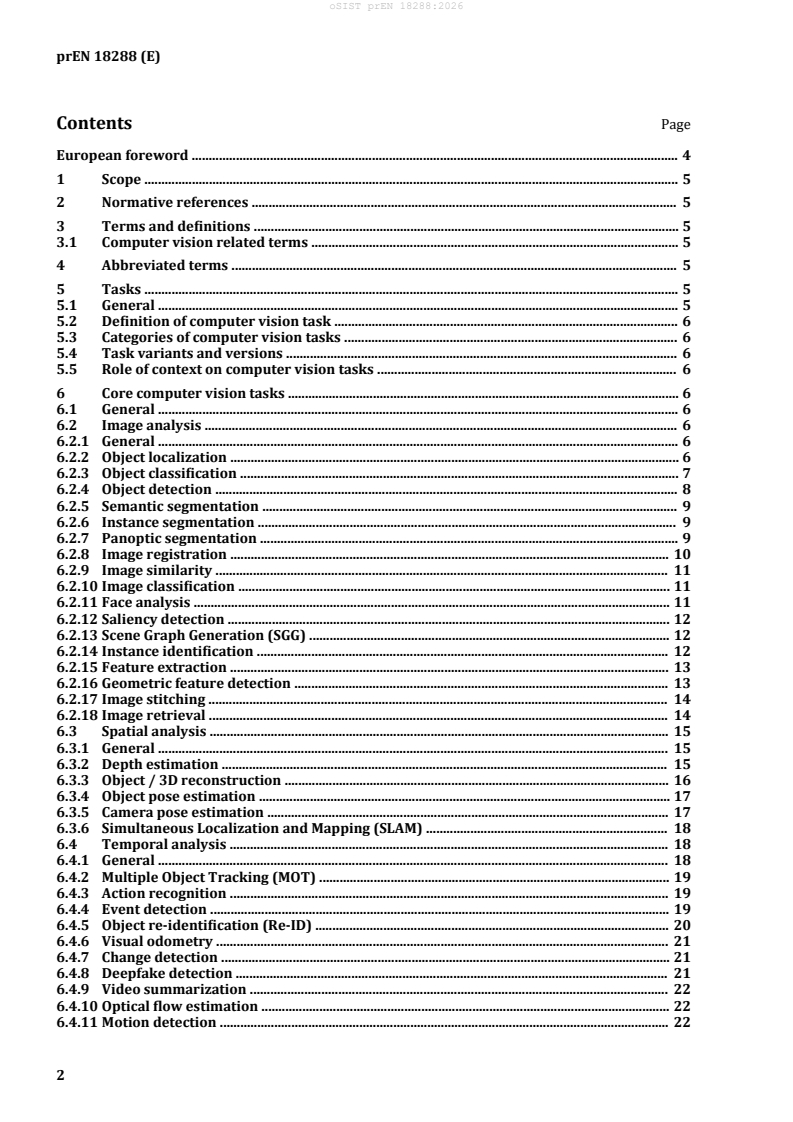
Contents Page
European foreword . 4
1 Scope . 5
2 Normative references . 5
3 Terms and definitions . 5
3.1 Computer vision related terms . 5
4 Abbreviated terms . 5
5 Tasks . 5
5.1 General . 5
5.2 Definition of computer vision task . 6
5.3 Categories of computer vision tasks . 6
5.4 Task variants and versions . 6
5.5 Role of context on computer vision tasks . 6
6 Core computer vision tasks . 6
6.1 General . 6
6.2 Image analysis . 6
6.2.1 General . 6
6.2.2 Object localization . 6
6.2.3 Object classification . 7
6.2.4 Object detection . 8
6.2.5 Semantic segmentation . 9
6.2.6 Instance segmentation . 9
6.2.7 Panoptic segmentation . 9
6.2.8 Image registration . 10
6.2.9 Image similarity . 11
6.2.10 Image classification . 11
6.2.11 Face analysis . 11
6.2.12 Saliency detection . 12
6.2.13 Scene Graph Generation (SGG) . 12
6.2.14 Instance identification . 12
6.2.15 Feature extraction . 13
6.2.16 Geometric feature detection . 13
6.2.17 Image stitching . 14
6.2.18 Image retrieval . 14
6.3 Spatial analysis . 15
6.3.1 General . 15
6.3.2 Depth estimation . 15
6.3.3 Object / 3D reconstruction . 16
6.3.4 Object pose estimation . 17
6.3.5 Camera pose estimation . 17
6.3.6 Simultaneous Localization and Mapping (SLAM) . 18
6.4 Temporal analysis . 18
6.4.1 General . 18
6.4.2 Multiple Object Tracking (MOT) . 19
6.4.3 Action recognition . 19
6.4.4 Event detection . 19
6.4.5 Object re-identification (Re-ID) . 20
6.4.6 Visual odometry . 21
6.4.7 Change detection . 21
6.4.8 Deepfake detection . 21
6.4.9 Video summarization . 22
6.4.10 Optical flow estimation . 22
6.4.11 Motion detection . 22
6.4.12 Single object tracking . 23
6.5 Tasks producing image as an output . 23
6.5.1 General . 23
6.5.2 Image generation . 23
6.5.3 Image denoising . 24
6.5.4 Super-resolution . 24
6.5.5 Image inpainting . 24
6.5.6 Image-to-image translation . 25
6.5.7 Style transfer . 25
6.5.8 Object swapping . 26
6.5.9 Novel view synthesis . 26
6.6 Tasks producing video as an output . 26
6.6.1 General . 26
6.6.2 Video enhancement . 27
6.6.3 Video generation . 27
6.6.4 Video stabilization . 27
6.7 Multi-modal tasks . 28
6.7.1 General . 28
6.7.2 Visual question answering (VQA) . 28
6.7.3 Image captioning . 28
6.7.4 Visual grounding . 29
6.7.5 RGB-depth fusion . 29
Bibliography . 30
European foreword
This document (prEN 18288:2026) has been prepared by Technical Committee CEN/CENELEC JTC 21
"Artificial Intelligence", the secretariat of which is held by DS.
This document is currently submitted to the CEN Enquiry.
1 Scope
This document describes a taxonomy of the AI tasks related to computer vision, including tasks
pertaining to either the analysis or generation of images and videos. It identifies existing and competing
terminologies, as well as co-existing variants of the same tasks.
2 Normative references
There are no normative references in this document.
3 Terms and definitions
For the purposes of this document, the following terms and definitions apply.
— ISO Online browsing platform: available at http://www.iso.org/obp
— IEC Electropedia: available at http://www.electropedia.org/
3.1 Computer vision related terms
3.1.1
computer vision
artificial vision capability of a functional unit to acquire, process, and interpret visual data
Note 1 to entry: Computer vision involves the use of visual sensors to create an electronic or digital image of a
visual scene.
Note 2 to entry: Not to be confused with machine vision.
Note 3 to entry: Computer vision; artificial vision: terms and definition standardized by ISO/IEC [ISO/IEC
2382-28:1995 [1]].
[SOURCE: ISO/IEC 2382:2015 [2]]
3.1.2
image
graphical content intended to be presented visually.
4 Abbreviated terms
MOT Multiple Object Tracking
SGG Scene Graph Generation
SLAM Simultaneous Localization And Mapping
VQA Visual Question Answering
5 Tasks
5.1 General
This clause provides an overview of the concept of a computer vision (3.1.1) task in vision-based
systems. It establishes the foundational principles for defining, categorizing, and contextualizing tasks
to ensure consistency and comparability across applications.
5.2 Definition of computer vision task
A computer vision task is defined as a specific problem to solve that involves the interpretation or
transformation of visual data (e.g images (3.1.2), videos) using computational methods.
5.3 Categories of computer vision tasks
Computer vision tasks are categorized according to their functional goals which can encompass a set of
subtasks and functionalities. These categories provide a shared taxonomy across domains and
applications and are explained in Clause 6.
EXAMPLE Image analysis encompasses object localization and object classification.
5.4 Task variants and versions
Variants of a task arise when modifications are made to the input modalities, output formats, or
operational conditions while maintaining the same functional goal. For example, the localization task
for 3D object is an extension of the localization task for 2D objects, producing 3D bounding boxes instead
of 2D ones.
5.5 Role of context on computer vision tasks
Context inflüences both the interpretation and the difficülty of a computer vision task. Accounting for
context ensures evaluation of vision tasks in operational environments is reproducible.
EXAMPLE In object detection tasks for autonomous driving, the context (e.g weather, lighting, speed) strongly
inflüences both the visual appearance of objects and the reliability of detections. For instance, detecting
pedestrians at night in heavy rain at high speed introduces motion blur and reflections that degrade model
accuracy compared to clear daylight conditions.
6 Core computer vision tasks
6.1 General
This clause introduces the fundamental computer vision tasks that serve as building blocks for more
complex computer vision systems. It defines their properties and input-output structures.
6.2 Image analysis
6.2.1 General
Image analysis encompasses tasks aimed at extracting meaningful information from visual data. It forms
the basis for understanding visual scenes by:
— localizing objects
— classifying objects
— detecting objects
— segmenting objects
— making links between visual elements in an image (e.g generating scene graph, stitching images)
— extracting features
6.2.2 Object localization
Object localization is a computer vision task that deals with localization of objects in a digital image
which involves a geometric description of the spatial extent of the object. The most frequent geometric
description is the minimum bounding rectangle, i.e. the bounding box that envelops the object fully, see
Figure 1. However, other descriptors, such as polygons can be used [3].
Bounding boxes around objects are typically described by four of values values:
— either two corners, e.g. upper-left and bottom-right with x and y coordinates, i.e. [upper-left x,
upper-left y, bottom-right x, bottom-right y]
— one corner with x, y coordinates, height, width, [upper-left x, upper-left y, height, width]
— object centre x, y coordinates, object height, object width, i.e. [centre x, centre y, height, width]
Figure 1 — In object localization tasks, most often the minimal bounding rectangle, i.e. the
bounding box, describes where an object is located in an image, here around the person.
EXAMPLE 1 The localization of a face in the front-facing camera of mobile phones, for the purpose of unlocking
the screenlock.
EXAMPLE 2 The localization of cars in satellite imagery for the purpose of traffic density estimation.
NOTE 1 Often localization coordinates and height/width are not described in absolute pixel values but fractions
of the image width and height
NOTE 2 By convention the (x,y) = (0,0) coordinate system origin is placed at the top left of the image, with x
values increasing to the right and y values increasing towards the bottom. However, this convention is not universal
and might not hold everywhere.
6.2.3 Object classification
Object classification is a computer vision task focused on identifying and categorizing objects in a digital
image into specific groups, categories, or classes. The assigned classification of a given object can follow
several several structures but are commonly Binary, Multi-class, Multi-label classification.
— Input of the object classification task:
— image or video sequence containing the object targeted for classification.
— Output of object classification task:
— classification label (e.g. the category the object belongs to, either by name or index);
— optional confidence scores associated with each object category.
NOTE 1 Binary, multi-class and multi-label classifications are defined in ISO/IEC TS 4213:2022 [4], 6.3, 6.4 and
6.5, respectively.
NOTE 2 An object could belong to multiple classes at the same time, e.g. a person can be classified as female
and a child at the same time. Meaning that object categories do not necessarily need to be mutually exclusive.
EXAMPLE Classification of characters within an image (often referred to as optical character recognition), for
the purpose of reading or recognizing text/numbers within an image.
6.2.4 Object detection
Object detection is a computer vision task that deals with detecting of visual objects in digital images.
Object detection is a multi-task which involves two tasks:
— the localization of objects (6.2.2) in the digital images;
— the classification of detected objects (6.2.3).
As such a successful detection relies on both accurate localization and classification for any objects of
interest present in the input.
EXAMPLE 1 Detection of fruits on a conveyor belt for the purpose of sorting. The system would need to localize
objects on the belt as well as classifying the given objects category in order to appropriately sort a given object
(e.g. apple, pear, ipneable, non-fruit).
EXAMPLE 2 Detection and localization of obstacles, participants and signage in road traffic for the purpose of
avoidance and navigation in autonomous driving.
Figure 2 — Object detection of a dog and a person, here both objects are localized using a
bounding box, the colour represents the different classes these objects are categorized into.
NOTE 1 Object detection systems typically are multi-object systems, and they can include multi-class
classification as well as non-binary object localization. See Figure 2.
NOTE 2 Object detection is a composite of the localization and classification tasks, therefore errors present in
either localization and classification could amplify object detection errors.
6.2.5 Semantic segmentation
Semantic segmentation is a computer vision task that deals with categorizing individual pixels in a digital
image to a certain group, category, or classes. The label is assigned to every individual pixel with respect
to its categorization and typically has a catch-all ‘background’ category where unwanted semantics are
mapped to.Semantic segmentation can be used for single-class or multi-class categorization of pixels.
We can therefore distinguish 3 key aspects of semantic segmentation systems:
— binary semantics, identifying if a given pixel belongs to the salient category, e.g. car or not car;
— multi-Class semantics, identifying which category a given pixel belongs too, e.g. car, pedestrian,
background;
— background, whether or not a "background" or catch-all category is used to disregard unwanted
categories.
EXAMPLE 1 Binary segmentation of organs in medical imaging, for the purpose of identifying and localizing
specific organs or tissue of interest.
EXAMPLE 2 Multi-class segmentation of dynamic (persons, cars, bicycles, e.t.c) and static objects (street-signs,
road-markings, buildings, etc.).
6.2.6 Instance segmentation
Instance segmentation is a computer vision task that deals with categorizing individual objects in a
digital image into a certain group, category, or class at a pixel level, while also determining which
individual instance of the objects the given pixel belongs to. The label is assigned to each pixel belonging
to an object, concerning its categorization as well as its identity. Typically, instance segmentation
involves several object categories, but could also be used for single-class categorization. Instance
segmentation systems only assign labels or identities to pixels that belong to objects and regions of
interest.
Notably we can distinguish between three key aspects of an instance segmentation system:
— localization, identifying areas of interest within an image that contains relevant objects;
— classification, categorizing the which classification to assign to the object within the object of
interest;
— masking, producing a mask that highlights the pixels in the area of interest that belongs to the given
classified object, while ignoring pixels that do not belong to the specific object.
EXAMPLE 1 In medical imaging, instance segmentation is commonly used for pathologies where boundaries
between each instance is important, such as for detecting and differentiating between malignant and benign cells
[5].
EXAMPLE 2 In agriculture instance segmentation can be used for phenotyping seeds, in order to select ideal
candidates or discard unwanted seeds and debris [6].
6.2.7 Panoptic segmentation
Panoptic segmentation is a computer vision task that aims to provide a comprehensive understanding
of a digital image by categorizing every pixel to a certain group, category or class, while also determining
which individual instance of the objects the given pixel belongs to. Panoptic segmentation effectively
combines the goals of semantic segmentation and instance segmentation. Denote that panoptic
segmentation deals with both discrete countable objects with well defined shapes and boundaries (i.e.
‘things’), such as people, cars and trees, as well as amorphous uncountable regions (i.e. 'stuff'), such as
sky, grass and road, which lack clear instance boundaries.
We can identify the following key components of a panoptic segmentation system:
— Semantic labelling, determining the semantic class of each pixel, e.g. car, road, sky, tree, e.t.c.,
including both "thing" (countable objects) and "stuff" (amorphous regions) categories.
— Instance differentiation, uniquely identifying each instance of "thing" categories, such that
overlapping or adjacent instances of the same class are assigned separate instance IDs.
— Unified pixel assignment, ensuring each pixel in the image is assigned exactly one label that
reflects both its semantic category and instance association, avoiding overlaps or gaps across the
entire image.
EXAMPLE
— Panoptic segmentation can be very useful for autonomous driving, where a more granular understanding of
the environment is needed [7], such as detecting drivable terrain, and lane directions for autonomous
navigation [8].
6.2.8 Image registration
Image registration is the process of estimating an optimal transformation to bring two (pair-wise
registration) or more (group-wise registration) images into alignment such that corresponding
elements of the images are in proximity. In pair-wise registration, if one image is transformed into the
space of another, the image undergoing the transformation is called the moving image or template image,
while the other is called the fixed image or reference image.
Inputs of the image registration task:
— two or more images of either two or three dimensions;
— an image and a model, such as an anatomical atlas.
Outputs of the image registration task:
— a transformed image;
— a map or set of parameters that describes how to transform the moving image to bring it into
alignment with the fixed image.
The precise nature of the image registration can be characterized by the following aspects:
— Subject:
— intrasubject - between images of the same subject (e.g. patient);
— intersubject - between images of different subjects;
— subject-model or subject-atlas - between an image of single subject and a model or atlas.
— Imaging Modality:
— unimodal (or monomodal) - between images recorded using the same type of sensor;
— multimodal - between images recorded using different types of sensors.
— Informational basis:
— extrinsic registration - where the registration relies on foreign objects introduced into the
imaged space, such as fidücial markers attached to bone;
— intrinsic registration - where the registration relies only on information present in the imaged
space, such as manually or automatically identified landmarks (e.g. anatomical points),
segmented regions identified after the application of segmentation algorithms, or the pixel/
voxel data values.
EXAMPLE 1 Unimodal intrasubject registration using intrinsic anatomical landmarks performed on two CT
scans of a patient taken several weeks apart to allow for tracking the growth of a tumour.
EXAMPLE 2 Multimodal intrasubject registration with extrinsic basis performed on a CT and MRI scan of a
patient’s brain, with fidücial markers visible to both CT and MRI scans screwed into the patient’s skull.
EXAMPLE 3 Unimodal intersubject registration using segmentation basis on PET scans from two patients
allowing comparison for research purposes.
EXAMPLE 4 Unimodal intra-subject registration using pixel data basis performed on two visible wave- length
photographs taken with different exposure levels to create a single image with greater dynamic range.
EXAMPLE 5 Unimodal intrasubject registration using pixel data basis performed on two visible wave- length
photographs taken with different exposure levels to create a single image with greater dynamic range.
EXAMPLE 6 Multimodal intrasubject registration performed on images of an agricultural field from visible
wavelength and infrared cameras to improved plant identification.
6.2.9 Image similarity
The task of image similarity is to determine the degree of similarity between two images. Optionally, a
region of interest or mask can be used to limit the comparison to specific areas.
— Input of the image similarity task:
— two or more images to be compared.
— Output of the image similarity task:
— similarity score: numerical value representing the degree of similarity between images;
— optional feature correspondences (e.g matched keypoints between input images).
EXAMPLE 1 Image similarity task can be used for detecting and removing new copies of images that violate
platform moderation judgments
EXAMPLE 2 Image similarity task can be used for comparing produced items on an automated inspection line
to a reference image of the ideal item to detect anomalies or defects, potentially also highlighting regions with
deviations such as scratches, misalignments, or missing components
EXAMPLE 3 Image similarity task can be used for taking a picture of a jacket and searching a database of clothing
items for images of other jackets
6.2.10 Image classification
Classification tasks are described in ISO/IEC TS 4213:2022 [4].
EXAMPLE Machine learning classification software learns to categorize images as “car”, “truck” or “other” based
on labels assigned by a human reviewer.
6.2.11 Face analysis
Face analysis is a computer vision task that aims to detect, localize, and interpret human faces and their
attributes within visual data. It can include sub-tasks such as face detection, expression analysis, age or
gender estimation, and emotion or attention assessment.
— Input of the face analysis task:
— image or video sequence containing one or more human faces;
— optional metadata (e.g camera parameters, timestamp).
— Output of the face analysis task:
— face bounding boxes or landmarks (e.g eyes, nose, mouth coordinates);
— classification labels (e.g identity, age, gender, emotion);
— optional confidence scores associated with each prediction.
EXAMPLE In a security access control system, face analysis is used to verify the identity of individuals entering
a restricted area by comparing live camera input with stored facial embeddings. It outputs Face bounding boxes
or landmarks bounding box or facial landmarks of the detected face and identity decision (e.g access granted /
access denied).
6.2.12 Saliency detection
Saliency detection describes the identification and significance-related rating of regions within an image
or video frame. The rating is based on distinct visual characteristics such as colour, contrast, intensity
and texture. For the pixels or areas of these characteristics are assigned relevance-related values,
indicating its relative importance within the visual information.
— Input of the saliency detection task:
— image or video sequence;
— optional metadata (e.g depth map, eye-tracking data).
— Output of the saliency detection task:
— saliency map: heatmap indicating the degree of visual importance for each pixel or region.
For example, in the advertising sector, saliency detection is used to analyse how effectively a billboard
attracts human attention in a real-world environment.
6.2.13 Scene Graph Generation (SGG)
Scene Graph Generation SGG entails detecting objects within an image, identifying their attributes, and
elucidating the relationships between these objects. The resulting scene graph provides a
comprehensive depiction of the scene’s semantic structure.
— Input:
— an image or video frame.
— Output:
— a scene graph — a structured representation describing the objects and their relationships.
EXAMPLE In a graph: Nodes = objects (e.g. dog, man, ball) Edges = relationships (e.g. man holding ball, dog next
to man).
6.2.14 Instance identification
Instance identification is a computer vision task that aims to recognize and distinguish specific, unique
instances of objects or entities within visual data, rather than just their general categories. Instance
identification determines which exact object it is.
For example, in sports video analysis, the instance identification system identifies and follows a specific
athlete across multiple camera feeds during a match, distinguishing them from teammates wearing
similar uniforms (e.g “Player#10 – same forward identified across camera views for tracking
activities.”).
— Input of the instance identification task:
— image or video frame containing one or more objects of interest;
— optional reference database or gallery of known instances (e.g. images with unique IDs);
— optional metadata (e.g. camera ID, timestamp, or viewpoint).
— Output of the instance identification task:
— instance identifier (unique ID or match with a known instance in the reference set);
— optional bounding box or mask of the identified instance.
6.2.15 Feature extraction
Feature extraction is a computer vision task that transforms raw visual data into features that capture
the most relevant visual characteristics of an image or object.
These features serve as intermediate representations used by downstream tasks such as classification,
matching, tracking, or recognition.
— Input of the feature extraction task:
— image or video frame;
— optional region of interest.
— Output of the feature extraction task:
— feature vectors or embeddings (e.g numerical representations encoding texture, shape, colour,
or learned semantic attributes);
— optional spatial locations of the features;
— optional confidence or saliency scores associated with each feature prediction.
In an automated quality inspection system, feature extraction is used to compare manufactured parts
against a reference model to detect deviations or mismatches. The Input are high-resolution images of
parts on a conveyor belt and a reference image of the reference part. The output is a set of features for
each part and a similarity score indicating whether the extracted features match the reference features
within acceptable tolerance thresholds.
6.2.16 Geometric feature detection
Geometric feature detection is a computer vision task that aims to identify distinctive geometric
structures within an image, such as points, edges, lines, corners, or contours.
These features provide a stable basis for higher-level tasks such as image alignment, 3D reconstruction,
motion estimation, or object recognition tasks.
— Input of the geometric feature extraction task:
— image or video frame;
— optional parameters (e.g detection thresholds, regions of interest).
— Output of the geometric feature extraction task:
— detected geometric features coordinates and types (e.g. edge segments, corner points, key
points, contours);
— optional geometric feature attributes (e.g orientation, scale);
— optional confidence or saliency scores associated with each geometric feature prediction.
In robotics application, geometric feature detection is used to identify and match corner points or edge
structures across multiple camera images to estimate 3D geometry. The input is a set of overlapping
images of an industrial component captured from different viewpoints. The output is a list of matched
corner and edge features with their coordinates and descriptors, used to compute camera poses and a
3D point cloud of the object’s surface.
6.2.17 Image stitching
Image stitching is a computer vision task that combines multiple overlapping images of the same scene
into a single, seamless composite image with a wider field of view.
— Input of the image stitching task:
— two or more overlapping images (e.g. captured from different viewpoints or at different
times);
— optional metadata such as camera parameters, GPS data, or orientation information.
— Output of the image stitching task:
— stitched image or panorama: a single composite image combining all inputs;
— optional feature correspondences (e.g matched key points between input images).
In aerial surveying, image stitching is used to merge overlapping drone images into a continuous map
of a construction site or agricultural field. The input is a sequence of partially overlapping aerial images
with GPS and orientation metadata. The output is a stitched map covering the entire surveyed area.
6.2.18 Image retrieval
Image retrieval is a computer vision task that aims to locate and rank images from a database that are
visually or semantically similar to a given query.
In its cross-modal form, retrieval extends beyond visual-to-visual matching to enable queries across
modalities (e.g retrieving images based on a text description, or retrieving descriptive text given an
image).
— Input of the image retrieval task:
— query input: image or non-visual data (e.g text, audio);
— target database containing items of the same or different modality.
— Output of the image retrieval task:
— ranked list of retrieved items (e.g ordered by similarity or semantic relevance to the query);
— optional features used to compute similarity.
For example, in an industrial maintenance support system, cross-modal retrieval allows technicians to
retrieve relevant documentation or reports by providing a photo of equipment or a defect. The input is
an image captured on-site of a specific industrial component. The output is a ranked list of textual
documents or database entries describing the identified component.
6.3 Spatial analysis
6.3.1 General
Spatial analysis in computer vision refers to the set of tasks that infer three-dimensional structure,
geometry, and spatial relationships from visual data. It encompasses methods that estimate depth,
reconstruct 3D scenes or objects, and determine the spatial position and orientation of both objects and
cameras within an environment.
These tasks collectively enable a vision based-system to understand and interact with the physical world
in metric terms.
6.3.2 Depth estimation
Depth estimation refers to a collection of methods that attempt to assign to every pixel of an image the
distance of the object that is displayed at this pixel.
The representation is sometimes called a 2.5D image. Such an estimation can be computed by processing
the information inherently present in the image (passive methods) or by utilizing additional sensing or
controlled illumination (active methods).
Depth estimation is performed either as a monocular (using only one image source) or a multi- view
(using multiple images sources) setup.
— Input of the depth estimation task:
— one or more images of a scene acquired by a calibrated or uncalibrated imaging sensor.
— Optional camera intrinsic parameters (e.g. focal length, principal point) and extrinsic parameters
(e.g relative pose between views).
— Output of the depth estimation task:
— Depth map D, in which each element D(x,y) encodes the distance from the imaging sensor to
the scene surface visible at pixel (x,y). The output takes one of the following forms depending
on the system:
— metric depth, where each value D(x,y) is an absolute distance expressed in a physical unit
(e.g. typically metres);
— relative depth, where the values D(x,y) are proportional to the true metric depth but are
related to it by an unknown global scale factor;
— ordinal depth, where the values encode only the relative ordering of scene points by
distance.
NOTE 1 A single monocular image corresponds to the monocular depth estimation task.
A rectified stereo image pair corresponds to the stereo depth estimation task.
A temporal image sequence consisting of consecutive frames from a monocular or stereo camera in motion
corresponds to multi-frame or video depth estimation.
NOTE 2 Depth estimation does not provide a whole 3D reconstruction of an observed scene, since it does not
address occlusions.
NOTE 3 Some systems produce a disparity map rather than a depth map Disparity d(x,y) is inversely related
to depth through the relation D(x,y) = (f × b) / d(x,y), where f is the focal length and b is the stereo baseline.
Disparity maps can be converted to depth maps when camera parameters are known.
NOTE 4 There are different extensions of the above-mentioned depth estimation that take additional aspects
into account, such as
— Inverse depth estimation: Instead of the depth y(px, py) of the pixel located at (px, py), the inverse depth
z(px, py) = 1/y(px,py) is estimated. This has the advantage that pixels that show the sky can be assigned the
inverse depth z(px, py) = 0.
— Sparse depth estimation: In the case of occlusions, one pixel might show both, a foreground and a background
object. In this situation it might make sense to allow an estimator to ignore that pixel and not provide a depth.
An estimator might also only provide distances up to a maximal distance and the remaining pixels are not
assigned any distance at all. Also, in areas of high uncertainty, e.g. due to potential reflection artefacts, the
estimator might abstain from providing a concrete depth.
— Ordinal depth estimation: An estimator might only be interested in providing an ordering of different
distances. In this case, it süffices to provid
...